A standing desk page on a brand’s online store may attract visits and add-to-cart actions, yet lose buyers before payment. The problem is often that the video shows an attractive hero frame without answering practical questions: How stable is the desk when raised? How smoothly does it adjust? What is it like to use all day? For a cross-border standing desk product video, turn stability, adjustment, and everyday office use into verifiable shots before planning versions for each placement.
Turn Purchase Hesitations Into Shot Tasks
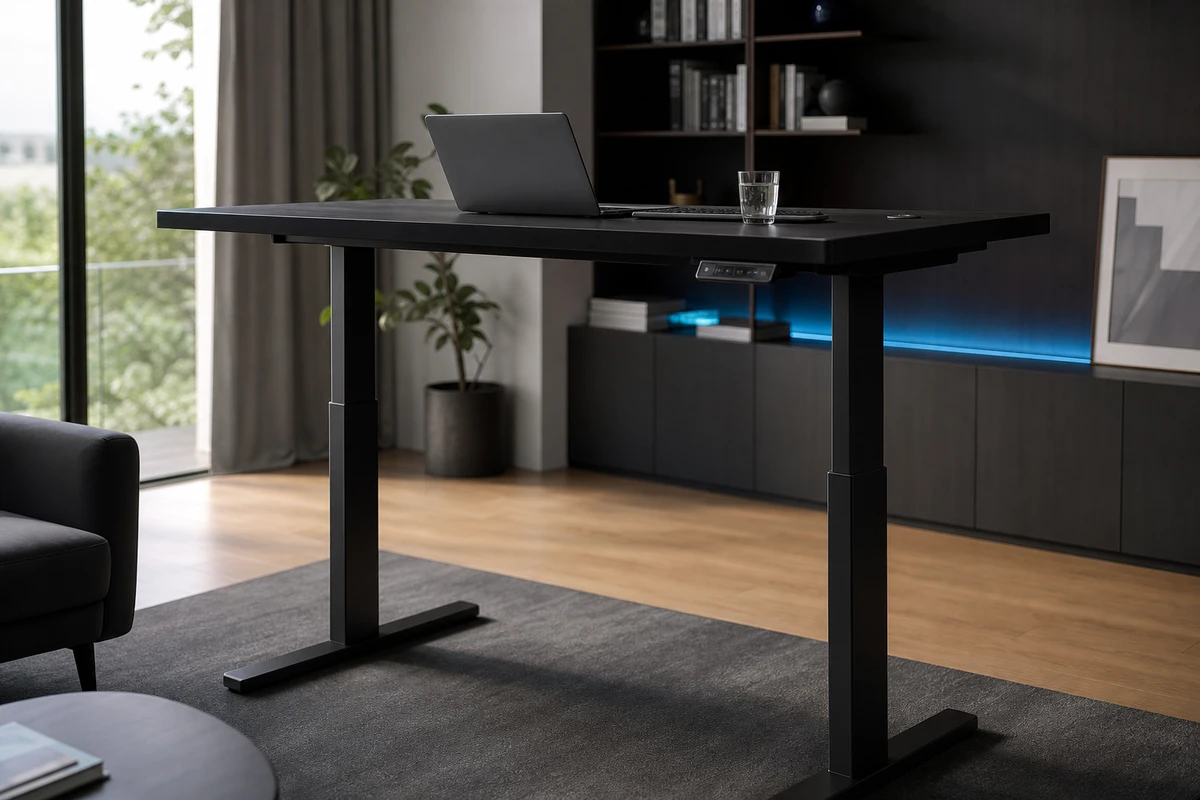
A specification table lists load capacity, height range, and memory presets. Buyers ask whether their cup will wobble, their laptop will shake, or people of different heights can quickly find a comfortable desk height. When ONCE writes the brief, it starts with a question-and-evidence table: show stability through side close-ups and objects on the desktop; adjustment speed through continuous movement; cable management from beneath the desk; and the transition out of prolonged sitting through the same person switching between sitting and standing. Translate specifications into situations buyers can understand. Identify the variables before deciding to reshoot.
Open With the Change That Makes Buyers Stop Scrolling
People searching for a desk are looking for more than an attractive office. In the first two seconds, the hook should show the desktop rising smoothly from sitting to standing height, with coffee, a monitor, and the hand operating the controls still in frame. The visual message is that work continues without interruption. Follow it with a low-angle detail of the moving desk legs to establish that the motion has not been sped up in post. This visual hook provides more useful purchase evidence than an empty establishing shot and can open a product-page main film, an Amazon feature video, or an ad cutdown.
Show Stability Through Continuous Evidence
Brands often request a close-up that demonstrates load capacity but forget the hesitation users feel when the desk is raised. Use three layers: a wide shot of the entire desktop, a medium shot of the raising and lowering process, and a macro shot of the water level in a cup, the keyboard, and the monitor stand. The script should let viewers draw their own conclusions rather than perform technical tricks. The Amazon Ads Sponsored Products video guidelines emphasize authentic use and clear feature demonstrations. Do not use exaggerated pans to prove stability; stability should be visible in a stable shot.
Demonstrate Adjustment for Different Heights
An attractive height-adjustment animation does not demonstrate ease of use. Show two people of clearly different heights pressing their own memory presets, positioning their chairs, and continuing the same task. This makes the adjustment range and memory settings useful in a way viewers can see. The people provide a sense of scale rather than competing with the product. Capture uncluttered close-ups of hands using the control panel so localized text can be added to the key visual (KV) in post. The button logic, desk height, and sequence of actions must remain accurate: overseas buyers scrutinize product demonstrations more closely than mood-led films.
Plan Product-Page Films and Ad Cutdowns Separately
Shopify’s product-media documentation explains that video helps customers understand the product. A 45–60-second main video can cover the problem, raising and lowering, stability, cable management, desktop configuration, and CTA. The asset pool can then provide 6-second stable shots, 10-second raising and lowering shots, 15-second cuts comparing two users at different heights, and a 20-second office-experience cut. One video should not carry every conversion task; each shot needs a clear purpose.
ONCE Deliverables: Assets That Can Be Tested
Before filming, confirm the hero frame, selling-point priorities, horizontal and vertical framing, safe zones, and versions for spoken delivery and silent viewing. Deliver these through a version matrix. After launch, the media buyer should compare first-five-second retention, click-through rate, product-page dwell time, and the add-to-cart path alongside views. These findings help determine whether to replace the hook or add evidence of stability at a raised height. For the connection between product pages and campaigns, see ONCE’s video production section. The cover makes a promise on the first screen; the main film must deliver on it.
Also capture sequences that remain understandable even if the demonstration reveals a problem. Keep the movement from the lowest to the highest position unbroken, and leave ordinary monitors, keyboards, and cups on the desk instead of clearing it for display. This continuity supports ad edits of different lengths and gives the brand footage that can answer real questions about stability in the comments. Specific shots also make campaign results easier to investigate.
Three Shooting Choices That Undermine the Product
First, shooting only empty, minimalist desks prevents buyers from seeing the actual scale. Second, using fast cuts and transitions to hide the rising and falling process can actually decrease credibility. Third, determining the platform aspect ratio after editing can result in vertical videos cropping out the controller and edges of the product. A more reliable process is: define questions in the brief, film evidence on set, edit and create an asset pool, analyze ad campaign performance, and then supplement with additional shots as needed. This way, a height-adjustable desk can transform from "having many parameters" into an office upgrade solution that overseas users are willing to purchase.