Imagine a robot vacuum has been on sale for two weeks. Buyers keep asking whether it can navigate around table legs, avoid getting stuck on carpets, and be cleaned easily. A product video should answer these questions with visible evidence before showing an attractive cruise around the room. For brands selling through Shopify, Amazon, and social ads, clear shot objectives make that footage useful across the buying journey.
Start with Buyer Questions
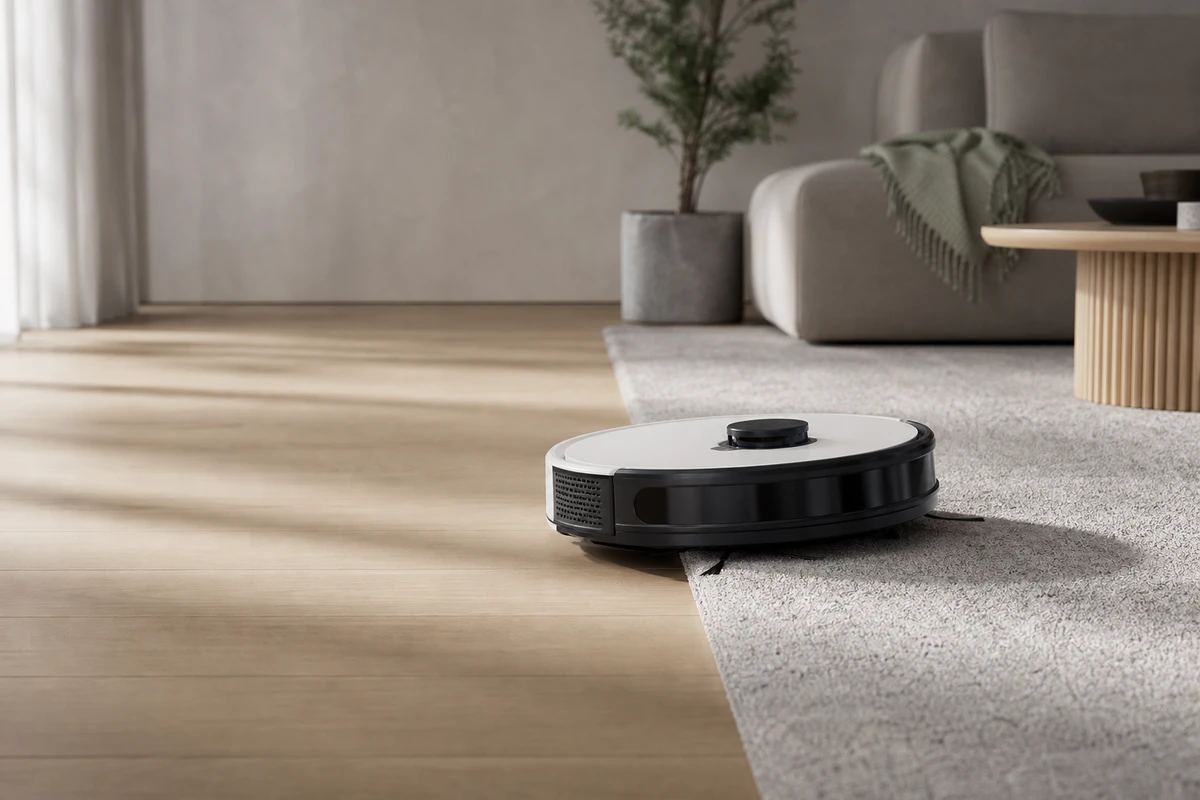
A product brief may list laser navigation, suction power, and automatic docking. Buyers ask different questions: will it fit under the sofa, miss a patch after avoiding a cable, or become difficult to maintain when pet hair tangles around the brush? Translate the specifications into these practical concerns. It is possible to film every feature and still leave the buyer’s central question unanswered.
ONCE VISUAL groups these questions into four areas: cleaning paths, obstacle avoidance, cleaning results, and maintenance effort. Give each area a shot that answers a specific doubt. The hero frame should show what the robot accomplishes in a difficult space. Before arranging a reshoot, identify which evidence is missing and which shot could provide it.
Turn Feature Names into Observable Evidence
Film obstacle avoidance from a low angle, following the robot toward a charging cable, table leg, or carpet edge. Keep the full response visible. For cleaning, show the robot working through crumbs, corner dust, or pet hair, then show the result under the same lighting. Include removing the dustbin and roller brush and returning to the charging dock. These practical actions can answer concerns about owning and maintaining the product.
A demonstration does not replace a laboratory test or justify unverified performance claims. Its visual hook should help a viewer understand how the robot might handle a familiar household problem. Shopify’s product-media guidance describes product video as a way to help customers understand what they are buying. Set shot priorities according to what buyers need to see.
Build a 30-Second Script around Purchase Hesitations
Plan four segments: use the first 3 seconds to introduce a carpet edge, table legs, and clutter; show navigation and obstacle avoidance from 4 to 12 seconds, then cleaning results around corners, hair, or debris from 13 to 22 seconds; and use the final 8 seconds for docking, emptying the bin, and storage. Add the logo, slogan, and KV once the product evidence is established, keeping the opening promise clear.
Make each sequence usable as a separate cutdown. Table-leg avoidance can introduce the product to new audiences, roller-brush maintenance can support retargeting, and carpet-edge cleaning can answer a question on the product page. Plan this set of versions before filming so that the value of the master extends beyond its running time.
Give Each Platform a Clear Role
On a Shopify product page, retain the full demonstration, readable subtitles for muted viewing, and real maintenance actions. In Amazon shopping results, establish one useful function quickly. Sponsored Brands video starts without audio by default, and Amazon recommends showing the product or something interesting within the opening seconds. Consult the Sponsored Brands video specifications when planning the short version and its safe zones.
For overseas social ads, prepare vertical versions that show the problem first: the robot getting stuck on a carpet, hair accumulating, or a narrow gap that is hard to reach. Follow that problem with the product’s response. Compose for 9:16 during the shoot, leaving room for subtitles, platform controls, and hand movements.
Capture Enough Reusable Scenes
A beautiful living room alone cannot demonstrate every task. Plan at least six groups of scenes: hard-floor and carpet transitions, closely spaced tables and chairs, low furniture, pet hair or debris, docking, and maintenance. For each group, capture a hero shot, a medium shot of the process, close-up details, and footage without subtitles. This gives editors room to adapt copy for different countries, channels, and promotions.
Put shot responsibilities in the call sheet: who places the obstacles, who keeps before-and-after lighting consistent, which takes need location sound, and which actions should be captured at 50fps for slow motion. Retain the steps that explain the product’s behavior instead of cutting directly to an impressive result.
Build an Asset Library from One Master Film
Tag the footage by problem, evidence, scene, aspect ratio, and language. If clicks decline, the media buyer can then decide whether to test another hook, story angle, or benefit. Creative fatigue can reflect repeated openings around the same selling point, so review the content as well as its exposure before commissioning a replacement film.
For the first delivery, consider a 16:9 product-page version, a 9:16 problem-led cutdown, a 1:1 results comparison, and a subtitled version without voiceover. Review CTR, landing-page dwell time, add-to-cart actions, and questions in comments together. If viewing remains healthy but add-to-cart actions are weak, check whether the footage answers price and maintenance concerns before increasing the budget.
Avoid Four Common Production Mistakes
Four mistakes reduce the evidence: filming only clean floors without real obstacles; compressing avoidance, cleaning, and maintenance into one subtitle; changing an ad’s aspect ratio without reworking its hook; and replacing actual product behavior with concept CG. A cover frame makes a promise that the footage should support. Translate specifications into understandable situations and results, then carry those decisions into the brief and video-production plan so the finished assets can support the overseas buying journey.