Three days into a campaign, a home-security camera may still attract clicks while landing-page conversions lag behind. The problem may be unanswered questions: What can it see at night? How is privacy handled when someone is home? Will notifications work reliably when they are away? Before making one all-purpose video, turn those three concerns into visible evidence. Then adapt the material to how people watch on Shopify, Amazon, and overseas social media, so each step in the buying journey answers the relevant question.
First, break down “sense of security” into three questions that can be visually demonstrated.
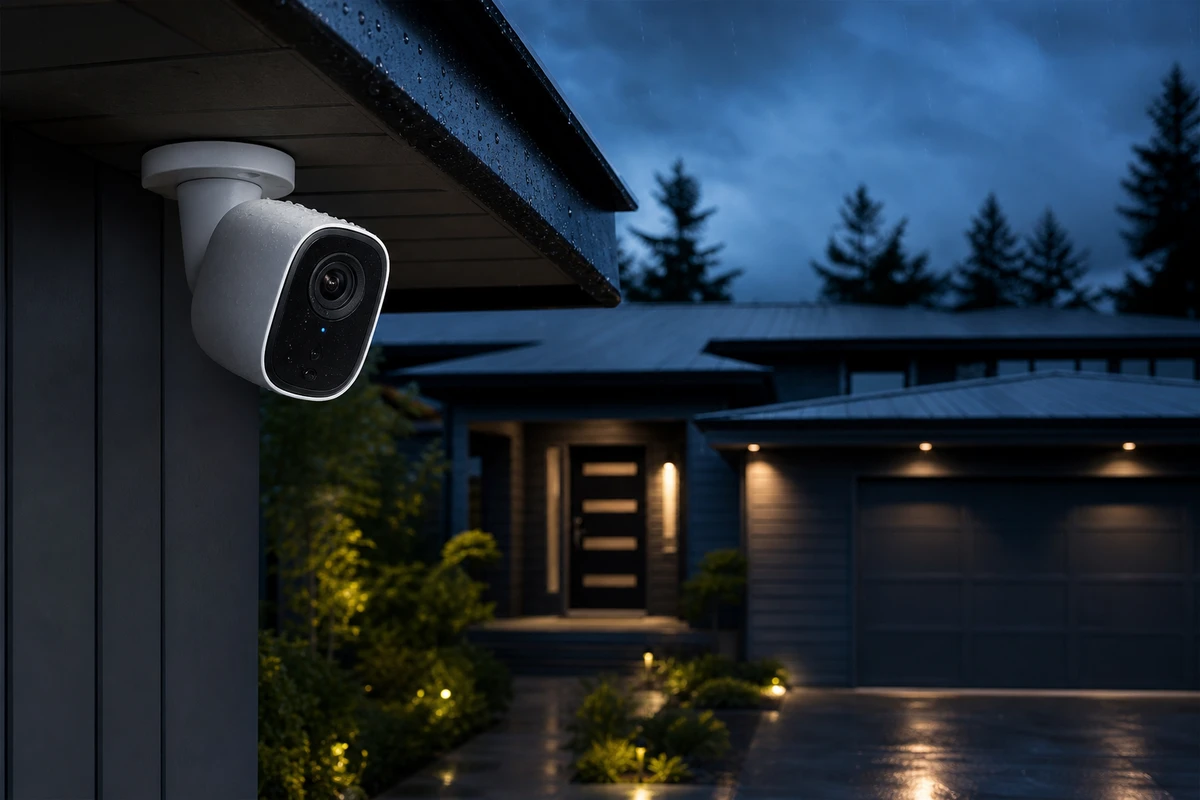
A common on-set problem is trying to fit a list of features such as 4K, AI recognition, and two-way talk into 30 seconds. The hero frame may look attractive, yet viewers still cannot see how this camera differs from their previous one. Rewrite the brief as three questions: Can key actions be recognized in low light? What can the user do to check an alert after receiving it? How can they control privacy when they do not want to be recorded? Technical specifications need to become visible, understandable benefits.
Assign a shot task to each question. A real porch at dusk after rain demonstrates low-light performance. A continuous sequence from receiving an alert to checking the camera view demonstrates remote response. Close-ups of a lens cover, a privacy-state change, or the camera’s physical orientation show privacy controls. Examine these variables before deciding to reshoot. The meaningful visual is a verifiable result that supports peace of mind, rather than a blue graphic ring or elaborate UI effects.
The main product video shouldn’t tell a story; instead, establish evidence in a logical order.
For a product that raises security concerns, build the sequence around a problem in context, the product action, a visible result, and the next step. In the opening 2 seconds, establish a situation at an entrance or driveway, or show a pet left alone, then introduce the camera. Combine night footage, wide-angle coverage, an alert trigger, and phone viewing into a clear chain of evidence. Finish with installation, reassurance, and the brand promise, keeping the product central to the story.
The Amazon Ads Sponsored Products video guide emphasizes putting product features at the center of visuals and demonstrating them in real-world use. That means the protagonist is not an actor’s tense expression but the camera delivering a clear, believable response. To see ONCE’s approach to complex product narratives, start with the method for expressing trust in complex-product videos.
Create a shot list that considers night vision, remote access, and privacy simultaneously.
Plan an eight-part shot list rather than asking for “more details.” Start with a clean product key visual (KV). Second, show how the camera mounts under eaves, on a wall, or on an indoor tabletop. Third, capture challenging conditions such as rain, low light, or backlighting. Fourth, establish the field of view and a moving subject. Fifth, show the hands and phone during remote viewing. Sixth, show the action taken after a notification. Seventh, show privacy mode, a lens cover, or the limits of local use. Eighth, close on a hero frame of a quiet home.
Each part of this shot list has another use. Installation footage can support the product page; night footage can become an ad hook; remote-viewing footage can explain the product in retargeting; and privacy footage can answer FAQs or support email sequences. The cover image makes the first promise. Let the later shots provide the evidence behind it.
Shopify, Amazon, and social media should not share the same edited video.
For a Shopify product page, plan a 35–50-second evidence-led main video with enough pacing for installation, night vision, and privacy shots to be understood. Shopify lists video as product media that helps customers understand functionality, dimensions, and use; see the Product Media Guidelines. Amazon is better suited to separate shorter clips for night vision, remote notifications, and privacy mode. Overseas social versions can use one hook, such as a moving object at a front door on a rainy night followed by a clear camera response.
In other words, the main video builds trust, short clips answer specific questions, and advertising versions test different variables. Combining these three tasks into a single video leads to material fatigue and makes it difficult for marketers to determine whether to change the hook, story angle, or landing page. We typically mark horizontal, vertical, and square safe zones before filming, and we leave room for transitions between different edits on set.
Use a version matrix to turn one shoot into a pool of reusable assets.
Describe the package by its purpose instead of listing only “1 finished film and 3 short videos.” A proposed delivery includes one product-page evidence film, three Amazon feature videos, two 9:16 hooks for new audiences, two retargeting explainers, and text-free B-roll of night scenes, installation, remote access, and privacy controls. Record each version’s selling point, duration, aspect ratio, first frame, and landing page. This matrix becomes the index for the campaign review.
When clicks are low, test a new first frame and problem scenario. When clicks are high but add-to-cart actions are low, strengthen the feature demonstration and its connection to the product page. When retargeting frequency rises, replace the repeated night-time conflict instead of adding more captions or producing similar shots. Each asset should answer a clear buyer question.
Three common pitfalls that can undermine credibility in your videos.
Three choices can weaken credibility. First, using only a CG glow to suggest night vision gives viewers no real lighting conditions to judge. Second, filling the screen with an app while hiding the camera in a corner makes a screen recording the subject instead of the product. Third, promising “complete protection” without showing the supported situations and usage limits weakens trust and can complicate advertising review.
ONCE VISUAL turns specifications into visible outcomes, assigns each shot to its intended channel, and retains the footage for later versions. A home-security camera video can then provide reusable evidence for product pages and campaigns instead of serving only as a one-time demonstration.