When a brand asks, “Can we make this folding chair look more upscale?”, the hard part is not making it attractive. The challenge is to show overseas viewers, in a dozen or so seconds, that it sets up securely, feels comfortable to sit on, and takes little space when packed away. Cross-border outdoor-furniture video should turn these three purchase concerns into visible evidence before adding atmosphere. The approach below gives Shopify storefronts, Amazon detail pages, and overseas advertising a common shooting plan.
Start With What Buyers Need to Verify
The search intent for folding furniture is specific: can it unfold quickly, will the structure wobble, and how large is it when packed away? Users are making a risk judgment for weekend camping, trunk storage, or balcony use rather than watching a brand film. When ONCE writes this kind of brief, it turns “lightweight, stable, durable” into actions the camera can verify.
A practical evidence table usually needs just three columns: the buyer’s question, the real action, and the shot task. For “Can one person set it up?”, show it being taken out with one hand, unfolded, and placed on the ground. For “Will it feel secure during longer use?”, show the latch locking, the seat taking weight, and the cushion returning to shape when the user stands. For “Does it pack down small enough to be worthwhile?”, show the full chair folding into its bag and then fitting into the car trunk. Before rushing into a reshoot, separate the variables. Translate specifications into visible outcomes that buyers can understand.
Plan a Benefit, Scene and Version Matrix Before the Shoot
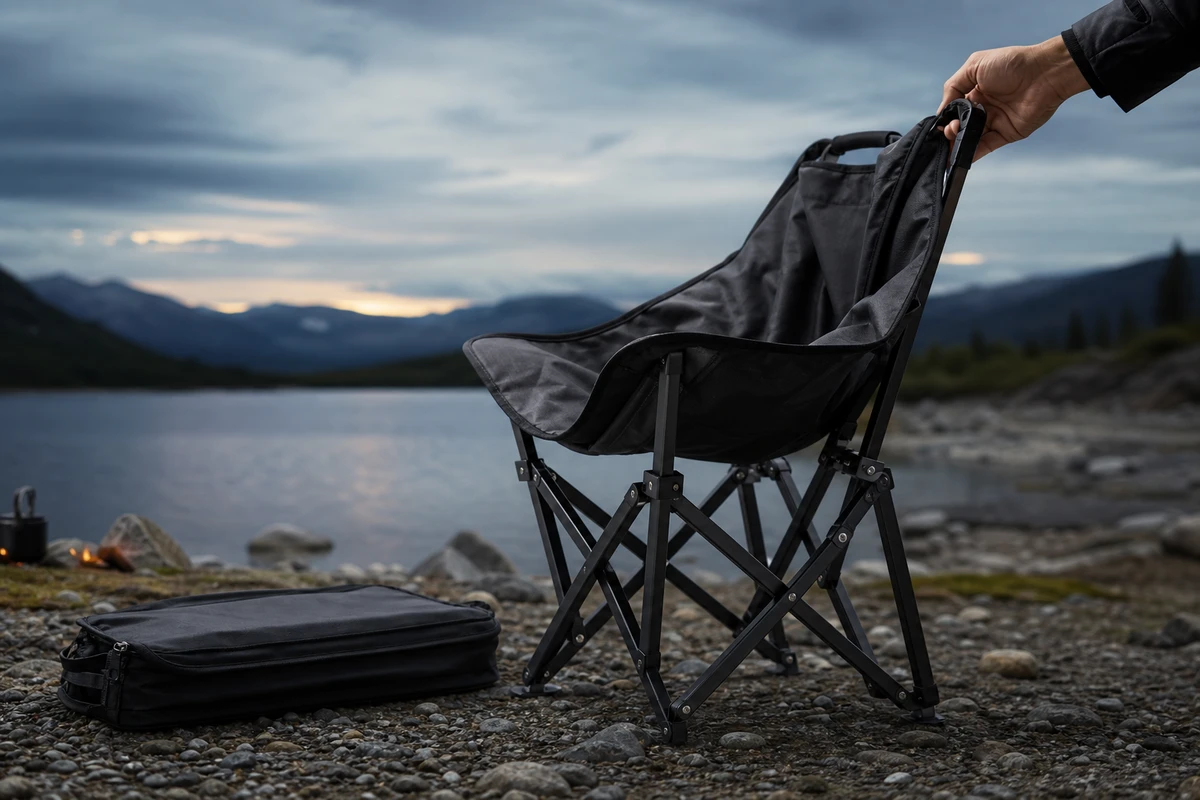
We recommend setting the "hero frame" at the moment when "the chair is unfolded and the environment clearly shows its purpose." Then, film separate short clips for each selling point. For outdoor chairs, you can prepare four types of scene assets: lakeside campsites, car trunks, balconies, and storage areas in the home, but each type should only serve one narrative purpose. This way, the main video has a story angle, and subsequent placements won't try to cram all the information into a single 15-second video.
Specifically for camera tasks, you should have at least: a close-up of the storage bag volume, a medium shot of the unfolding action and mechanism, a low-angle shot of the foot pad landing, a side medium shot of the actual sitting posture, details of the connection between the fabric and metal, and an overhead shot of putting it back into the storage bag. The visual impact isn't about smoke or grand landscapes; it's about the before-and-after contrast of "from a bag to a chair." Amazon Ads also emphasizes that product close-up videos should focus on real use and functionality, and lifestyle footage should serve to demonstrate the product, not overshadow it.
Open the Hero Film With an Action
For a 20-second cold-start version, show the folded chair and a hand pulling the zipper at 0–2 seconds as the visual hook; unfold it fully at 2–6 seconds so the structure is immediately clear; place it in a real outdoor setting at 6–11 seconds to establish scale; show load-bearing, armrests, cup holders, or fabric details at 11–15 seconds; then return to the storage bag and trunk at 15–20 seconds to convey that it is easy to carry. Exaggerated narration is unnecessary because the images should explain the message.
On set, be particularly wary of staged "successful unfolding" shots that appear seamless but are not genuine. The locking mechanism, supports, foot pads, and fabric tension must all be shown continuously; avoid using jump cuts to skip over crucial steps. For outdoor products, weather conditions, ground surfaces, and character movements are all part of establishing credibility. A product demonstration with some wind, pebbles, and a realistic feel is often more effective in building trust than a flawless CGI transition shot on a studio set.
Give Product Pages and Ads Distinct Shot Sequences
Shopify explicitly supports videos as product media. Product videos can explain features, dimensions, and usage steps that still images struggle to show. Leave the complete demonstration on the product page, while using the dense “from storage bag to sitting down” action on the first screen or in ads. Refer to Shopify’s product-media description, confirm that the theme supports the video and how it displays it, and then decide which horizontal, vertical, and square versions to deliver.
Create advertising versions around specific questions rather than changing only subtitles: the car-storage version explains volume, the camping-setup version explains unfolding efficiency, the backyard-leisure version explains comfort and atmosphere, and the structural-detail version explains reliability. Google’s creative guidance checks early brand presence, duration, voice-over, and multiple aspect ratios, reminding the team to reserve safe compositions for 16:9, 9:16, and 1:1 from the first shooting day. Use the guidance as an external check on the delivery list.
Build a Reusable Footage Library From the Shoot
What differentiates the service is whether the footage remains useful after the shoot. ONCE tags assets as functional proof, scene immersion, detail and texture, character reaction, or storage result, then delivers a library the brand can reuse. Editors can cut a product-page demo, a 6-second hook, a 15-second conversion video, a retargeting FAQ, and a short email loop from the same raw material.
This is the concept of content assets rather than just a single video: The hero film establishes the brand’s full story world, cutdowns focus on individual benefits, the key visual (KV) earns attention, and still frames support landing pages. When creative fatigue sets in, first change the hook, shot order, and story angle before organizing another large shoot. The cover image is not just decoration; it's a promise made on the first screen. It should make “foldable, portable, and being used for real” clear at a glance.
Avoid Turning the Product Video Into an Unrelated Travel Vlog
Four mistakes recur. First, people and scenery dominate, leaving the chair looking like a prop. Second, atmosphere replaces unfolding and packing away, so viewers still lack the information they need to buy. Third, load-bearing demonstrations omit the real contact points where weight is supported, making the demonstration feel unconvincing. Fourth, the delivery contains only one landscape hero film, with no version matrix for media buyers. Label each planned shot with the question it answers. If it answers none, leave it out of the shooting schedule.
To turn this framework into an overseas content plan, start with the ONCE video-production column and define the boundaries of product, scene, placement, and delivery. Establish solid evidence first, then consider the larger visual idea. For cross-border outdoor brands, that supports the conversion path more effectively than a vague big idea.