A helmet brief can go wrong when the team shoots a stylish cycling film first and only later tries to fit it into Shopify, Reels and retargeting. The master has atmosphere, but buyers still cannot see how to adjust the helmet, whether it might feel stuffy over a long ride or why it belongs in their daily commute. Start by breaking those decisions into shot tasks, then build the version matrix from the footage. This creates a reusable set of scenes for the online store, overseas social channels and future campaign reviews.
Identify Three Moments in the Helmet Buying Decision
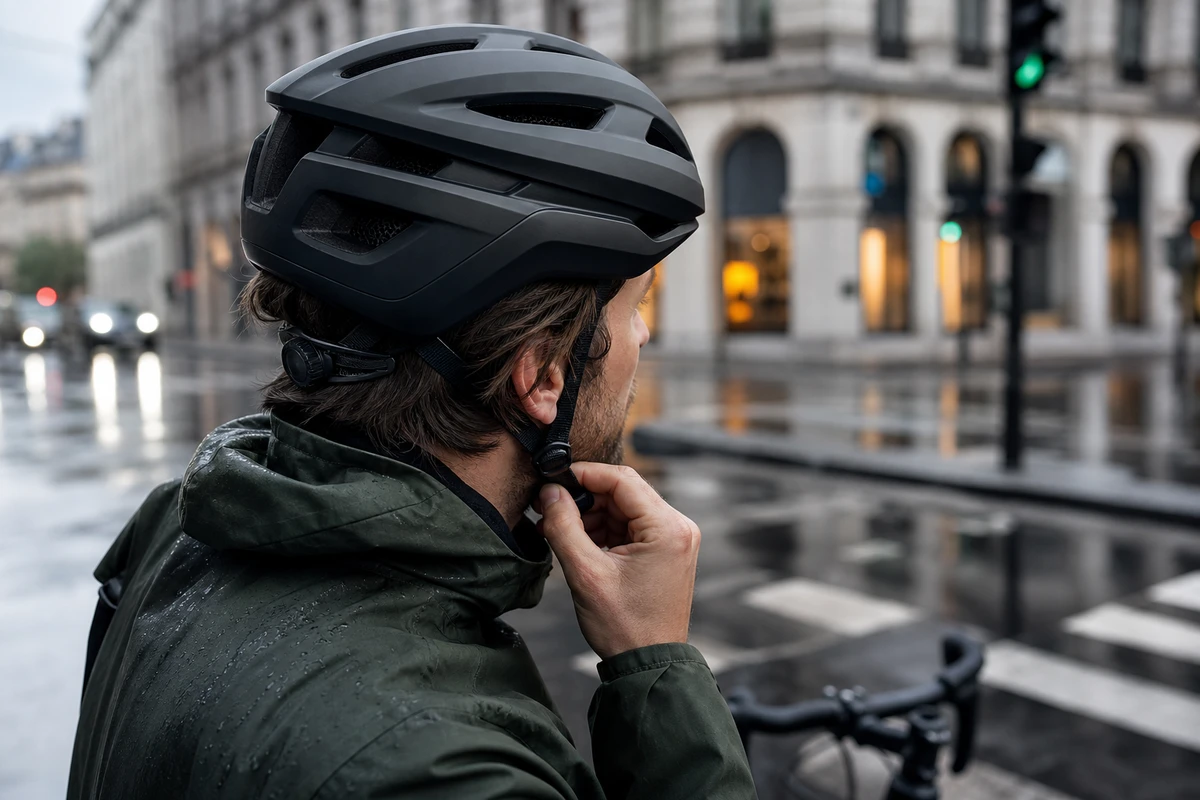
The first moment is “does it fit?” Show trying it on, the adjustment dial, chin buckle and fit around different head shapes in close-up. The second is “will it feel comfortable while riding?” Put ventilation, the sense of weight and field of view into a real commute. The third is “will I want to use it every day?” Capture small actions such as locking the bike, entering a café and arriving home from work. Keep each selling point focused: one hero frame should communicate the strongest relevant benefit, with subsequent cutdowns filling in the rest. Fit and fastening demonstrations should follow the manufacturer’s instructions.
Turn the Brief into Filmable Shot Tasks
ONCE usually gives a helmet project seven shot tasks: product styling, evidence of fit, adjustment details, ventilation in motion, confidence during the commute, facial reactions and a closing CTA. Label each task for product-page, ad, KV or still-frame use. The director, cinematographer and editor can then work toward the same idea, while the crew knows which actions need landscape and portrait coverage. A one-second close-up of the adjustment dial clicking into place may be more useful than the fastest wide cycling shot. Commuting footage can establish context and confidence; it cannot establish impact protection or certification.
Let the Product-Page Master Answer Buyer Concerns
Shopify’s product media guidance includes video among the media a compatible theme can display. Use it to help buyers understand size, features and quality. A helmet master can follow the sequence “put it on, adjust it, ride out, return to the details,” with try-on footage in the first 10 seconds. Show how it fits into everyday life before filling subtitles with certifications, colors and technical terms. Any certification or protection claim still needs verified support for the actual product.
Build Several Versions from One Cycling Shoot
Plan at least four asset types from the commuting footage: a 16:9 product-page demonstration, a 9:16 Reels or TikTok hook, a 1:1 or 4:5 feed version and a 6–10-second retargeting cutdown. Reserve the needed framing while filming, including people entering and leaving the frame, the direction of traffic and product close-ups. Use the official Reels advertising guide as a reference when checking portrait composition, sound and safe zones for the selected placement. Those checks belong in the production sheet, but a clear safe zone alone does not make the first two seconds interesting. The hook still needs a clear shot of the helmet being put on.
Build an Asset Pool for Creative Refreshes
Repeatedly shortening one 30-second film, adding subtitles and changing its cover leaves little room for a different idea. Organize the asset pool around try-on, ventilation, confidence in city riding, design and the real user’s perspective. Capture different people, weather and shot sizes for each. If CTR falls, the media team can test a new story angle without discarding all the footage. Google Ads’ creative guidance presents suggestions alongside retention curves. It can help the team review specific creative variables as well as budget.
Use AIGC for Extensions Around Real Fit Footage
For a close-fitting product such as a helmet, accurate live-action footage provides the starting point. Capture different head shapes, fasteners, riding postures and material reflections before using AIGC to extend weather, city backgrounds or parts of a KV. Preserve real proportions when explaining benefits. AI must not distort ventilation holes, fastening structures or the relationship between helmet and head. Treat generated images as campaign background extensions and storyboard previews, rather than evidence of product function.
Review the Film Against Three Buyer Questions
Watch the opening muted. Within three seconds, can you answer “what is this?”, “who is it for?” and “why click through to the product page?” Then check the complete film: are try-on and adjustment clear, does UI obscure the portrait hook, and can the footage produce three different hooks? If the answers are vague, adding text in post will not replace a missing shot. Complete the shot tasks before building the versions. For more on asset planning and campaign adaptation, see ONCE’s video marketing articles. Each new shoot should add to the conversion journey established by the previous assets.