A thermos may seem simple, but users ask many small questions before ordering: Will it leak in my bag? Will hot drinks still be warm by afternoon? Is the lid easy to clean? Will it have an odor after exercise? If a Shopify brand only creates a "beautiful lifestyle" video, the product page will struggle to address these hesitations. A more practical approach is to break down insulation, sealing, cleaning, and different usage scenarios into individual shots, creating a set of reusable video content assets.
First, confirm: the user isn’t just buying a cup; they’re buying a hassle-free daily experience.
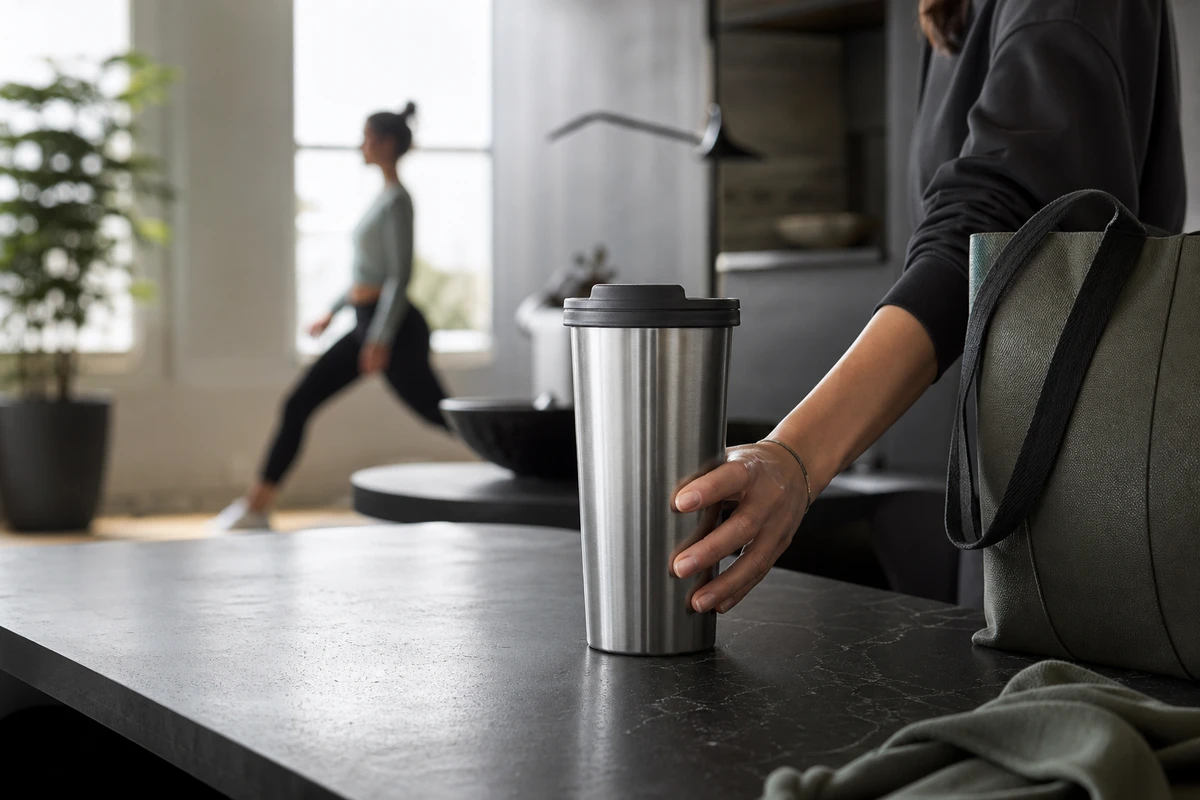
The real competition in the thermos category isn't just about materials and capacity; it's also about whether users can imagine it fitting into their daily routines of commuting, fitness, and work. Marketing briefs often mention "high aesthetics, portability, and quality," but these words are too vague. We ask: Who is using it at what time? Where is it placed? What problems are they most afraid of? What steps can the product save them? The answers will directly determine the visual hook.
Commuters want a bottle that does not leak in a bag and is easy to carry in one hand. Office users want a drink at a suitable temperature in the afternoon. People exercising want quick hydration and easy cleaning. These insights turn “vacuum insulation” into a relatable result: filling the bottle in the morning and still having a drink ready before the afternoon meeting. Show the function through a continuous action so the emotional benefit has a practical basis.
Use “timelines” instead of generic lifestyle shots.
Structure the Shopify product-page film along a timeline: filling the bottle in the morning, putting it in a bag, using it at a desk, drinking during exercise or outdoors, and cleaning it at home. Give each section one shot task. Opening and sealing explain the structure; packing shows relative size; drinking shows grip and flow; cleaning reveals the opening, sealing ring, and rinsing path. Repeatedly rotating the bottle under soft light may create an attractive key visual, but it does not explain these tasks.
On set, we often remind clients that hand movements are not just decoration; they're an entry point for users to relate to the product. The shots should allow enough time to show fingers opening the lid, placing the cup in a side pocket, and removing the seal. This pacing is more effective for viewers who are seriously considering purchasing the product, and it also leaves room for subsequent shorter videos that focus on specific features.
Let the Product-Page Film Explain and Each Ad Give One Reason
Shopify treats videos and 3D models as product media that help customers understand functionality and dimensions; see the Shopify Product Media Guidelines. A product-page video should answer how to use the cup, who it serves, and how to maintain it. We recommend keeping 35–55-second videos concise: begin with a hero frame, then show features and usage results.
For cold-audience advertising, focus each cut on one story angle: no leakage into a commuter bag, one-handed opening after exercise, or a hot drink in the afternoon. Retargeting can answer questions about cleaning and details instead of repeating the same city-walking sequence. The Amazon Ads product-feature guide emphasizes showing features in real use. Viewers should be able to see how the product works without depending on a spoken introduction.
Before shooting, create a version matrix for all content assets.
Divide the shoot into five sets of assets. First, capture text-free product key visuals (KV) and hero frames for the opening screen, email, and landing pages. Second, show sealing, opening, closing, and cleaning as product proof. Third, capture commuting, office, and exercise scenarios. Fourth, film human interactions as 9:16 hooks. Fifth, capture B-roll of hands, materials, and environments that can be combined in different edits. Plan horizontal, square, and vertical compositions for every set.
This approach avoids inventing every idea from scratch; it lets the team select variations from an existing asset pool. Google’s Demand Gen specifications and format requirements recommend varied horizontal, square, and vertical assets. The point is to reserve real format choices during production rather than shoot many nearly identical scenes.
Let AIGC expand on this, but don’t let it replace product evidence.
An insulated cup is suitable for AIGC extensions of seasonal light, color combinations, and selected background atmospheres, but the seal, cup opening, drinking action, and cleaning steps must first be filmed in real life. Users inspect the structure and compare the image with their own use. AIGC is useful for KV variants, scene replacement, and visual consistency across a campaign, not for functional demonstrations.
The workflow for ONCE VISUAL typically involves first defining the "essential shots" with real-life footage, and then setting boundaries for each set of expandable materials: which can have background changes, which can change seasons, and which must maintain the physical structure. This approach increases material reuse while avoiding turning a real product into an unbelievable conceptual poster.
When reviewing ad performance, focus on “which concerns were addressed.”
Review more than play counts. Tag each video by hook, selling point, scene, aspect ratio, and audience stage. If a sealing demonstration attracts clicks but few add-to-cart actions, check whether the product page needs a clearer cleaning explanation. Longer viewing of an office hot-drink video may suggest that “still ready to drink in the afternoon” merits another test. If an exercise video performs worse after frequent exposure, test a different audience, rhythm, or scene before discarding the whole set.
To connect product-page films, ad cutdowns, and brand storytelling, explore the ONCE video marketing column. Reusable insulated-bottle assets form a system of shots that operations teams, designers, and media buyers know how to use.
Three details often overlooked in thermos videos.
First, don't just shoot the reflection on the cup body; also shoot the real-life scale of the product being placed in a bag, on a desk, and at a cleaning station. Second, don't make people look like supporting actors in a fashion photoshoot; the product should always be the main subject of the frame. Third, don't create all vertical videos by cropping a horizontal video; reserve framing for hands, cup opening, bags, and relationships with people from the beginning of filming.
Before rolling the camera, ask what the shot can answer for a buyer. If its only purpose is to look premium, it may suit a key visual without yet doing the work of a conversion asset. Connect the buyer’s question to a shot task and a version in the matrix, so the Shopify brand can reuse its footage instead of starting over with each campaign.