At kick-off, the brand hands a static product image to a generation tool. By review time, packaging text is distorting, a port has moved, and previously clean edges slowly “grow” into a different shape as the camera moves. What really sends e-commerce content leads back into rework is usually not a lack of attractive motion, but that the client can no longer recognize the same product at a glance.
How can product images be turned into video while keeping the product consistent? The key is not a longer prompt, but locking down the product facts that cannot change. Packaging text, ports, proportions, brand colors, and key materials belong to the factual zone; backgrounds, lighting, framing, and non-critical environmental details belong to the creative-experiment zone. AI can speed up experimentation, but it cannot replace acceptance.
Product Consistency Does Not Mean Copying the Reference Image in Every Frame
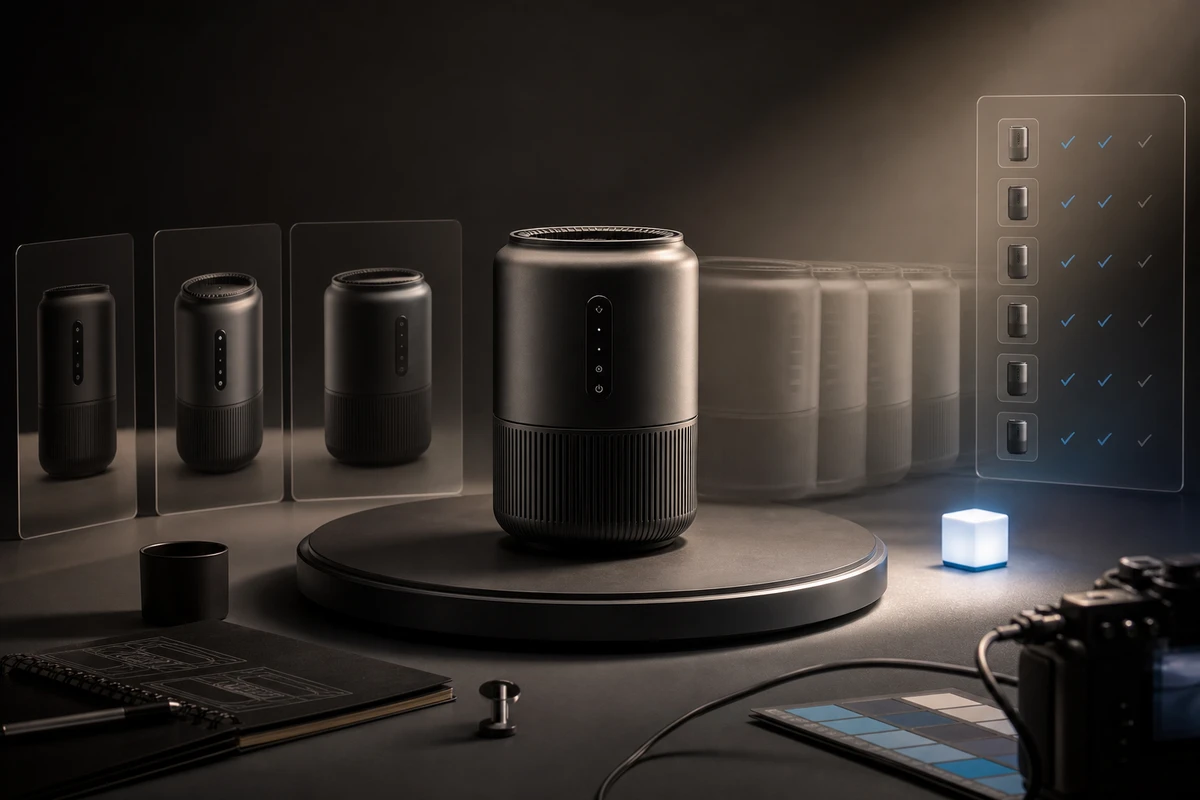
Consistency does not require a shot to remain at exactly the same angle; it means viewers can still confirm the product’s identity after the shot changes. Public documentation for generative tools presents reference images, object consistency, and linking short clips as workflow capabilities. That helps us design inputs, but it does not mean every SKU will remain stable in every shot. Public materials from generative tools such as Runway also place reference assets and clip linking in the same workflow, but final deliverability still has to be judged shot by shot.
Before production, divide variables into three categories: immutable, variable, and prohibited. Immutable details affect purchase understanding if changed; variable factors may change the atmosphere without changing product identity; prohibited actions are any actions that might deform the product, in which case generation should pause and the shot should move to compositing or live action.
What a “Continuity Reference Card” Needs to Lock Down
Do not upload only one polished hero image. First prepare a set of static references that can be compared item by item:
| Reference Item | What to Record | Decision Before Generation |
|---|---|---|
| Front, Side, and Back | Overall silhouette, proportions, and visible faces in the shot | Which angles are supported by real materials and which must not be invented |
| Packaging Text | Logo, model number, warnings, button labels | Whether text must remain character-perfect; if it cannot be read, do not let the camera sweep past it quickly |
| Ports and Construction | Port positions, seams, buttons, connection methods | Whether orbiting, rotation, and occlusion will change structural relationships |
| Color and Material | Brand colors, reflections, transparent parts, textures | Whether lighting changes are acceptable and which reference environment is used for acceptance |
| Detail Close-ups | Crops of the areas most likely to be rewritten | These areas must be checked in the first, middle, and final frames |
Adobe’s product-photography guidance places angle, background, lighting, and detail records at the foundation of product-image production. When taking this thinking into an AIGC workflow, the key is not chasing “more realistic” images, but defining in advance what is not allowed to change.
Sort Motions into: Generate Directly, Make a Short Test First, or Move to Live Action or Compositing
The more complex the motion, the more easily product facts are obscured. Use the following triage for an initial decision:
- Can generate directly: Subtle push-ins, slow lateral moves, and background-atmosphere changes when product text and structure are not what the shot needs to prove.
- Must make a short test first: Orbiting, rotation, handoffs, partial occlusion, or continuous appearance of the same product in multiple scenes.
- Prefer live action/compositing: Shots that need to prove port connections, mechanical movement, transparent structures, fine text, or exact proportions.
This is not a ranking of model capabilities; it is an allocation of production responsibility. Saving generation time while leaving high-risk shots until the end normally only shifts rework from before production to after review.
Do Not Judge a Short Test by Its First Frame Only: Check the First, Middle, and Final Frames
A clip passing its first frame does not mean the middle has not drifted. The first round of short tests only needs to answer four questions: Is the product identity still clear? Are key text and ports still in their original positions? Has the motion deformed the structure? Have color and material changes in the lighting created the impression of a different product?
Record “passed items, drift items, corrective actions, reference-image version, and next step” in the review sheet. If the same problem appears in two generations, do not keep stacking prompts; downgrade the motion, move to compositing, or return to live-action shooting. This stopping condition matters more than chasing success in a single generation.
Review Visual Style Consistency Separately from Product Facts
Consistent color, lighting, texture, and background belong to visual style consistency. Text, ports, structure, proportions, and connection relationships belong to product-fact consistency. When both are mixed into a single “does it look good?” review sheet, the image may look smooth while the product itself has been rewritten.
A Brief should therefore contain at least two columns: one for creative variables that may change and another for factual variables that must be checked item by item. Style references help establish a visual tone, but they cannot replace a product specification, approved packaging artwork, or a real sample as proof.
Put the Product Image-to-Video Consistency Check into the Brief
Before moving into post-production, freeze four things: the final reference-image set, key detail close-ups, approved short tests, and a list of facts that must not be reinterpreted. If the team uses content credentials or other version records, place the reference images, generated versions, editing actions, and human-review results in the same handoff chain. The C2PA explainer treats provenance and edit history as an asset record; it helps track versions but cannot automatically prove that a product’s appearance, performance, or production status is real.
The efficiency of turning product images into video is not about handing every shot to generation; it is about knowing earlier which shots can be tested, which must be checked, and which are not worth risking. Put the reference card, motion permissions, short-test gates, and version freeze into the Brief, and AI becomes a controllable production step. When you need to apply this gate to a specific product, start with ONCE’s AIGC Commercials and AI Video Production Solution.
Production examples and next steps
Plan the real product actions and outdoor conditions together. The WISE TIGER inflatable-tent film provides a reference for setup and camping scenes.
Review Ecommerce product video production in China. and WISE TIGER: Day and Night Camping Experience with One-click Inflatable Tent. To discuss your project, send the product actions, locations, weather options and delivery versions through the English project enquiry form.