Three days into a campaign, a luggage product page may be getting clicks and saves while add-to-cart activity barely moves. Price is one possible explanation, but buyers may still be unsure whether the case can go in the cabin, how to pack it, how noisy the wheels are or how the shell handles everyday carrying. Cross-border luggage videos should address those concerns with visible demonstrations. For Shopify, Amazon and overseas social channels, the hero frame should signal in the first second which travel problem the case is meant to solve.
Turn Luggage Quality into Four Buyer Questions
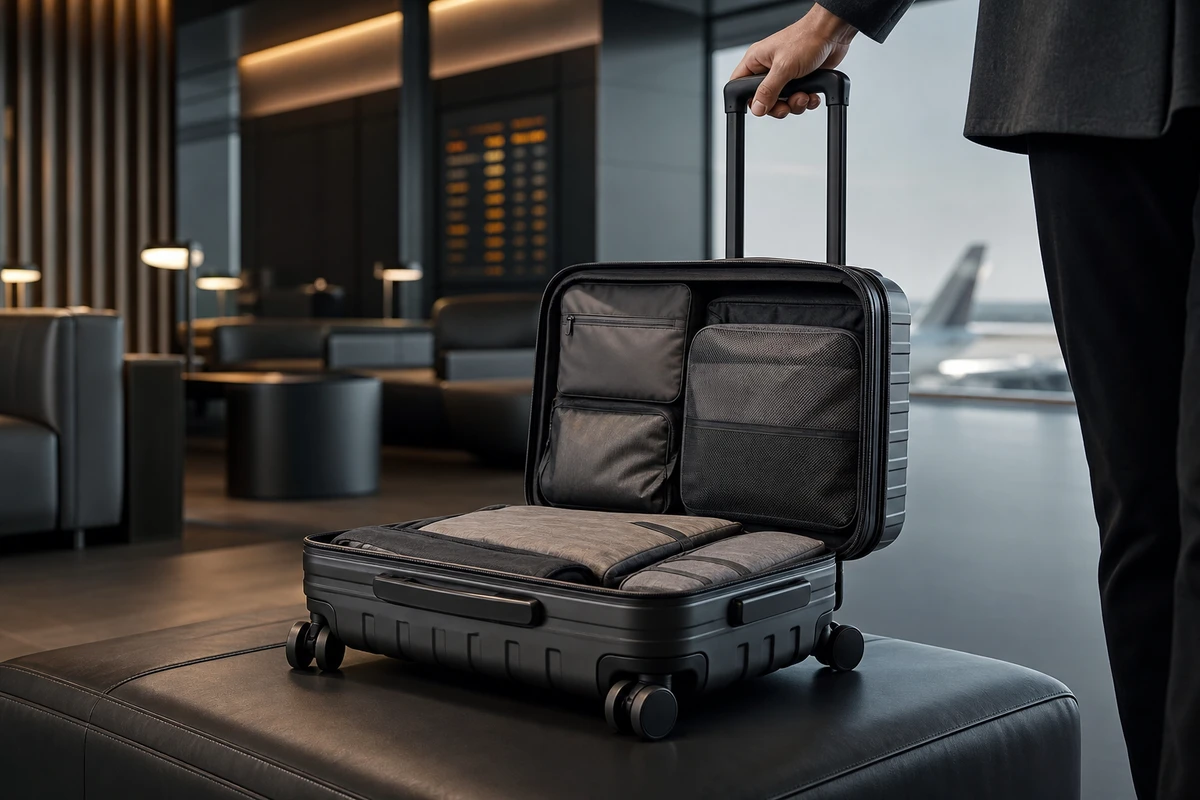
Do not stop at asking for a premium look. Begin the brief with four question cards: cabin use, packing, movement and durability. Cabin use needs a size reference and a demonstration of lifting and carrying. Packing needs opening, closing and compartments. Movement needs wheel noise and steering. Durability needs corners, the telescoping handle and everyday handling. Translate specifications such as a 20-inch size, PC material and 360-degree wheels into situations buyers understand. Keep one claim on each card so the script remains focused. A nominal size alone does not establish cabin eligibility: check the chosen airline’s current allowance and the case’s total dimensions, including wheels and handles.
Let the Opening Hook Show a Useful Result
A buyer arriving on the product page may not wait for a long brand introduction. Open with the case fitting into the relevant airline’s cabin-bag sizer, a traveler pulling it toward the gate with one hand free, or the case opening to reveal organized compartments. Each option should help the viewer judge whether it suits the trip. Amazon’s Sponsored Products video guidance emphasizes real functions and everyday use, with titles that match the features shown. The production lesson is practical: a short clip cannot tell the entire brand history, but it should clearly show the feature working.
Give Each Shot a Role in the Evidence Sequence
ONCE breaks the main luggage film into six shot tasks: a hero frame to establish the product’s character; a size comparison relevant to cabin use; opening and compartment demonstrations to explain packing; tracking shots of the wheels to convey movement and sound; close-ups of the telescoping handle, carry handles and corners to address construction concerns; and an airport, hotel or weekend-trip ending to add emotional appeal. Before scheduling a reshoot, identify the variable. Do buyers doubt the size, or do they not understand the packing layout? The answer determines whether to change the hook, change the props or add a close-up. Demonstrations must remain within what the product and any supporting tests actually establish.
Plan One Master for the Product Page and Ad Versions
The footage should support more than a single 30-second landscape video. Put the version matrix in the call sheet: a complete evidence sequence for the product page, planned 6–20-second functional cutdowns for suitable Amazon Sponsored Brands placements, portrait pain-point openings for TikTok and Reels, and separate test cuts for wheels, expansion and packing. Confirm the selected Amazon ad type’s current specifications before export; Sponsored Products video and Sponsored Brands video have different requirements. Sponsored Brands videos start muted, so key visuals must work without sound. TikTok’s creative resources and creative best practices can help identify visual hooks to test and inform campaign reviews. Treat them as starting points, rather than copying a platform template directly into a film for a high-ticket product.
Make the Shopify Video a Verifiable Explanation
The cover frame makes a promise. Keep the product-page video consistent with the size chart, stated load capacity and material description, so travel scenes and copy can be checked against each other. Shopify’s product media guidance explains how video can form part of the product page with a compatible theme. Treat it as part of the purchase journey. Before launch, test video display and playback in the actual theme; a visible thumbnail alone does not show that the video works.
Capture Reusable Assets on the Shoot Day
Prepare two sets of packing items, two types of user and a set of details against a white background for the same case. This gives editors lifestyle footage and designers clean assets for KV, email and landing pages. Label master, cutdown and still-frame uses in the shot list to reduce the risk of running out of useful assets after two weeks of campaigning. To clarify delivery boundaries and the shooting workflow, see ONCE’s video production services. The aim is a set of shots that can keep answering buyer questions beyond the first finished film.
Check for Four Common Luggage Video Problems
First, airport atmosphere takes up the film but size and structure remain unclear. Second, subtitles claim scratch or drop resistance without corresponding demonstrations and adequate support for those claims. Third, the wheels are too far from the camera to convey the sound or feel of their movement. Fourth, the master looks good but the portrait version is merely a crop that loses important information. Before launch, watch the film muted on a phone. Can you identify the product, setting and one clear benefit within three seconds? If not, return to the question cards and rearrange the shots. Each frame should have a purpose in the conversion journey.