If ads have run for three days and still earn clicks, but visitors leave the Shopify product page, inspect what the footage explains. A polished hero image may leave buyers unsure about proportions on the face, the appearance of the lenses in different light, or whether they would choose these glasses when going out. Build sunglasses content from try-on, material, lifestyle, and style-selection shots that can work across the product page, social media, and retargeting.
Plan Beyond a Single Main Film
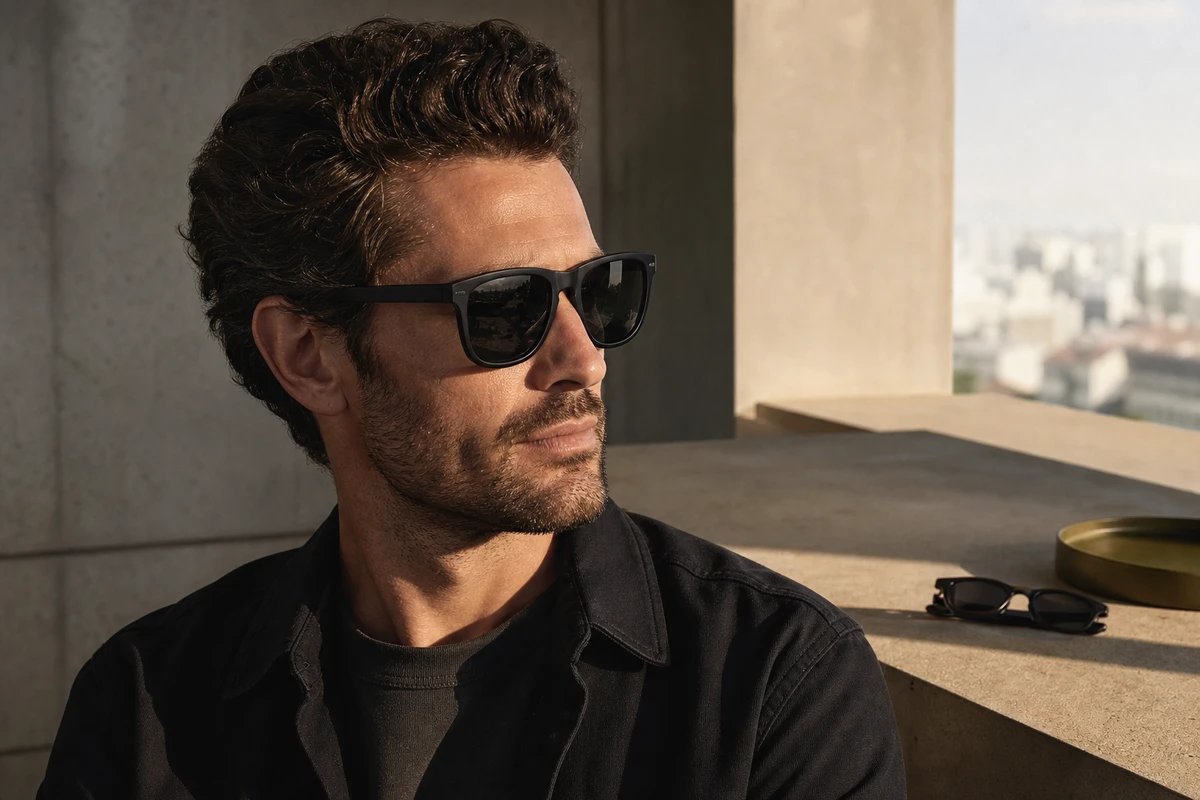
Sunglasses can attract an emotional response while raising practical buying questions. A visual hook draws attention; buyers then consider face shape, fit stability, lens color, and suitability for commuting or holidays. A hero frame can introduce the style, but may leave those product-page questions unanswered. During the brief, divide coverage into style recognition, wearing evidence, and product selection. Give each group a script structure and editing rhythm suited to its task.
Shopify’s product media guidance treats video, images, and 3D models as product media. Decide which information the video adds for the DTC buyer: a detail that a still cannot explain, the appearance of a lens reflection, or a specific everyday setting. Give each shot a task so the library contains clips with a clear use.
Turn Appearance Into Four Filmable Questions
First, does the frame shape suit everyday outfits? Use medium and close views with a natural perspective rather than an exaggerated wide angle. Second, how do the temples, nose pads, and hinges work? Show hands interacting with them instead of asking an actor to recite specifications. Third, how do the lenses appear in bright light, shade, and indoors? Follow the same pair through a real route. Fourth, does the style suit several situations? Commuting, weekend outings, and travel can share a campaign story angle without turning the film into a clothing lookbook.
On set, translate a specification into a scene that buyers can understand. For a lightweight positioning, plan a sequence of picking up the glasses, putting them in a bag, and wearing them naturally later in the day. The scene illustrates a use case; any measured weight or comfort claim still needs its own support. Keep attractive reflections while showing the face and frame clearly, rather than hiding the product in backlit close-ups.
Schedule the Shoot Around Shot Modules
ONCE VISUAL groups footage into wearing, tabletop, walking, and detail modules. Each module needs a clean plate without added text, a version with human interaction, and actions that can become a 6-second cut. The same library can supply the Shopify first screen, product-page demonstrations, Reels cutdowns, KV animations, and email retargeting. Plan enough useful coverage for the next two testing rounds, beyond the first finished delivery.
Record the color, model, styling, and lighting conditions in the shot list. Discovering during editing that the black frame works in only one lighting setup, or that a clear frame lacks a front view, can force a reshoot and disrupt the version plan. The product selection and shooting order should therefore become the index for the finished asset library.
Give Product Pages, Social Posts and Ads Different Jobs
For this brief, a 20–40-second product-page demonstration can show wearing and details so buyers can compare the item with their expectations. A 6–10-second social opening can establish the lenses, expression, and setting while the user gets ready to leave. Retargeting can answer which angle obscures the face least or how to store the glasses. Consult Google Ads’ creative guidance when preparing campaign versions. As a production check, confirm that the subject, text, aspect ratio, and next action remain clear in each delivered edit.
Plan the three formats with separate visual hooks. A vertical composition needs clear space around the eyes and frame; a square version can emphasize a product still life; a horizontal version can show wider lifestyle context. A single horizontal main film will not necessarily crop cleanly into every vertical use. Resolve the compositions in the storyboard so the editor has suitable coverage.
Test Specific Style Choices
A campaign review needs more than ‘Model A looks better than Model B.’ Compare whether the opening shows lens reflections or the result of wearing the glasses. Check whether an urban commute or a weekend outdoor scene is associated with longer product-page visits. Consider whether new audiences need clearer style information while returning website visitors need details and styling examples. Use those questions to shape the next brief.
Meta’s video-ad format guidance is a reference when checking delivery for different placements. Creative fatigue can arise when the same hook keeps showing the same information to the same audience. Build the version matrix around three dimensions—setting, product benefit, and opening shot—so the team has meaningful alternatives to compare.
Keep the Asset Library Useful After Launch
Deliver clear file names, original clean footage, horizontal, vertical, and square main versions, and feature clips that can be edited again. The brand can then reuse them for launches, summer campaigns, creator partnerships, and overseas social advertising. Before expanding the campaign concept, give every pair of glasses clear product footage that operations teams, media buyers, and customer support can all use.
Keep reflections legible, give color choices sufficient room, and prepare the core product content before making a broad brand film. For turning these shot tasks into a practical schedule, see ONCE’s DTC video content-asset planning example.