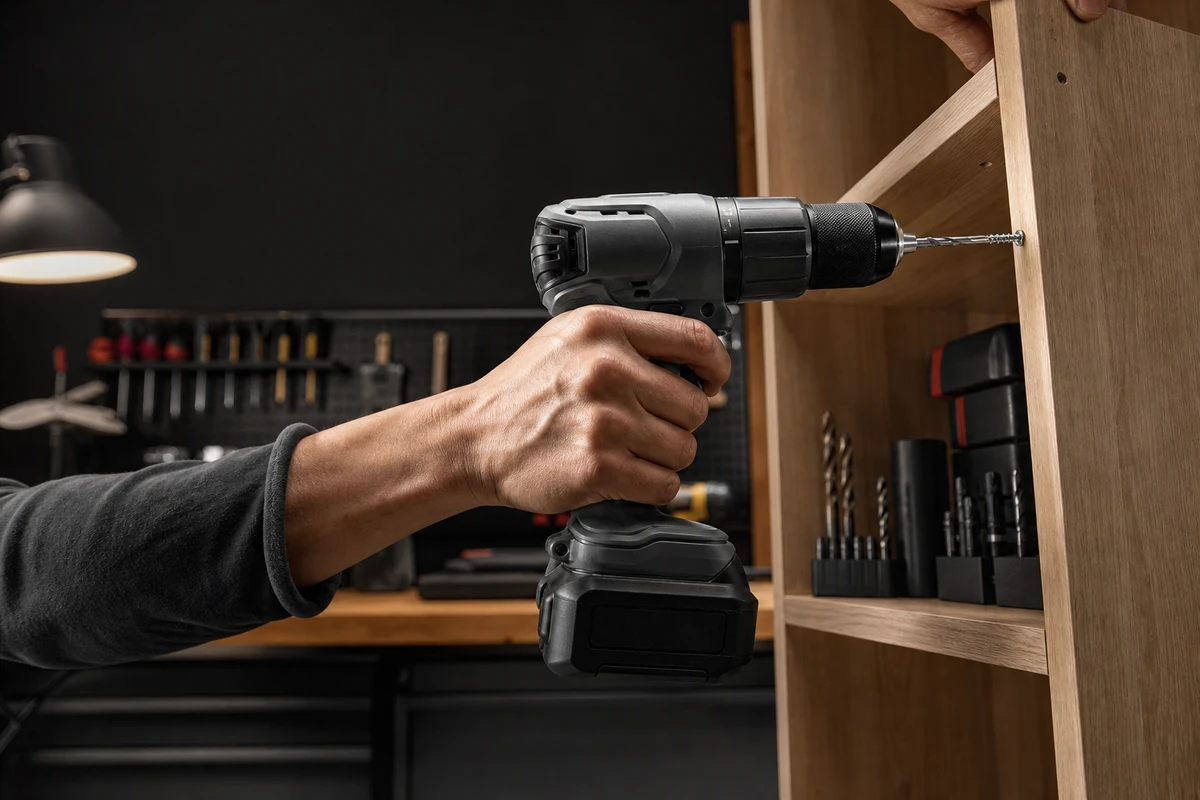
An attractive film of a cordless drill does not automatically improve sales on a Shopify store. New buyers want to know whether it has enough power, feels comfortable, accepts the right bits, and will remain useful after their first project. Existing customers may be looking for batteries, storage, or accessories. Plan power-tool footage around these different questions so that one shoot can support more than a polished master film.
Plan for Different Stages of the Buying Journey
A new visitor needs to understand what the tool can do. Someone comparing models may inspect torque, weight, the chuck, and performance in actual materials. Existing owners may focus on batteries, bits, and storage. A brief that only asks for a professional look leaves these questions unanswered. Give each audience stage a specific question, an emotional benefit, and an action that can be demonstrated.
ONCE VISUAL starts with three columns in the shot list: first-purchase evidence, use tutorials, and accessory purchases. Show ease of use and results in the first, explain operating risks in the second, and make compatibility and storage clear in the third. Translate feature names into visible tasks. For a brushless motor, for example, film the actual tool driving a sequence of screws steadily; the footage should reflect demonstrated behavior rather than imply untested performance.
Choose Evidence for Five Story Angles
Five useful story angles are installing a first shelf, making garage repairs, improving storage in a small space, maintaining a home, and choosing a gift for a DIY beginner. A tilted board, loose furniture, a drawer that will not fit, or scattered accessories can provide the hook. Let viewers recognize the problem before the drill becomes part of the solution.
A rotating product close-up may work as a KV, but it cannot answer all five stories or show whether a beginner can start using the tool. Elaborate sets will not compensate for filming the installation only once. Capture key actions at four shot sizes or viewpoints: a hero shot, a medium shot, an over-the-shoulder view, and a macro detail. This gives vertical cutdowns enough coverage of the hands and task.
Start the Master Film with a Complete First Task
Open the product-page film with a manageable task: unbox the drill, fit the bit, position it, drill, and check the result. Within the first 10 seconds, establish who can use it, what they are doing, and the intended result. Then show different materials, grip, and mode changes before introducing batteries, a toolbox, or accessories in the same range. Let the action explain the product before adding terminology.
Shopify’s product-media guidance covers images, video, and 3D models. Use their different strengths on the store: video explains the sequence and movement, stills support specification comparisons, and an FAQ explains limitations. Together they can help buyers evaluate the tool without asking one film to carry every detail.
Organize Footage as Searchable Assets
Organize the shoot by tasks: drilling wood, drilling metal, driving screws, changing bits, using the light, storing and cleaning the tool, and installing and removing batteries. Retain footage without subtitles, views with and without hands, and horizontal and vertical compositions. Editors can then assemble four sets of versions for first purchase, tutorials, accessories, and holiday gifts, instead of reshooting each campaign.
AIGC can support this workflow through AI tools for draft subtitles in different languages, background extensions, and shot tagging. Keep the trust-building details in actual footage: the bit cutting into wood, the hand managing the tool’s torque reaction, and the completed assembly supporting a load. These actions should remain visible and accurate when preparing language or layout variations.
Prepare Versions for Shopify, the Shop App, and Social Ads
We recommend a 45–75-second Shopify product-page film for the complete task, plus 9–15-second social cutdowns built around a specific problem. These lengths are planning suggestions. For accessories, sets, and upgrade packages, give each Shop app clip one clear objective. Shopify’s Shop product-page documentation describes shoppable video with tagged products. Plan which product viewers should be able to select after watching.
Rework the opening for vertical ads. Show a failed attempt or a completed task first, use one or two quick shots to explain how the tool helps, and end with a clear next step. TikTok recommends vertical creative and keeping key content inside the interface safe zone. Adapt the pace and information to a scrolling feed without presenting staged brand footage as customer-generated UGC.
Review Specific Variables in Campaign Results
Keep at least one variable constant in each test: compare different hooks in the same situation, or compare benefits behind the same hook. Review clicks, page scroll depth, add-to-cart actions, accessory purchases, and questions in comments. Strong clicks with short product-page visits can signal a mismatch between the ad’s promise and the page. Longer visits with few add-to-cart actions may call for clearer specifications, warranty details, or compatibility evidence. Use those patterns to guide further checks.
When creative performance declines, test a different opening problem or hand task before replacing the lighting setup. Power tools offer many practical situations: one shoot can supply repair, storage, upgrade, gift, and tutorial content. Deliver the asset tags, version dates, and campaign results together so the next brief can build on what the team has learned.
Make Professional Tools Approachable
Three choices can make a tool feel inaccessible: a product rotating against black throughout the film, demonstrations shown only by experts, and safety or compatibility information hidden in small print. Help beginners see what they could accomplish while making clear which materials, accessories, and operations require confirmation. For more ways to reuse the footage, explore the ONCE VISUAL video-marketing articles.