When a brand brings a CADR specification sheet to a production meeting, start by discussing the ten seconds in which a buyer hesitates. An air-purifier video should provide evidence about quiet operation, purification, and filter replacement. Plan the master film to build understanding and trust, then give each advertising cutdown a specific buying question to answer.
Put Buyer Questions in the Brief
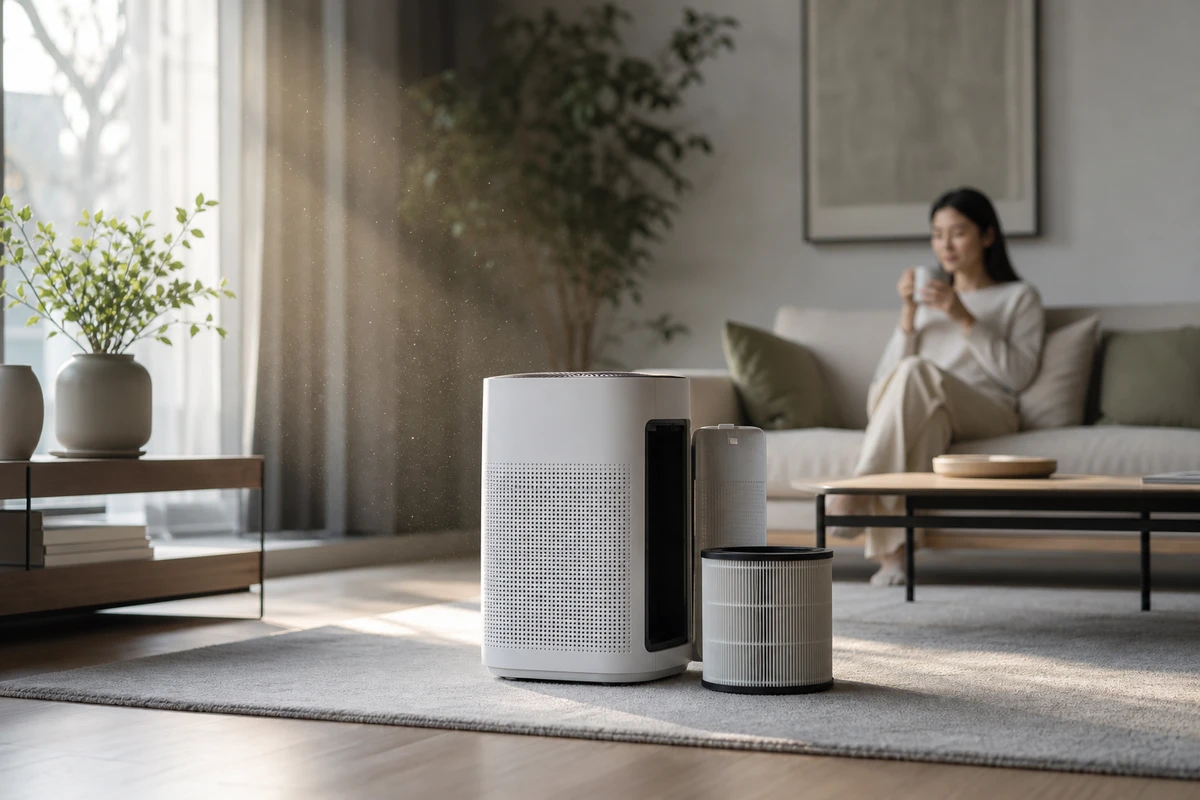
Online shoppers may not stay for the explanation they would receive from a salesperson in a store. They want to know whether the purifier will disturb sleep, how it handles everyday dust or airborne pet-related particles, and how much effort and cost replacement filters involve. Build three story angles around quiet nights, daily air management, and visible maintenance requirements. Show low-noise mode in a recognizable setting, such as a sleeping child, someone reading, or a morning coffee, while keeping performance claims tied to confirmed product evidence.
Before filming, ask operations, customer service, and media buyers to contribute five real customer questions each. Remove duplicates and rank the remaining questions. Repeated support questions are useful candidates for product-page visual hooks. Translate product parameters into user-understandable scenarios and results. Use those questions to give the script a clear order.
Show Quiet Operation in a Real Setting
Quiet operation is difficult to communicate through an image alone. Start with a calm hero frame, using curtains, a book, a cup, and natural breathing to establish the setting. Show the air vent, mode change, and actual distance between the user and purifier in close-up. The scene illustrates how the product fits into daily life; it does not prove a noise specification. Any figures in the video, subtitles, or landing page must agree with the test documentation. Avoid unverified claims of whole-home purification.
Amazon’s display videos autoplay muted and give viewers the option to enable sound. Plan images and subtitles that explain the product without audio, then decide what voiceover and music add. The Amazon Ads video-creative guide recommends captions so viewers do not miss details. Test the silent version for comprehension.
Explain Purification with a Clear Sequence
A cloud of smoke may attract attention without explaining the purifier’s purpose. Try a sequence of problem, activation, change, and return to daily life. Begin in a recognizable home setting, then explain the mechanism through the airflow path, intake, filter layers, or sensor response. Keep laboratory demonstrations distinct from typical household results. These explanatory shots can also be used separately on the product page.
The cover frame should make the product’s material, scale, and position in the room clear. If viewers must search for the machine, the opening loses time. Review Shopify’s product-demo guide before the script meeting: it explains how showing a product’s functions and use helps shoppers assess whether it fits their needs.
Make Filter Maintenance Easy to Understand
Filters offer a repeat-purchase opportunity and raise practical concerns. Film the hands removing, inspecting, and reinstalling the filter, then capture a clean material close-up for the product page and email. Show the latch, orientation, and storage position clearly instead of relying on exaggerated acting to suggest ease of use. Retain English-subtitled, unsubtitled, and customer-service FAQ versions so later support videos can reuse the same footage.
Plan the Delivery Versions Before Filming
ONCE VISUAL recommends planning a 45–60-second product-page master, a 15-second feature-demonstration cutdown, a 6-second quiet-operation hook, a vertical filter-maintenance version, and a comparison for retargeting. The master explains the broader purchase decision; each short answers one question about bedroom use, filter replacement, or living-room placement. Google’s ABCD creative framework separates Attention, Branding, Connection, and Direction. Use those roles when defining each version’s opening frame and CTA in the delivery list.
Use Earlier Campaign Results to Find Missing Shots
Before arranging a reshoot, separate the variables. Falling clicks may point to an unclear opening frame. Views without add-to-cart actions may suggest a gap between the selling-point evidence and the product page. Retargeting fatigue may come from shortening the same visual hook into four versions without introducing a new idea. Tag footage by quiet-operation demonstration, purification mechanism, maintenance, and lifestyle so the media buyer can identify which creative to test next.
Explore the ONCE VISUAL video-production approach when preparing an overseas appliance brief. Bring the product, setting, buyer questions, and intended placements into the script meeting. Useful assets begin with shots assigned a purpose before filming.