When people view a product through a screen, the missing information is often not its appearance but its feel: whether a button is loose or precise, whether a dial moves smoothly or in steps, and whether a lid closes lightly or with confidence. A product film cannot deliver physical touch, but it can show what force changes. The job is not simply to add a hand. It is to make displacement, speed, sound and response agree before and after the action.
Tactility is a chain of cause and effect
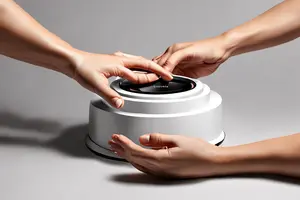
A close-up of a finger pressing a button only proves that someone operated it. Viewers infer feel from a very short causal chain: the fingertip meets the surface, the skin compresses slightly, the button travels, the mechanism reaches its trigger point, and the product responds with light, sound or motion. Remove one link and the action may feel staged. Make the chain clear and even half a second can suggest resistance.
A shot list should therefore say more than “button close-up.” It should define how long the approach lasts, where the press slows, whether there is a pause at the bottom, and how the control returns after release. The same thinking applies to dials, levers, magnetic lids and folding mechanisms.
Decide what kind of force the viewer should feel
“Premium feel” is too vague to direct. The team needs words that can guide performance and photography: tight, light, soft, crisp, continuous, stepped, or slightly spring-loaded. Each quality asks for a different visual treatment.
Buttons: reveal travel and the trigger point
For a short-travel button, a side or three-quarter macro angle can show the edge moving relative to the housing. If a clear actuation point is the product’s advantage, slow the finger slightly around that moment and place the functional response immediately after it. A top-down view may explain layout while flattening the travel, so a second oblique angle can restore the missing information.
Dials: show damping and increments
A dial feels controlled because of continuous resistance or distinct steps. Keep the fingertip, markings and side wall in frame so the rotation has a reference. The performer should not simply twist quickly from the wrist. Repositioning the thumb and finger, with a brief pause at each increment, often communicates control more clearly.
Hinges and lids: protect the final centimetre
With lids, hinges and magnetic closures, the decisive information often arrives at the end of the movement. The first part suggests weight; the final centimetre reveals how the mechanism takes over. Cutting too early shows only “open” or “closed” and loses the damping, pull and landing. Holding a few more frames is often more useful than adding slow motion.
Light needs to give movement a reference
If a black button sits on a black body without edge separation, its travel disappears. A narrow side light, a controlled reflection or a stable dark plane can make the contour change readable. The goal is not to illuminate every surface. It is to give movement a reference. Our video marketing articles examine similar ways that light and shadow can carry product information.
Macro photography also magnifies dust, fingerprints and manufacturing tolerances. Cleaning should not erase every trace of use, and styling should not keep the finger hovering above the product. A small compression of skin and a moving highlight at the moment of contact are precisely what make touch believable.
Sound should confirm the action, not exaggerate it
Clicks, friction and magnetic snaps are easy to overbuild in post-production. If the sound feels heavier than the visible mechanism, the audience may sense that the product has been turned into something else. Good sound design first confirms that the action happened, then adds information about material and force. A plastic button may be light and short; a metal dial can retain fine friction; a soft lid may need little more than air and contact.
Production sound, Foley and library elements can be combined, but their timing must sit on the real trigger point. A sound one or two frames early makes the action float. A late sound can resemble interface lag. The travel should remain understandable with the sound off, while audio makes the tactile impression more certain.
Editing must preserve the weight of the action
Fast cutting does not automatically create force. If every shot begins after contact and ends the instant feedback appears, the film becomes a list of functions. A tactile shot needs to retain the crucial parts of approach, contact, pressure, trigger and return. A faster pace can shorten the spaces between those stages, but it should not remove causality.
Slow motion is not the default answer either. High frame rates can clarify a rebound or a mechanical transition, yet they can make an ordinary action feel laborious. Build the main version close to real operating speed, then decide which moment truly deserves expansion. The performer’s breathing, wrist stability and release also change the perceived weight.
Let the mechanism choose the shot
Before filming, product, creative, camera and sound teams can operate the real object together: press it several times with eyes closed, turn the dial slowly, and listen to the closure without looking. One person may remember the trigger point, another the return, and another the sound. Those differences reveal what the film needs to preserve.
A credible product film does not make every control feel identically smooth. A portable device can feel quick, professional equipment can feel deliberate, and a children’s product can feel gentle. Tactility becomes valuable when it matches the product’s use. If you are planning a product video that needs to communicate material, mechanism and handling, contact ONCE to discuss the creative and production approach.