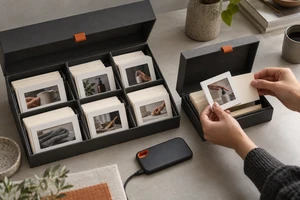
Product videos inside a livestream operate under a viewing condition that is easy to overlook: most people do not arrive at second zero. Some enter while the host is changing products. Some pause halfway through a demonstration. Others catch only the final three seconds of a looping clip. A film that feels perfectly clear when played from the beginning in a meeting can become confusing in a live room. Viewers see water splashing but cannot identify the product, see an internal detail without knowing the benefit, or hear a voice-over say “therefore” after missing the premise.
The real challenge is not merely to make the film shorter. It is to give the material entry-point resilience: from any common point of entry, a viewer should be able to recognize the product, understand the action, and see how the footage relates to what the host is saying within a few seconds.
A livestream timeline rarely begins at zero
A conventional commercial can build a complete arc through setup, reveal, and resolution. Livestream media may be switched in, switched out, paused, or looped. Alibaba Cloud's production-studio documentation, updated July 16, 2026, lists warm-up media, standby resources, media-file switching, specified program switching, and playlist looping among practical production functions. The official OBS Media Sources guide separately documents looping, restarting playback when a source becomes active, and hiding a source when playback ends. Together, these functions point to a simple production reality: the live operation does not guarantee the viewing order imagined by the director.
For that reason, a livestream product film should not place all comprehension in a one-time opening. The brand, product form, key action, and result should reappear naturally across the material. Repetition does not mean adding a slogan every five seconds. It means keeping the product inside the causal chain: a hand presses the control, the machine starts, the surface changes, and the result returns attention to the product. A viewer who missed the setup can still infer the use from the current action.
This is different from the product-launch content matrix we discussed previously. A matrix assigns assets across channels. A livestream product film must remain intelligible when someone enters the same asset at an unpredictable moment.
Decide what job the video is doing in the live room
One film can supply several versions, but four common live-room jobs require different time structures.
Warm-up: establish the product world without finishing the pitch
Warm-up media plays before the host begins the main explanation. It should tell a new viewer what kind of product is present and what the brand world feels like, while leaving room to keep watching. A complete silhouette, one distinctive action, and one use environment usually work better than compressing every specification into ten seconds of text.
The beginning and end should both return to a stable state. A lamp can move from darkness to illumination and then settle into an environmental wide shot that reconnects cleanly. A beverage can move from condensation on the bottle to a pour and finish with the bottle and glass sharing the frame. Such an ending can loop to the opening and also gives the operator a natural beat for returning to the host.
Transition: clear the previous product state before introducing the next
A transition is not simply a shorter commercial. Its job is to redirect attention. A common mistake is to compress the previous product, a branded interstitial, and the next product into one rapid montage. Viewers then cannot tell that the host has changed the item being discussed.
A clearer pattern is reset, appearance, confirmation. Start with a neutral beat or a brand motion that clears the previous visual context. Let the new product appear in a complete, recognizable form. Then show one action that confirms its category and primary use. A transition can be brief, but it cannot be all atmosphere.
Explanation support: show what the host cannot display at the same time
Hosts are good at explaining conditions, answering questions, and creating trust. Product footage is better at showing small structures, motion speed, material change, internal paths, or the continuity between several viewpoints. When host and video say exactly the same thing, they compete for attention.
A stronger division of labor is for the host to explain why while the video shows how. The host might explain which surfaces suit a cleaning device, while the footage uses a fixed viewpoint to show brush contact, material change, and the condition after the brush lifts. As with a well-designed reaction shot, the action needs visible feedback. A beautiful contact moment alone is not enough.
Loop playback: every cycle needs both an exit and a new entrance
A loop should not be built by joining the final frame directly to the first. If the film ends on “buy now” and suddenly jumps back to an unboxing shot, both rhythm and meaning break. A more reliable approach is to design a reset frame near the end of each cycle. The product returns to a recognizable base state, and composition, light, and movement remain compatible with the next opening.
The reset frame also gives the live operator a clean place to leave the clip. There is no need to wait for a voice-over sentence to finish or for animation to reach a climax before cutting back to the host. Looping is therefore a time structure designed in pre-production, not simply a checkbox applied during playback.
Each local segment should establish product, action, and result
Entry-point resilience can be tested with one practical question. If a viewer sees any three-to-eight-second extract, can that person quickly answer: What is this? What is it doing? What changed? Every individual shot does not have to carry all three answers, but neighboring shots should complete them quickly.
Product recognition comes from silhouette, distinctive connections, packaging color, or material. Action recognition comes from preparation, contact, force, and release. Results depend on a visible state difference. When a shoot collects only floating moves, rotations, light sweeps, and macro details, the edit has little material for rebuilding causality. Along with hero shots, capture before, during, and after states, plus medium shots that preserve scale and direction.
Framing also needs room for the livestream interface. A product pushed against the edge may become an anonymous detail after prices, comments, or a shopping card are overlaid. In our discussion of camera height in product videos, we examined how viewpoint changes the perceived thickness, opening movement, and operating relationship. Interface obstruction can magnify that effect. Important actions should stay within a safe area, and the production should prepare both clean and graphic versions.
Sound should deepen the image, not rescue it
A live room may already contain the host's voice, ambient sound, alerts, and background music. If the film puts essential facts only in voice-over, its structure collapses whenever the operator mutes the media or lowers it beneath the host.
A resilient sound strategy has three layers. First, the product, action, and result remain understandable in silence. Second, sound adds material, pace, and force: the snap of a closure, the viscosity of a pour, or the acceleration of a motor. Third, voice-over carries only conditions that are difficult to express visually instead of narrating every frame.
The host also needs acoustic space. A transition can use a clear sonic punctuation, while an explanation-support clip often works better without continuous narration. Some demonstrations need only action sound and restrained music, allowing the host to introduce the footage after any sentence. Sound makes a change easier to feel; it should not compete for control of the live room.
Shoot modular actions instead of one indivisible master film
If the final assets need to loop, insert, and rearrange, the production list should include more than one 30-second finished film. The more useful unit is an independent action module. Each module has a recognition entry, a core action, and a stable resolution, with a little clean room before and after.
A coffee machine, for example, can be divided into product recognition, cup placement, grinding, extraction, milk texture, and finished drink. The warm-up version may combine recognition, extraction, and the finished cup. The host can insert the grinding module while discussing the mechanism. A product transition can use the recognition shot after a short brand motion. The loop can return from the finished drink to a stable composition of machine and cup. The task determines the order of the same material; the editor does not simply cut down a master.
AIGC or CG can extend environments, visualize abstract paths, and reveal internal movement that is difficult to photograph. Product shape, labels, port positions, operating direction, and the resulting state still require shot-by-shot checking. In a livestream, the host may hold up the real item immediately after the generated sequence. A contradiction between synthetic footage and the physical product becomes visible faster than it would in a standalone ad. Hybrid production is useful when it makes hidden information visible while keeping the product itself consistent.
Put entry points into the creative brief
At the start of the project, map four real entries: pre-show warm-up, a product change, a feature explanation, and an unattended loop. For each entry, write one sentence describing what viewers already know, what they do not know, and what the video must add. Storyboard conversations then move from “Is this cool enough?” to “Can this beat rebuild understanding?”
A product video that belongs in a live room is not a commercial cut into ever-shorter fragments. Each segment can be encountered halfway through and still belongs to the same brand world. The result respects the real-time nature of live commerce while preserving the precision of photography, lighting, performance, editing, and sound.
If you are planning warm-up, product transitions, or feature demonstrations for a live room, ONCE VISUAL can start with your rundown, switching points, and product actions to design a modular, insertable, and loop-ready social and ecommerce video system.
Sources and scope
Technical scenarios were checked against the official OBS Media Sources guide dated January 11, 2022; Alibaba Cloud's Production Studio overview, updated July 16, 2026; and Tencent Cloud's ecommerce VOD documentation, updated November 17, 2025. These sources establish media switching, warm-up, looping, restart, and midstream-entry scenarios. The recommendations about shots, sound, and editing are ONCE VISUAL's creative analysis of those operating conditions, not a promise of platform results.