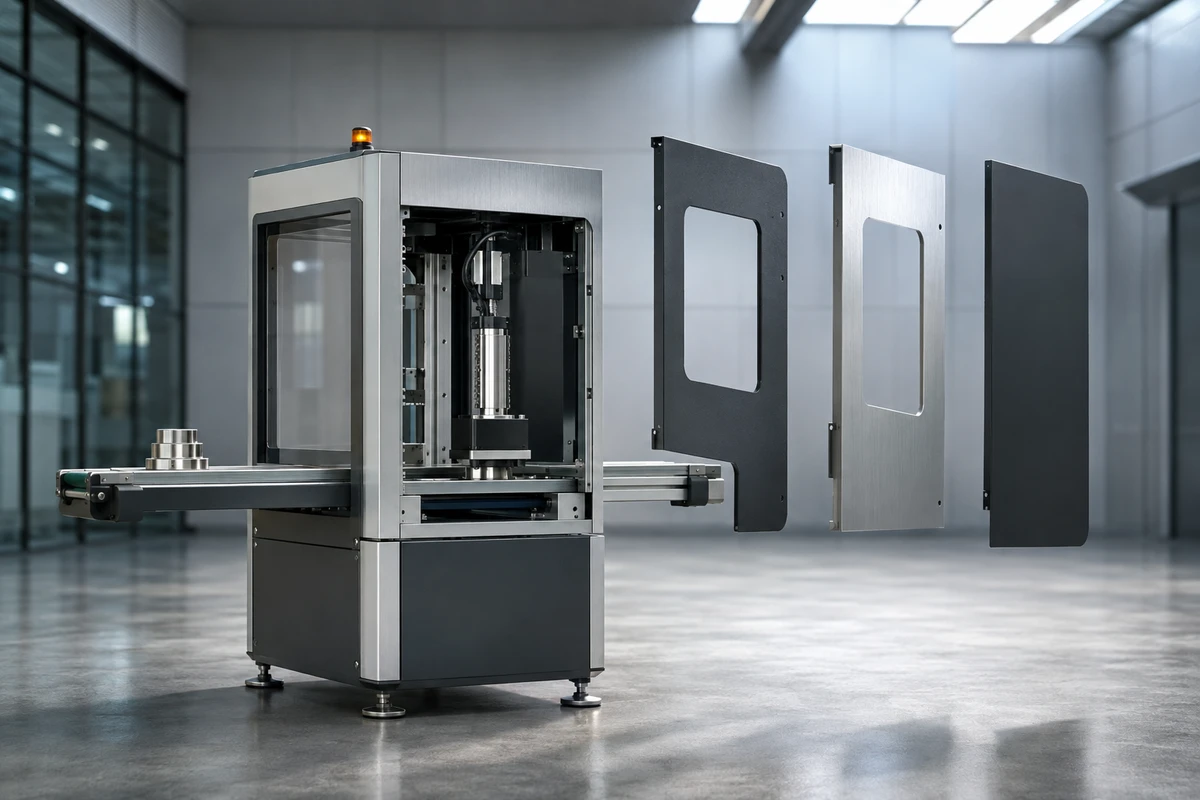
The input consists of six packets: shot assignments, usable models, motion logic, surface references, approved copy and review responsibilities. If the industrial equipment 3D animation materials are merely one compressed package containing the complete CAD set, the animation team still will not know which mechanism to show, which housings may be hidden or which parameters must not appear.
This article is for manufacturing and technology companies preparing industrial equipment corporate films, trade show demonstration videos, sales presentations or installation training videos. After reading it, you will be able to determine what the engineering department should deliver, what the production team should verify first, when animation is appropriate and when industrial equipment filming must be retained.
Packet One: Start with Shot Assignments, Not the Model Directory
The first file is not a 3D model but a two-column assignment sheet: the left side states the questions viewers need to understand, while the right side states the actions the visuals must complete. Examples include "How does the material move from the feed inlet to the inspection position?" "Why will the two mechanisms not collide?" and "From which direction does the maintenance worker remove the filter element?" Each question should correspond to one primary action, with its intended placement, target duration, aspect ratio and language marked.
The buyer should also specify three types of visuals in this packet: exterior features that may be shown publicly, internal structures that may only be represented in simplified form and components or parameters that must not enter the final film at all. This lets the mechanical animation storyboard begin with the viewing task. Engineers do not need to explain the entire design page by page, and animators will not spend time organizing parts that will ultimately never appear.
If the equipment exterior, factory environment, operators and actual production line are themselves important to the client's assessment, animation should not replace all filming. You can first review Corporate Film and B2B Video Production Solutions, then determine which facts in the main film should be carried by location footage and hand the invisible, inaccessible or unsafe-to-recreate elements to 3D.
Packet Two: Deliver Only a Usable CAD Copy, with Part Hierarchy Mapped to the Shots
The CAD model handoff should begin by exporting a copy specifically for visual production from the design system, rather than packaging the complete directory from the R&D server. First retain the assemblies, housings, moving parts and necessary connections that will appear in the shots; hide standard fasteners, internal wiring, unreleased options and irrelevant tooling; then preserve names and version numbers that the engineering department can identify for every important assembly.
Autodesk Inventor's Assembly Relationships and Positional Representations Guide explains that assembly relationships and positional representations can be used to establish mechanical motion. The practical significance for production handoff is that preserving correct parent-child relationships, rotation axes and movement directions matters more than simply obtaining a visually complete mesh. If every part becomes one object after export, opening a door, moving an axle or separating layers later will require reorganization.
Before delivery, perform a reopen check in a fresh project: have someone who is not a modeler open the copy in the agreed software or viewer and confirm that the model has no missing references, that the units, orientation and origin are consistent and that six key components can be selected independently. Use a filename such as AX8_FEEDER_SERVICE_V03, following the format equipment model_assembly_state_version, and avoid names such as "Final Version 2." The original R&D files remain with the company; the production team receives an approved copy.
Packet Three: Define Motion as States Instead of Making Animators Guess the Mechanics
Motion materials must provide at least five items: start point, end point, direction, cycle timing and interlocks. Take a pusher mechanism as an example: the push rod advances 180 millimeters from its home position, the clamp closes first and the conveyor starts only after the sensor confirms it; if the clamp is not in position, the push rod must not enter the next stage. Animation may adjust the viewing rhythm, but it cannot combine actions that cannot actually occur at the same time.
Autodesk's Motion Constraints Guide treats the intended motion between components as part of the assembly relationships. A project does not need engineers to create the final animation, but the motion axes, angle ranges and sequencing conditions must be verifiable. The most useful attachments are often not lengthy text, but a phone recording of actual operation, a mechanism diagram with arrows and a state table.
At the gray-model stage, verify motion only, not the metallic finish. We usually deliver a basic-material preview first: shot numbers remain fixed, moving parts use different solid colors and key pauses display timecodes. Engineers verify direction, travel, interlocks and disassembly order shot by shot, while the producer checks whether the action can connect with filmed startup, operation or finished-product shots. Moving into detailed materials only after the motion is approved can prevent one axial error from causing an entire sequence to be redone.
Packet Four: Use Physical References to Confirm Surfaces; CAD Colors Are Not Final Materials
Gray, blue and black in a design model are often used to distinguish parts and do not necessarily represent production surfaces. The material packet should provide front, side and contact-position photos for each component in a key visual, along with clear notes on painted, brushed, anodized, transparent, rubber or illuminated states. If the same housing has a prototype version and a production version, the version used in the final film must be marked.
For reflective stainless steel, specify the brushing direction and the degree of visible scratching. For semi-transparent tubing, provide references for empty, fluid-filled and backlit states. For indicator lights, provide off, steady-on and flashing states. If a safety guard becomes transparent in the animation, an engineer must confirm that its purpose is only to explain the internal relationship, so viewers do not mistakenly believe it can be removed while the equipment is operating. The three checks specific to this topic are that parts must not intersect at rotating contact points, parts behind a transparent guard must not suddenly disappear and every component must return to one unique original position after disassembly.
If the final film also includes factory footage, the material preview should use physical references from the same equipment or the same production batch and be checked side by side before color grading. For more on factory areas open for filming, on-site review and file deletion arrangements, see The Three-Color Access Map for Confidential Industrial Film Shoots; that article addresses on-site permissions, while this one addresses how 3D materials enter production.
Packet Five: Approve Parameters, Languages and Labels Once; Keep Text Out of the Model
Parameter materials should be divided into three categories: information that must appear on screen, information that can be explained in narration and information to be supplied separately by sales. The final film should contain only approved model names, dimensions, capacities or process names. Data that may change with the market should remain in subtitles or post-production layers whenever possible, rather than being baked directly into 3D textures. This way, changing one number does not require reopening the entire materials and rendering project.
If bilingual Chinese and English delivery is required, first confirm the Chinese technical name, standard English wording, unit format and capitalization, then assign an ID to each term. Do not ask animators to translate from the product manual themselves, and do not discuss mechanical motion and English wording at the same review. Use numbered placeholders in the first gray-model pass and insert approved copy after the motion is accepted. Check font size, safe placement and dwell time separately for landscape, portrait and trade show large-screen versions.
If the assets also need to be delivered to a website or interactive viewer, state the format purpose separately. The Khronos glTF 2.0 Specification explains that glTF can describe node hierarchies, meshes, materials, cameras and animations, but it is intended for runtime transmission rather than serving as a creative project format that preserves all production information. Therefore, "delivering a GLB" and "delivering a source project that can continue to be edited" are different deliverables, and they should be listed separately in the quotation and acceptance criteria.
Packet Six: Assign Responsibility for Four Reviews Before Scheduling Final Rendering
A 3D animation review should ideally have only four sign-off points. The first is the white model: verify part completeness, proportions, direction and camera path. The second is the motion preview: verify travel, cycle timing, interlocks and disassembly order. The third is the single-frame material review: verify color, surface, lighting and consistency with the real equipment. Only the fourth review should examine the composited sample: verify integration with filmed footage, subtitles, sound and all versions.
Assign one final approver for every review. Engineers confirm structure and motion, the brand team confirms disclosure scope and visual direction, the overseas team confirms terminology and the production team confirms shots and files. Comments must identify the shot number, timecode and object, such as "SH06 00:14, the blue slider should start after the clamp closes," rather than simply saying "This feels wrong." If an approved action changes because of an equipment design update, list the affected shots, materials, renders and versions separately.
The final delivery checklist should include at least the approved master, a clean version without text, subtitle files, stills, a shot list and version records. Whether it includes a model copy, textures, caches, source project or interactive files should be specified item by item in the contract. To first explore real-world visuals from ONCE in manufacturing, technology and product content, see Corporate and Industrial Visual Case Studies.
If you are preparing a project combining equipment animation and live-action filming, send ONCE the current status of the six material packets, intended use, equipment version, structures that may be disclosed, target language and launch date. We will first complete the input check and gray-model plan, then confirm the scope of filming, animation, compositing and master delivery.