Shenzhen Robotics Video Production: Clarify the Task Before Chasing Speed and Shots
Robotics projects face technical, procurement and brand evaluations at the same time. Application tasks and safety conditions define what the visuals can prove. Master films, feature segments and channel versions serve different audiences, with a clear communication role for each.
Turn Product Benefits into Specific Shots
- Shot 01
- Capture the true motion that demonstrates movement capability across the complete path before and after the equipment starts moving
- Shot 02
- Use safety boundaries to explain the conditions under which the motion path, load state and safety zone apply
- Shot 03
- When application scenarios are used for technical demonstrations, trade shows and overseas sales, retain the complete product explanation and scope of application
- Shot 04
- Robotics videos plan concepts and shots around movement capability, safety boundaries and application scenarios; the sample's status, shooting conditions and final use are confirmed together before filming begins.
In brief
Design real demonstrations, close-ups and supporting visuals around movement capability to make the product information easier to understand.
How to Turn Core Benefits into Specific Visuals
- Common communication mistake
A Complete Trajectory Is More Convincing Than a Sense of Speed
Robotics videos often use rapid movement to create impact, but technical audiences will continue asking what it is carrying, which path it takes and how it completes the task. We start with a repeatable operation and keep the starting point, execution and end state continuous, so the capability is not broken apart by a few seconds of montage.
- Product information
Payload, Accuracy and Cycle Time Always Come with Test Conditions
Numbers only have meaning when the tooling, materials, speed settings and measurement method are clear. Approved parameters are provided by the engineering team, and the camera clearly records the corresponding process and readings; one demonstration is not extended into all-day stability, and capabilities not shown are not filled in through captions.
- Functional demonstration
The Safety Zone Determines Where the Camera Stands
Robotic arms, mobile robots and collaborative equipment each present different risks, and framing must not interfere with sensing, personnel or production. Location scouting first confirms isolation, emergency stops, operator qualifications and the number of repeatable runs, then selects a long lens, a fixed position or remote control so the visuals are grounded in compliant actions.
- On-site conditions
Show the Machine, and Also the Coordination Between People and Systems
Application value often emerges through collaboration in loading, setup, monitoring and exception handling. The film retains key feedback from the operator and interface, avoiding the portrayal of the robot as a performer detached from the site; invisible software logic is connected with simple graphics without fabricating internal decisions.
- Delivery versions
Allocate Explanatory Depth by the Buying Role in Each Application Scenario
Managers care whether the task can enter production, engineers need to verify boundaries, and trade show visitors need to understand the category quickly. The master film first completes the overall task, followed by short chapters presenting details and safety information; every version cites the same test materials to keep sales language within technical confirmation.
- Sample preparation
Let the Robot Complete One Standard Task First
For the initial test, choose an operation that can be reproduced reliably, and prepare the corresponding materials, tooling and responsible engineer. Follow the shot from the pre-start state until the result is confirmed, then ask an external viewer to repeat the process in their own words. Their questions will directly tell the team whether the next shot should focus on the machine or the person.
On-Site Conditions Determine Which Messages Can Be Reliably Delivered
- Project Brief
Robotics videos plan concepts and shots around movement capability, safety boundaries and application scenarios; the sample's status, shooting conditions and final use are confirmed together before filming begins.
The motion path, load state and safety zone are designed in combination with the current sample, parameter materials, interface version and actual demonstration.
Published projects and production references
Separate a robot's demonstrated task from its concept story
Companion-robot advertising can inform character interaction and imagined environments. It serves a different purpose from an industrial robot's task demonstration, so define the film type before planning shots.

Home and feature storytelling
DARLING Xiaobao: companion-robot TVC
The published case shows family activity, video-call imagery, indoor movement and kitchen reminders. Use it to plan interaction and spatial relationships; advertising scenes do not replace a functional test.
View the full case: DARLING Xiaobao: companion-robot TVC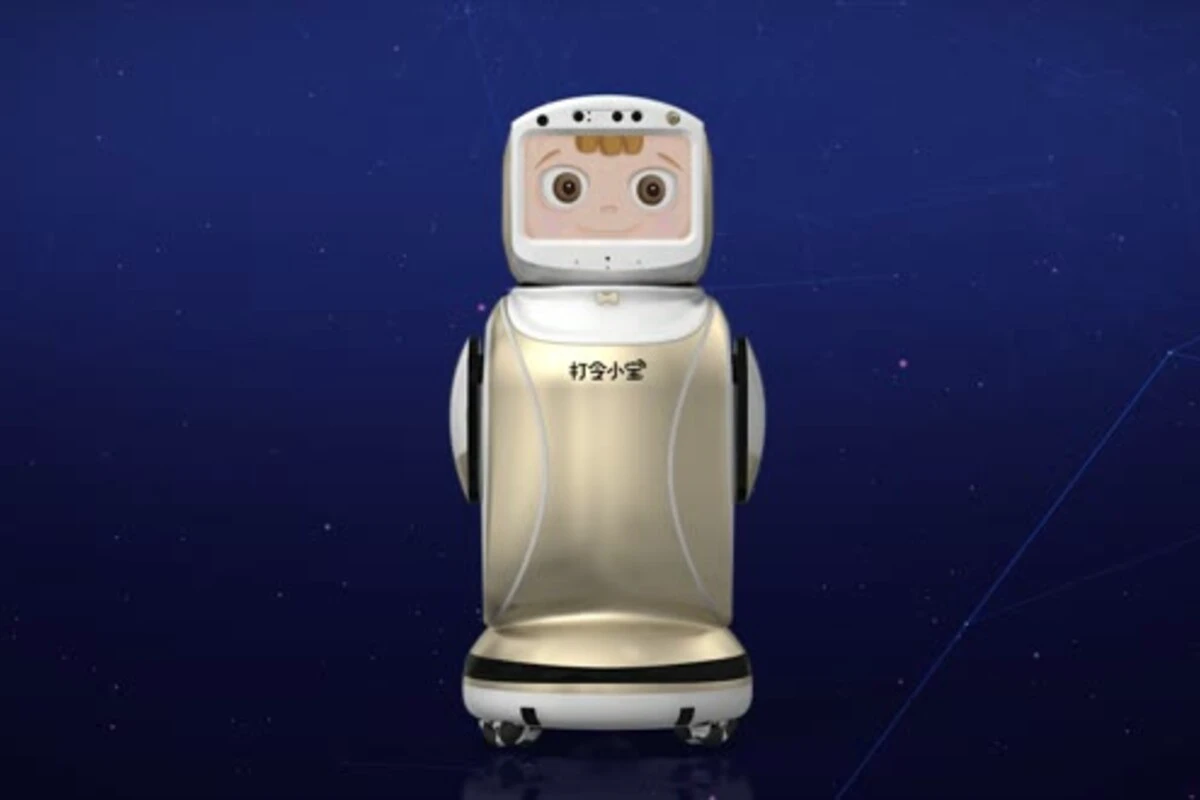
Concept and vision
DARLING Xiaobao: connected-future concept TVC
The case uses a future city, shopping spaces, character interaction and interface graphics. Use it as a reference for a launch or brand world while verifying actual capabilities separately.
View the full case: DARLING Xiaobao: connected-future concept TVCTurn the reference into your project brief
Label the project as an industrial task demonstration, a home-feature advertisement or a concept film. Payload, accuracy, cycle time and safety boundaries need the actual test conditions and technical review for your own equipment.
What Is Usually Confirmed Before the Project Starts
What needs to be prepared first for a robotics video?
Prepare a real sample, movement capability materials, the use scenario and a responsible person who can confirm the motion path, load state and safety zone.
Do safety boundaries have to be explained with 3D animation?
Not necessarily. First assess whether real actions, close-ups or interface recordings can make the complete path before and after the equipment starts moving understandable; animation can then support structures and processes that cannot be filmed directly.
How can exaggerated product performance in application scenarios be avoided?
Product statements should be based on the current sample, brand-approved materials and the actual demonstration, especially avoiding edits that amplify the sense of speed while cutting off the scope of the capability.
We turn movement capability into concrete demonstrations, make safety boundaries clear on screen, and then align the visual style and delivery versions.
Bring a runnable sample, operating instructions, a safety lead and the target use scenario, and we will first design the key shots for one real task.
