Shenzhen Home Appliance Video Production: One Home Setting for Both Brand and E-Commerce
Home appliance content should show how a product fits into everyday life while leaving enough material for feature explanations and channel-specific versions. Define the core use case first, then coordinate landscape and vertical compositions, operating details and short-form edits, so the shoot serves more than one screen.
Turn Product Selling Points into Specific Shots
- Shot 01
- Capture the real action of a feature demonstration after the product enters a real living space
- Shot 02
- Use a home setting to explain the operating action, spatial relationships and conditions for the before-and-after states
- Shot 03
- When e-commerce assets are used for websites, e-commerce and in-store sales, retain complete product explanations and applicable scope
- Shot 04
- Home appliance product videos plan creative concepts and shots around feature demonstrations, home settings and e-commerce assets; the sample condition, shooting conditions and final use are confirmed together before filming begins.
In brief
Design real demonstrations, close-ups and supporting shots around the product features so the product information is easier to understand.
How to Turn Core Selling Points into Specific Visuals
- Common Communication Misconception
A function only begins to matter when it enters the home
The value of a home appliance does not emerge on an isolated turntable, but in specific moments of cooking, tidying up, resting or caring for family members. We first identify one household action that the product changes, then organize the space, people and features around it, giving specifications an understandable scale through everyday outcomes.
- Product Information
Keep home settings at a realistic distance from actual use
Too much styling makes the product part of the set, while an overly empty space loses its connection to everyday life. The art direction selects objects and colors based on the target household's actions, while cinematography preserves the space needed for installation, opening, closing and movement; the way the product is used on camera must match the product information.
- Feature Demonstration
Sound and detail work together to explain the experience
Button feedback, operating sounds, steam, light or surface changes are often more specific than a single description of comfort. The production records authentic sound on set and controls environmental interference, while close-ups follow visible reactions; noise or performance data that cannot be judged from the image is not claimed for the product through post-production sound design.
- On-Set Conditions
Before-and-after states must come from the same real operation
Functions such as cleaning, heating and storage can easily be made to look ideal through fast editing. Quantity, time and environment need to remain consistent, and the action-and-result sequence must remain complete. Necessary conditions stay visible in the frame; visual enhancement does not change the actual performance, and illustrative shots are not presented as tests.
- Delivery Versions
Plan e-commerce assets across landscape and vertical compositions
A product detail page needs space and detail, vertical ads stay closer to human actions, and in-store screens may loop without sound. The shoot protects sightlines and text areas for each primary entry point while sharing product states and brand colors; post-production reshapes the pacing without letting cropping remove the key step that makes the function work.
- Sample Preparation
Start with one moment from a day at home
Bring the sample, the target household and the use change you most want to explain. Select the everyday moment based on this information, then use a simple test to confirm that the person can complete the action smoothly and that the camera can show the result. The studio set and asset quantity are determined afterward, so the sense of everyday life comes from authentic action.
Turn Product Selling Points into Specific Shots
- Shot Expression
Capture the real action of a feature demonstration after the product enters a real living space
Use a home setting to explain the operating action, spatial relationships and conditions for the before-and-after states
When e-commerce assets are used for websites, e-commerce and in-store sales, retain complete product explanations and applicable scope
On-Set Conditions Determine Which Expressions Can Be Reliably Delivered
- Project Brief
Home appliance product videos plan creative concepts and shots around feature demonstrations, home settings and e-commerce assets; the sample condition, shooting conditions and final use are confirmed together before filming begins.
Operating actions, spatial relationships and before-and-after states are designed in combination with the current sample, specification materials, interface version and actual demonstration.
Published projects and production references
Keep the appliance operation within its home setting
Appliance films need to show both the action and the product's place in the home. A tower-fan film and a dual-zone air-fryer film offer different references for context and operating sequence.

Environment and operation
Dreo DR-HEC001: home context and controls
The published case places control details, remote use and product close-ups in living and night-time spaces. Airflow graphics connect parts of the film; compare the roles of live action and graphics.
View the full case: Dreo DR-HEC001: home context and controls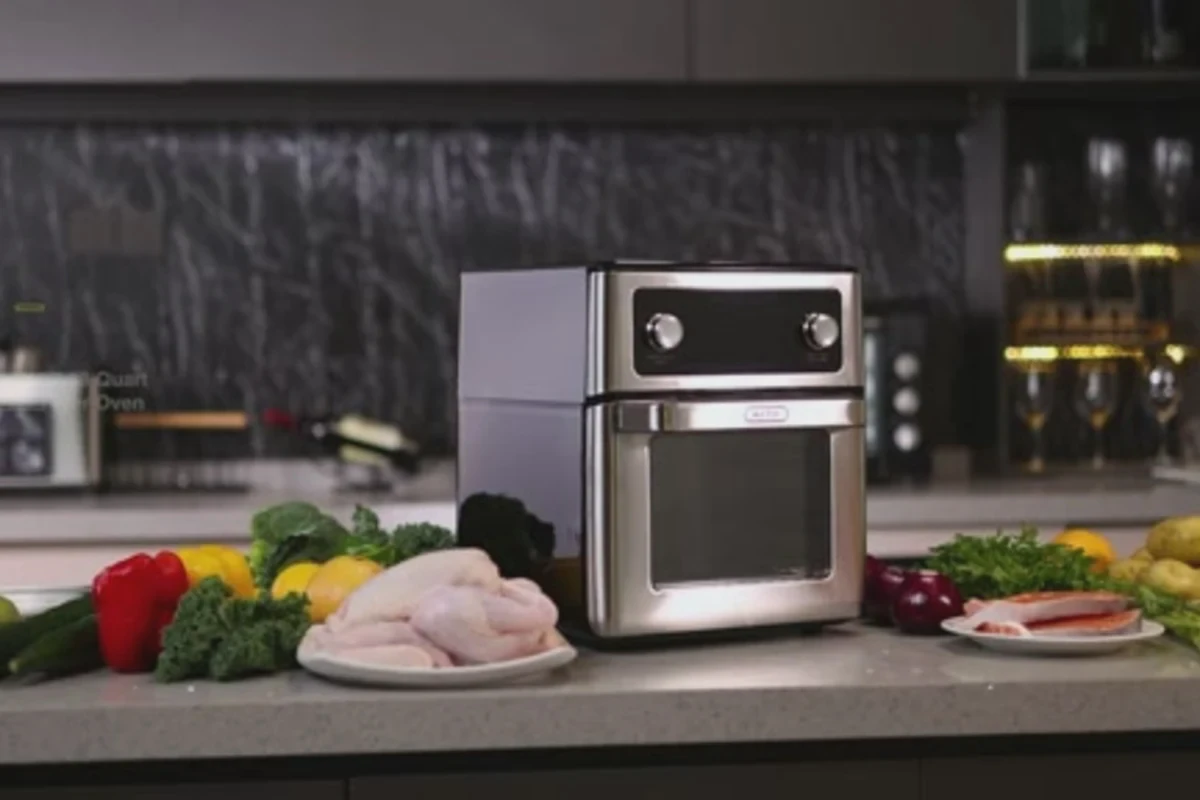
Use sequence
FO12B air fryer: dual-zone kitchen operation
The case organizes food preparation, dials, trays and opening actions around the product's two compartments. Use it to plan how an operating sequence introduces the structure.
View the full case: FO12B air fryer: dual-zone kitchen operationTurn the reference into your project brief
List preparation, operation, result and cleanup as one sequence. Confirm the sample, consumables and set position before shooting. Comfort, health and cooking-result claims use the evidence reviewed for your own product.
What Is Usually Confirmed Before Project Launch
What should be prepared first for a home appliance product video?
Prepare the actual sample, feature demonstration materials, use scenarios and a person who can confirm the operating actions, spatial relationships and before-and-after states.
Does a home setting always need to be explained with 3D animation?
Not necessarily. First determine whether real actions, close-ups or interface recordings can make the product understandable after it enters a real living space; animation can then assist with structures and processes that cannot be filmed directly.
How can exaggerated product effects in e-commerce assets be avoided?
Product claims should be based on the current sample, brand-approved materials and the actual demonstration, especially avoiding a studio shoot that shows the appearance without answering how the product is used every day.
We turn feature demonstrations into specific demonstrations, present the home setting clearly on screen, and then unify the visual style and delivery versions.
Point out the product action that is hardest to repeat, and we will use an action sheet to arrange safety conditions, reset time and key camera positions first.
