Define the master specifications during project initiation, rather than starting with platform-specific versions.
When launching a commercial video project, brands often ask first whether Douyin needs vertical or horizontal formats, how long Xiaohongshu videos should be, or if WeChat Channels require subtitles. The issue is that these questions are asked too early. Master specifications form the foundation for all subsequent output versions, encompassing resolution, frame rate, color space, dynamic range, audio standards, and safe areas. If the master specs are set incorrectly, every platform version will inherit the same flaws, resulting in extremely high rework costs.

During project initiation, the brand and production team must jointly confirm the master's intended screening environments. If the master is exclusively for online distribution, Rec.709 color space, 25 or 30 fps, and standard dynamic range are reliable choices. If the master will also be used on offline large screens, in cinemas, or high-end exhibition halls, higher resolution, higher frame rates, or HDR color space should be considered. The guiding principle is that the master should serve the scenario with the longest usage lifecycle, not just today's most popular platform. For example, if a brand video is scheduled for a three-year run, the master resolution should exceed current mainstream platform limits to allow headroom for future platform upgrades.
The risk is that if a brand commissions a project solely for Douyin’s vertical format and shoots entirely in portrait orientation, attempting to later export a landscape version for a website or trade show will result in missing content on both sides, forcing cropping or blurred fill that significantly degrades quality. An exception applies if the project is explicitly intended for a single platform with no future reuse planned; in this case, a vertical master is acceptable, provided reuse restrictions are specified in the contract. The production team must proactively ask the brand about its communication plans for the coming year during the kickoff meeting, including participation in trade shows, outdoor advertising, or overseas versions, as this information directly determines master specifications.
During preparation, the brand must provide communication objectives, audience personas, key selling points, visual references, shooting conditions, a list of delivery platforms, and copyright scope. The delivery platform list must specify platform names and content types, such as Douyin feed ads, Bilibili brand account videos, or WeChat Channels livestream teasers. Based on these materials, the production team will deliver a Master Specification Proposal covering resolution, frame rate, color space, audio, subtitles, and container format, along with a comparison table of output specs for each platform. The brand must formally approve this proposal rather than providing only verbal confirmation.
Reserve framing space during filming for multi-platform output.
During filming, the cinematographer and director must consider both landscape and portrait compositions simultaneously. A common approach is to prioritize landscape framing while keeping sufficient essential information within the center area to ensure that subjects, subtitles, and key actions are not cropped when editing a vertical version. Specifically, safe zones should be marked during storyboarding: a 16:9 safe frame for landscape and a 9:16 safe frame for portrait, with their overlapping center serving as the core information zone. During shooting, actor positioning, product placement, and background elements must avoid the edges of this core zone.
Another approach is dual-camera setup, recording simultaneously with one landscape primary camera and one portrait secondary camera. This allows separate use of landscape and portrait footage in post-production but requires additional equipment, crew, and synchronization costs. The deciding factor is budget and platform differentiation: if the budget allows and versions differ significantly—for example, a landscape TVC versus a portrait Douyin video—dual cameras are more efficient. If the budget is limited, single-camera landscape shooting with post-production cropping is more economical, though cropping tests must be conducted in advance to ensure heads and product details remain intact.
Filming must also account for varying aspect ratio requirements across platforms. For instance, Xiaohongshu supports 3:4 portrait, Douyin and Kuaishou primarily use 9:16, and WeChat Channels supports both but recommends portrait. The production team should create a platform specification chart before shooting, indicating safe zones, subtitle areas, and UI obstruction zones for each platform. For example, Douyin’s bottom caption bar and interaction buttons occupy approximately 15% of the screen height, so critical information must avoid this area during filming. On set, the director must continuously monitor safe zone overlays to ensure key visuals are not obscured.
The risk is that focusing solely on landscape composition during filming may result in cropped sides during vertical export, potentially cutting off faces or truncating text on product packaging. An exception applies if the project is exclusively landscape with no vertical output planned; in this case, vertical safe frames can be ignored, provided this is stated in the contract. After filming, the production team must compile a Visual Safe Zone Checklist, verifying the usability of each shot in both landscape and portrait formats and recording the results in the shooting log for easy reference during post-production.
Post-production uses the master as the baseline for generating platform-specific versions.
Editing, color grading, sound design, and subtitling should all be completed on the master timeline using the highest-quality assets and settings. During editing, finalize the master narrative structure first, then adjust pacing and duration according to platform characteristics. For example, the Douyin version may require faster cuts and a strong hook within the first three seconds, while the Bilibili version can retain a fuller narrative. However, the master timeline should not be dictated by platform versions, as repeated modifications to the master can lead to version control issues.
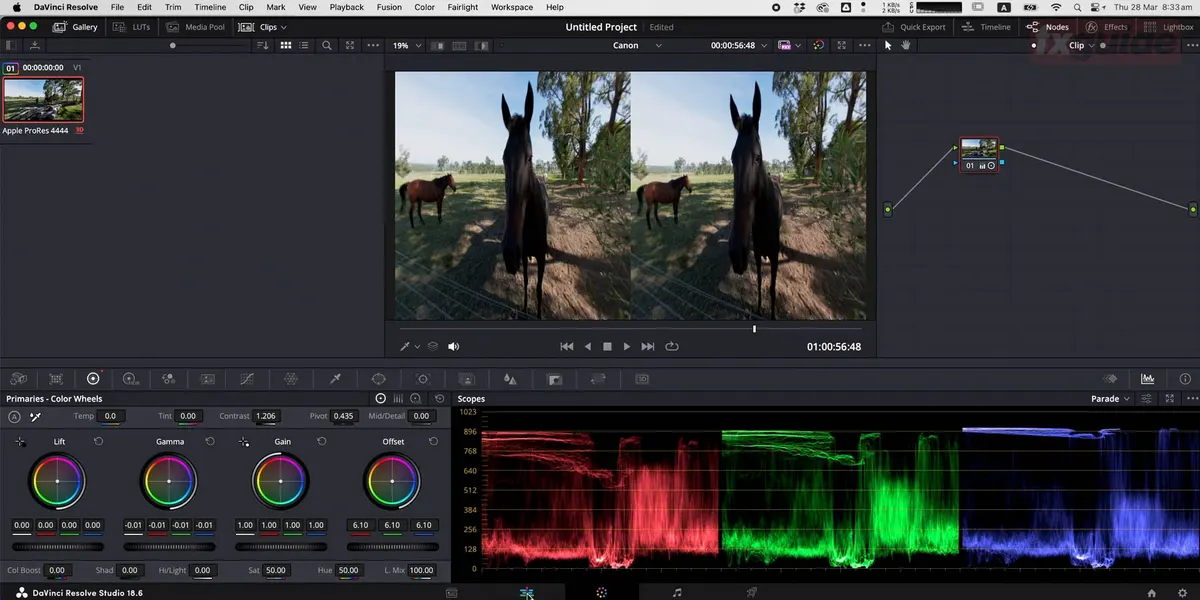
For color grading, the master should use a standard color space such as Rec.709 or Rec.2020, delivering a standard graded version. Platform versions are derived from this master; for example, the Douyin version may require increased saturation or contrast for mobile screens, but it should not be re-graded to avoid color inconsistency. For audio, the master should use stereo or 5.1 surround sound, while platform versions are uniformly converted to stereo with loudness compliant with platform standards. For instance, Douyin recommends loudness around -14 LUFS, but specific values depend on the latest platform requirements, which the production team must verify in advance and include in delivery specifications.
Subtitles are a key differentiator for platform-specific versions. The master file can have burned-in subtitles or be delivered with separate subtitle files. For Douyin and Kuaishou, burned-in subtitles are recommended because users often watch without sound and these platforms do not support external subtitles. For Bilibili and YouTube, both burned-in and separate subtitle files can be provided to give users options. The production team should create a standard subtitle track on the master timeline, then adjust font size, stroke, and positioning to match each platform's style. For example, Douyin subtitles must avoid the bottom button area, while Bilibili subtitles can be placed at the bottom of the frame without obscuring key content.
Final delivery requires both master files and platform-specific versions. Master deliverables include textless and subtitled versions, separate subtitle files, audio stems, color-graded versions, and project files. Platform versions must meet each platform's specified resolution, bitrate, container format, and naming conventions. For instance, Douyin requires MP4 format with H.264 encoding at 1080x1920 or 720x1280 resolution, though teams should always verify current platform specifications. Production teams must establish clear version naming conventions, such as Brand_Master_4K_Rec709.mov or Brand_Douyin_1080x1920_H264.mp4, to prevent confusion during delivery.
The acceptance process involves verifying compliance with platform specifications item by item.
During acceptance, brands should not only review the final video but also verify compliance with platform specifications item by item. The acceptance checklist should cover resolution, frame rate, duration, file format, codec, bitrate, color space, audio format, loudness, subtitles, safe areas, platform restrictions, and copyright information. Each item must have defined standards, such as confirming 1920x1080 resolution, 25 or 30 fps frame rate, duration within platform limits, and file size under upload caps.
Specifically, upon receiving deliverables, the brand should first check filenames and file properties to confirm resolution, frame rate, codec, and other metadata. Next, play back the video to check for image distortion, complete subtitles, clear audio, and accurate colors. Then upload to the platform for testing to observe whether compression, cropping, or audio-video sync issues occur. If problems are found, document specific timestamps and descriptions, then provide feedback to the production team for revision.
A key risk is that some issues invisible during local playback may appear after uploading. For example, excessive bitrate can trigger heavy platform compression causing pixelation; mismatched frame rates can cause motion stutter; and incorrect color space can result in washed-out colors. Therefore, acceptance must include actual upload testing rather than relying solely on local playback. An exception applies if the project is for internal viewing only and will not be publicly uploaded; in that case, upload testing may be skipped, but this must be specified in the contract.
Acceptance should also verify the completeness of master and source files. Master files should include all final versions, while source files should include editing, color grading, and audio projects, along with media assets, subtitle files, font files, and project documentation. The brand must confirm all files are complete and back them up to secure storage. If the production team delivers only the final video without source files, future revisions become extremely difficult or may require full reproduction. Therefore, the contract must clearly define the scope of source file delivery and include it as an acceptance criterion.
Post-delivery content asset management reduces reuse risks.
After commercial video production, brands often neglect content asset management, making future reuse difficult. For example, a year later they may want to update subtitles or re-edit a version but cannot locate source or project files. Therefore, a content asset inventory should be established at delivery, listing filename, format, version, date, usage, copyright ownership, and storage location. The production team should provide an asset inventory template for the brand to organize and archive accordingly.
Specifically, after receiving all deliverables, the brand should create a folder structure organized by project name, date, version, and platform. Each file should follow standardized naming including brand name, project name, version type, resolution, and date, e.g., Brand_ProductPromo_Master_4K_20250101.mov. Additionally, source files, masters, platform versions, subtitles, audio stems, project files, media assets, and documentation should be stored separately to avoid mixing.
Content asset management also includes rights management. The brand must confirm the copyright ownership of all materials, including music, fonts, images, video assets, and portrait rights. The production team must provide copyright authorization letters or usage licenses, and the brand must archive them. If future usage exceeds the original contract—for example, expanding from domestic to overseas distribution—copyright coverage must be reconfirmed. Otherwise, there may be infringement risks.
The risk is that if the brand does not prioritize content asset management, future reuse will encounter issues such as missing files, incompatible formats, and unclear rights, leading to extra costs and wasted time. The exception is if the project is for one-time use and not intended for reuse; asset management can then be simplified, but source files should still be retained for at least one year. The production team can provide a content asset management guide upon delivery to help the brand establish basic management workflows.
How to quickly update versions when platform specifications change
Platform specifications are updated from time to time, such as increased resolution limits, changed bitrate requirements, and adjusted subtitle formats. The brand must establish a version update mechanism to ensure new versions can be output quickly when platform specifications change. The specific action is to retain master project files and source files upon delivery; when platform specifications change, only the output settings need to be adjusted on the master and re-exported, without re-editing or color grading.
Upon delivery, the production team should provide a guide for responding to platform specification changes, explaining how to adjust output parameters according to the latest requirements. For example, if Douyin increases its resolution limit to 4K, the brand only needs to change the output resolution to 4K in the editing software and re-export. If the platform adds a new vertical full-screen ad placement, the brand can use the vertical safe-area assets in the master and re-crop for output.
The risk is that if the brand does not keep the master project files, or if source files are lost, new versions may not be output when platform specifications change, requiring a full remake. An exception is when a project has passed its lifecycle and no longer needs updated versions; in that case, project files may be omitted, but this must be stated in the contract. The brand should regularly check for changes in platform specifications—for example, reviewing each platform's official documentation quarterly, documenting changes, and promptly updating its own delivery standards.
The production team can also offer value-added services, such as one free platform specification update within one year after delivery, but the specific scope of service must be stated in the contract. The brand should be clear that platform specification update support does not include reshooting or re-editing, only output parameter adjustments. This both reduces risk for the brand and clarifies the production team's responsibilities.
Non-Applicable Scenarios and Boundary Conditions
The master multi-platform output strategy is not suitable for every commercial video project. The following situations require special consideration. First, if a project is intended for only one platform and has no future reuse plan—for example, a one-off Douyin promotional video—then master production can be skipped and the project can be shot and output directly to platform specifications, saving costs. However, the brand should be aware that future reuse may require a remake.
Second, if a project involves real-time interaction or AR/MR effects, such as an augmented reality advertisement, master specifications may not apply because interactive content requires real-time rendering rather than pre-rendered video. In such cases, the production team needs to provide a dedicated interactive content development plan, including a real-time rendering engine, interaction logic, and platform adaptation. The master video can only serve as a background or guide, not as the final deliverable.
Third, if the project contains a large amount of AIGC-generated content, such as AI-generated virtual characters or scenes, the master version specs may be limited by the output resolution of the AI generation tool. The brand side should confirm in advance whether the resolution of AI-generated assets meets the master requirements; if not, post-production enhancement or regeneration is needed. Otherwise, the master quality will be affected.
Fourth, if the project budget is extremely low and cannot cover the additional shooting and post-production costs required for multi-platform output, the brand side should prioritize the output quality of core platforms and abandon secondary ones. For example, only produce a vertical Douyin version, not a horizontal one. The production team should clearly inform the brand side at project initiation that multi-platform output will increase costs and provide budget allocation recommendations.
Fifth, if the project delivery time is extremely short—for example, it must go live within three days—there may not be enough time to produce the master version and multiple platform versions. In this case, the production team should advise the brand side to prioritize outputting one platform version first and produce the other versions later. However, the brand side must accept that later versions may not be able to fully reuse earlier assets and will require re-editing.
In short, the master multi-platform output strategy is suitable for projects with sufficient budget, high reuse demand, and diverse platforms. The brand side should evaluate its needs at project initiation, and the production team should provide professional advice to avoid over-design or insufficient simplification.
Recommended Next Steps
When preparing a commercial video project, we recommend that brands first map out their communication plan, list all possible distribution platforms and uses over the coming year, and then discuss master-version specifications with the production team. The production team should provide a master-version specification proposal and a platform output comparison table; only after the brand confirms these should the project move into production. During filming, leave safe zones for both horizontal and vertical formats; in post, generate platform versions based on the master, check platform specifications item by item during review, and establish content asset management after delivery. If the project involves AR/MR or AIGC, consult a specialized team early to assess technical feasibility. This can effectively reduce production, delivery, and reuse risks, allowing commercial video investments to deliver long-term value.
If you are preparing a commercial video production project, you can start by organizing the brief, reference images, product or company materials, delivery platforms, and copyright scope, then visitthe Video Production Solutions pageto move the conversation from abstract preferences to executable production boundaries.
Production examples and next steps
Use the TVC brief to connect the selling point, performance and product presentation. The Red Devils × Tencent Games commercial is a finished-film reference.
Review TVC and commercial production and Red Devils × Tencent Games: A Passionate Competitive TVC for Young Players. To discuss your project, send the script, storyboard, required formats and approval dates through the English project enquiry form.