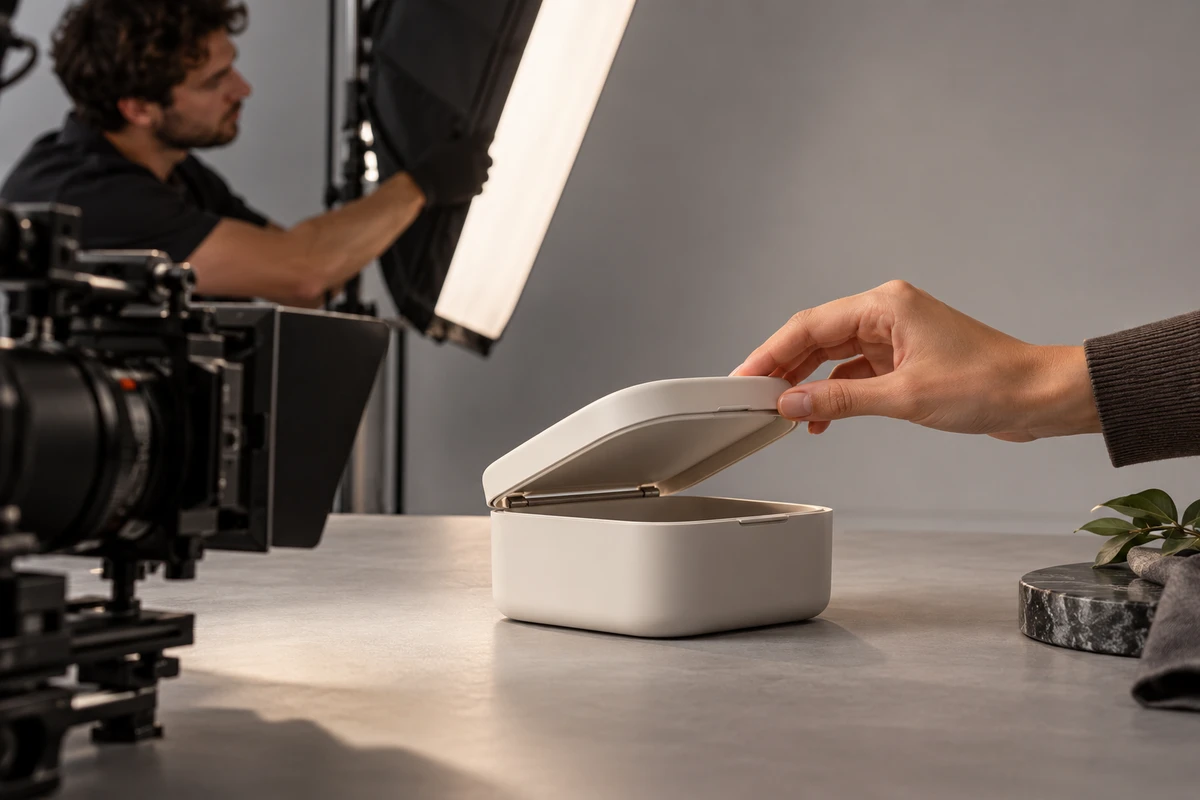
Treat covers and thumbnails as independent deliverables from the project initiation phase.
Covers and thumbnails for product videos require separate planning during project initiation. Many brands focus solely on main video production, only to discover significant platform differences in cover dimensions, text safe zones, and aspect ratios right before launch. This leads to emergency reshoots or design rework, wasting both budget and time.

The correct approach is to list covers and thumbnails as formal deliverables during the project kickoff meeting, specifying the required quantity, aspect ratio, and style for each platform. For example, Amazon main image video covers typically highlight the product and key selling points, while Shopify product page covers emphasize brand tone and contextual atmosphere. Social media thumbnails must balance recognizability and click appeal at small sizes.
Brands should prepare a platform list specifying target platforms, account types, placement locations, and approximate audiences. Based on this list, the production team must plan cover-friendly compositions during scripting, such as centering the product, allowing ample negative space, and keeping key information away from edges. If covers are considered only after editing, many visual elements cannot be adjusted, forcing reliance on hard cuts or text overlays that significantly reduce quality.
The benchmark is answering at least three questions during project approval. First, determine whether each platform requires a static image or a video thumbnail. Second, confirm if product packaging or the brand logo must appear on the cover. Third, establish the maximum number of text lines and whether pricing or promotional tags are included. Do not proceed to filming without clear answers to these three questions.
Dedicate specific footage for covers during the shoot.
Many teams follow only the main video storyboard during filming, overlooking the distinct needs of cover assets. In reality, cover visuals often differ from the main content, requiring larger product framing, cleaner backgrounds, and more even lighting. Sometimes a clean product shot without talent is also needed to facilitate adding text or graphics in post-production.
We recommend adding a set of "cover-specific shots" to the shooting schedule using three camera angles. The first is a straight-on eye-level shot with the product centered, occupying 60% to 70% of the frame against a clean background. The second is a 45-degree angle to highlight dimensionality and texture, ideal for e-commerce platforms. The third is a top-down shot suitable for showcasing usage scenarios or packaging contents, commonly used for social media thumbnails.
Capture at least three variations per angle: the product stationary, held or in use, and paired with key accessories or props. This ensures ample options for post-production cover design without extracting potentially blurry or poorly composed frames from the main footage.
For lighting, avoid harsh shadows and blown-out highlights in cover assets, as small thumbnails amplify these flaws. Use softboxes with reflectors to ensure clear product contours with natural edge transitions. For reflective surfaces like glass or metal, capture an additional set under polarized light to minimize glare.
A common risk is teams shooting only main content to save time, forcing covers to be cropped from video frames. This often results in undersized products, cluttered backgrounds, and insufficient space for text. To prevent this, mark reusable cover shots on storyboards before filming; if no suitable frames exist, dedicated cover shots must be added.
Export separate deliverables according to platform specifications during post-production.
Cover and thumbnail specifications vary significantly across platforms and are updated periodically, so production teams must habitually check official guidelines. Never rely on outdated templates or memorized values; always reconfirm requirements before starting each project.
Standard practice is to first create a high-resolution master cover at least twice the platform's maximum requirement, typically with a long edge of no less than 2000 pixels. Then, crop this master cover to the specific aspect ratios required by each platform. For example, Amazon main image video covers often use 16:9, but thumbnails may display as 1:1 or 4:5; Shopify product pages may use 3:4 or 1:1; and social media platforms like Instagram and TikTok generally prefer 9:16 or 1:1.
Text safe zones are another critical consideration. Each platform has different UI elements that obscure content, such as play buttons, progress bars, usernames, and like or comment buttons. Production teams must reserve safe margins in the design, typically keeping at least 10% whitespace around the edges and placing key information in the center.
Font size must also ensure readability at small sizes. If a thumbnail displays at approximately 300 pixels wide on mobile screens, the minimum title font size must remain legible at that width. Before exporting, scale the cover to its actual display size and preview it on a mobile screen to confirm that both text and products are clearly distinguishable.
Post-production must also address color modes. E-commerce platforms typically require the RGB color space, but print or ad placements may use CMYK; if offline materials are involved, an additional CMYK version is required. Additionally, while cover file formats are usually JPG or PNG, some platforms support animated thumbnails or video covers, so confirm in advance whether MP4 or GIF formats are needed.
Do not deliver just a single file upon handoff. Organize folders by platform, including all cover and thumbnail sizes for each within its folder, and attach a documentation file specifying each file's purpose, dimensions, format, and text safe zone verification status. This allows the brand to publish directly without further adjustments.
Acceptance requires platform-by-platform verification.
Acceptance of covers and thumbnails should not rely solely on overall appearance; technical specifications and visual presentation must be checked item by item. The brand should prepare an acceptance checklist for the production team to verify point by point, with delivery considered complete only after both parties sign off.
Regarding technical specifications, verify that resolution meets platform requirements, file size is within limits, format is compatible, colors are accurate, and there are no white or black borders, aliasing, or compression noise. Validate these parameters using image viewing software or online testing tools rather than subjective judgment.
For visual presentation, check that the product is sharp, the background is clean, text is legible, the logo is intact, and nothing is obscured or cropped. Pay special attention to performance at small sizes by scaling the cover to actual display dimensions and viewing it on both mobile and desktop screens to ensure no information is lost.
Another easily overlooked point is consistency between the cover and video content. If the cover depicts a product feature or scene absent from the video, it creates unmet user expectations and increases bounce rates. Therefore, cross-reference the final video during acceptance to ensure information on the cover is reflected in, or at least consistent with, the video content.
If a project spans multiple platforms, verify stylistic consistency across all cover images. Despite varying dimensions and aspect ratios, maintain consistent color tones, typography, and product angles to preserve brand identity and prevent disjointed visual impressions across platforms.
Retain acceptance records, including version numbers, revision dates, reviewer feedback, and final approval status for each file. This enables quick issue resolution if platform rules change or updates are required, eliminating the need for redundant communication.
Exceptions and Alternatives
Not all product videos require multi-platform covers and thumbnails. For internal training or offline presentations without public distribution, simple and clear covers suffice without extra resources. Similarly, for purely functional B2B products with specific audiences that do not rely on visual impact, simplify cover design and allocate budget to main video content.
Strict platform restrictions may also apply, such as prohibitions on text or logos, or rigorous content reviews. Confirm these rules before committing production resources. If guidelines are unclear, consult platform support or help centers rather than blindly adopting practices from other platforms.
Alternatives include using keyframes from the video as covers, provided suitable compositions were planned during filming. Another option is using 3D renders or product photography, which avoids reliance on video footage but must match the video's style. For limited budgets, prioritize cover quality for primary platforms like Amazon or Shopify, using simplified versions or reusing the main cover elsewhere.
Note that while AIGC tools can assist in generating backgrounds or typography, primary product imagery must come from actual shoots or licensed assets to avoid copyright risks. If using AI-generated product images, ensure they accurately match the product's appearance in the video to prevent misleading viewers.
Common Mistakes and Prevention
The first common mistake is ignoring platform differences by using a single universal cover. Varying user habits and interface layouts mean a 16:9 cover might lose critical information when cropped to a 1:1 thumbnail on Instagram, resulting in an incomplete product view. To prevent this, download interface screenshots from each platform beforehand to simulate actual display conditions.
The second mistake is excessive or undersized text. Brands often overcrowd covers with selling points that become illegible at small sizes. Limit cover text to three lines of no more than eight characters each, summarizing core benefits with single words or short phrases like "Waterproof," "Wireless," or "Lightweight."
The third mistake is a cluttered background. Product video thumbnails should have clean backgrounds, avoiding excessive props or decorations that distract viewers. If the background is complex during filming, it can be blurred or cropped in post-production, but it is best controlled during the shoot.
The fourth mistake is ignoring load speed. Oversized thumbnail files cause slow page loading, negatively impacting user experience and conversion rates. We recommend using compression tools to reduce file size while maintaining clarity, but avoid over-compression that degrades image quality.
The fifth mistake involves copyright issues. If a thumbnail uses third-party images, fonts, or music, you must verify licensing scope, especially for commercial use. Do not use unlicensed assets, as this may result in legal risks.
Conclusion and Next Steps
Multi-platform thumbnails are a critical component of product video projects, requiring planning from inception and filming through post-production and final approval. Brands should prepare platform lists and visual guidelines in advance, while production teams must allocate dedicated assets and strictly adhere to specifications. Both parties should jointly review acceptance criteria to ensure every platform's thumbnail effectively communicates product value.
When launching your next project, spend half a day reviewing official requirements for target platforms and creating an internal checklist. This reduces rework and improves efficiency. For larger projects, consider outsourcing thumbnail design to a professional team, provided the brand supplies clear product information and style references.
Finally, remember that thumbnails are only the first step in attracting clicks; the video content itself ultimately drives conversions. Ensure thumbnail quality matches the video and avoid overpromising to prevent user disappointment. Continuously test different thumbnail styles, monitor click-through data, and optimize iteratively to find the most effective visual approach for your product.
If you are preparing a product video shoot, start by organizing your brief, reference visuals, product or company materials, delivery platforms, and licensing scope, then visit theE-commerce Product Video Services pageto translate abstract preferences into actionable production parameters.
Production examples and next steps
Plan the product demonstration around what viewers need to understand. The realme GT7 film provides a reference for product detail and use scenes.
Review Ecommerce product video production in China. and realme GT7: Graphene Ice-Cooling Body Product Demo. To discuss your project, send the product sample, approved claims, use scenes and required formats through the English project enquiry form.