When an ecommerce hero video starts, should the shopper first see the whole product or the feature in action? It depends on what is hardest to understand. If the form already makes the category obvious, move into the action quickly. If the form could be mistaken for something else, establish product identity first. The opening shot is not simply a beautiful reveal. It should tell the viewer what the product is, what it is about to do and why the next moment is worth watching.
This is where ecommerce hero video production differs from a brand mood film. A product-page viewer is close to a buying decision. They are testing whether the item relates to their task, not waiting for a story to unfold. Slow motion, dark reveals and material highlights are still useful when they improve recognition; they become wasteful when the product disappears at the moment it most needs to be understood.
Make the first shot answer three questions
First, can the viewer identify the category? Earbuds, cleaning devices, beauty tools and charging accessories often share visual conventions. An extreme close-up of a metal edge may look refined but fail to establish product identity. Preserve a complete silhouette, a recognisable structure or a clear use relationship.
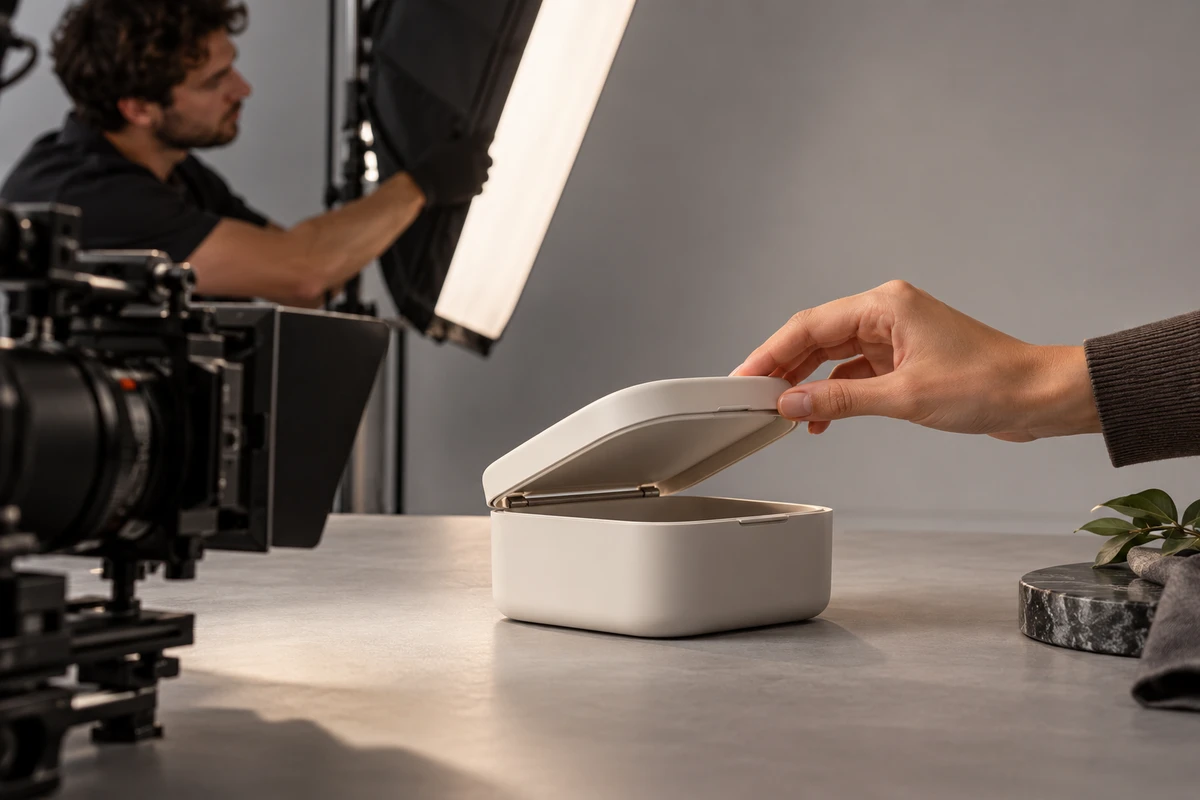
Second, is the purpose of the action clear? A hand approaching a control, a device moving toward its target or a lid about to open signals that something meaningful will happen. An action with a visible starting point creates more useful anticipation than a product rotating without purpose.
Third, is the result worth waiting for? The first shot does not have to reveal everything, but it should pose a visible question: how will a stain be removed, an object be secured, a space be illuminated or a device be folded? The more specific the question, the less the sequence depends on voiceover.
TikTok’s current performance-ad guidance recommends introducing the content proposition in the first three seconds and prioritising the hook within the first six. It also frames these as starting points that need continuous testing. This does not create a universal “three-second template”, but it confirms that opening attention should not be spent on an unrelated logo animation.
Choose the opening branch that fits the product
For products bought primarily for form and material—jewellery, home objects or premium small appliances—begin with a complete hero angle, then add touch, opening or changing light so the material enters a real relationship. Rotation shows shape. Interaction reveals scale, grip and structure.
For products bought for an explicit function—cleaning, charging, heating, folding or installation—start closer to the task. Keep the target, product and hand in the same visual logic. The product does not need to fill the frame, but the cause-and-effect relationship must remain complete.
For products sold through visible change—cleaning before and after, storage capacity or lighting effect—show the initial condition and connect it quickly to the action. Avoid presenting only the “before” and “after” while hiding the mechanism. The result may look dramatic, but it becomes less credible. Keep at least one continuous action that lets viewers understand the path from cause to outcome.
Some products should not open directly on the feature. Devices that require safety preparation, correct wear or specific operating conditions need the setup first. A faster edit that removes the condition can mislead. In these cases, it is better to communicate one fewer benefit than to turn incomplete usage into an apparently efficient demonstration.
Break the core action into start, process and result
A feature becomes editable when the coverage contains three kinds of information. The start shows the position of the product, target and hand. The process shows where force is applied, how the structure changes and which component moves. The result confirms what happened after completion.
These do not necessarily require three camera angles. One continuous shot can contain all three; additional views can clarify structural detail. What must not happen is an edit that jumps from “the hand is already there” to “the result has appeared”. Once the process disappears, captions have to explain what the picture failed to show.
Leave clean entry and exit handles around every action. Hold the product and hands still before the movement starts, then hold the completed result before clearing the set. That gives the horizontal master, vertical cut-downs and different pacing options usable edit points. ONCE’s guide to showing product features clearly expands on feature priorities and visual proof; here the method is narrowed to opening shots and action coverage.
Protect the action before adapting specifications
When the same action moves between horizontal, vertical and square formats, the hand, target and result area usually fail before the product does. Horizontal composition can show environment and product together. Vertical composition needs the action nearer the central axis. Square composition requires a tighter relationship between product and target. If a scene is designed only for horizontal delivery, the vertical crop may retain the product while losing where the action starts and where it lands.
Google Merchant Center currently accepts product videos in 9:16, 16:9 and 1:1, with a minimum 720p resolution and a duration between 6 and 240 seconds; sound is optional. TikTok In-Feed guidance recommends 9:16 and notes that its safe zone changes with aspect ratio, caption length and add-on format. Amazon shoppable video has its own file, duration and display requirements. The useful lesson is not one universal export setting. It is to mark the protected product, hand, result and caption zones for every destination on the storyboard, then recheck the official specification at delivery.
Use AI for variations, not as a substitute for physical truth
AI can accelerate previsualisation, background exploration, pacing sketches and animation of static assets. Google Product Studio already offers product-image and video generation, but Google also describes the feature as experimental, notes that unexpected outputs may occur and limits availability by region and product category.
Use AI freely to explore atmosphere, background variants and non-critical transitions. For real dimensions, structural movement, accessory relationships and functional outcomes, rely on live action or verifiable 3D demonstration. Contact between hands and products, part alignment, liquid flow and force feedback are all vulnerable to subtle errors. A beautiful generated movement that changes the product structure does not save time; it creates a new review burden.
Prepare one action card before the shoot
For each core feature, write one action card: current product state, performer, target, starting point, critical process, completed result, facts that must not change, and the protected zones for horizontal, vertical and square delivery. If only one sample exists, add which actions may cause wear, which shots must happen first and which accessories need backups.
The card does not replace the creative script. It aligns ecommerce operations, director, cinematographer and editor around the same result: the opening is recognisable, the action is understandable and the outcome survives review. To plan a product shoot, review ONCE’s ecommerce product-video production service; when the product, destinations and version requirements are ready, contact ONCE VISUAL for an ecommerce video production checklist.
Production examples and next steps
Plan the product demonstration around what viewers need to understand. The realme GT7 film provides a reference for product detail and use scenes.
Review Ecommerce product video production in China. and realme GT7: Graphene Ice-Cooling Body Product Demo. To discuss your project, send the product sample, approved claims, use scenes and required formats through the English project enquiry form.