Shenzhen Product Video Production: Let the Selling Point Stand Up to Real Use
Once a product selling point is separated from real action, it becomes only a claim in the voice-over. We run the current sample through its trigger, process and result, then plan the scene, shot size and platform versions around it so the reason to buy has visual support.
Pre-Shoot Brief
Confirmed together before production begins- Brief
First organize the core selling points, material details, functional actions and before-and-after states in the project Brief, then determine the creative direction and shot responsibilities
- Responsibilities
Different platforms are not simply the same video trimmed to different lengths
- Deliverables
Use the core selling point to show the key action in the moment when the sample is picked up and used for the first time
In brief
First define the communication task around the core selling point, then plan the corresponding visuals and versions for each platform.
How the project moves from Brief to delivery
- Project objective
The reason to buy should emerge from a single operation
The most common mistake in product videos is listing the functions one by one without showing how they change the user experience. We usually begin with one real action: picking the product up, installing it, triggering it or completing the result. We first select the reason to buy that is most worth remembering, then decide where the camera needs to move closer.
- Target audience
The selling point must match the sample in hand
Descriptions of appearance, materials, interfaces and performance that enter the script must all return to the current sample and approved materials. An attractive reaction captured by chance will not be edited into a consistent capability, and the conditions required for the operation to work will not be omitted; credible limitations often build more trust than a string of superlatives.
- Production scope
The setting is not decoration; it is a condition of use
A kitchen, living room, office or outdoor setting changes how people approach the product and can affect whether the function occurs naturally. The setting is selected first to serve the everyday actions of the target audience, with props and art direction considered afterward; the number of samples, replacement parts and non-repeatable steps are scheduled in advance.
- Creative and camera
Shot size should follow the viewer’s question
A wide shot explains the product’s place in everyday life, a medium shot completes the operation, and a close-up handles material, feedback and structural details. Each distance should show only what it genuinely makes visible. Movement and lighting guide attention; they are not used to conceal interfaces, proportions or conditions of use.
- Production and delivery
Different platforms are not simply the same video trimmed to different lengths
A product detail page needs patient explanation, a sales presentation values information that can be paused and verified, while a short advertising cut must present the reason early. Each version can reorder the information while sharing the same product information and visual rules; subtitles, safe areas, music rights and final files are confirmed separately for each destination.
- Project Brief
Start test shooting with the most important action
Bring one current sample, a piece of previous footage and the question most frequently asked by sales, and we can begin. We first complete the core operation with a simple camera setup, then ask someone outside the project to repeat what they saw; if their understanding differs, the team will know whether to add information, change the action or try another filming method.
Put the objective, audience and deliverables on the same Brief
- Production approach
First organize the core selling points, material details, functional actions and before-and-after states in the project Brief, then determine the creative direction and shot responsibilities
Work backward from the moment when the sample is picked up and used for the first time to determine the sample and setting, so the platform versions can serve the official website detail page, sales presentation and e-commerce content
Deliverables include more than one finished video: versions, aspect ratios and footage
- Visual expression
Use the core selling point to show the key action in the moment when the sample is picked up and used for the first time
Give the sample and setting specific visual presence through material details, functional actions and before-and-after states
Use platform versions to verify the versions required for the official website detail page, sales presentation and e-commerce content
Published projects and production references
Choose the product story through its actual use
A detail shot becomes more useful when it answers a specific usage question. These phone and webcam projects show different balances between hands-on explanation and the user's working environment.
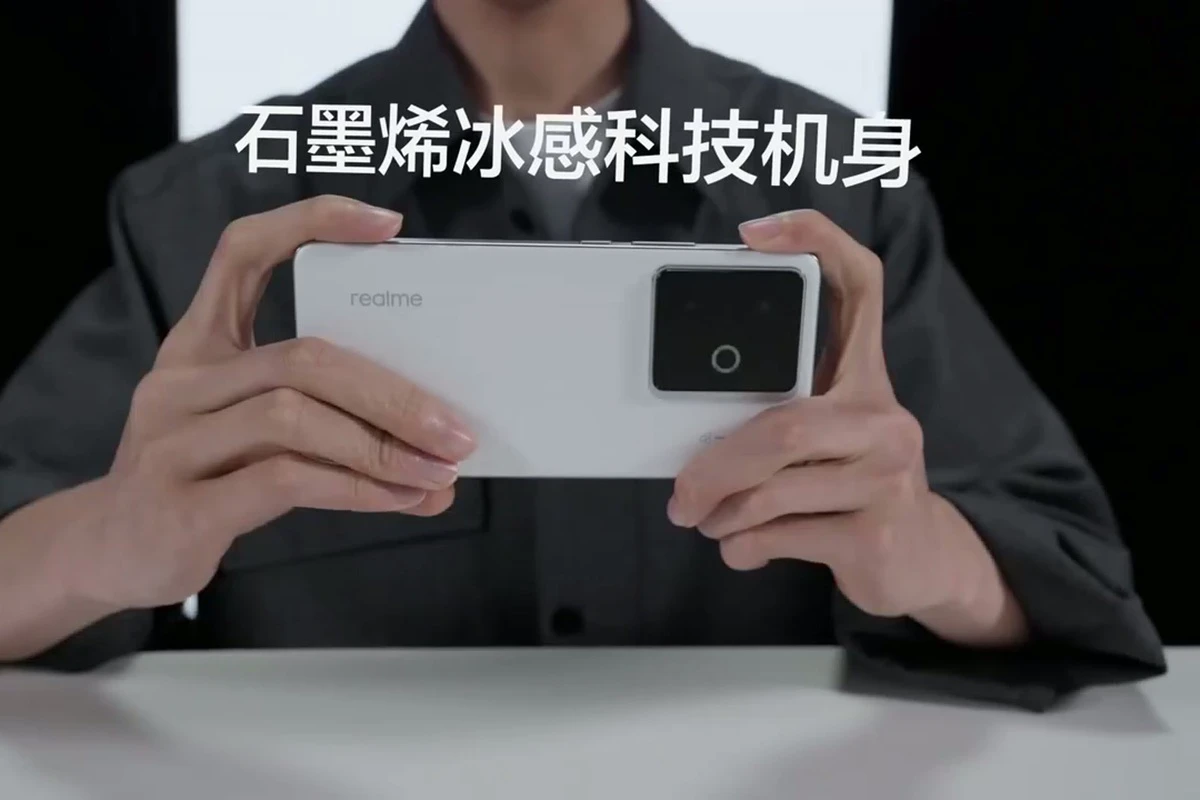
Action sequence
realme GT7: from handling to operation
The published case uses unboxing, material contact and gaming to organize the viewing sequence. Use it to plan how appearance, handling and screen response follow one another.
View the full case: realme GT7: from handling to operation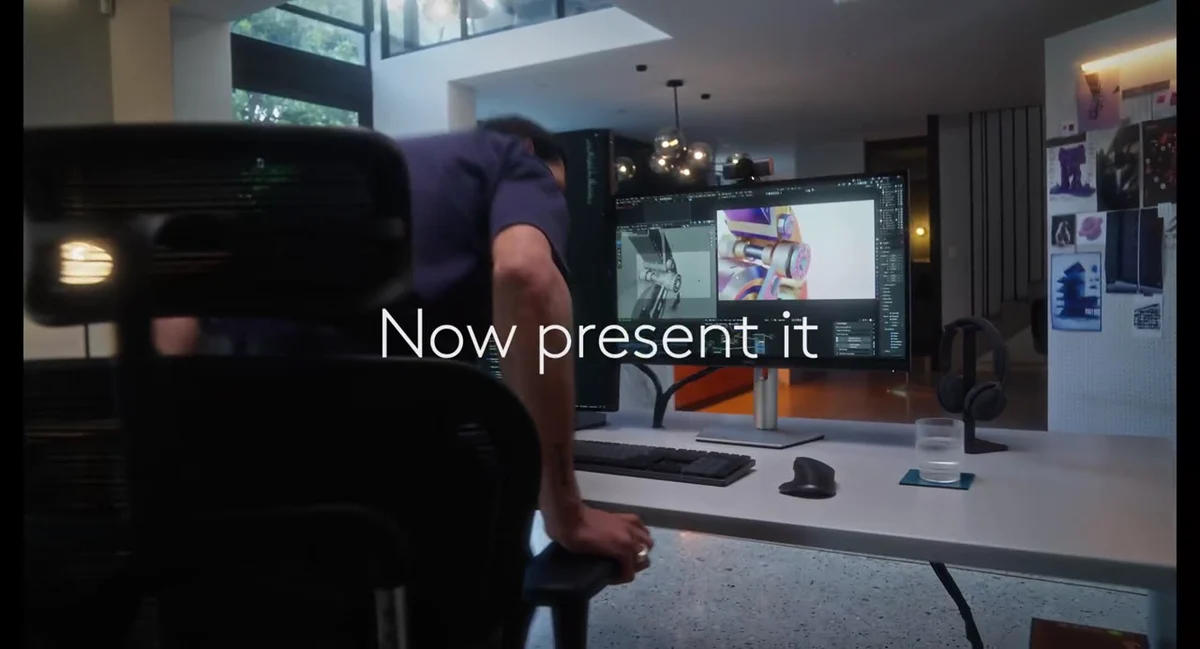
User context
Logitech MX Brio: a creator's working environment
The case uses a night-time home, workstations, multiple screens and on-camera activity to establish the context. Use it to decide which task should appear before the product close-up.
View the full case: Logitech MX Brio: a creator's working environmentTurn the reference into your project brief
State why a user picks up the product, then list the complete action and visible result. When selecting a reference, name the part you want to adapt so the discussion can move from visual style to a workable shot plan.
What is usually confirmed before the project begins
Can we discuss product video production before the script is complete?
Yes. Bring the core selling points, target audience and usage scenarios, and we will organize the Brief, creative direction and required materials around the moment when the sample is picked up and used for the first time.
How can we reduce back-and-forth when confirming the sample and setting?
Confirm the material details, functional actions and before-and-after states during the script and shot-list stages, have one project lead consolidate the feedback, and separate new requirements from the original scope.
What needs to be confirmed when delivering platform versions?
Confirm the master, Cutdown (short-form version), aspect ratio, language, subtitles, sound, authorization documents and archive owner item by item, ensuring that each version fits the official website detail page, sales presentation and e-commerce content.
From Brief to delivery, we first define the core task of communicating the core selling point, then plan the shooting approach and platform versions according to the sample and setting, so production resources serve the final use case.
Bring the current sample, product information and the most important usage scenario, and we will first turn one core operation into a clear visual task.
