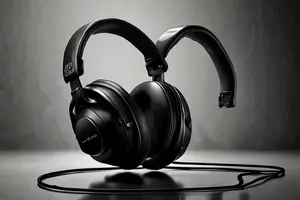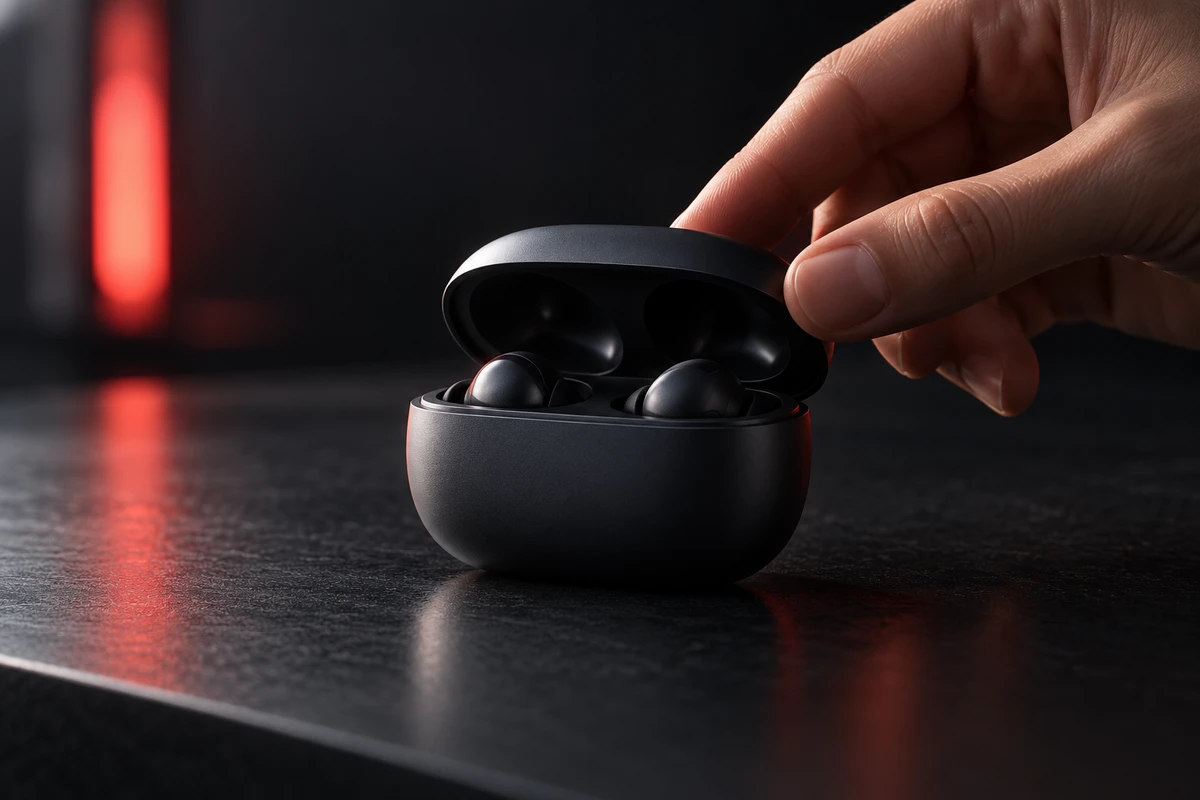
A wireless earbud case slides across a table and a finger flips the lid. The film cuts closer as the lid continues to open. Both shots look polished on their own, yet the case seems to change weight at the edit: it moves right in the first shot while the highlight travels left in the second; the lid jumps from barely open to nearly vertical; the fingertip moves from the edge to the center.
A flashy transition rarely fixes this problem. Product action match editing has to preserve the viewer's judgment of one physical object: where it is going, how far it has rotated, how large it is on screen, who is touching it, and what state it reaches after the action. These relationships can disappear inside a short cut, but they determine whether the product feels weighted, structured, and usable.
Continuity does not mean making two frames identical
Adobe's overview of continuity editing places spatial, temporal, and action relationships inside the same problem. A match on action lets the next shot continue movement that began in the previous one. In a product film, the purpose is not to stack two nearly identical compositions. It is to prevent the viewer from having to locate the product and decode the action again.
If a control turns from nine o'clock toward twelve o'clock in a medium shot, the close-up can change composition while entering at a compatible rotational phase and speed. Viewers accept a change in shot size. They are far less forgiving when movement reverses, a component changes, or an operating state moves backward.
This is also different from a graphic rhyme. A circular dial can cut to a circular speaker as a deliberate visual association. If someone is still tightening the dial, the editor must decide whether the new image continues that action or clearly starts a new passage. Both choices work. An ambiguous mixture makes the product appear to jump.
Shoot the parts of the action that an editor can join
Action matching is often treated as a post-production technique, although the most efficient repair happens on set. Each key action needs an entry, a middle, and an exit. If the director cuts too early, the edit only receives the moment when a hand touches the product or the lid is already open. There is no shared movement in which to exchange angles.
Different shot sizes should preserve compatible starting and ending states. The product does not need to return to a millimeter-perfect mark, but a dial position, lid angle, liquid level, indicator state, and fingertip contact point must correspond. For motorized actions, record the start timing and important positions. For performed actions, establish a common rhythm while allowing natural variation outside the critical phase.
Speed needs coverage too. A single take that only just completes the move leaves little room to choose a cut. Half a beat before and after the action, plus a slightly slower and a normal-speed take, is often more useful than forcing a short clip to fit later.
A cut has to align five relationships at once
Direction and speed
If the product travels from left to right, its main movement vector should continue in the close-up. A camera change can alter the background direction, but an unexplained reversal makes the product look as if an invisible force has hit it. When reversal is necessary, a pause, impact, rebound, or performed action should motivate it.
Rotational phase and form
Cylinders, headphones, shoes, and handled appliances all have recognizable orientation. If a port starts to appear at the edge before the cut, it should not hide behind the product again after the cut. Editors can temporarily lower the opacity of the upper clip to compare silhouettes, centers, and identifying parts, then slip the clip in time instead of immediately scaling the image to hide the mismatch.
Scale and landing point
A product naturally becomes larger when the film cuts closer, but the eye still needs a trackable landing point. If a button sits at the lower right before the cut and jumps to the upper left afterward, the viewer has to search before understanding the action. A button, fingertip, or highlight intersection can carry attention into the next shot.
Contact and product state
A finger pressing a switch, a cap leaving a bottle, and a magnetic accessory approaching its base all depend on contact. If the finger has not loaded the switch before the cut but the button has already rebounded afterward, the action loses its cause. Check the contact frame, any deformation or resistance, and the state the action leaves behind.
Sound onset and decay
Mechanical clicks, magnetic snaps, fabric movement, and tabletop impacts can bind two angles. Sound can begin slightly before the cut to lead the viewer forward, while its decay can let the action continue across the visual change. It still has to come from the physical logic of the product. An exaggerated effect cannot replace missing contact.
Use an overlap to inspect the cut, not to disguise it
Adobe's official match cut tutorial suggests temporarily overlapping two shots and lowering the upper clip's opacity to compare position, scale, and movement. This is a diagnostic method, not a requirement to leave a dissolve in the finished film. Once the action aligns, a direct cut is often cleaner and preserves tactile force.
First mute the sound and watch the product center, identifying parts, and movement direction. Then listen without looking to test whether onset, impact, and decay support the move. Finally restore the full sequence and ask whether attention lands naturally in the next shot. A one-frame problem may respond to slipping the edit. A structural, contact, or direction error calls for another take, a pickup, or compositing rather than a transition plug-in.
Speed changes can shape rhythm but cannot invent physics
A speed adjustment can bring two shots closer at the cut, but it also changes perceived weight. Accelerating a damped lid too aggressively makes it springy. Slowing a light product too far makes it heavy. Start with the object's real movement character, then decide whether a modest retime supports the edit.
For larger changes, divide the move into launch, fastest motion, deceleration, and rest, then exchange angles during phases with similar speed. Optical-flow interpolation may smooth broad movement while deforming fingertips, small ports, transparent edges, or packaging text. When those details establish product identity, review the result frame by frame rather than equating smooth playback with correct structure.
Each aspect ratio may need a new cut point
In a widescreen composition, the viewer may see the hand, product, and direction together. A vertical crop can make the hand enter from outside the frame, removing the context that made the original action match work. Cropping a 16:9 timeline to 9:16 does not guarantee that its edit points survive.
A vertical version may delay the cut by half a beat so the product reaches the safe area. A square version may cut closer earlier to keep a feature visible. Our article on the shot after product use examines how the result completes value. This article addresses the movement before that result and how it remains legible across angles.
Make continuity and disruption serve the product
Not every shot owes the viewer seamless action. A product can leave an everyday room for an abstract material world, or a hand-held use shot can jump into an internal CG view. The break works when viewers understand that the film has entered a different layer of information, rather than assuming the same action has failed.
A sound pause, lighting shift, clear hold, or graphic rhyme can mark that change. When the break has no relationship to the product promise and only makes the edit faster, it steals attention from the object. Our discussion of turning a product claim into a story event explains how a selling point becomes an action; action matching keeps that event believable across shot sizes.
A reliable product action does not first appear when post-production makes the footage smooth. The storyboard should mark the beginning, end, and proposed angle change. The shot list should record product state and identifying parts. The set should capture enough entry and exit. The edit can then align direction, phase, scale, contact, and sound. Each change in viewpoint adds information instead of forcing the viewer to meet the product again.
If you are planning a product film with multi-angle actions, functional demonstrations, and several aspect ratios, send ONCE your product information and use flow. We can break the action into shootable, editable beats before designing the camera coverage and version structure.
Sources reviewed on November 2, 2026: Adobe, “What is continuity editing in film”; Adobe, “Match cut: What is a match cut in film and how to create one”; and Adobe Premiere, “Match a frame with its source.” The methods here are production judgments, not a client case or a performance claim.