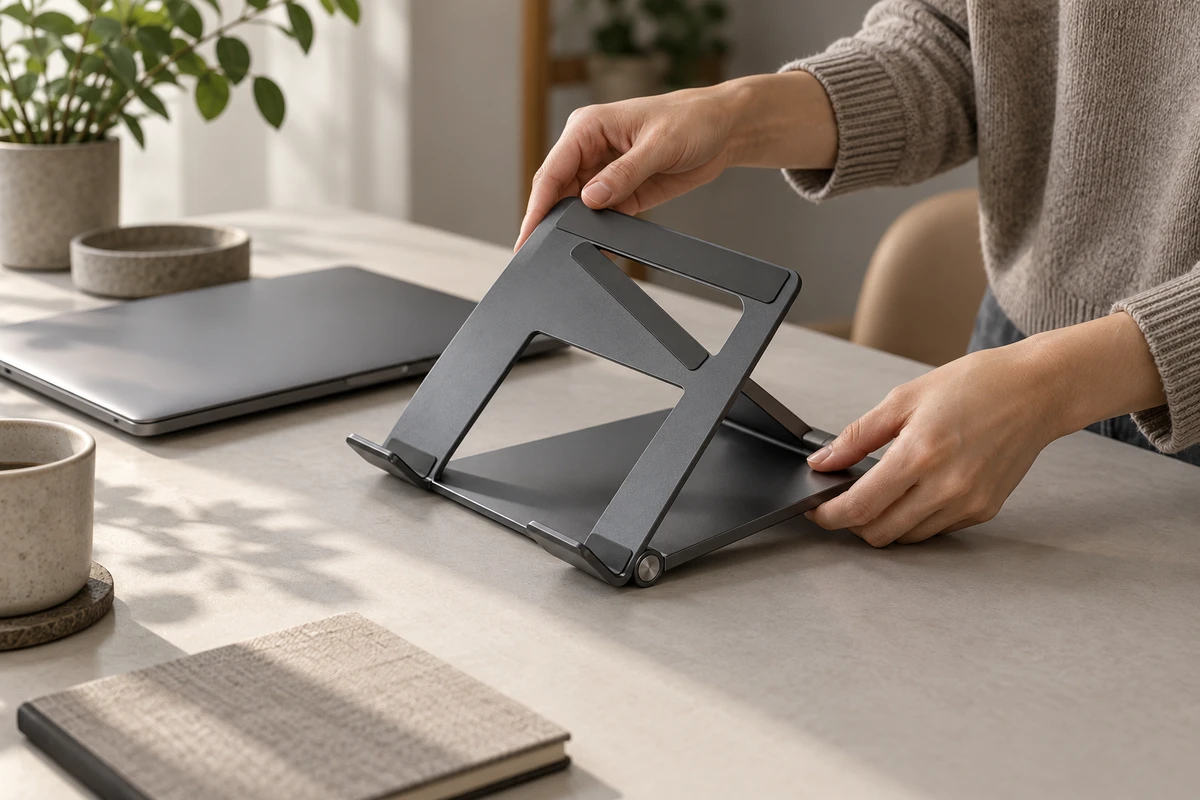
A folded stand sits on a desk. In the next shot, it is already holding a laptop. The edit feels brisk. But if viewers wanted to know how it opens, the missing moment may be the one they needed most. Product demo editing often faces this tension: showing everything drags; removing too much makes the product seem to operate itself.
The answer is not necessarily to speed up every shot. A more useful question is whether an action is still changing the viewer’s understanding, or merely continuing something already understood. The former deserves attention; the latter offers room for omission. A film can skip time while making it clear that something happened in between.
A visible cut can still leave a clear process
Adobe’s How to edit a jump cut in video post-production describes a jump cut as an edit within a continuous shot that makes an action appear to leap forward. It also recommends giving the cut a narrative purpose and planning for it before production. These are definitions and creative suggestions, not evidence that faster editing improves marketing results.
Omitting time is a broader idea than a jump cut. Someone picks up a bag at home and appears next at the office: the two moments can connect without a same-angle jump cut. Conversely, a hand may abruptly change position within a fixed composition. The cut is noticeable, but it need not be concealed if the action remains understandable.
Product films therefore face two separate questions: can viewers see the edit, and can they understand what happened to the product? Making the first invisible does not automatically solve the second. A beauty shot may cover the middle of an operation smoothly while leaving a first-time viewer unsure where a support came from.
One stand, three different meanings
The following is an original, fictional concept for a portable folding stand advertisement. It is not a real model, client project, product test, or set of operating instructions. Imagine someone opening the folded stand, positioning its rear support, adjusting the platform angle, and then placing a laptop on it. A real shoot must follow the specific product’s correct operating method.
Jump straight from packed to in use
In the first version, the stand comes out of a bag; the next shot shows its owner already working at the laptop. This omission can express a transition from carrying an everyday object to starting work. It leaves more time for the person’s day. It does not have to teach the opening procedure.
But it is insufficient if the copy emphasizes ease of operation, or if this is the only functional demonstration. The shots have not shown the opening action. The finished setup cannot establish how simple that action was. An appealing use state and an explanation of easy operation are different tasks.
Keep the moment that changes the state
The second version shows the platform opening, then the rear support moving into its working position, before cutting to the laptop being placed on top. Not every second needs to play in full. What matters is a visible connection between the folded object and a usable stand.
The framing need not remain equally tight. If fingers conceal the relationship between the support and the base, a slightly wider view may be more useful than an elegant detail. Viewers need to recognize how the parts connect, not merely that a hand moved.
Turn repeated adjustments into rhythm
A third version turns repeated adjustment into rhythm. The person tries one angle, jumps to another, and finally settles on a preferred position. This works as a proposal only if the first adjustment has already explained the action: subsequent cuts omit repetitions of the same operation. It can portray a person finding a comfortable setup. It must not be presented as a record of actual elapsed time, or make the stand change settings without anyone touching it.
None of these versions is universally best. The first concerns a transition in daily life; the second, a change in structure; the third, the rhythm of choosing. Decide what the passage is saying before deciding which time can disappear. That is more useful than assigning every action the same duration.
Cutaways need a purpose of their own
In Editing Basics for Business Video, dated February 27, 2020, Wistia recommends B-roll to help tell the story and cover jump cuts or voiceover passages. That offers a way to connect footage. It does not decide which part of a product operation may be omitted.
In the stand concept, the person finishes adjusting the position. A cutaway shows a notebook being placed beside it, before returning to the start of work. That can give the everyday activity some breathing room. But if the rear support has not yet been positioned, cutting to a plant by the window and returning to a load-bearing stand only hides the join. It does not explain the structural change.
Supplementary shots should therefore carry content of their own: what the person intends to do, what the workspace is like, or what begins once the product is in use. They are not patches for every awkward join. When an operational relationship is missing, look for the moment that explains it in the source footage, rather than cycling through decorative alternatives.
Sound need not disguise missing time
A continuous music track can give several actions a shared mood. It should not imply that every action is being timed continuously. Listen particularly closely to effects: if the image jumps from folded to ready while one uninterrupted unfolding sound crosses the cut, several operations may be heard as a single effortless gesture.
This does not mean every jump cut must be silent. Keep the actual contact sound on the first clearly visible action, then treat repeated adjustments rhythmically. Or make both picture and sound plainly skip ahead. The choice depends on whether the passage explains an operation or expresses passing time.
A pause may also be performance. Someone briefly checking the support position is engaging with an object, not necessarily waiting for the editor to remove dead air. Flatten every pause and the person may become a pair of hands that simply triggers product displays. A little hesitation or confirmation can give an action a human reason without necessarily making the film feel slow. That is a creative judgment to explore with specific footage and viewing feedback, not a universal outcome claim.
Hero films and demonstrations can experience time differently
A launch hero film can make the transition from carrying the stand to starting work its complete idea, omitting some of the opening procedure. Short clips intended for media use should retain enough context that an isolated excerpt does not make an adjusted state seem automatic. If a sales explanation needs to answer how the stand opens, restore the actions that support understanding. Simply slowing the hero film down will not do that.
These versions can come from the same shoot, but they are not one film trimmed to different lengths. For ecommerce product videos, this distinction offers a useful way to discuss the separate jobs of hero films and functional content. Recording one clear, complete, correct operation, alongside footage of the person entering the use situation, gives the edit options for both explanation and expression. Complete coverage does not mean every version must show everything. It makes omission a choice rather than a repair for missing material.
For an upcoming product demonstration, bring the physical product, a record of its correct operation, and the audience question you most want to answer to ONCE. Discuss which moments deserve to be seen. Removing waiting should reserve attention for meaningful changes, not ask editing to make the product easier than it is.
Sources checked October 17, 2026. The Adobe tutorial displays no publication date; Wistia’s article is dated February 27, 2020. This article draws only on the relevant public text and does not claim to have watched or tested the example films. The stand scenario and original AI-generated cover are fictional concepts.