Imagine a crew filming an AI laptop. The demonstrator turns off Wi-Fi, gives the computer a newly recorded meeting file and receives a summary with action items a few seconds later. Someone at the monitor says, “That proves the AI ran on-device.”
Not yet. Going offline rules out some live network requests, but it does not automatically rule out cached results, a model downloaded earlier, an edit that hides intermediate steps or cloud processing elsewhere in the workflow. An AI PC product video needs to separate three claims: what result appeared, where the computation ran and how the task moved between devices.
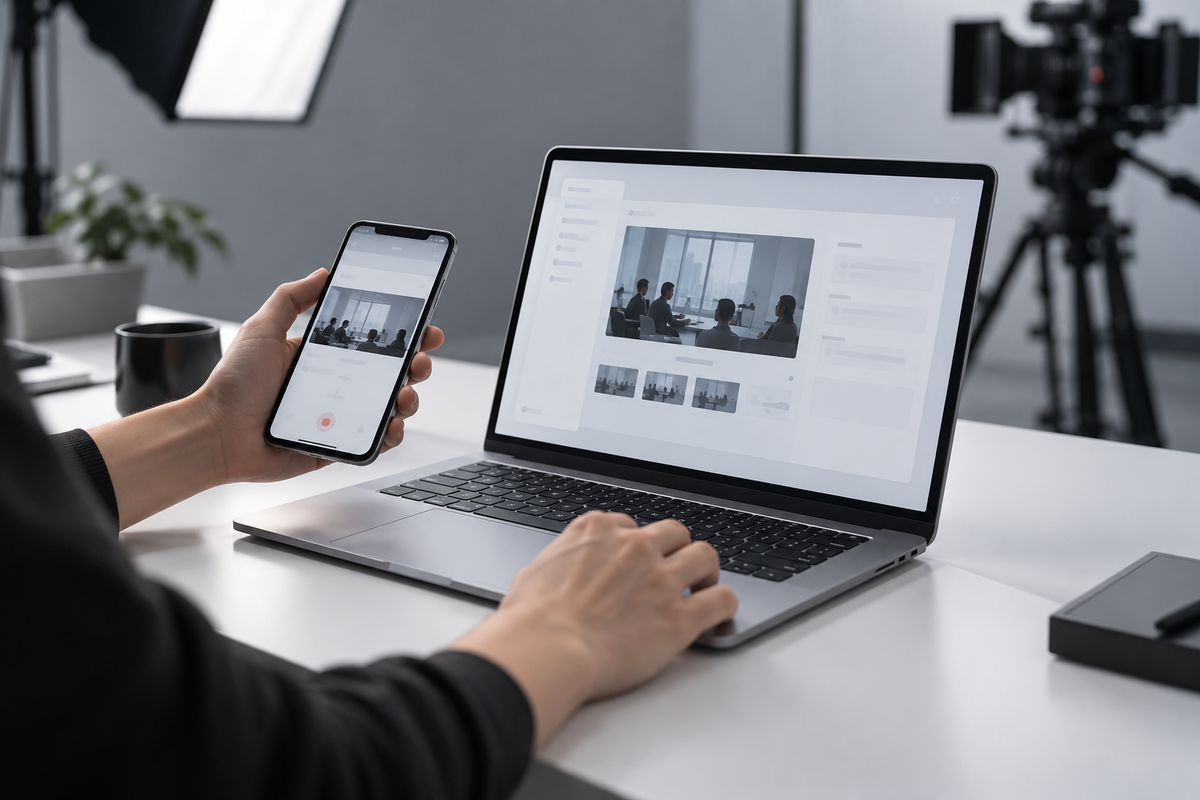
The example below is explicitly hypothetical. A phone records a short meeting, a laptop receives the new file and generates a summary locally, then sends approved action items back to the phone. It is not an ONCE client project and does not claim that any real product supports this exact flow.
Separate the Result, the Compute Location and the Handoff
Seeing a summary on screen proves only that a result appeared. The image alone cannot tell a viewer whether an NPU, GPU, CPU or cloud service produced it. An “AI” label also does not prove that data remained on the device.
Microsoft's current Windows AI solution comparison, updated on 6 August 2026, distinguishes Windows AI APIs, local model options and cloud-hosted Microsoft Foundry. It also shows a resilient app pattern that can fall back from a Windows AI API to a local model and then to a cloud service. The Windows AI APIs documentation, updated on 8 October 2026, further notes that hardware support, model delivery and regional availability vary by API. Intel's AI PC definition describes CPU, GPU and NPU as components that can all handle AI workloads.
The production consequence is simple: “AI PC,” “equipped with an NPU” and “this feature runs entirely on the NPU” are not interchangeable claims. Product owners should approve the exact model, OS build, app version, target region and execution path before the production team turns that claim into a shot.
A Credible On-Device Demo Needs Five Connected Nodes
1. Create the input during the take
Do not open a prepared transcript from a demo folder. Give the spoken input a phrase or nonce identifier that did not exist before the take, then carry that new input into the summarisation task. This reduces the possibility that the output was prepared or cached in advance.
2. Keep network state visible across the critical path
A grey Wi-Fi icon is not a complete offline test. Confirm network state before the action and keep a continuous proof take across input, processing and output. If the product can also connect through cellular, Ethernet or another device, the test owner should document which paths were disabled.
3. Preserve internal evidence of the execution path
The public film does not need to fill the screen with engineering logs. The approval package should, however, retain evidence such as a development build, runtime status, approved diagnostic view, hardware monitor or test record that identifies the execution path. This material can stay in the review package rather than the final edit.
4. Make the output depend on the new input
The summary should include the phrase or one-time identifier recorded during the take. The goal is not merely to display polished text. It is to establish a relationship between a fresh input and a fresh output that could not have been pre-rendered.
5. Repeat the flow with a second input
A second short run helps the team assess repeatability and exposes whether the first success depended on a lucky state. If the second run fails, fix the demonstration conditions before calling the feature reliable.
Cross-Device Collaboration Must Show the Handoff
A polished push-in can hide the most important step. A phone approaches the laptop and a file appears, but viewers never see which feature transferred it, which devices are supported, whether the file was compressed or whether a network connection was required.
Microsoft's Phone Link support documentation illustrates why these details matter. Cross-device copy and paste is limited to selected Android devices, currently supports text and images, and resizes images larger than 1 MB. This does not mean every AI PC uses Phone Link. It shows why a broad “seamless across devices” promise must be tied to the actual feature, device pairing and file type.
Capture the collaboration in three layers:
- a spatial shot establishing that the phone and laptop belong to the same task;
- a continuous handoff shot showing the send action, receipt notification and file opening;
- replaceable screen assets for the applicable market, language, OS build and supported device.
ONCE's article on camera movement in AI PC product videos offers a useful companion principle: movement can establish spatial relationships, while stable shots preserve functional cause and effect. This evidence-chain method adds a requirement for a visible input, response and result at each handoff.
Cloud Participation Is Not the Problem; Hiding It Is
Many useful products choose between on-device, local-network and cloud paths. Cloud services may provide larger models, account sync or team collaboration. The laptop may handle real-time effects, privacy-sensitive steps or offline work. A hybrid architecture is not a weakness that the film needs to conceal.
The problem begins when an edit removes cloud waiting and leaves an apparently immediate result, or when copy says “completed on-device” while the demonstration depends on an account, preloaded resources or an online service. The US Federal Trade Commission's advertising guidance evaluates express and implied claims created by words, images and context, and expects objective performance claims to have a reasonable basis before publication.
The script can therefore distinguish three honest modes:
- On-device completion: the approved local path performs the material inference and the review package supports that claim.
- Cloud enhancement: the film acknowledges the online service and does not manufacture zero latency through editing.
- Cross-device collaboration: the film proves the handoff without automatically attributing transfer speed to the local model.
Build a Claim-to-Condition-to-Shot Sheet
Before production, record at least seven fields for every AI claim: public wording, applicable model, OS and app versions, target region, network condition, the continuous shot that must survive the edit and the internal approval evidence.
“Offline meeting summary,” for example, needs an approved feature build, supported language, model-ready state, disabled connection paths, a newly created input and an output that refers back to it. “Continue editing a phone photo on the laptop” needs the supported phone, transfer method, file type, compression behaviour and receipt notification.
This sheet also sets the post-production boundary. Waiting may be shortened for pacing, but a step that changes how viewers understand the feature should not disappear. Approved interface language can be replaced for localisation; an unimplemented path cannot be composited to look like a real screen recording.
When the Demonstration Must Be Rebuilt
Do not automatically reuse the old proof sequence when:
- the OS, application or model version changes the execution path;
- a feature moves from local processing to cloud execution or gains an automatic fallback;
- another market has different feature, language or account requirements;
- a CPU, NPU, GPU or memory configuration changes support or visible waiting behaviour;
- the supported devices, file types or compression rules change;
- a new interface changes the action order, prompt or permission flow.
Return to the opening shot. The offline summary can be one link in the evidence chain, but it cannot prove every claim on its own. A credible AI PC demonstration connects a fresh input, network and device state, execution-path evidence, the handoff and a fresh output—and assigns an approver to the meaning of each shot.
If you are preparing launch content for an AI laptop, AI phone or intelligent terminal, start with ONCE's video production solutions. Share the product model, feature build, target market, demonstration task and required aspect ratios. We can map the proof chain and reshoot triggers before deciding how live action, screen capture and compositing should work together.
Sources reviewed on 11 October 2026. Technical details were checked against Microsoft Learn's Windows AI comparison, Windows AI APIs and Phi Silica transparency documentation, Microsoft Phone Link support, and Intel's AI PC definition. Advertising-claim discussion refers to FTC business guidance. Availability changes quickly; confirm every claim against the actual model, market and current software build before filming.