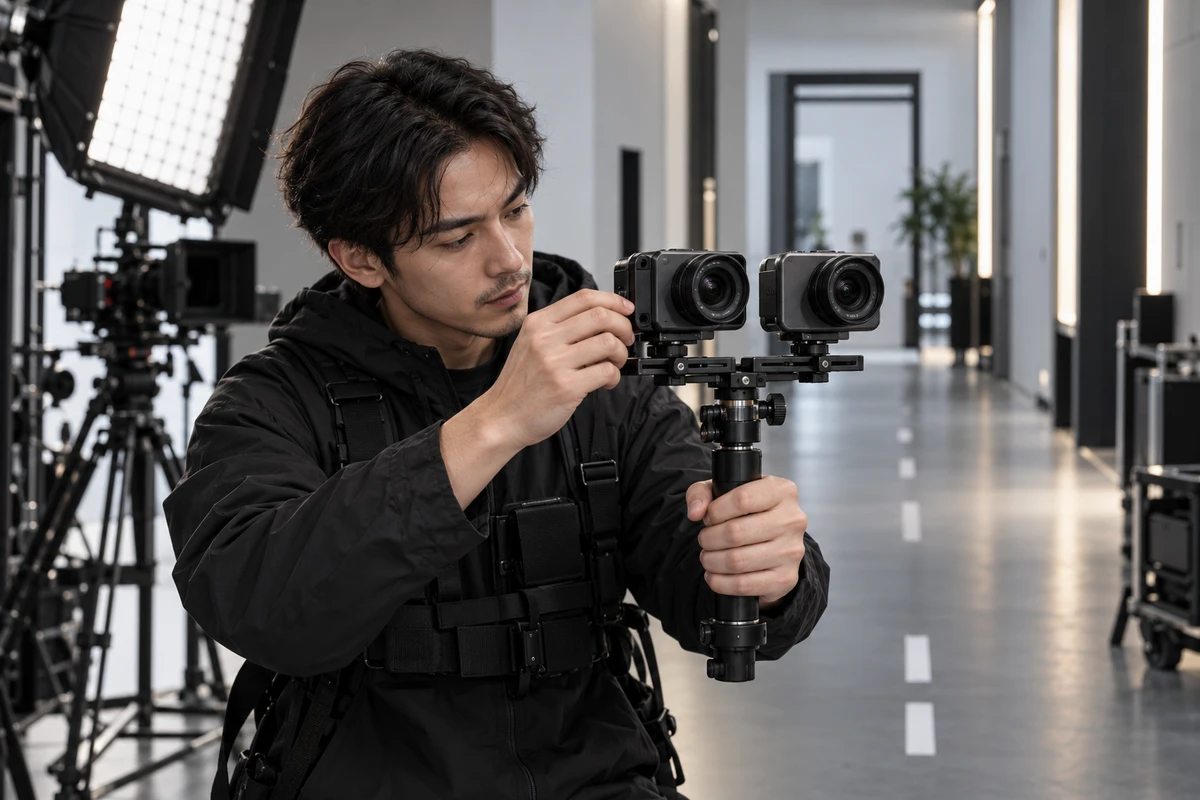
Two walking shots play side by side in the review room. The left one shakes; the right one looks smooth. Yet the smoother clip is also brighter, tighter, and slower. Without a record of those differences, viewers can see that the result changed, but they cannot tell whether the improvement came from optical stabilization, electronic cropping, an algorithmic mode, or the production conditions themselves.
For a phone, action camera, 360 camera, or smart-glasses launch, a stabilization sample is more than a mood shot. Once the copy suggests that footage is steadier or clearer in motion, the image is doing evidentiary work. A more credible production method is to split the polished walk into two traceable lanes: a baseline lane and a feature-on lane, both tied to the same input conditions and version record.
Define the claim before designing the shot
“Good stabilization” is not a usable shooting objective. The team first has to decide whether it is demonstrating reduced micro-jitter from handheld capture, smoother framing while running, or a compromise between stability and detail in low light. Each claim requires different inputs and different acceptance criteria.
Optical image stabilization typically uses mechanical movement in the lens or sensor to compensate for small camera motion. Electronic stabilization analyzes consecutive frames and geometrically adjusts them, often using extra image area as a buffer. The Android Camera2 documentation notes that video stabilization can modify the crop region. Its related capture-result documentation also warns that enabling optical and digital stabilization together can create undesirable interaction on some devices. A call sheet therefore needs more detail than a single “stabilization on” checkbox.
A useful claim might read: “On the same device and lens, at the same resolution, frame rate, approximate walking pace, and lighting condition, the target mode reduces visible frame displacement relative to the baseline while revealing any change in field of view, motion blur, and detail.” This is not a laboratory conclusion. It is a production rule that aligns scripting, capture, and review.
Build two walking lanes around the same inputs
The hard part is not obtaining one smooth clip. It is making two clips meaningfully comparable. The following method supports a reviewable advertising demonstration; it is not a substitute for standardized testing.
Lock the device, lens, and software version
Record the device ID, prototype status, lens or focal length, firmware, camera app, mode, resolution, frame rate, and codec for every group of takes. Do not treat the first second after a mode switch as valid evidence. Android documents that optical and electronic stabilization modes can take several frames to initialize, and the active state should be confirmed from the actual capture result where available. Leave a buffer before the performance begins and retain a slate that identifies the selected mode.
Make the route and pace repeatable
Mark the start, turn, and finish points. Use the same operator, grip, and approximate cadence for both lanes. If a dual-device rig is not appropriate, alternate several baseline and feature-on takes instead of comparing a morning baseline with an evening hero take. Repetition reduces the chance that one unusually smooth walk determines the conclusion; it does not justify a statistical claim from a handful of clips.
Show field-of-view and exposure changes
Stabilization may narrow the view. In low light, shutter time, gain, denoising, and motion blur can also change. Place a doorway, vertical marker, or other strong edge near the frame boundary so reviewers can see crop and geometric behavior. Preserve exposure settings, lighting notes, and the ungraded device output. Do not light only the feature-on lane, slow the operator down, or switch to a wider lens to make it look stronger.
Separate in-camera output from post stabilization
Device samples may receive consistent encoding and layout treatment. But if a clip also receives editor stabilization, speed changes, denoising, sharpening, or AI reconstruction, save it as a separate packaged version. Name the direct output, clean master, and campaign edit independently so that post-production repair is not mistaken for product performance. The same discipline applies when distinguishing local processing from cloud or cross-device work in an AI product demonstration.
Do not force three tests into one cinematic take
A long move from a dim interior to bright outdoors may look impressive, but it changes illumination, shutter behavior, operator speed, background texture, and camera direction at once. Three shorter tests are easier to interpret.
Bright light reveals baseline stability and crop
Start with a straight walk and one controlled turn in bright, even light. Apple states that Action mode works best in bright light and has a maximum capture resolution of 2.8K. This product-specific example illustrates why resolution and mode limits belong in the script and delivery plan, not in a last-minute footnote.
Low light reveals the stability-detail trade-off
In a low-light sample, review more than smoothness. Check edge smear around the subject, loss of texture, highlight flicker, and focus behavior. If the device offers a dedicated lower-light option, record the option, environment, and output specification together. Illumination is an input variable; two clips captured under materially different light should not be presented as a controlled before-and-after comparison.
Strong edges reveal geometric behavior
Fences, door frames, vertical architecture, or close foreground objects passing the edge of frame can make crop, local warping, and turning artifacts easier to inspect. The purpose is not to manufacture failure. It is to determine whether smoothness costs composition space or edge stability. For a campaign requiring both landscape and vertical versions, this test can also reveal whether the vertical crop removes the person or product.
Review the footage with four short records
A traceable stabilization demonstration should have four compact records:
- Device record: device ID, prototype status, lens, firmware, and camera app.
- Mode record: baseline and feature-on modes, resolution, frame rate, and known limitations.
- Condition record: route, cadence, grip, lighting state, and start and finish positions.
- Processing record: source filename, crop, grade, denoise, speed changes, post stabilization, and the campaign version using the clip.
Review the unembellished A/B material before reviewing pacing, music, and graphics. A reshoot—or at least a new critical comparison—is usually warranted when firmware or the imaging algorithm changes; the lens, sensor, or prototype hardware changes; the same mode name produces a different output specification; resolution or frame rate changes; post stabilization or retiming is added; or campaign copy turns a contextual scene into an objective performance claim.
Changes to subtitle language, a CTA, or a layout that does not alter the image generally do not require recapturing the source footage, but they should still point to the correct approved version.
A production comparison is not a laboratory certification
The current CIPA optical image-stabilization standard uses specified measurement methods and requires certified vibration equipment when a company claims that results comply with the CIPA standard. A two-lane advertising shoot can improve transparency and repeatability, but it cannot replace that measurement or justify an invented “stops of improvement” figure.
Nor can a disclaimer rescue an unfair comparison. The FTC advertising substantiation policy says objective claims should have a reasonable basis before dissemination, while its small-business advertising guidance explains that both express and implied messages from words and images matter. The exact legal requirements depend on market and claim, but the production lesson is broadly useful: if an ordinary viewer would read the shot as a performance comparison, the project record should explain how that comparison was made.
The most credible stabilization demo does not bury every uncertainty off-camera. It lets viewers understand the relationship between product, mode, conditions, and output without turning the film into a lab report. If you are preparing launch content for a phone, camera, smart-glasses product, or action-imaging device, assemble the intended claim, prototype and version details, comparison route, lighting conditions, and delivery channels before asking ONCE for an AI terminal product-video plan.