One product has three colours, two capacities and two accessory bundles. It is tempting to shoot one hero video, attach it to the whole variation family and count the production saving. The problem is that the colour, scale, accessories and functions shown in that video may not be true for every buyable ASIN.
Amazon's current shoppable-video workflow does allow a seller to specify selected ASINs or turn on the option that extends a video to associated product variations. That solves the mechanics of distribution. It does not decide whether the asset accurately represents every item. The better question is: what will a shopper reasonably believe they are buying after watching this shot?
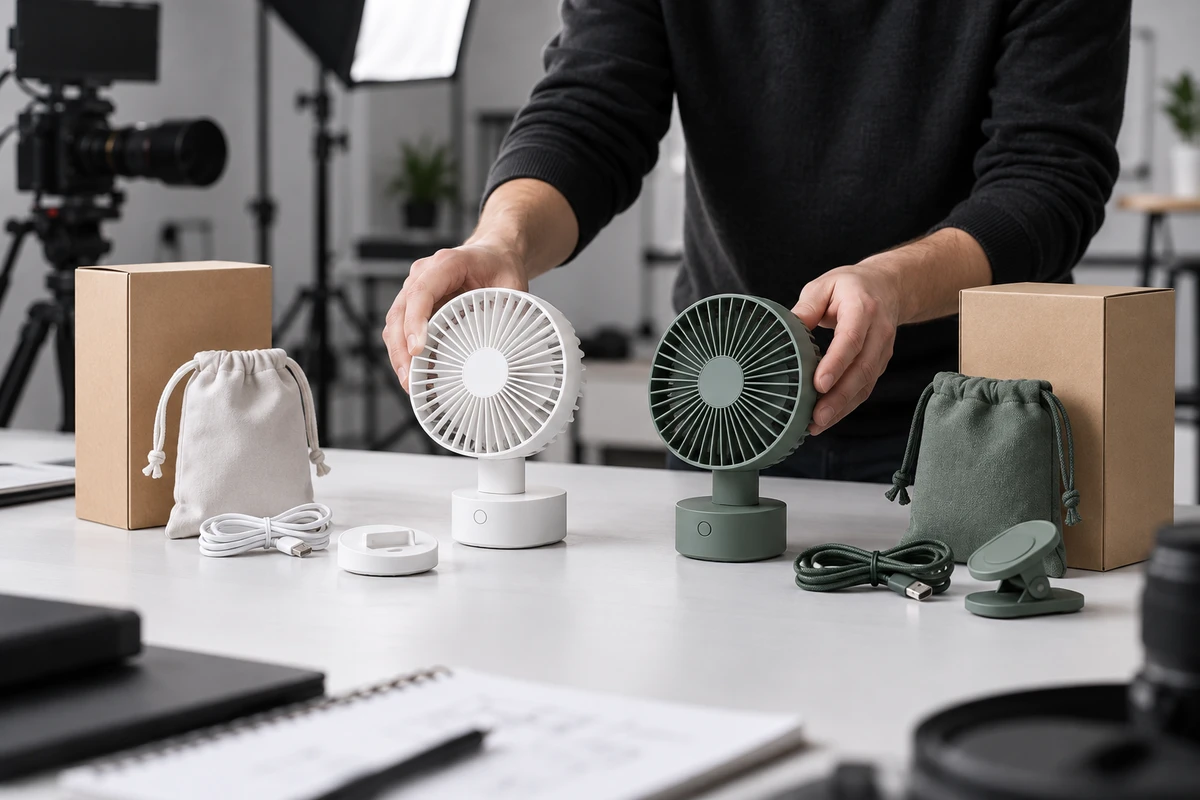
The example below uses an explicitly hypothetical portable fan offered in white and green, with 4,000 mAh and 6,000 mAh capacities, and in a device-only or travel bundle. It is not an ONCE client project and does not represent a real product specification.
A Variation Family Is Not One Set of Visual Facts
Amazon's Variation Relationship FAQ explains that a parent ASIN is a virtual relationship that connects buyable child ASINs. Child products may differ through attributes such as size, colour or flavour. Items can therefore belong to the same variation family while still requiring different visual evidence.
Suppose a shot shows someone placing the fan on a desk. If colour is not prominent and the product's size and controls are identical across the range, the footage can form part of a shared master. A macro rotation of the green housing is different: it communicates a specific colour and finish, so it should not automatically appear on the white variant's detail page.
The same principle applies to scale and bundles. A backpack shot can misrepresent portability if the two capacity versions have different physical dimensions. A flat lay containing a pouch, lanyard and cable can create the expectation that every bundle includes those items.
Amazon's Sponsored Products video guide also notes that advertisers can upload a video for each ASIN colour or variation so the video accurately reflects the colour or variation shown on the product detail page. Amazon provides an efficient way to extend a video across variations, but it also supports precise variation-level matching.
Sort Differences into Five Groups Before Storyboarding
Do not add a single “shared video?” column to the SKU sheet and call the planning complete. Divide variation differences into five practical groups first.
1. Appearance
Colour, surface texture, port location, button icons and structural parts become product-identification facts when they appear clearly. Medium-wide actions may be reusable; hero rotations, material macros and thumbnails usually need to match the actual variation.
2. Scale
A capacity change may affect only an internal component, or it may change height, thickness, weight and the way a person holds the product. If a variant changes the human scale reference, storage action or footprint, replacing a capacity label is not enough. The shot needs to represent the physical relationship of that child ASIN.
3. Operation
If every version shares the same buttons, start-up sequence and feedback, operational footage can become a shared master. If the premium version adds a speed, screen or app function, the relevant action must be shot and assigned separately. The base model should not inherit the premium model's functional impression.
4. Packaging and Bundle Contents
Unboxing, accessory flat lays and “what is in the box” shots directly shape purchase expectations. A travel pouch can appear as a lifestyle prop, but once the edit implies that it is included, the shot must be restricted to ASINs that actually contain it.
5. Claims
Runtime, capacity, power, compatibility and performance cannot be corrected merely by changing subtitles. The US Federal Trade Commission's advertising guidance evaluates the overall impression created by words, images and context, including express and implied claims, and expects objective claims to have a reasonable basis before publication. A long usage montage may imply superior runtime even when no number appears on screen.
Build a Variation-to-Shot-to-ASIN Map
The map can be a simple production sheet. Give each row one shot or one independently replaceable section, then record six fields:
- Shot number and visible action.
- The product fact a shopper is likely to infer.
- Applicable child ASINs.
- Physical sample ID used on set.
- Treatment: shared master, replacement shot or independent version.
- Approver and the condition that triggers another review.
For the hypothetical fan, “person switches on speed one at a desk” can be shared if operation is identical. “Green housing macro rotation” belongs only to green variants. “Travel pouch and lanyard flat lay” belongs only to the travel bundle. Runtime language, capacity visuals and the 6,000 mAh label belong only to the matching capacity version.
The real saving does not come from forcing one finished edit across every SKU. It comes from capturing shared locations, talent performance, generic actions and atmosphere once, then designing product close-ups, accessories and claims as replaceable modules. Production resources are shared; inaccurate product facts are not.
If you are still estimating how multiple ASINs affect the scope, ONCE's article on product videos that reduce expectation gaps provides a related method for connecting size, contents and usage questions to the shot list.
Silent Viewing Makes Variant Identity More Important
Amazon Ads video guidance notes that some video placements autoplay muted and recommends clear demonstrations, captions or on-screen text so the message remains understandable without sound. Variant identity therefore cannot live only in a voiceover.
If a green fan video is extended to a white ASIN, a narrator saying “available in multiple colours” does not solve the silent-viewing problem. A shopper still sees green as the current item. A safer structure shows the current variation within the first few seconds, uses text only for confirmed differences, and keeps the thumbnail, opening product and later close-ups consistent.
When a video genuinely presents the whole range, design it as a range shot and return to the currently buyable variant afterwards. Do not place accessories from multiple bundles in one attractive composition and expect viewers to infer which items are included.
Five Changes That Require More Than a Text Swap
Reshoot, or at least rebuild the affected section, when any of the following changes:
- A colour, finish, port or dimension is clearly visible.
- The operating action, feedback state or feature sequence differs.
- Packaging, included accessories or quantity changes.
- Performance, capacity, compatibility or conditions of use differ.
- The original composition can reasonably be mistaken for the current child ASIN.
Conversely, a video may be shared when the only difference is an internal catalogue code and the appearance, operation, packaging and claims remain the same. When the only change is an accurate language layer, capacity label or end card, preserve a clean text-free master so the team does not need to repeat the talent and location shoot.
Before upload, run a misassignment test. Mute the video and show only the thumbnail plus the first ten seconds to someone unfamiliar with the project. Ask what colour the product is, which accessories are included and which functions it has. If the answers do not match the selected ASIN, do not activate variation extension.
Approve the Mapping Scope as Well as the Film
The acceptance decision for an Amazon Listing video should go beyond “the picture looks good and the file uploads.” Brand, ecommerce and production teams should jointly approve where the video may appear, which shots are valid across the family and which shots must change with colour, capacity or bundle.
ONCE's ecommerce product video production service can support this kind of multi-SKU planning. Send the parent-child ASIN sheet, variation attributes, sample list, target marketplace, video placement and product differences that must be explained. We can then separate shared footage, replacement shots and independent versions before defining the production and delivery scope. You can also explore the wider ONCE video production approach.
Sources reviewed on 11 October 2026. Platform details were checked against Amazon Seller Central's Shoppable Video Guide, Variation Relationship FAQ and Product Video Tips, plus Amazon Ads video guidance. US advertising-claim discussion refers to FTC business guidance. Account owners should confirm the latest rules for the target marketplace before upload.