A manufacturing process animation can place every machine, material and station in the correct order and still fail to explain the process. Viewers may see where the material goes without understanding why it is allowed to continue, what state has changed, which signal is being observed, or where the line should stop when something is wrong. The problem is not a lack of rendering detail. The script shows “before and after” without showing “because and therefore.”
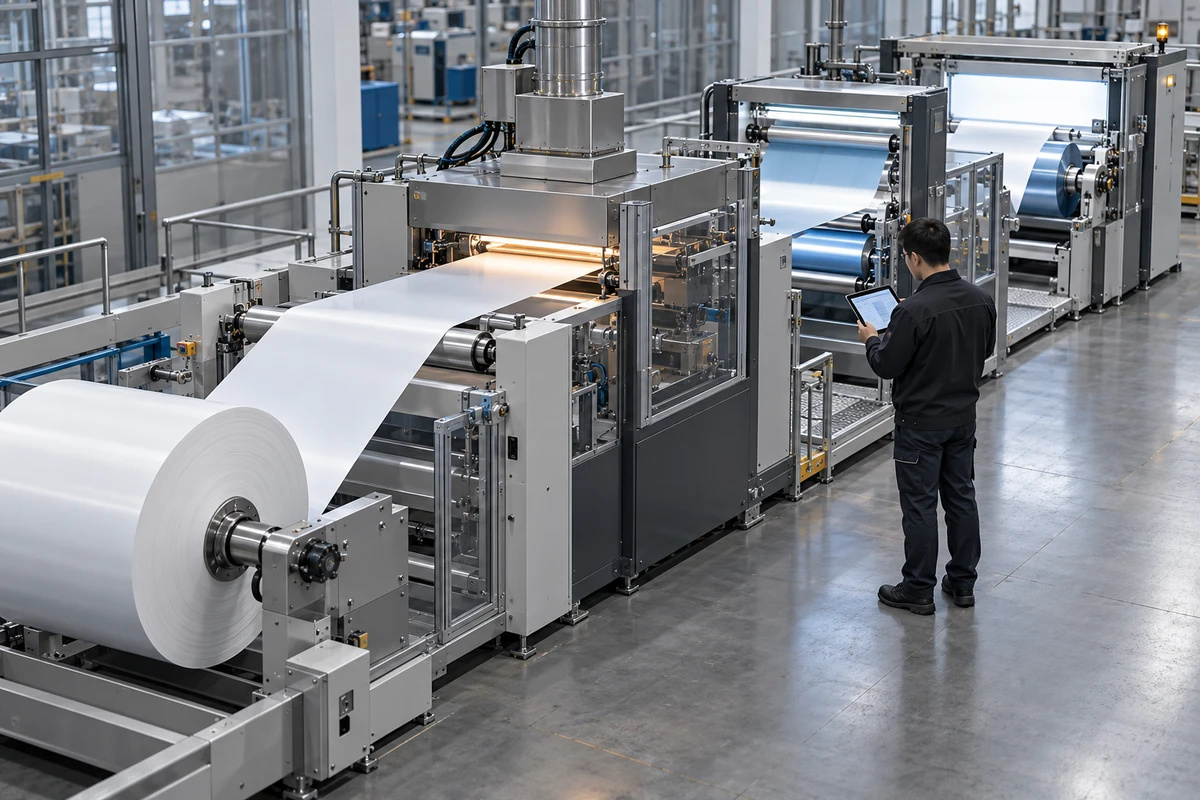
This article uses an explicitly hypothetical roll-to-roll coating line. It is not an ONCE client project and does not represent a real factory, recipe, parameter set or inspection standard. The example demonstrates how to organise technical inputs and review comments. The client’s engineering, process, quality and safety owners remain responsible for the real process, acceptance criteria and operating requirements.
A Sequence Can Be Correct While the Explanation Is Wrong
Imagine an early storyboard with five scenes: unwind, coat, dry, inspect and rewind. The equipment is modelled correctly and the direction of travel is accurate. The problem appears in the inspection scene. A sensor flashes, an interface turns green and the web moves on.
The sequence feels complete, but it silently invents three things: what the sensor observes, which rule produces the green state, and what the pass state authorises next. Unless those points come from approved sources and named reviewers, the animation has turned inspection into a decorative button rather than explaining quality control.
ISO 9000 defines a process as interrelated activities that transform inputs into a result. The ISO 9001 process approach also focuses on process interactions and on monitoring and measurement checkpoints that vary with the process and its risks. NIST’s Value Stream Mapping guidance maps material, process and information flows together. For an animation brief, the implication is practical: machine movement is only one part of the story. The information that triggers a decision also needs to be visible.
If a project needs to combine factory footage, people and technical animation, ONCE’s corporate film production service provides the broader production context. Live action can show an approved real environment; animation can explain relationships that are hidden or difficult to film. They should not be treated as equal forms of proof.
Separate Three Layers Before Designing Shots
Layer 1: Process Order
This answers, “What happens next?” Unwinding leads to coating, and coating leads to drying. Direction, spatial continuity and pacing can establish the map of the line.
Order is the easiest layer to draw and the easiest to mistake for a complete explanation. Knowing where material travels does not tell viewers what condition the material has reached.
Layer 2: State Change
This answers, “What is different after this stage?” When the same material enters and exits a station, the script should identify a change that the project’s technical owner has approved. A cutaway, close-up, colour separation or before-and-after view can explain the change, but the visual device is still an illustration—not automatically a measurement result.
In the hypothetical coating example, the animation can say that material moves from one approved process state to another. It cannot invent thickness, temperature, uniformity or a chemical reaction. When approved data is unavailable, a deliberately abstract explanation is more honest than photoreal particles and numbers that create false precision.
Layer 3: Quality Decision
This answers, “Why does the process continue, pause or return for rework?” The script must separate an observable signal from a final decision. A scene may show an authorised reading, graph or status indicator, but the pass rule, approver and applicable document version still belong to the client’s real quality system.
This resembles the trigger-feedback-result structure used in connected-product demonstrations. ONCE’s guide to filming smart hardware interactions explains why a complete task cannot be replaced by disconnected close-ups. In a process animation, equipment action, information feedback and quality outcome also need to remain connected.
Rewrite Each Stage with a Six-Field Causality Card
Before storyboarding, create one card for every important stage. The six fields are not administrative padding. They reveal where engineering, process, quality, marketing and production teams are making different assumptions while changes are still inexpensive.
- Input state: the confirmed condition of the material, component or information entering the stage.
- Equipment action: what the machine, tool or operator actually does, based on an approved source.
- State change: what has changed when the stage is complete.
- Observable signal: what viewers can see to understand that change; a signal is not the same as a verdict.
- Quality decision: the condition that allows continuation, isolation or rework, plus the owner and document version that authorise it.
- Visual method and limit: live action, 3D, cutaway, annotation or sound, together with what the scene must not imply.
For the hypothetical transition from drying to inspection, a card might say: the input is a coated web entering a controlled stage; the equipment action is the web travelling through that zone in the approved direction; the state change is limited to “ready for the next approved inspection step”; the observable signal is an interface or marker supplied and approved by the client; the quality owner defines the real continue, isolate or review rule; and the scene uses a simplified cutaway with a production note stating that it does not represent measured temperature, speed or material performance.
If the team cannot complete fields four and five, detailed rendering should wait. The missing information is usually not a cue for the animation team to guess. It is a request for the client to confirm the source revision, public-disclosure limit and decision owner.
Three Review Passes Work Better Than One Final Screening
Pass 1: Review Only Order and State
Use a grey-box animatic without music, brand lighting or finished materials. At every transition, the process owner should be able to state the input, action and output. If those three cannot be described, more voiceover will not solve the scene; the causality card needs correction.
Pass 2: Review Signals and Decisions
The quality owner checks every interface, marker, arrow, colour and sound. Each green state, alert or completion cue should answer one question: is this an actual observable signal, or a conclusion added for visual effect? If colour is only a graphic convention, record that choice so reviewers do not read it as a real inspection result.
Pass 3: Test External Understanding
Ask a marketing or sales colleague who did not design the process to watch a clean preview without explanation. They should be able to describe what changed, which point determines continuation, and what the animation does not prove. If they can only repeat machine names, equipment motion has overwhelmed the information hierarchy.
Every review comment should include a timecode, card reference, source revision, owner and replacement action. “This is wrong” cannot enter production. “At 00:37 the green state implies quality approval; replace it with a neutral state until wording from QP-07 is approved” can.
Information Hierarchy Should Serve Viewing, Not Reproduce a Manual
A process animation should not read an entire work instruction onto the screen. Keep the primary causal line in motion, use brief annotations for essential terms and states, and retain detailed criteria, versions and approvals in the project record or supporting page. Viewers get clarity while technical teams retain traceability.
Sound belongs to the hierarchy as well. Approved machine sound can anchor space and action, but a notification, alarm or completion tone should not create the impression that a system has detected and approved something when it has not. If sound is only narrative emphasis, keep it neutral and review it alongside the visual claim.
A polished 3D scene is not automatically a digital twin or a process simulation. Unless the model, boundary conditions, data sources and validation method have been approved, call it explanatory animation. High-fidelity imagery may improve understanding and brand quality, but it does not replace measurement, process validation, safety training or operating procedures. ONCE’s article on choosing live action or 3D product animation offers a related way to separate visible evidence from explanatory imagery.
Approve Causality, Not Just Resemblance
Four questions provide a useful final check: Can viewers identify the input state? Can they explain what this stage changes? Can they distinguish a signal from a quality decision? Do they know where the process stops when the approved condition is not met? If all four answers are clear, the animation is explaining a process rather than merely touring equipment.
That is the work behind effective ONCE video production: translating technical sources into a watchable relationship while preserving source authority, disclosure limits and approval ownership. Models, lighting and camera movement can make the film compelling. The causality card keeps it honest.
If you are planning a manufacturing process animation, use ONCE’s corporate and industrial video project page to submit the current process-document revision, shareable models and interfaces, audience, channels, approval owners, timeline and budget range. ONCE can then assess which stages need live action, 3D explanation or a hybrid approach, and which technical decisions must be closed before production begins.