A fast camera move can be exciting without making the product memorable. The most useful question is not whether a robotic camera arm can execute a path. It is whether removing that continuous move would also remove an important product fact, a clear sense of scale or a meaningful brand transition. If a slider, a turntable or two well-designed cuts can communicate the idea more clearly, motion control may only add rehearsal, lighting and coordination work.
U-STUDIO Commercial Studio Production 07/10
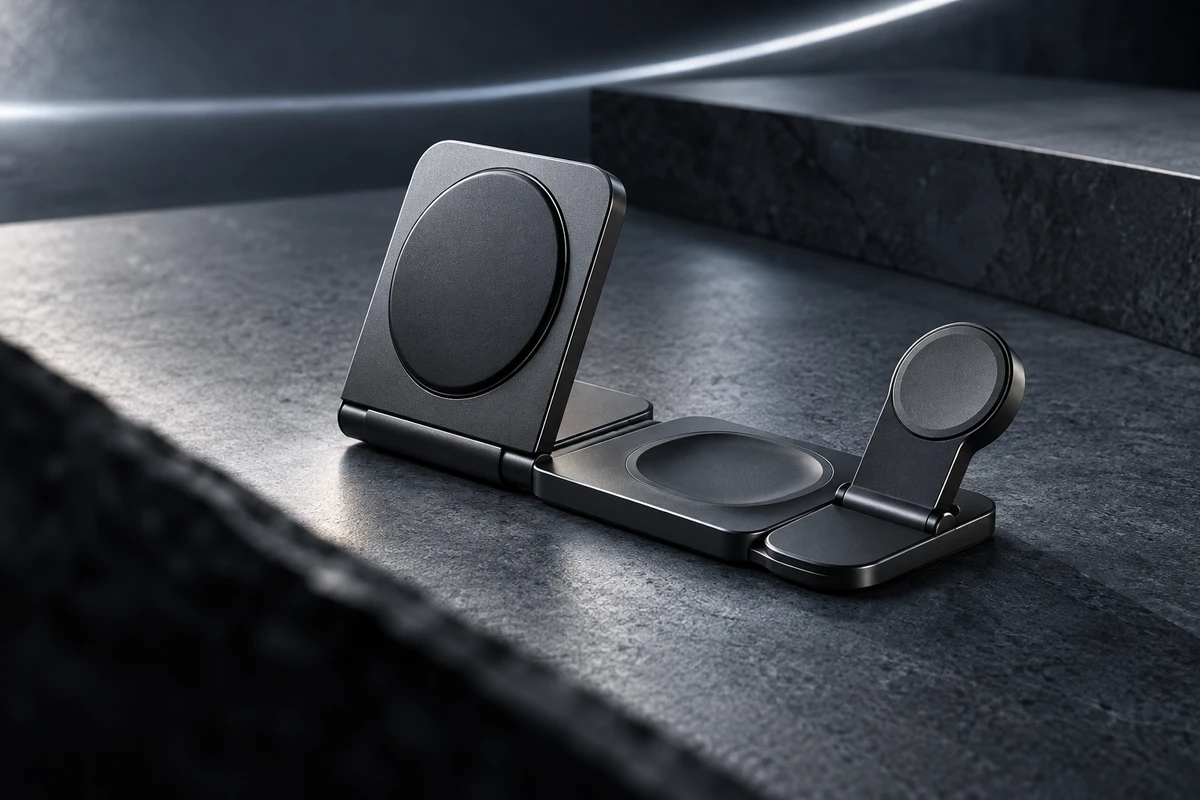
To make the decision concrete, this article uses a clearly hypothetical product: a graphite-grey foldable three-in-one charging dock. Its base includes an earbud charging area, an upright magnetic panel holds a phone, and a side module opens for a watch. The proposition is “put complexity away in one movement.” This is not an ONCE client project, and none of the shots or tests below are presented as completed work. A real production would have to use the final sample, verified functions and an approved script.
Give the shot a communication job before choosing the equipment
Motion-control systems can turn camera position, speed and end points into deliberately designed movements. Manufacturers commonly describe programmability, repeatability and multi-axis movement as benefits, but the numbers and operating conditions are model-specific. The speed, payload, reach or repeatability published for one system cannot be transferred to another.
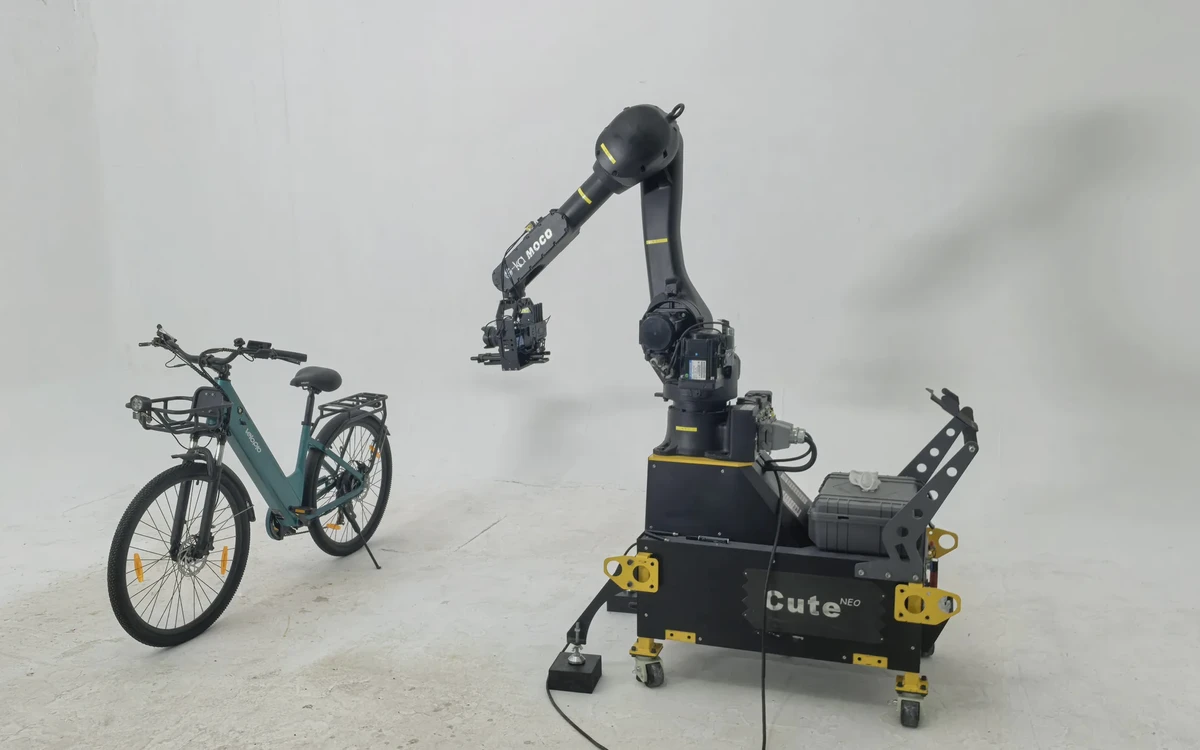
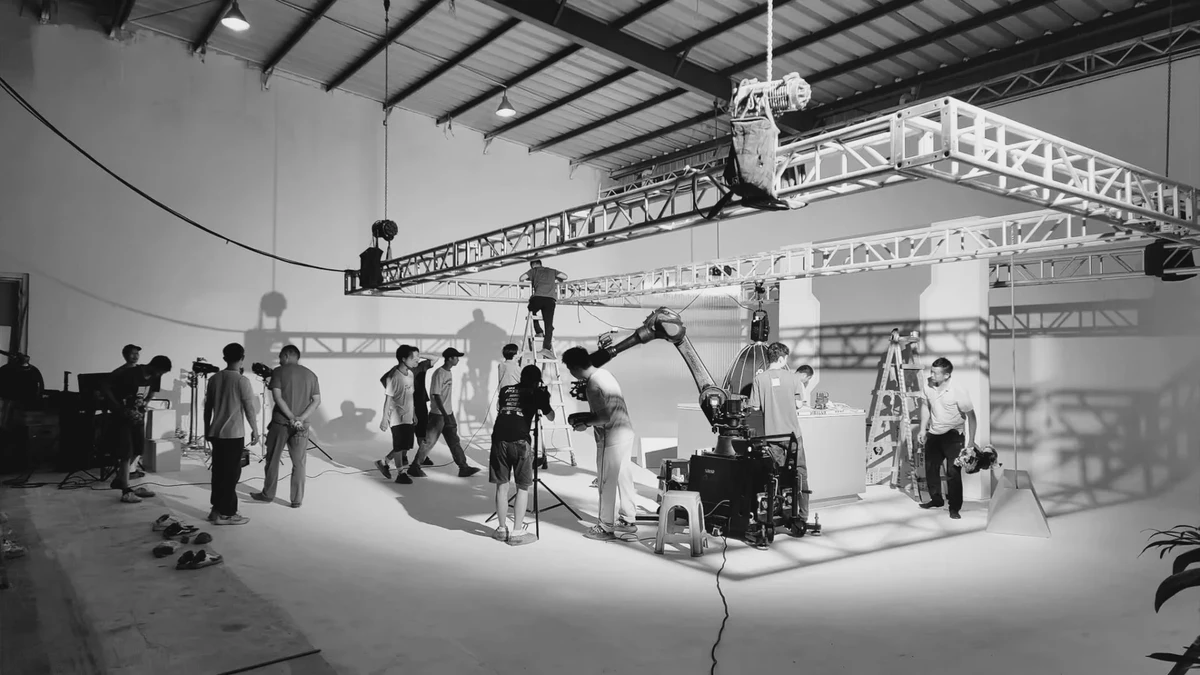
The current U-STUDIO page lists two in-house professional robotic camera arms and says paths can be designed in advance. That is a starting point for a creative discussion, not a performance guarantee. The exact model, camera and lens package, speed, payload, closest approach, absolute repeatability, set treatment, availability and safety arrangements all need project-specific confirmation. The three concepts below explain why a movement might matter; they do not promise equipment performance.
Concept one: reveal structure through occlusion and parallax
The visual idea: one compact object becomes three functional zones
The first frame shows only the side of the folded dock, so the product reads as a restrained metal form. The camera moves low and close past a foreground edge. The magnetic phone panel appears as the occlusion clears; while the product slowly unfolds, the camera rises just enough for the earbud area and watch module to enter in sequence. It settles at a three-quarter view where the three zones remain immediately distinguishable. Light does not chase the product with a flashy sweep. It leaves a narrow, continuous highlight on each change of plane. Sound uses only a confirmed hinge texture, placement sound and a restrained closing note.
The point is not to orbit the object more completely. It is to control the order in which information appears. The viewer first reads a compact object, then understands how that object opens in one continuous spatial relationship. The clearing occlusion, depth separation and parallax all carry meaning. Remove any one of those beats and the proposition becomes weaker.
A robotic arm becomes worth considering when camera movement, the unfolding action and a moving reflection need several precise adjustments or repeat passes. If the final film only needs a simple open-and-close demonstration, a motorised slider with a product turntable is a lighter alternative. A locked macro shot of the hinge followed by a three-quarter wide shot can be even clearer, although it gives up the continuous reveal.
Do not begin the test at full speed. Use a slow empty path to answer four questions: Is the silhouette recognisable in the first frame? Do the three zones appear in the intended order? Does the closest position introduce crew or equipment into reflections? Can the final frame show the structure and leave room for brand layout? If the edit still needs three lines of copy to explain the construction, the movement has failed its job.
Concept two: move from macro detail to human use to establish scale
The visual idea: leave a charging surface and discover a usable desk
The opening is a macro view of the earbud area with almost no scale cues. The camera travels diagonally back and slightly upward. Halfway through the move, a hand places a phone on the magnetic panel; a glasses case and keys gradually enter the composition. The end frame is not a distant master. It is a medium view that holds the hand, phone, dock and enough desk space to understand the footprint. Real placement sound and restrained room tone make the relationship more credible. Music lifts only after the full product scale becomes visible.
This shot answers one question: how large is the dock, and how does it occupy a real desk? It is not simply a stylish bridge from macro to medium. A continuous move shows that the detail and the human reference belong to the same space, reducing the ambiguity that two unrelated shots can create. Google's current ABCD guidance for effective video ads recommends introducing the brand or product early and keeping the message focused. Here, the product is present from the first second and the move solves only scale and use.
Motion control earns its place if the hand action, focus transition and final composition need reliable repetition, or if the same path must be repeated for several phone colours or separate lighting passes. If natural performance matters more than path precision, a locked camera and a short slider are often better. One macro detail followed by one honest medium placement shot can explain size without forcing a one-take solution.
The rehearsal must use a real phone and correctly sized props rather than correcting scale in post. Check that the hand does not cover the defining structure, that a vertical version can still hold phone and dock at the end point, and that the performer is not being asked to chase speed inside the equipment's operating space. Any plan that puts people close to a robotic system must be assessed by qualified on-site personnel. The US Occupational Safety and Health Administration notes that programming, testing, setup and adjustment are among the non-routine conditions that demand particular risk attention. Its robotics overview is useful context, but it cannot approve a film-set safety plan.
Concept three: repeat a path to create a brand transition
The visual idea: carry the same product from explanation into a hero world
The scene begins on a bright, functional desk. The dock is open and all three charging zones are legible. As the camera moves sideways and closer, a dark foreground panel creates a natural wipe. At maximum occlusion, the edit enters a second pass of the same path in a darker, more graphic environment. The product position does not change, but background colour, edge light and sound rhythm do. The movement continues and settles into a more assertive brand hero frame.
The goal is not to boast about a seamless transition. It is to connect “understand the product” with “feel the brand” inside one coherent action. Repeatability only matters when separate passes must align around an occlusion, product outline or lighting change. The US Federal Trade Commission's long-standing principle for demonstrations is straightforward: when an ad appears to show a product performing before the viewer's eyes, the visual should truthfully represent what it can do. The FTC's discussion of deceptive demonstrations is a useful reminder. The second environment may become abstract, but the form, open state, ports and physical behaviour of the product should not be composited into something the approved sample cannot do.
A lighter alternative is a match cut between two locked compositions, or a real foreground object that wipes the lens. If the only job is to move from white to black and no product action needs alignment, simple cinematography and post-production are normally sufficient. The path is worth designing for motion control when repetition creates new meaning, not whenever two shots can technically be stitched together.
For the first test, film two low-resolution passes of roughly two seconds each. The first validates the occlusion point; the second validates the same end frame and the change in reflection. Overlay them and inspect product-edge drift, highlight jumps, whether the sound transition leads or follows the picture, and whether the final frame can carry packaging, end copy or a CTA. If heavy warping is required to align the passes, product mounting, path or foreground design has not been solved.
Put the three ideas on one decision card
| Communication job | Motion-control action | Lighter alternative | The test must prove | Stop using motion control when |
|---|---|---|---|---|
| Reveal structure | Clear occlusion and rise in sync with the product opening | Motorised slider and turntable; macro plus wide cut | Information order, reflections, closest approach and end frame | The structure is still unclear or movement dominates the feature |
| Establish scale | Travel from macro detail to hand and desk references | Locked medium plus macro insert; short slider | Real proportions, hand occlusion, focus and vertical end frame | Performance becomes rigid or two shots communicate more clearly |
| Brand transition | Repeat one path across two environments and join at a foreground wipe | Locked match cut; practical lens wipe | Wipe point, outline alignment, reflection and sound transition | The transition is merely decorative or a normal edit is sufficient |
The card is not a menu of spectacular shots. It gives the director, brand team and operating crew the same failure criteria. If a move does not make the product easier to understand, the brand more specific or the required version more usable, return to the simpler option.
Run the smallest useful style test before the shoot
Do not begin by testing the entire commercial. A six-to-eight-second rough test is enough. It does not need final art direction or all three concepts. Choose the most important shot and use a full-scale sample, the planned key focal length and a surface treatment close enough to the final finish to reveal reflections.
- Approve the bookends. The brand approves the first and last frames without movement, so motion cannot hide weak composition.
- Rehearse the information order by hand. Use a handheld camera or small slider at low speed. Only program a path after the team agrees on what should be seen first.
- Change one variable at a time. Test speed first, height or distance second, and product action third. Do not change every condition between takes.
- Review once silent and once with sound. The spatial and product relationship should remain legible without audio. Sound should strengthen structure and rhythm, not explain a misleading function.
U-STUDIO's white cyclorama and robotic camera arms can provide a controlled basis for this conversation, but the final package must be worked backwards from the sample, lens, operating space and on-site conditions. For an end-to-end campaign, the verified ONCE commercial-production page explains how creative, filming, sound and channel versions can be planned together. This article remains deliberately narrower: it decides which communication jobs deserve a purpose-built camera move before the production begins.
The best robotic shot still leaves the viewer remembering the product
A structure reveal explains how the object opens. A scale move shows how it enters everyday space. A brand transition gives the functional image a reason to become a hero frame. A robotic camera arm can support all three, but none should be designed for the equipment itself. The shot is worth keeping when a viewer who never thinks about the tool can still understand a product fact and feel a specific brand attitude within a few seconds.
If you are preparing a commercial for a consumer-electronics or design product, use the ONCE project enquiry to share the product, target channels, creative references, sample status, proposed shots, timing and budget range. The team can first identify which ideas justify a motion-control test, then confirm the current U-STUDIO equipment, set, crew and safety conditions for the project.
Sources checked on 10 October 2026: the current Chinese and English ONCE U-STUDIO pages; Google Ads, “About the ABCDs of effective video ads”; US FTC, “Less than meets the eye?”; official MRMC Bolt and KUKA film-robot materials; and OSHA Robotics Overview. Third-party model information is used only to show that capabilities vary by system and does not describe U-STUDIO equipment specifications.