A smartwatch film can look finished everywhere except the place buyers keep watching: the screen. The case is beautifully lit, but the display bands. A finger taps the correct icon, yet the interface responds half a beat late. The watch says the workout is complete while the companion app is still connecting. Then the English edit is approved and someone notices that Chinese text is embedded in a hero shot that cannot be replaced cleanly.
These are not merely post-production problems. Before the shoot, each shot needs a decision: capture the display live, replace it in post, or treat the watch, phone and performer as one continuous system. All three methods can belong in the same film. Choosing between them only after the edit begins is what creates avoidable rework.
Work backwards from the deliverables
Start with the jobs the finished assets must perform: reveal the hardware and watch face, prove what a tap or button press causes, show the relationship between the watch and its app, establish scale on a real wrist, and support the languages required for each market.
Amazon's current seller guidance distinguishes product overview, how-to and setup videos, and says product video can help shoppers understand size, features and functionality. That distinction is useful for wearables: hardware legibility, functional cause and effect, and fit do not have to be forced into one shot. (Amazon Seller, May 12, 2025)
Add a “screen method” field beside every storyboard frame. It should contain only one of three choices:
- Live display: preserve real illumination, finger occlusion, glass reflections and response timing.
- Screen replacement: use approved UI assets for legibility or localized versions.
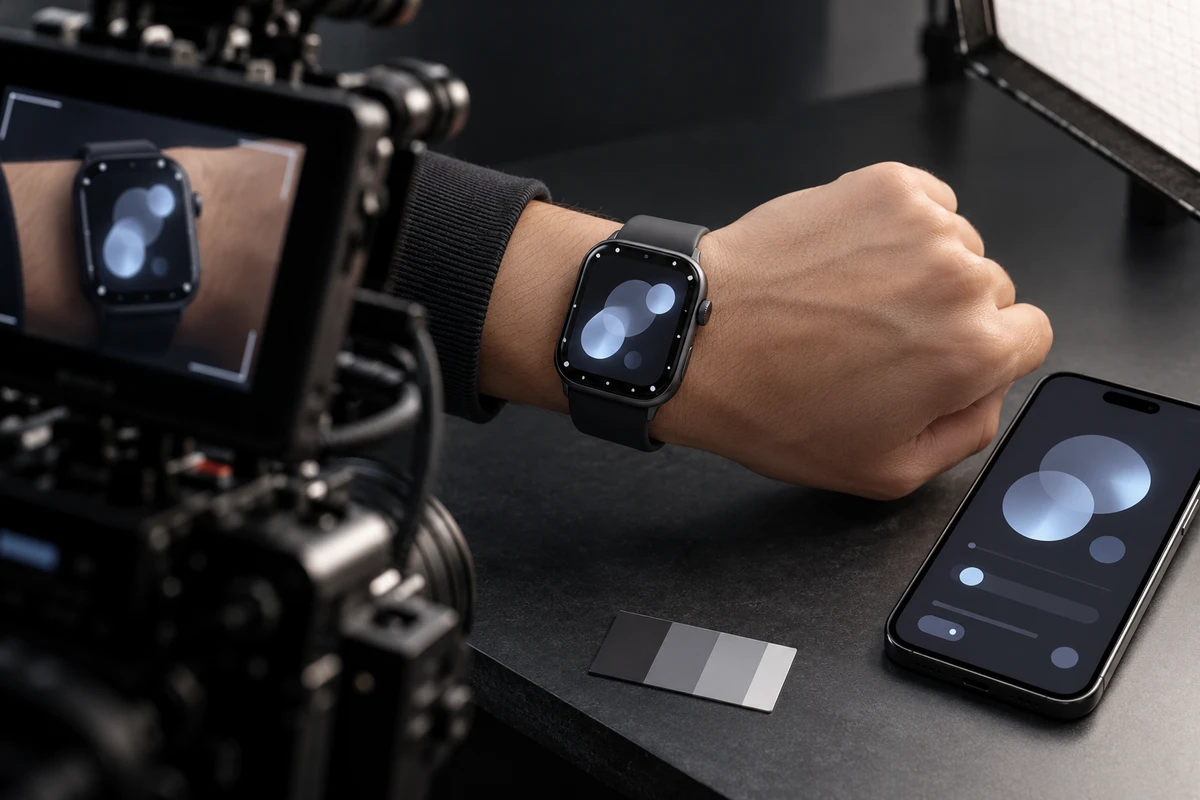
- Hybrid: capture the gesture, reflection and brightness change in camera, then replace the interface content.
This field is a production condition, not a post note. It determines the shutter test, sample version, tracking references, performer timing and UI files that the brand must supply.
Three methods carry three kinds of truth
Live capture preserves action and illumination
When the feature is raise-to-wake, crown rotation, a side-button trigger, a swipe or an incoming notification, live capture keeps the clearest causal relationship between action and result. Finger occlusion, small reflections on skin and metal, and the display's actual contribution to the scene are all details that a composite can miss.
The trade-off is control. Smartwatch displays and LED fixtures can interact with camera sampling and produce banding, brightness pulses or local colour changes. Sony's camera support guidance, updated July 12, 2026, explains that periodic light sources can create flicker and that the useful shutter setting depends on the source, regional power frequency and camera functions. Test the actual sample, brightness, frame rate and lighting state; there is no universal shutter value. (Sony flicker guidance)
If the display is already stable and readable, the gesture is repeatable and only one language is required, replacing every pixel may add work without adding credibility.
Screen replacement carries legibility and version control
Replacement is often the better information layer when text is too small, refresh cannot be captured cleanly, or the project needs English, German, Japanese and other market versions. Wear OS documentation describes ways to capture screenshots and screen recordings from a device or development environment. That gives the production a route to approved system assets instead of asking an editor to redraw a plausible-looking interface from reference images. (Android Developers: Capture Wear UI screens)
Replacement is not simply attaching a PNG to the watch. The composite must respect a circular or shaped display, perspective, glass curvature, motion blur, finger occlusion, reflections and brightness falloff. Adobe's current motion-tracking documentation separates position, rotation, scale and perspective tasks; a wrist rotating toward the camera generally demands more than a simple position track. (Adobe After Effects motion tracking)
A common failure is a perfectly sharp interface that ignores depth of field, glass reflections and the camera shutter. It appears to float above the watch. If the shot is presented as a functional demonstration, the replacement must still match the approved firmware, path and response timing.
App sync preserves state across devices
Pairing, data sync, workout reports, find-device functions and firmware updates are not one-screen problems. The watch and phone need the same account, test data and process state. Record the watch firmware, app version, system language, test account, network state, time display and origin of the sample data.
Do not schedule only by composition. First capture one continuous reference take from the phone action to the watch response. Then break it into watch close-ups, phone close-ups and user reactions. The edit now has a real timing spine. Without it, the watch can appear to start a workout while the phone is disconnected, or the two devices can show different dates, battery levels or user records.
A wrist shot is a sizing shot
A readable display does not tell a buyer how the watch fits. Real wear needs to show the case relative to the wrist, the available strap length, and whether raising the wrist, swiping and turning the crown feel physically plausible. Sleeves, sweat, gloves or jewellery may also change how an intended use scene works.
Avoid placing an ultra-wide lens close to the watch simply to make the display dominate. Do not use one very narrow wrist and imply a universal fit. If the product line includes different case or strap sizes, schedule the actual SKUs and suitable talent rather than scaling one watch in post.
When assessing a facility such as U-STUDIO in Shenzhen, the useful questions are not limited to the set photographs. Confirm control of window and ceiling reflections, space for a macro camera position, reliable phone connectivity, and whether movement can be repeated consistently.
Freeze a version relationship, not one watch-face image
Before the shoot, the brand can provide a screen asset pack containing:
- sample SKU, finish, case size, strap and firmware;
- interface path, start state and end state for every shot;
- source screenshots, recordings or design files approved for replacement;
- market language, units, date formats and notification copy;
- companion-app version, test account, simulated data and privacy treatment;
- approval status for UI, typefaces, icons, third-party notifications and music.
If firmware is not frozen, identify which screens are provisional. The production can still capture hardware, fit and gestures that do not depend on final UI, but a provisional screen should not be presented as a finished capability.
For U.S.-facing advertising, the FTC's current business guidance says advertising claims must be truthful, not deceptive or unfair, and evidence-based. A composite that materially changes a functional demonstration cannot be treated as harmless decoration merely because a small disclaimer appears later. Other markets require review by the project's legal or platform owner. (FTC advertising guidance)
Schedule the reference action, hardware beauty and versions in that order
A practical production sequence is:
- Capture the functional reference. Complete the touch, button and app-sync path on the target sample in one continuous take.
- Test the display and shutter. Check banding, moiré, colour shifts and rolling artefacts under the intended lighting, brightness and frame rate.
- Film the hardware beauty shots. Shape the case, glass, crown and strap without requiring final UI in every setup.
- Capture replacement plates. Preserve usable screen edges, reflections and finger occlusion for tracking, roto and compositing.
- Film fit and use scenes. Complete realistic wrist raises, workouts, commuting or sleep-related actions with the approved case and strap.
- Capture clean variants. Keep versions without notifications, third-party icons or market-specific language for later cutdowns and localization.
The point is not to promise that post can change anything. It is to establish a truthful functional path first, then give hardware and localized versions the control they need. ONCE's ecommerce product-video production service can connect the product-page film, demonstrations, cutdowns and language masters within one agreed production scope.
Review the screen, action and version together
Do not approve a core shot by pausing on its sharpest frame. Play the sequence and check whether the touch lands on the correct control, the response follows the action, finger occlusion and reflections feel physical, and motion blur belongs to the camera move. Confirm that the watch and phone share the same time, data and connection state. Then compare every language version with the approved source and check whether longer copy still fits.
Keep the original functional take, replacement-source list, version map and final-export record. When firmware changes or another market is added, the team can decide whether the job requires a new interface, a re-edit or a reshoot instead of reconstructing how the screen was made.
To plan a smartwatch, fitness band or other wearable project with ONCE VISUAL, share the target markets, sample and firmware status, companion-app version, required actions, available UI assets and delivery channels. The production can then assign live capture, replacement and app-sync shots before the camera day—and define how each one will be accepted.