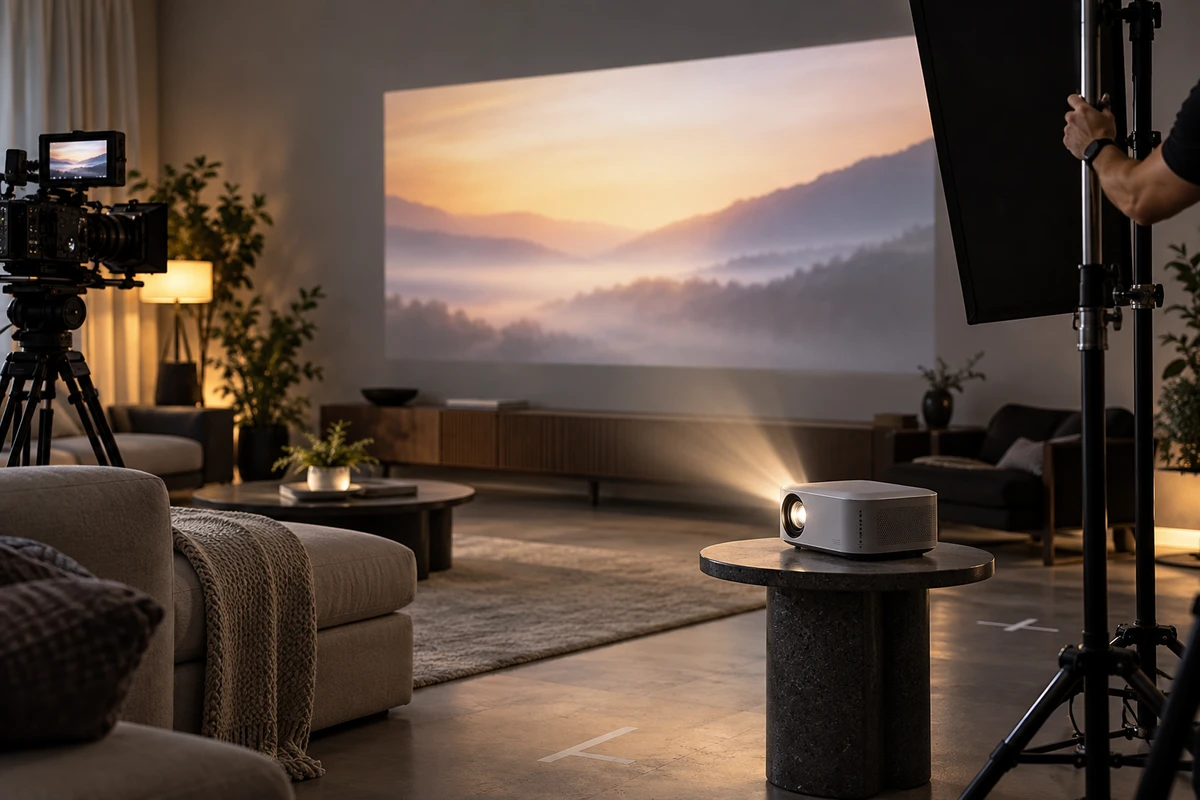
A portable projector sits in a darkened living room. The image on the wall looks bright, and the body of the device still has a clean rim of light. It is an effective hero shot—but a poor way to prove product appearance, projection experience, portable scale and setup flow at the same time.
Those jobs need different conditions. The projected image benefits from controlled ambient light. The enclosure needs shaped light that reveals material and geometry. Scale requires familiar reference objects. Setup requires an uninterrupted action. A stronger production plan therefore treats them as four separate shot tasks, even if the final edit moves smoothly between them.
First, separate an experience shot from a brightness test
Amazon’s current seller guidance says product videos can help shoppers understand a product’s size, features and functionality, and it distinguishes product overviews, how-to, setup and troubleshooting formats. It does not require one shot to do all of those jobs. The distinction matters even more for projectors. (Amazon Seller guide, May 12, 2025)
A lifestyle scene can answer, “What did the image look like under these conditions?” It cannot, by itself, establish a standardized lumen rating. A specific brightness, contrast or color claim should come from approved product documentation, an applicable test report or another authorized source—not from an advertising image that has been selectively brightened in post.
Before filming, record at least six conditions for each projection shot: sample and firmware version, picture mode, throw distance, image size, wall or screen material, and ambient-light state. If the film will display a numerical performance claim, also lock the source, applicable SKU and approved wording.
The counterexample is easy to recognize: the room is exposed very dark, while the wall image and projector body are lifted separately in post. The result may be a compelling concept shot, but a viewer cannot tell whether it represents a real setup, a composite or a stylized interpretation. Use it as visual expression if appropriate; do not present it as a measurement.
Four shot tasks, four buyer questions
1. Device identity: make the product itself legible
This group covers the enclosure, lens module, ports, vents, stand, remote and included accessories. Light the device for shape and material without forcing the projected image to reach its final look in the same exposure.
Acceptance is concrete: Is the silhouette complete? Do color and finish match the approved sample? Are port count and position correct? Can the viewer understand the lens protection, stand angle and accessory relationship? A dark enclosure should not disappear into the background, and “premium” should not mean crushing every structural detail into black.
2. Projection experience: keep the conditions with the result
This group covers projection, autofocus, keystone adjustment, picture changes and the viewing environment. Run a short camera test before the main shoot. A projected or LED-lit image may show bands, color shifts or flicker because the camera samples a periodic light source. Sony’s camera-support guidance, updated July 12, 2026, explains this interaction and recommends testing shutter speed or variable-shutter functions for the actual source and region. (Sony flicker guidance)
Do not approve this shot only by asking whether it looks “bright enough.” Check that the ambient-light state, throw distance, image size and screen material match the shot record. Then confirm that grading has not changed local brightness, black level or color so far that the experience no longer resembles the recorded setup.
Projector makers also explain that perceived brightness changes with ambient light and image size. That is another reason to keep those conditions visible or documented instead of treating one attractive frame as a universal performance claim. (BenQ guide to projector brightness)
3. Scale and portability: use references that really work
“Portable” cannot live only in a caption. A hand lifting the device, the unit fitting into a real backpack compartment, or the projector sitting on a bedside table gives the buyer a usable sense of volume. The reference object must be genuine and reproducible. Keep the product and reference near the same focal plane where possible, so wide-angle perspective does not quietly enlarge the foreground device.
To show projection scale, place the projector, wall and viewing position within one coherent spatial relationship. Do not paste an enormous image onto a wall without a compatible throw distance and room layout.
Generative tools can support concept development, approved environment extensions or clearly stylized sequences. They should not silently change the enclosure size, ports, throw geometry or number of accessories. A beautiful room that makes the projector physically impossible is not a usable product demonstration.
4. Use flow: preserve cause and effect
A functional sequence needs a starting state, an action and a result. From placing the device and connecting power or a source, through focus or keystone adjustment, to playback, retain at least one continuous take that the product owner can review. The final ad may shorten the sequence, but the production should not rely only on an isolated button press and a separate shot of a finished image.
Lock the interface version as well. If filming the projected UI produces flicker or moiré, an approved screen replacement may be the cleaner solution. Keep the timing tied to the real operation and identify in the production record which elements were captured and which were composited.
The projected film clip, app icons, music, typefaces and interface assets also need permission for commercial use. Public availability is not the same as advertising clearance. Copyright owners generally control reproduction, adaptation and public display of protected works, subject to jurisdiction-specific limitations. (U.S. Copyright Office overview)
Replace “make it real” with a shot-condition card
For each critical shot, lock six groups of information:
- Product state: SKU, finish, firmware, accessories and battery level.
- Room state: throw distance, image size, wall or screen, curtains and practical lights.
- Operation state: content source, test account, network, connection method and reset steps.
- Camera state: position, lens, shutter, white balance and any planned screen replacement.
- Rights state: projected content, music, fonts, interface assets and talent permissions.
- Approval owner: who signs off product facts, visual treatment and channel versions.
The card does not replace the storyboard. It prevents different teams from using the word “real” to mean different things. Product management cares about the approved behavior. Camera cares about a stable screen image. Art direction cares about whether the room supports the action. Ecommerce operations care about whether the shot can stand on its own in a listing or cutdown.
Schedule by lighting and operating state, not by edit order
Projector shoots lose time when the team repeatedly changes room light, throw distance, content source and device state. A more practical sequence is:
- Capture the standard device and accessory shots under controlled light.
- Hold the camera position and test projection refresh, shutter and the interface-recording method.
- Lock throw distance and image size, then complete the projection-experience shots.
- Keep the setup in place while adding talent and furniture for scale and operation.
- Finish with clean plates and versions without third-party content, subtitles or platform UI.
If the lifestyle scene needs daylight but the projection experience needs a dark room, treat them as two lighting states. Do not make one long shot compromise both. When assessing a facility such as U-STUDIO in Shenzhen, bring the throw-distance, blackout, wall surface, power, network, noise and furniture-scale requirements with you; set photographs alone cannot answer those questions.
Accept the work against four questions
A useful portable-projector video should let the buyer and product team answer:
- Does the device match the approved sample, with its important structure and accessories visible?
- Is the projection experience tied to conditions that can be understood or reproduced?
- Are device size, throw distance and room relationships free from misleading perspective or compositing?
- Can a reviewer follow placement, connection, adjustment and playback as a continuous cause-and-effect chain?
Also put clean masters, landscape and vertical safe compositions, interface and subtitle versions, condition cards, and the original functional takes into the deliverables list. Reconfirm the applicable account, marketplace and technical specifications before upload. This is a production and acceptance method, not a promise of platform approval.
For a broader launch, ONCE’s ecommerce product-video production service connects listing films, feature demonstrations, ad cutdowns and language versions in one production plan.
Let each image state what it is responsible for
Projector advertising often blurs atmosphere and proof. The answer is not to abandon atmosphere. It is to give every image a defined job: the hero shot attracts attention, the projection shot shows an experience under named conditions, the scale shot prevents size assumptions, and the continuous operation shot explains how the function happens.
To discuss a project with ONCE VISUAL, share the product link, target markets, sample and firmware status, approved claims, throw-distance documentation, intended use scenes, cleared demo content and delivery channels. From there, the production can determine which shots need a pretest and how device lighting, screen capture, talent and compositing should work together.