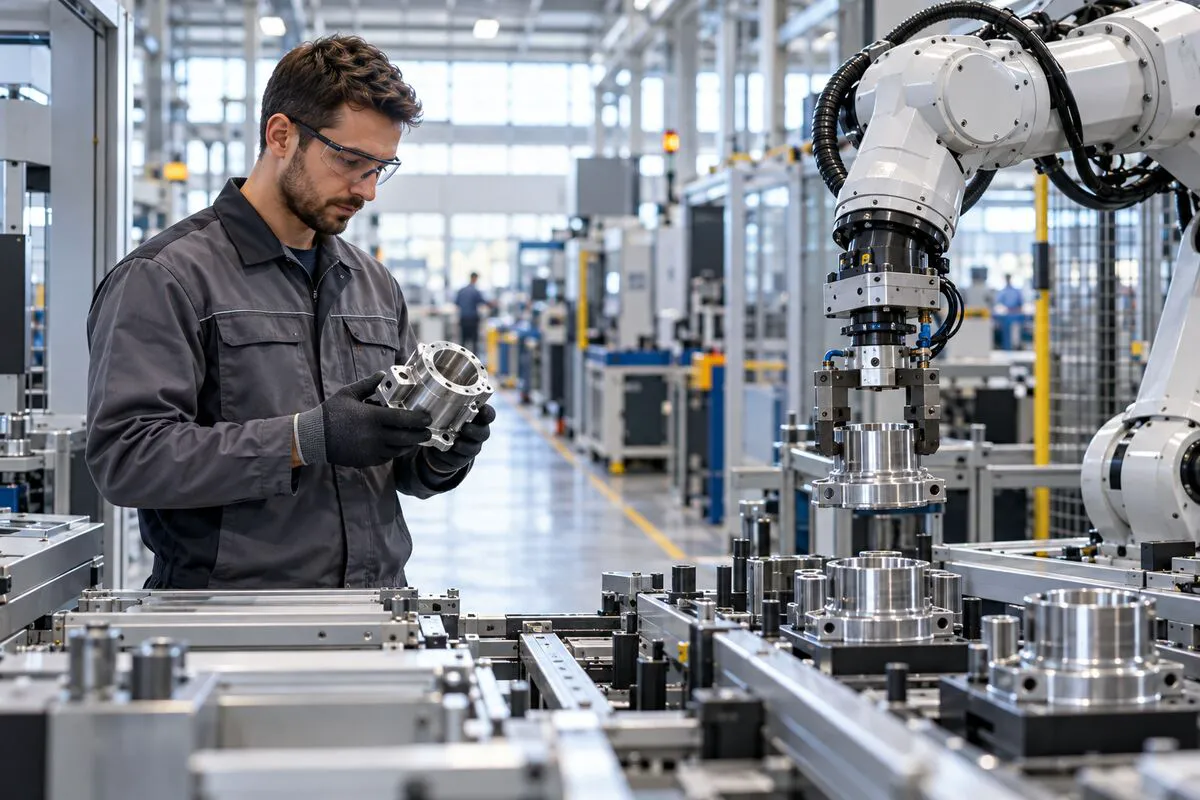
On a factory scout, the easiest images to collect are a fast robotic arm, orderly machine lights and a wall of production data. They all look “smart,” but they may not tell a buyer where an order enters, why a machine starts, who judges an exception, or how a batch is cleared for the next stage.
A smart factory video should not treat equipment, screens and people as three separate beauty shots. It should let one production instruction travel through the entire sequence. The viewer needs to see cause and effect: the instruction is issued, equipment receives the task, the physical state changes, people make decisions at critical points, and the result is recorded and handed to the next process.
Find one instruction before making an equipment list
Before filming, ask production, IT, quality and marketing to agree on one representative task that may be shown publicly. It could be a work order, a changeover, an incoming part entering machining, or a finished batch entering inspection. Do not choose it because the machine is expensive. Choose it because the task can produce a visible beginning, change and outcome within the available shoot time.
A filmable instruction needs at least three handoffs:
- The task enters the floor: an order, schedule or work order reaches the position.
- The equipment acts and reports: automation performs a defined action and its status changes.
- The result is accepted: an operator, inspector or line lead decides whether to release, adjust or review it.
This is different from showing the size of a production line. If you also need to break down cycle time, quality control and material flow, see the six visible nodes for production-line video. This article addresses a narrower task: connecting equipment, data and human judgment inside one on-site story.
For each machine, film what it received, did and returned
A moving robot, an AGV in transit or a flashing vision-inspection light is only an action. Viewers understand the machine’s role when they can also see the trigger and the returned result.
During the scout, give each critical machine a three-column shot card: input, action and output. The input might be a work-order number, a material-arrival signal or the previous station’s completion status. The action could be pick-and-place, assembly, measurement, transport or sorting. The output might be a completion mark, a dimensional result, an exception code or the destination of the part. The film does not need to expose every parameter, but the before-and-after relationship must make sense.
For example, show a fixture being identified, then a robot changing its path, then an accepted part entering the next tray. Together, the three shots show that the system acted on a task. A single elegant tracking shot of the robot can still open the film, but it cannot explain the process on its own.
There is also a practical limit: production rhythm rarely pauses repeatedly for a crew. Mark every planned action as repeatable, follow-only or non-interruptible. Light and stage the repeatable close-ups. Rehearse camera movement for follow-only stages. For safety interlocks and continuous processes, protect real operations first; never ask staff to alter procedure for a shot.
A data flow is one state change, not a wall of screens
A dashboard is often used as shorthand for digitalisation, yet an untreated screen can expose customers, formulas, output figures or machine identifiers and still be unreadable within a few seconds. A stronger choice is one state change directly tied to the selected instruction.
Build the sequence around four images: task creation, machine receipt, process feedback and result confirmation. Show only the fields the story requires. Before filming, IT and confidentiality owners decide which other information must be obscured, replaced or kept out of frame. If post-production needs to rebuild an interface, it should follow the approved real process rather than invent capabilities for a more futuristic look.
The screen and the physical event also need to agree. When the interface says “inspection complete,” the viewer should be able to see the relevant product or station. When an exception appears, the next shot should show who receives it and how the decision is made, rather than cutting immediately to another factory-wide beauty shot. Data matters because it changes the next action.
Keep two real human decisions in the sequence
A smart factory is not a factory without people. Human contribution should not be reduced to meetings, handshakes or a manager walking past machines. Keep two decisions that cannot be replaced by an equipment close-up.
The first comes before the process: a line lead confirms changeover conditions, an operator checks material and tooling, or an engineer approves a parameter version. The second comes after feedback: an inspector reviews an edge case, maintenance responds to an exception, or a supervisor decides on release or rework. Equipment and data form a complete working chain only between these decisions.
Employees do not need to perform exaggerated conversations. Let them observe, point, record or confirm from their real positions. The shots should explain both what they are looking at and why they act: show the object, then the response, then the outcome. Human coordination becomes part of process reliability, not decoration.
If the film is mainly used to help overseas buyers screen a factory remotely, place this sequence in the buyer’s delivery context. The related article on three factory moments that build B2B buyer trust extends that point.
Resolve confidentiality, downtime and approval before filming
A common source of industrial-film rework is not weak cinematography but footage that is later judged unfit for publication. Before production, divide the shot list into public, conditionally public and prohibited material. Customer names, unreleased products, drawings, formulas, process windows, yield figures, exact capacity, network addresses and personal information should be reviewed by their responsible owners. The crew should not assume that a distant or blurry view is automatically safe.
Downtime conditions also need advance agreement. Identify camera positions inside controlled areas, lights that may affect sensors, drone or track moves that block aisles, and sounds that can only be recorded when equipment stops. On a continuous line, it is better to remove a shot than to build a complex schedule around downtime that the factory cannot reliably provide.
Split approval by responsibility. Production checks whether the process is true. IT checks whether the data expression is accurate. Safety and confidentiality owners check what is exposed. Marketing and sales check whether an outside buyer can follow the story. Each team decides its own items instead of repeatedly giving general comments on the overall feeling.
The final delivery should work for sales and feel safe to release
Alongside the finished film, retain an instruction-to-shot-to-approver record. It states which process node each key image represents, which fields were treated, and who cleared the material for public use. When the team later creates a trade-show loop, website version, sales cut or English edition, it can see which shots may be reused and which captions require another check.
This method fits manufacturers with a real repeatable process, departments willing to approve it together, and one representative task suitable for public viewing. If the product is still a frequently changing prototype, or most critical stages cannot be shown, do not force a complete smart-factory story. Film R&D tests, selected process details and publicly approved delivery stages instead.
ONCE VISUAL can plan the factory scout, script, production and version delivery around what an outside buyer needs to understand. If you are preparing for an open day, customer audit, trade show or website update, review the corporate film production solution and book a factory and industrial video production assessment.