Lighting a glass product is often less about making it brighter than making different information legible at once. The outline describes its shape, selected reflections describe curvature and surface, and transmitted light helps reveal what is inside. These do not need equal emphasis, but they should not obscure one another.
“Make it more transparent” is therefore an incomplete adjustment request. A disappearing outline, unreadable engraving and dull-looking liquid may call for changes in different places. Increasing every light together makes it difficult to identify what helped. Start with a more specific question: does this shot primarily need to explain the container, its finish or its contents?
The background is not simply behind the glass
The Corning Museum of Glass explains how the light-and-dark environment seen through transparent glass affects the visibility of its details. Its April 25, 2018 article, Photographing glass: Lighting techniques for transparent glass objects, describes reducing overhead soft light, changing the backlight gradient and adding reflector cards around an engraved goblet. This account comes from the published production text, not a recreation performed for this article.
Changing a background is consequently more than choosing an art-direction color. Its distribution of light and dark can participate in the appearance of the glass itself. A uniformly bright area may look clean beside a bottle while providing too little variation through its curved surface to describe curvature or engraving.
With the actual sample fixed at a chosen camera position, work first on the light-and-dark field behind the body. Do not aim for a finished image immediately. Move the background gradient and observe which parts of the shoulder, sides and base change. If the background is already bright but the edge remains unclear, “not enough light” is not the only explanation. Look for useful contrast along the viewing path at that edge.
This is a proposed testing sequence, not a recipe for distance or power. Straight-sided glass, rounded shoulders, thick bases and engraved surfaces should not be assumed to accept one arrangement. A higher camera position may change which areas remain readable. Establishing where this image needs to view the product can reduce aimless adjustments.
Reflections also describe the material
Removing every bright area does not necessarily make glass look more convincing. A deliberately placed reflection can describe a curve; a broad white area covering engraving or a label can prevent us from reading it. Both are reflections, but they do different work.
Profoto's May 19, 2020 tutorial, How to create highlights on a cocktail glass, positions folded white paper to create side highlights and uses a flag to block unwanted direct light. The small setup shows that highlight design depends on surrounding surfaces and obstruction, not just the number of lights. The useful principle is to arrange what the glass reflects, rather than duplicate the equipment.
On an engraved bottle, ask whether a highlight reveals the pattern or covers it. Move a reflected white card or diffusion surface and compare its shape and position separately. If moving the card solves the problem, another light may be unnecessary. Conversely, if a broader highlight helps express a smooth curve, there is no obligation to flatten it into gray in pursuit of “reflection-free” glass.
A brand image still needs priorities. An attractive shoulder reflection is not a reason to obscure small front-facing text when that text is the subject of the shot. Move the highlight, change the product orientation, or separate the craft-detail shot from the text view. Every area does not need equal prominence in every frame.
Cleaning is a different issue. Distinguish fingerprints, stains and water marks from intentional material reflections. Removing a stain should not casually erase genuine engraving. Equally, “glass reflects its surroundings” is not a reason to accept environmental clutter that overwhelms the subject.
A good-looking empty bottle is only a starting point
In How to Photograph a Bottle - Lighting a Beverage, broncolor treats the gradient on a rear diffusion panel separately from illumination for reflective parts such as the lid. No publication date could be confirmed; the source was checked on October 18, 2026. The lesson is to assign light by function, not assume that buying the same fixtures reproduces the result.
Once the container is filled, examine its interior again rather than concentrating only on the outline. Pale, see-through contents and thick, dark or opaque contents present different conditions. Not every product should appear to glow from within. Forcing transparency onto something that does not transmit light may change what the actual product looks like.
For a product whose internal color matters, compare the empty vessel and the vessel filled with its actual contents while holding exposure and viewing position fixed. Then change the rear bright area alone, observing the liquid line, base and thicker glass. Add the surface light afterward and check whether the new reflection obscures the interior. This helps distinguish a change in the liquid's appearance from a reflection hiding it.
The suggestion is not that adjustments must never interact. Isolating them first helps identify what each one changes before combining them. If the brief needs a clear view of engraving and also wants the liquid to remain dark, different shots can take different priorities. One image need not satisfy contradictory demands for maximum brightness and deep darkness everywhere.
For video, examine the whole movement
A highlight kept beside the bottle in a still may cross its front text as it rotates. A rim that reads clearly at the opening angle may merge with the background during a pickup. Rehearse the full movement rather than approving only attractive first and last frames. If a sweeping highlight is the intended reveal, give it a purposeful rhythm. If text must be read, allow a stable, legible moment.
Nor can a frozen moment from a published flash-photography example serve directly as a video-lighting specification. This article draws on relationships between light and material; it does not validate particular fixtures, output levels, exposures or high-speed settings.
Replacing a transparent product's background, whether with photography or generated imagery, also involves more than the area outside its silhouette. Old colors or lines seen through the body, or an old environment reflected on its surface, can contradict an otherwise convincing exterior composite. The new environment must make sense across transmission, reflection and contact. This is a material-coherence check, not a promise that software automatically preserves the product. Compare its actual color, shape and engraving with the original product reference.
Clarity in glass is not the name of a filter. It is an arrangement of viewing priorities. Bring an actual sample and one specific question to ONCE's product and commercial production solutions: what must this shot make clear, which reflections should remain, and which information belongs in the next shot?
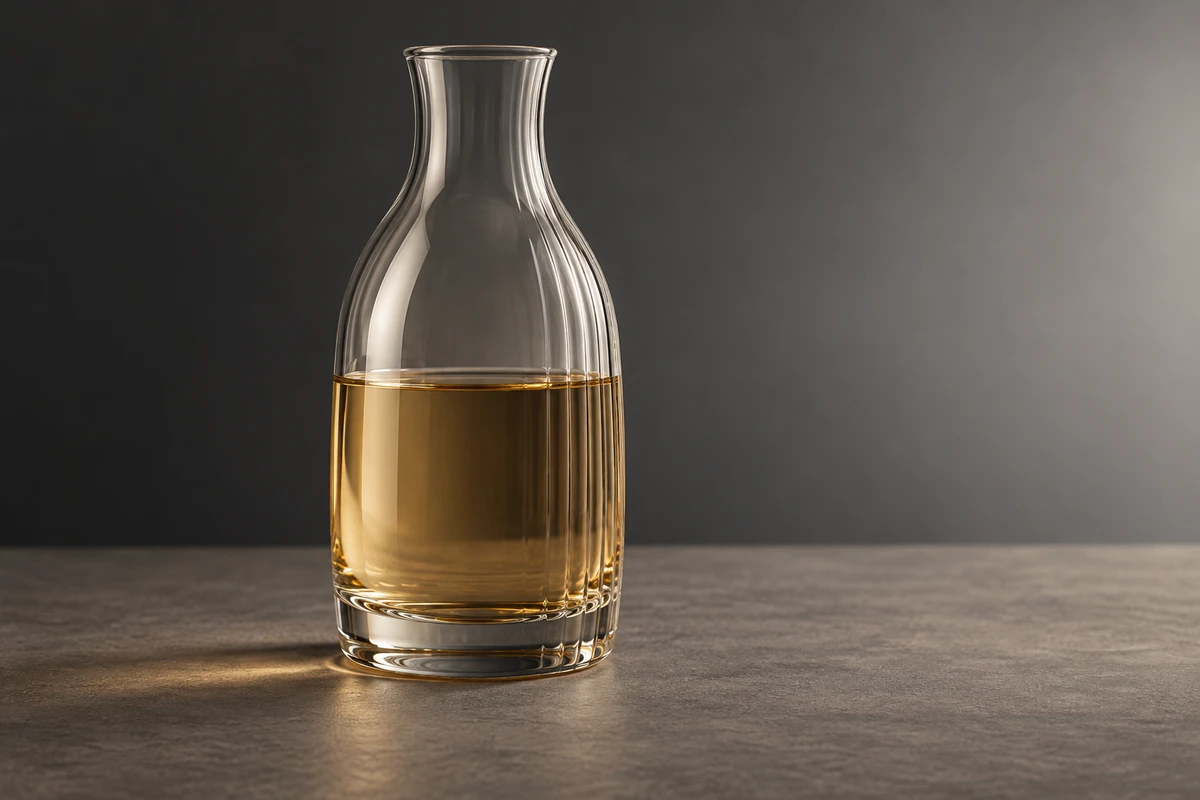
This is original production-method analysis, not a documented shoot, optical measurement or advertising-effectiveness test. The cover is an independently generated concept. Sources were checked on October 18, 2026.