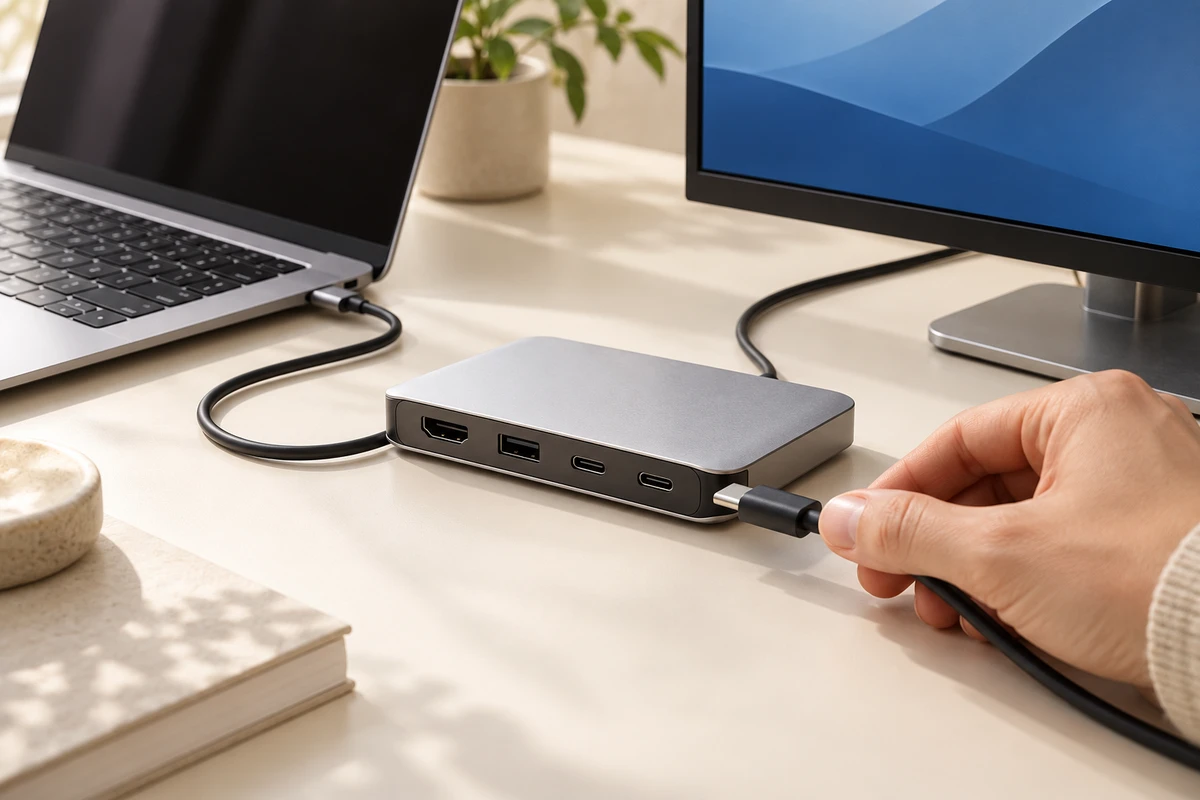
A cable clicks into a dock. A nearby display lights up. In a few seconds, a product video can imply that the same result will follow for anyone with a port of the same shape.
For an overseas brand sourcing accessories or production in China, that implication deserves attention before the shoot. Commission the demonstration around a named equipment combination completing a defined task. The product team confirms what works; the production team makes the connection, actions and result understandable on screen. The distinction matters when footage is later shortened, localised or handed to a retail partner.
A shared cart does not settle the setup question
On October 15, 2026, Google announced the U.S. rollout of Universal Cart across Google Search and the Gemini app in “An intelligent new shopping cart”. Shoppers can save products from different retailers, then purchase within the cart or transfer to a merchant’s site. Merchants remain the seller of record and provide confirmations and customer support.
The announcement describes how products can be collected and purchased. It does not establish that the cart checks whether two devices will work together.
ONCE’s interpretation for content planning is narrower: brands have a reason to explain how their product fits a buyer’s existing equipment, especially when purchases are assembled across stores. The commercial value of a specific video still needs to be evaluated by the brand; the platform announcement provides no conversion forecast for it.
Physical fit, recognition and successful use need different shots
The USB Implementers Forum’s USB Type-C and USB 2.0 Type-C Cable and Connector Language Usage Guidelines, checked on October 17, 2026, distinguishes connector type from capability. USB Type-C® is not interchangeable with USB 3.2, USB4® or USB Power Delivery. A product’s supported protocols and power capabilities vary, and manufacturers should communicate them clearly.
That creates three separate production questions:
| What the shot shows | What it explains | What still needs confirmation |
|---|---|---|
| A plug entering a port | How the physical connection is made | Capabilities of the port and cable |
| A device or status appearing | Recognition in this setup | The intended task and required settings |
| A transfer, display or other task completing | The result under these conditions | Approved claim scope and untested combinations |
This is a filming guide, not a product test. A successful screen recording from one setup should not be edited after a connection shot from another in a way that presents both as a single demonstrated event.
Prepare an ONCE Setup Demonstration Sheet
This is an original production method proposed for this article. No product testing was performed for the article. Its unit is one equipment combination completing one task, rather than a broad label such as “works with USB-C.”
Before filming, ask the brand’s product specialist to complete five fields:
- Equipment: exact models of the main product, third-party devices and cables, plus relevant hardware revisions.
- Task: the action a buyer wants to complete, such as connecting one external display.
- Conditions: port capability, power arrangement, operating system or firmware, settings and any additional accessories.
- Basis: the specification, engineering confirmation or existing test record that supports the proposed demonstration, with an approver.
- Visible result: the feedback the audience should see and any condition that must accompany it.
For example, imagine a dock brand commissioning a laptop-to-display scene. This is a hypothetical brief, not an ONCE client result. The sheet would identify the laptop port, dock, cable, monitor and power supply. If the intended display mode has not been confirmed, the script should wait for that confirmation rather than expanding one illuminated screen into a promise about every laptop.
The production team can rehearse and check readiness. A successful rehearsal does not establish the full compatibility range. Combinations awaiting technical confirmation remain product-team work before they become approved advertising claims.
Record an uninterrupted reference before building the ad
First capture a continuous reference that makes the important equipment, connection and outcome visible. A simple camera position may be more useful here than an elaborate move. A second angle or synchronised screen recording can add detail, provided the production log links it to the same operation.
If the task depends on selecting an input, changing a setting or installing required software, the edit must account for it. Waiting can be shortened. Preparation can be summarised. The sequence should still reflect what actually happened, with time compression made clear when it affects interpretation.
Keep technical demonstration footage distinct from illustrative material. Generated imagery or 3D animation can explain an internal mechanism or suggest a use environment. It cannot establish that a real device combination worked. Adding an illuminated screen in post does not complete an unperformed compatibility check.
Keep the conditions attached to every cutdown
A longer film may identify the setup accurately, while a six-second extract retains only the connection and successful outcome. That extract can imply a broader capability than the approved demonstration.
Deliver each reusable sequence with its setup ID, task and required wording. Put conditions that materially affect the buying decision near the demonstration. A maintained product page can carry the full supported-model list and details that change over time. If a short format cannot communicate an essential condition, narrow its claim or use a different version.
For international teams, translate the conditions with the same care as the product benefit. A regional editor should know which information belongs to the demonstration and must survive localisation. Technical approval should cover the final short version, not only the original long film.
Scope the work by setups, not by output count alone
Adding a laptop model can require equipment sourcing, system preparation, rehearsal, reset, filming, screen capture and technical review. The final addition might last only a few seconds, while the work extends well beyond another export.
A useful scope separates base scene preparation, confirmation and capture for each setup, information and language versions, and later update arrangements. This is a way to describe work, not a market price formula. The brand confirms technical coverage; the production partner identifies the capture, reset and versioning work. Together they agree which changes will require a new demonstration.
With a limited budget, prioritise combinations that are relevant to target buyers, supported by product information and understandable on camera. Some questions are answered more efficiently by an accurate compatibility table. A video earns its place when watching the connection and task adds understanding.
Bring three inputs to the next production brief: the exact combinations to show, the task each must complete, and the conditions the brand has confirmed. Those inputs determine what needs to be on set, what must be recorded and what the finished video can accurately promise.
USB Type-C and USB-C are registered trademarks of USB Implementers Forum.