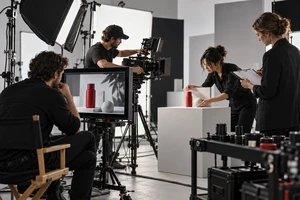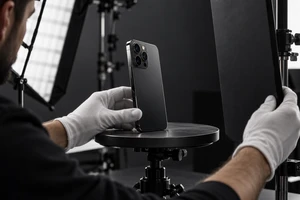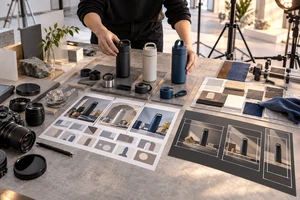
The product film is finished. It has the brand mood, packaging, lifestyle footage, and a polished end card. Then it lands on the Shopify product page—and the gap becomes obvious. The hero area feels active, but the feature, variant, and setup sections further down the page still have no video that answers their questions. Recutting the film into shorter edits only produces shorter ads. It does not create better proof.
The problem is not necessarily the film. It is a production brief built around “one finished video” instead of the questions a buyer asks across the page. A more useful storefront package is one hero film plus several proof modules that can be placed and updated independently.
Start With the Page: Three Positions, Not Three Durations
Videos on a Shopify product page usually do three different jobs. They can be filmed on the same production day, but they should not be treated as long, medium, and short versions of one timeline.
The hero film earns the next scroll
The hero area answers: What is this, and why should I care? It needs to establish the category, context, and brand character quickly. It does not need to explain every feature. Even before playback, the poster frame should make the product, setting, and visual tone legible.
Feature modules turn claims into visible actions
In a feature section, a shopper needs more than a slogan. Water resistance should show water interacting with the material. Capacity should show what fits. A software feature should show the input, action, and response. A useful proof module answers one question: it opens on the condition, follows the critical action, and leaves a result that can be inspected.
Use modules reduce setup anxiety
Assembly, pairing, cleaning, storage, or first-time setup should not be compressed into a few seconds at the end of the hero film. A use module keeps the hands, product, and sequence visible together, with step text or captions where needed. Its purpose is not to make the advertisement feel more complete. It helps a buyer decide whether the product will be easy to live with.
Rework Usually Appears Between the Film and the Page
A familiar scenario is a 16:9 master completed before the page build. Later, the team discovers that the hero needs a restrained loop, the feature section needs close-up proof, and the mobile layout needs tighter framing. Mining the master for fragments exposes three common breaks:
- the person or product sits near the edge of a wide frame and becomes unbalanced on mobile;
- the feature exists only as a montage, without a complete beginning, action, and result;
- copy, claims, or labels are burned into the picture, so a language, specification, or page-order change forces a full rebuild.
The answer is not a folder of vague “extra shots.” Before storyboarding, give every module three fields: page position, buyer question, and replacement trigger. A packaging change should replace the hero or unboxing modules that show it. A specification change should replace the relevant proof module. A page-order change should allow modules to move without rebuilding the whole film.
Keep One Brand System Without Repeating Every Shot
Modular production should not turn a storefront into a mixed collection of tutorials. Brand consistency belongs in the shot system, not in a rule that every video repeats the same opening.
Lock four elements across the package: the direction and contrast of key light, background materials and brand color, the rhythm of hands interacting with the product, and the hierarchy of captions and graphics. The hero can be emotional, the proof modules direct, and the setup module instructional. Those elements still make them feel like one brand.
Repeating a logo reveal, packaging transition, and tagline at the start of every clip creates friction. What the modules should share is visual grammar and the same factual language—not duplicated footage.
Production Must Account for Loading and Playback
Shopify currently supports uploaded product video as well as YouTube and Vimeo embeds, but product video display still depends on theme support. Shopify also states that videos cannot be assigned as product variant media. These are production constraints, not details to discover after the edit. Placement, theme capability, and variant logic should be confirmed during scripting. Shopify’s product media guidance documents these current limits.
Muted and unplayed states should also be treated as normal viewing conditions. The first frame cannot be a black frame or an empty establishing shot. A critical action cannot rely only on voice-over. A feature module should make its condition, action, and result understandable without sound. Captions, poster frames, and player controls belong in the delivery conversation.
Performance changes the creative plan too. Shopify’s theme performance guidance includes product pages in its theme testing. A production partner does not replace front-end engineering, but it can supply a lightweight alternative, clear poster frames, and edits that do not need a long preamble to make sense. Autoplay, loading behavior, and hosting should be tested in the actual theme.
Define What Change Triggers a New Version
Before the shoot, list every video unit in a delivery matrix. Include page position, the question it answers, aspect ratio and safe area, sound dependency, caption language, poster frame, product version shown, and replacement trigger.
A practical minimum package often includes:
- one hero film that establishes category and brand, plus a clean-text version;
- two to four single-question feature proof modules, with clean and captioned versions;
- one setup or use module that shows the critical sequence completely;
- poster frames, caption files, mobile framing, and clearly named masters for every module.
This is not a fixed bundle. A simple product with few features can use less. A product with multiple specifications, required assembly, or frequent updates benefits from separating high-change content. If the same shoot also needs paid social and marketplace assets, start with a multi-platform delivery matrix and decide which storefront shots can travel and which need to be rebuilt.
Ask These Five Questions Before Signing
- Where will each video appear, and which buying question will it answer?
- Does the message still work muted, unplayed, or as a poster frame?
- Which shots contain a model, package, interface, or specification likely to change?
- Can a language, page-order, or product update replace one module instead of the whole film?
- Does delivery include clean footage, caption files, poster frames, and alternate crops?
If the supplier cannot answer these questions, a quote for “one master plus short cutdowns” can become a cycle of forcing new jobs out of the same edit. A better process brings the page structure into the creative meeting, the buyer questions into the storyboard, and the update cost into the delivery matrix.
If you are planning a new Shopify product page, ONCE can turn the page structure, product update cadence, and downstream channels into a production checklist for scoping and bidding. Explore our video production work and planning approach, then identify what should be filmed, animated, or supported with AIGC, and which modules should be delivered independently.