The easiest moment to misread on an AI-glasses set often arrives immediately after the performer says a command. The action is complete, yet the glasses show little outward change. The final film still needs to communicate that the device is capturing, recognising, translating or answering. Post-production is then tempted to add a confirmation sound, place an interface in the air and shorten the pause. The sequence becomes smoother, but the functional relationship may no longer be accurate.
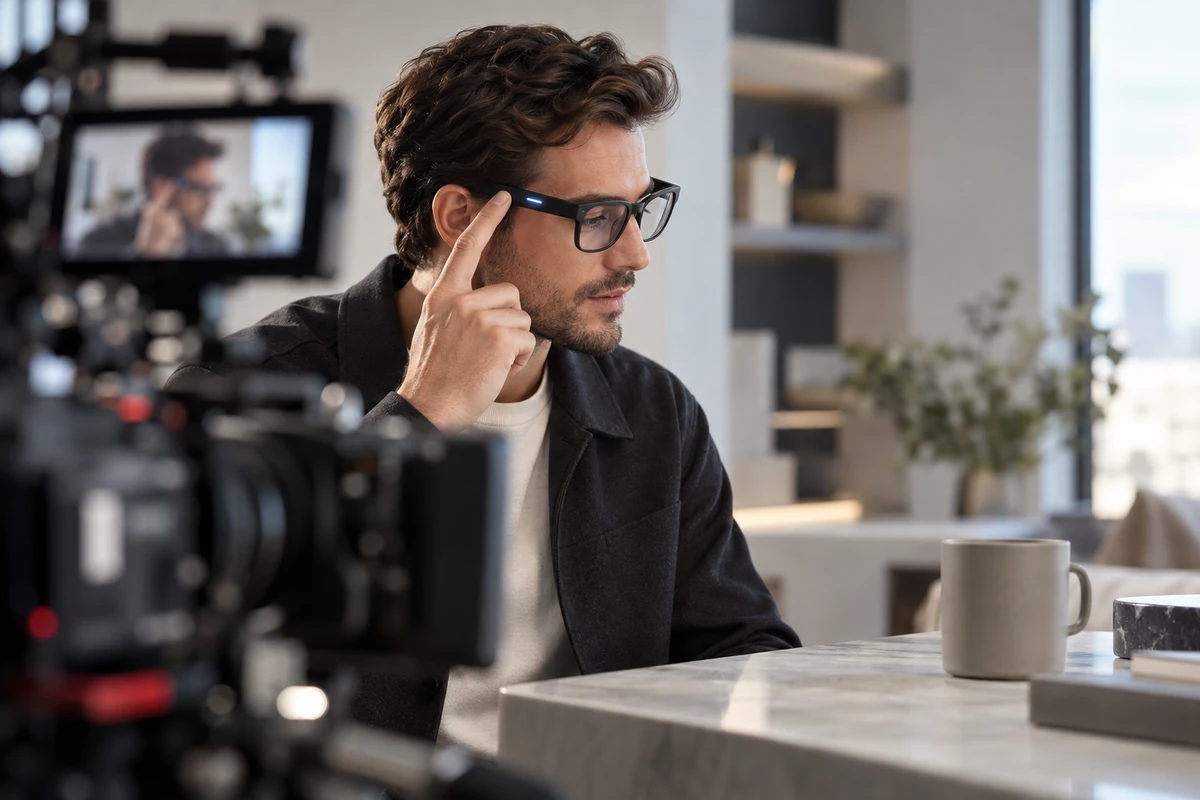
For a buyer, a smart hardware feature demo video should prove more than “this looks usable.” A stronger scope separates one feature into three reviewable tracks: an observer camera records how the user triggers it; a feedback track records the device's real signal; and a native first-person or device-output track records what the product actually captured, displayed or returned. The three tracks can become one fluid scene in the edit. They should not replace one another during production.
Work backward from delivery: every feature needs three tracks
Suppose the hero film must show a wearer looking at a menu, giving a voice command and receiving a translation. The script should not stop at “the performer speaks and translated text appears.” It should define three sources.
- Action track: where the performer looks, when they touch the temple or speak, and what an observer can understand.
- Feedback track: the light, sound, haptic cue, lens display or companion-app state the device actually returns.
- View track: whether delivery uses native glasses-camera footage, a real display capture, or a product-approved explanatory composite.
Missing one track forces the edit to invent a relationship. A performance alone cannot prove that the device responded. A native capture alone cannot show how it was triggered. A designed overlay does not automatically represent what a wearer really saw.
This division also changes the quote. The observer track needs talent direction, product beauty coverage and readable actions. Feedback may need macro photography, isolated sound, and exposure tests for a screen or indicator. First-person delivery may require native file export, screen capture, time references and an approved compositing template. These are separate production tasks, not merely additional angles from the same camera.
Action track: give touch, gesture and voice a usable timeline
AI-glasses interactions are often small: a light tap, a swipe, a wake phrase, or a gaze held on an object. A medium shot can establish context but lose the action. A product close-up can reveal the finger movement but lose what the wearer is looking at. Build the same feature from an environmental view, an action close-up and a wearing-relationship shot, with consistent screen direction.
Do not record only the cleanest spoken command. Preserve the ready state, complete phrase and pause that follows, so the editor knows when the response occurred. Log ambient sound, phone position, connectivity, firmware and account state when they affect reproducibility. They are production conditions, not universal performance claims.
Qualcomm's May 2025 multimodal smart-glasses demonstration offers a useful public example. A wearer used a voice command to capture gym equipment, while a paired reference phone handled most of the computation before returning a recommendation. That is not a universal architecture for AI glasses. It does show why the crew must map the processing chain before filming: does the feature run on the glasses, the phone, an app or the cloud? A shot may show only a spoken command; production still needs to understand the dependencies outside the frame.
Feedback track: no visible signal does not mean instant completion
Some feedback is designed for the wearer and some for people nearby. An inward notification light, open-ear audio or lens display may serve the wearer. A forward-facing capture light may notify a bystander. The storyboard should not reduce both to a vague direction such as “the glasses light up.”
Meta's current responsible-innovation guidance says notification and capture LEDs activate during photo or video capture on its AI glasses. The official Ray-Ban Meta FAQ separately describes an inward notification LED and a front-facing capture LED. For a feature demonstration, a capture scene therefore needs to preserve the correct light state for that exact product. The behaviour should not be copied to a different model that uses another design.
If a feature has no readable external feedback, captions, sound or approved graphics can help the audience. Mark them as explanation, not live proof. Preserve one continuous take from trigger to real device signal to result. The hero edit may compress a pause, but the feature-approval version should make the amount removed visible and preserve the order of events.
First person: what the camera records is not what the wearer sees
“First person” can mean at least three different assets: the environment recorded by the glasses camera, content actually shown in a lens display, or a subjective interface composite created for explanation. All can resemble POV footage, but their production responsibility is different.
Ray-Ban's current AI-glasses product page lists camera-and-audio models alongside a separate display model and publishes different capture specifications by generation. Those details apply only to the listed products. They are not a licence to invent a plausible field of view for another pair of glasses. Before production, lock the sample model, firmware, native capture format, stabilisation behaviour, display capability and export route.
When delivery uses authentic device footage, keep the original files and export record. When an interface must be composited, the product team should supply its size, position, state, animation timing and cleared copy, then state whether it is an explanatory visual or an actual display. A camera's wide view should not be presented as the wearer's complete natural field of view. Any expanded, moved or added information is creative treatment, not a verified hardware capability.
ONCE's video production guidance treats product structure, user action and real use scenes as separate production questions. AI glasses are lighter and their actions smaller, so the observer view becomes even more important for explaining use before first-person footage reveals the result.
Privacy signals are part of the feature, not visual clutter
Camera-equipped glasses can record performers, extras, screens and passers-by inside the native frame. Production should define the recording zone, releases and file route before the take. Exported first-person files also belong in the backup and access-control plan. A “product test” does not make consent automatic in a real public space.
Meta's public guidance recommends asking permission before capturing people nearby and avoiding sensitive places where privacy is expected. This article does not convert one company's guidance into law for every market. It does give a production team a concrete requirement: capture indicators, participant consent and location boundaries belong in the storyboard and call sheet. If an indicator communicates camera use, removing, covering or relighting it in post may alter the function's meaning.
Location choice should support verification. A showroom, kitchen, commute, warehouse or outdoor activity can demonstrate different tasks, but each scene must define who is recorded, what the device reads, and where the result returns. ONCE's production solutions provide a starting point for defining the hero film, feature cuts and platform versions. The exact privacy design and permissions still come from the product being filmed.
Reserve horizontal and vertical safe areas before the shoot
An AI-glasses demonstration may need a face, eye line, hand movement, product close-up and interface in one sequence. A horizontal frame can distribute these elements. A late vertical crop often hides the temple action, capture indicator or returned result even when the face survives.
Assign a delivery role to each feature in the storyboard. The hero film establishes the complete setting. A feature cut preserves one readable action-feedback-result chain. A vertical ad keeps the wearer and result inside the same safe area. A clean master leaves room for localisation and channel copy. If native first-person footage uses another format, do not stretch it. Use a picture-in-picture, considered crop or distinct section while protecting resolution and composition.
Delivery should include more than one MP4: the hero, agreed horizontal and vertical cuts, clean master, approved interface version, native first-person files, and the continuous takes and shot logs that support feature claims. When the brand later changes language, channel or edit, it will know what can be recombined and what facts must not be reinterpreted.
One approval sheet is more useful than another layer of technology effects
Before production, give each feature one row: user task, trigger action, real feedback, native result, explanatory layer, operating conditions, privacy signal, format purpose and approver. The sheet is not bureaucracy. It exposes images that the final film will require but the set currently has no source for.
A smart hardware feature demo video is not trying to make the glasses appear more intelligent. It is making the start, response and result of an interaction understandable. The observer camera records action and context. The feedback track preserves real state. First-person files show device output. Graphics explain only what has been approved. Separate them during capture and the edit gains freedom; collapse them into one layer and the buyer loses the ability to tell what was actually purchased.
If you are planning a feature film for AI glasses, wearables or other smart hardware, send the sample status, feature list, native outputs, target channels and version count to ONCE VISUAL. We can separate action, feedback, first-person and explanatory layers into a filmable, reviewable scope, then prepare a production approach and quotation.