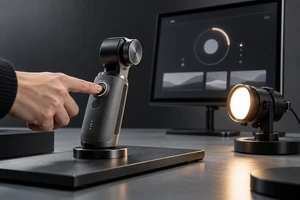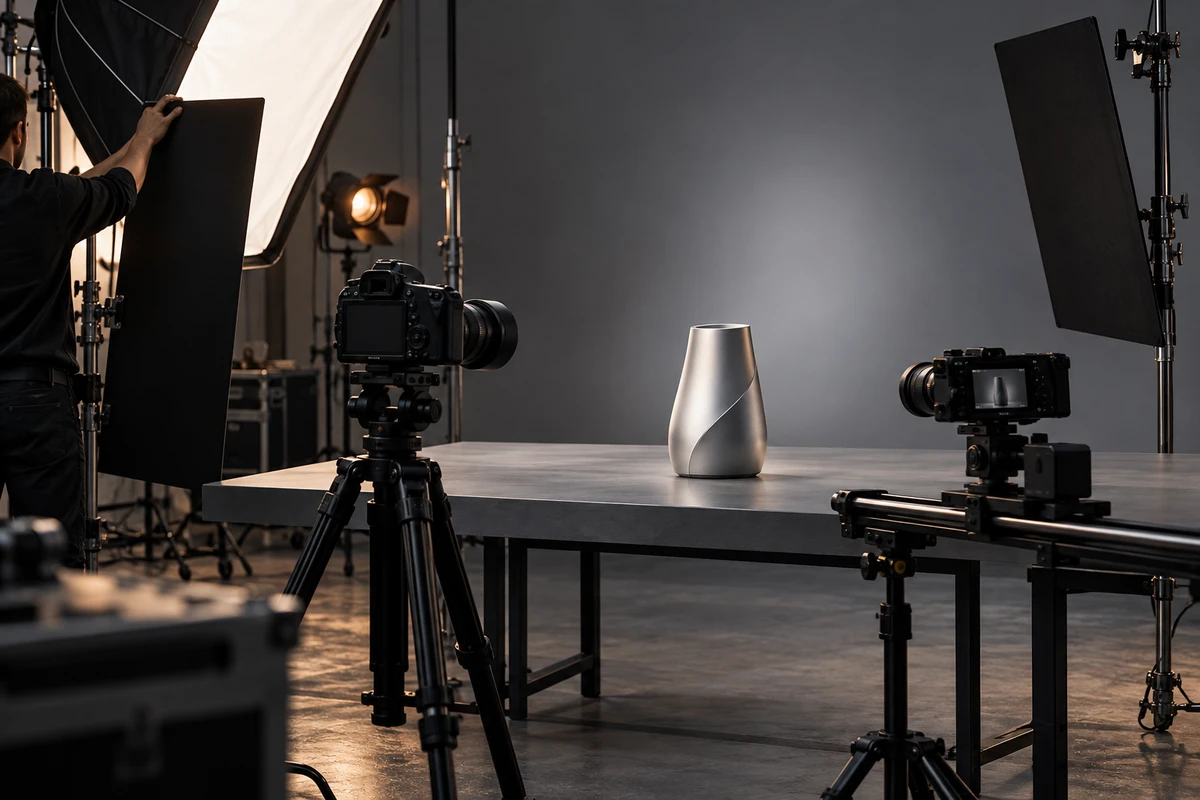
An integrated product photo and video production should share planning, samples, set design and color references. It should not assume that a photographer can simply switch the camera to video mode and continue. For a buyer, the useful question is not only how many images and clips appear in the quote. It is whether the production team has separated three types of work: tasks that can be shared directly, tasks that can be shared but must be reset, and tasks that need their own capture plan.
That distinction affects sample quantities, the shooting schedule, lighting changes, post-production hours and final files. When it is planned well, one studio booking can produce a coherent family of product images, feature footage and advertising key frames. When it is planned poorly, the project saves setup time but pushes the real cost into pickups and revisions.
Build one asset map before writing separate shot lists
Brands often send a photography list to one team and a video script to another. Both documents may be valid, but they can request the same angle, scene and product state twice. Start by grouping assets according to the job each image needs to do:
- Standard presentation: clean backgrounds, approved angles, packaging, accessories and scale.
- Material and detail: metal, transparent components, buttons, ports, texture and assembly edges.
- Function and action: opening, connecting, controlling, illuminating, pouring, applying or showing an observable result.
- Scene and campaign: people, environment, hero composition, covers and frames with usable copy space.
- Channel versions: landscape, vertical, square, clean, localised and thumbnail outputs.
One approved hero angle can support a high-resolution still, the opening of a product film and a campaign key visual. Sharing the angle does not mean that a random frame grab can replace photography. A still needs its own check for detail, depth of field, reflections, copy space and retouching latitude. Video needs to preserve those qualities while the camera or product moves into and out of the angle.
Teams that need a wider production framework can start with ONCE's video production guidance, then label each item as photo, video or both.
Share samples, sets and visual direction
Samples are an obvious shared resource, but only when their condition suits both formats. Still photography magnifies dust, scratches, packaging creases and assembly gaps. Video reveals buttons, moving parts, screens, practical lights and repeated operation. A cosmetically perfect sample that cannot operate may be ideal for the hero still but unusable for a feature demonstration. A reliable engineering sample with worn surfaces may play the opposite role.
The sample list should therefore identify beauty units, working units, cutaway units, backups and color variants. Photography and video can share product handling, cleaning, approved copy and reference documents without forcing one device to perform every task.
Set assets can also be shared. Lock the surfaces, background, primary props, wardrobe and overall palette so that stills and motion belong to the same campaign world. Leave enough movement in the set for landscape and vertical compositions, and keep fixed props away from the only useful copy space. ONCE's production solutions provide a useful route for discussing how these deliverables fit together.
Reset camera, product state and lighting references
The most common loss between stills and motion is not an asset. It is the reset record. A still setup can tune the product angle, flags and highlight shape for one final frame. Once a shot includes a push, rotation, hand movement or moving product, reflections and exposure need to remain controlled across the complete path. A current peer guide on product lighting makes the same distinction: photography can optimise a selected frame, while motion also has to preserve reflections, exposure and continuity through movement.
Before changing format, save an approved reference frame, product and table marks, key-light and flag positions, a color reference, screen and practical-light states, and the camera-to-product distance. If the team returns to a still setup after filming, these records provide a real reset point instead of relying on a monitor image that looks approximately similar.
Continuous light and flash do not need to become a false either-or choice. A production may build a shared base look with continuous sources, then add a dedicated still setup when it needs to freeze action, gain more depth or shape a difficult reflection. Another production may finish the hero still first and rebuild around a continuous source for camera movement. The time driver is the number and complexity of changes, not the name of the fixture.
Capture motion and high-resolution masters separately
Some deliverables should not be forced into one capture. A reflection moves when a product rotates. Pouring, spraying, cutting and application actions need temporal continuity. Hands need an entry, action and exit that an editor can use. These are motion tasks.
Clean packshots, packaging fronts, label details, heavily composited hero images and large campaign artwork normally need dedicated high-resolution masters with room for precise edges, typography, retouching and print use. A video key frame may come from real motion, or the crew may capture a separate still in the same visual direction. The scope should say whether the deliverable is a frame export or an independently finished campaign still, because the post-production requirement is not the same.
A practical decision rule is straightforward. If the message only works across time, it belongs to video. If its value depends on single-frame detail, resolution and retouching flexibility, it belongs to photography. If it needs both, schedule two captures inside the same set instead of pretending that one shutter press automatically creates every asset.
Price the production units, not only the final asset count
Two quotes may both promise 20 images and three videos while describing very different workloads. A usable scope should state:
- How many SKUs, colors and packaging versions exist, and which angles can repeat.
- Whether metal, glass, transparent parts, screens or illuminated surfaces need separate light control.
- How many units involve clean background, lifestyle set, talent, food, liquids or practical effects.
- Whether each unit requires landscape, vertical, still and motion capture, and whether lighting must change.
- What level of retouching, editing, animation, copy, localisation, music and sound is included.
- Whether delivery includes clean plates, text-free versions, key frames, editable files or final exports only.
A production unit is a group of work in which product state, set, camera position and base lighting remain relatively stable. Pricing by these units helps a buyer understand why scope expands and remove low-value changes. It also keeps the production company from hiding every uncertainty inside one unexplained total.
Separate color masters from usage files
Photos and videos move through different software, screens and delivery channels. Adobe's 2026 documentation explains that a managed video workflow depends on correctly identifying the source, working and output color spaces, while Photoshop documentation describes profiles as the mechanism used to maintain more predictable color across devices. This is why “looks close” is not a substitute for a declared color and export route. Adobe's Premiere color-management documentation provides the current technical reference.
An integrated production can share a product color reference, approved still and overall grading direction, while retaining separate masters for photo and video. Photo delivery may distinguish high-quality masters, transparent or layered assets, web outputs and thumbnails. Video delivery may distinguish a high-quality master, platform exports, clean versions, subtitle files and cover frames. The exact formats should follow the real website, commerce, social, print or paid-media use rather than a universal template.
Review product color, packaging copy, reflections and the brand look on one approved reference set first. Then confirm that file names clearly identify SKU, scene, aspect ratio, language and version. Future teams can return to the master for a new output instead of recompressing a file that has already been published.
Integration should remove duplication, not judgment
A useful combined shoot leaves four kinds of value: finished product photography, continuous feature and atmosphere footage, key visuals that can serve covers or advertising, and the color, naming and source-file records required for later versions.
Return to the scope decision. Product facts, visual direction, set assets and part of the base lighting can be shared. Camera position, product state, reflections and color references need an explicit reset. Motion continuity and high-resolution single-frame finishing need separate capture. When the quote makes those divisions visible, integration reduces repeated work without reducing either craft.
If you are planning product images, product video and campaign key frames for one launch, send the SKU list, sample condition, channels, references and deliverable count to ONCE VISUAL. We can divide the asset map into shared, reset and independent production units, then prepare a scope and quotation recommendation.