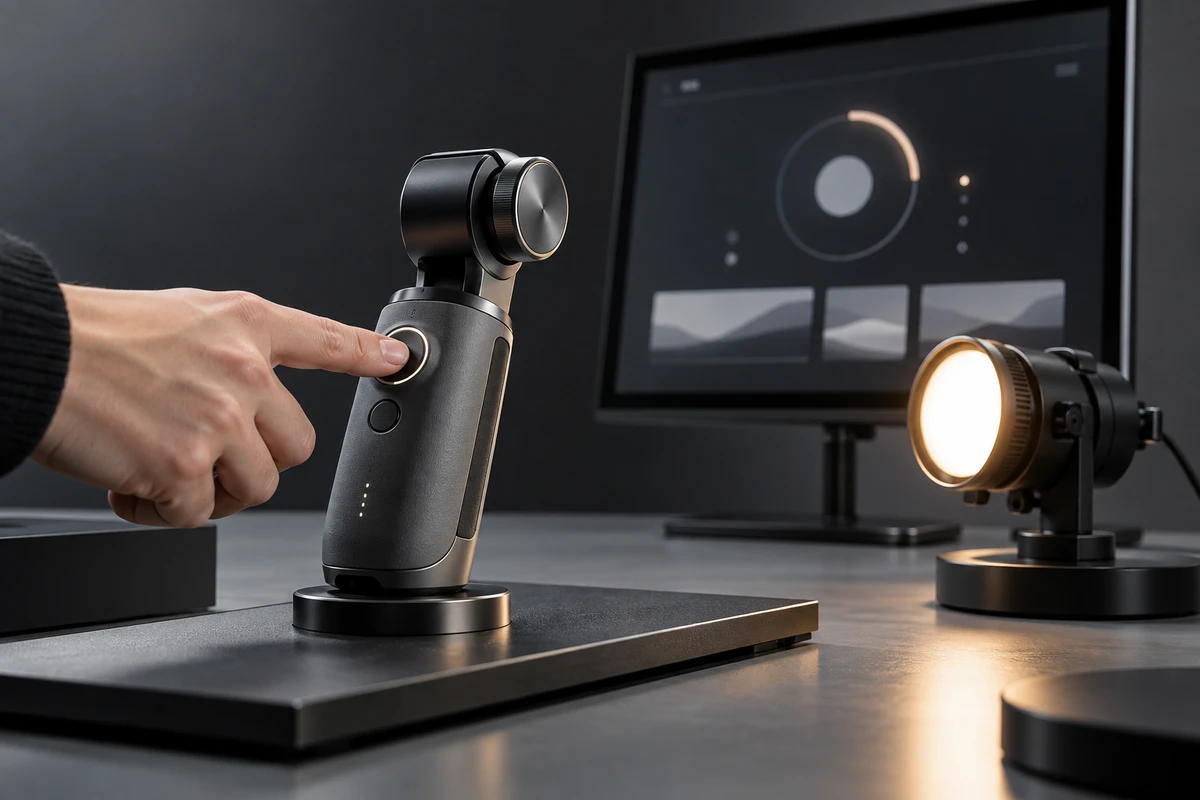
A consumer electronics feature demo can fail in a surprisingly polished way. The finger press is clear. The interface animation looks elegant. The final product state is convincing. Yet when those three shots are placed together, nobody can confirm that they belong to the same operation.
For a brand team, this is more than a continuity error. The edit may have created a cause-and-effect story that the footage never actually recorded. Before adding another macro shot, define the feature as a sequence with a start state, a trigger, feedback and an outcome. Once those four points are aligned, reviewers can tell which cut improves pace, which cut only changes angle, and which cut quietly changes the product claim.
Define product states before writing the shot list
A typical script might say, “The user selects Auto mode and the device adjusts immediately.” That is enough for a creative idea, but not enough for production. Product, marketing and production teams should first convert it into a state chain:
- Standby: Which page, setting or connection state is active before the demonstration?
- Trigger: Does the function begin with a tap, long press, swipe, voice command or physical button?
- Processing: Does the interface show progress, change color, play a sound or start a mechanical movement?
- Complete: What can the viewer observe, and what has only happened internally? These are not always the same.
- Error and reset: If the sample stalls, the network pauses or the action fails, where must the next take begin?
This does not need to become an engineering specification. Give each feature one line with the sample ID, firmware, starting settings, approved copy and the outcome that the image can genuinely demonstrate. It adds one useful layer to the production input and prevents the crew from having to ask whether a take “really counted” after the set has already moved on. Teams building the wider brief can start with ONCE's video production framework, then attach this feature-state sheet to it.
Record one complete reference take before the beauty shots
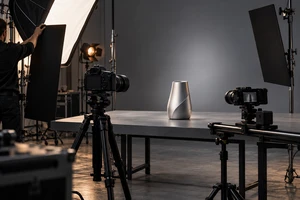
The first take does not need to look like an advertisement. Use a slightly wider frame that keeps the hand, product, screen and outcome area visible. Start from a reset device and continue until the function is complete. This take may never appear in the final film, but it becomes the timing reference for every close-up that follows.
Each close-up should return to the same starting state. If a smart light changes from cool white to warm, one shot cannot begin in cool white while the next quietly inherits warm light from the previous take. A motorized component should not be reset by visual guesswork. Before each take, the slate can name the sample, mode and start state, then leave an audio cue or visible marker at the real trigger event. In post, shots align to that event rather than to the vague moment when a fingertip seems to touch the screen.
The hand also has a communication job. The viewer needs to see what was activated. A finger that covers the control, touches another area first or pauses unnaturally for the camera can make a real operation look staged. Let the operator complete the action at a natural speed first. Then adjust hand position and camera angle instead of asking for an artificial slow-motion gesture.
Choose the right UI source: live screen, recording or rebuild
Consumer electronics demos generally use three approaches to the interface, and each solves a different problem.
A live screen preserves the relationship between finger, reflections and physical device. It is the strongest option when the image needs to show that an action happened on this product. The trade-off is capture quality: brightness, refresh behavior, reflections and camera settings can make small text difficult to read.
A screen recording provides clean pixels and accurate menus. It works well for explaining a navigation path or preparing multiple language versions. But it does not contain the physical relationship between the hand and the device. Production should preserve the same trigger event in the screen recording and the camera footage so that post can sync to an event, not force one clip to match the duration of another.
A rebuilt interface helps when the UI is not fully frozen, a small area needs to be more legible, or localised copy must be replaced. The brand should provide approved interface assets, type rules, motion timing and valid states. If the shot carries a claim about response speed, recognition or loading time, a rebuild cannot run faster than the real product or remove waiting and failure feedback that actually exists.
The practical rule is simple. Preserve live capture when the shot must establish operational truth. Add screen recording when the information path needs clarity. Use an approved rebuild for controlled localisation or explanation. The methods can be combined, but every shot should identify its source in the delivery record.
An outcome needs conditions, not just a success frame
The outcome is not merely the last attractive image. It is an observable change under a defined set of conditions. Room lighting, placement and the starting mode can change how viewers interpret a smart appliance comparison. A wearable showing “complete” on its interface does not allow the film to invent a medical, accuracy or battery-life conclusion. A connection icon does not prove stability at long range or on a congested network.
Separate outcomes into two categories. The first contains visible states: a light becomes warmer, a structure unfolds, a page changes, or the product gives a confirmation signal. The camera can carry those statements. The second contains performance conclusions such as faster, more accurate or more efficient. Those claims must return to approved specifications, test conditions and copy. Color grading, sound design or an enthusiastic reaction cannot substitute for that support.
If an outcome only applies in a particular environment, preserve that condition in the frame or the production record. Clear conditions do not make an advertisement less compelling. They tell the creative team where it can be expressive and where it should remain precise.
Editing can remove time, but it cannot rewrite causality
Feature demonstrations still need pace. A useful review method is to place edits in three groups:
- Safe to tighten: remove repeated hand positioning, change angle while the product remains in the same state, or shorten pauses that carry no functional meaning.
- Needs review: compress real waits for pairing, warm-up, calibration or download. Check whether the finished sequence would make the process appear materially shorter.
- Do not combine: connect a trigger from one sample to an outcome from another, join UI and product states recorded under different settings, or replace product-generated feedback with a post-production effect.
The question is not whether the edit can be made invisible. It is whether the viewer's understanding of the function changes after the cut. The division of work between live action and animation should therefore be agreed before the shoot. ONCE's overview of live action versus animation in product video provides a useful starting point for that decision.
Review the action chain, not only individual shots
Keep timecode visible in the first review and include a reference version before heavy grading and sound design. The product manager reviews states and approved language. Marketing reviews communication and emphasis. Production reviews continuity. Together, they should answer four questions:
- Does the starting state match the approved use condition?
- Is the real trigger visible, and does the interface feedback align with it?
- Has an edit changed the meaning of waiting, failure or reset?
- Which exact sentence can the outcome shot support, and which sentence can it not support?
Completion should mean more than exporting the hero film. A resilient delivery includes the finished versions, original-speed reference takes for key functions, interface source files used for compositing, and a record of each shot's state and treatment. When the team later creates a 15-second cut, a vertical version or another language, it can shorten the same action chain instead of guessing which steps are safe to remove.
Return to the opening problem: the project did not lack clear footage. It lacked a shared clock and a shared definition of state. The reliable sequence is to lock the action chain before designing the image, record a complete reference before splitting the coverage, and define the outcome conditions before tightening the edit.
If you are preparing feature demonstrations for a product launch, website or e-commerce channel, send the sample state, feature path, approved claims and delivery formats to ONCE VISUAL. We can map the action chain and review criteria first, then plan the live capture, screen recording, interface work and versioned delivery around it.