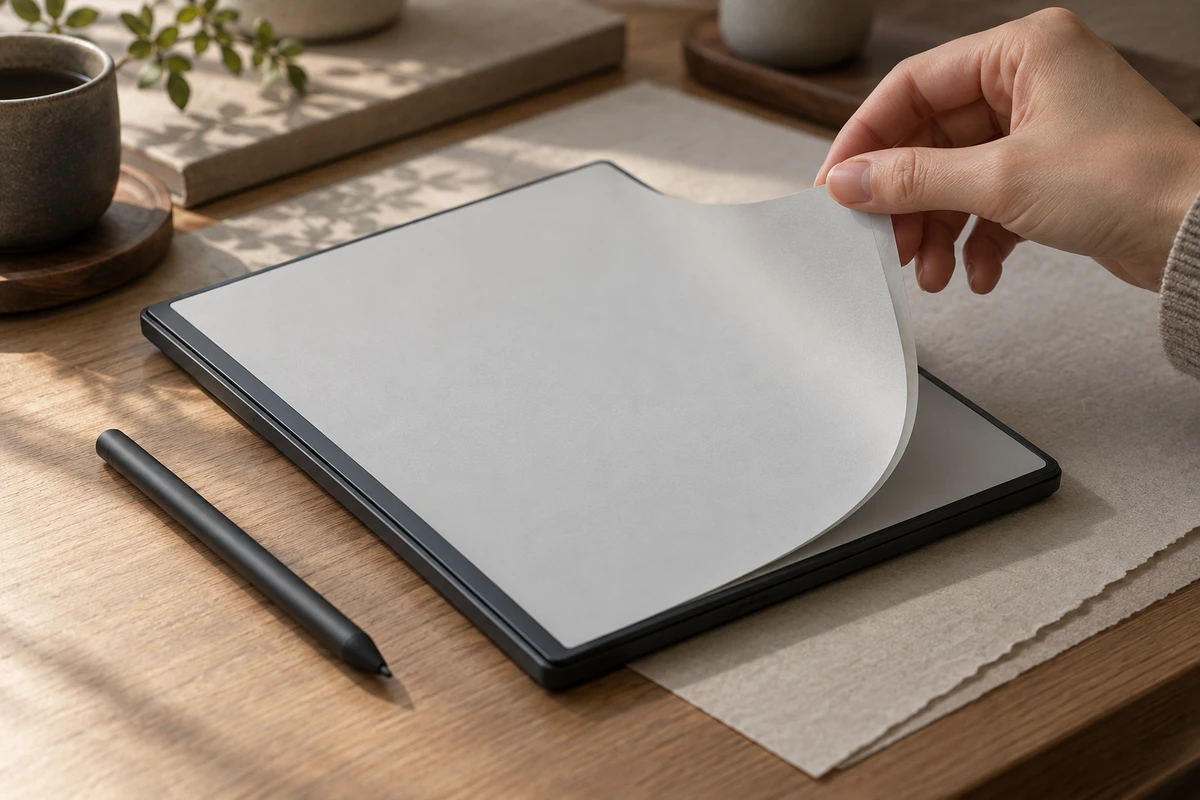
When an E Ink device turns a page, the shoot needs to answer at least three different questions: Is the text clear after the page settles? What actually happens during the update? And do the hand, stylus and interface remain on one continuous timeline during use? Compressing all three into one “smooth” shot may look polished, but it leaves buyers unable to tell whether they are seeing reading quality, refresh behavior or an interaction shortened in the edit.
That distinction is what makes E Ink product video production different from filming an ordinary tablet. E Ink describes its electronic paper as both reflective and bistable: a static image can remain visible, while power is needed when the content changes. Its technical documentation also explains that display modules can use different update modes for different requirements. “How fast is the screen?” therefore has no useful answer without the content, mode, firmware and action.
Identify the source of ghosting before deciding to fix it
A faint trace of the previous page should not be sent straight to cleanup. It may be genuine behavior in the device's current refresh mode, or it may be exaggerated by the front light, ambient light, camera exposure or compression. A more useful on-set diagnosis is to run three short tests with the same production unit and the same content:
- Hold on a static text page with the front light off and on, then check whether the recording still shows brightness variation.
- Move from a dark image to a light text page, record one complete update, and then trigger the full-screen refresh supported by that device.
- Keep the camera fixed and test page turns, scrolling, handwriting and image changes separately instead of using one action to stand for every task.
E Ink's description of its technology explains that the panel reflects ambient light rather than transmitting light from an LCD-style backlight. Whether a finished device includes a front light is a separate product decision. Vendor documentation also shows why implementation matters: reMarkable publishes guidance on clearing ghosting, while BOOX documents different refresh modes for different kinds of content. These are examples of mode-dependent behavior, not conclusions about the unit on the current set. The brand still needs to confirm the production firmware, default settings and approved mode names.
The diagnostic sequence can stay simple. If the page is stable to both the eye and the camera, and the trace appears only during the update, preserve it as part of the device's refresh behavior. If the eye sees a clean result but the recording does not, check auto exposure, auto white balance, front-light status and shutter settings before discussing cleanup. If the trace is visible to the eye and post-production removes it completely, the edit has changed the product's appearance.
Give the same page turn three different jobs
The first take is for reading. Let the page settle and hold the shot long enough to inspect text edges, gray tones, image detail and reflections. Lock the direction of ambient light, the front-light setting, camera white balance and exposure. A reflective screen changes with its lighting environment, so a dark lifestyle shot cannot stand in for daylight readability.
The second take is for the refresh itself. Record from the finger trigger until the new page is stable, at normal speed and without hiding the full frame. If the device offers modes such as high-definition, balanced, fast or ultrafast, use only names approved for that model. Different brands do not define their modes in the same way. Keep the test content fixed as well: text page turns, grayscale images, web scrolling and handwriting place different demands on the update strategy.
The third take is for continuous operation. Use a slightly wider angle that keeps the hand, stylus, device and interface in frame while the user opens a document, turns a page, annotates it and returns. This take may never appear in the hero film, but it is valuable during review. It shows whether several close-ups came from one real interaction, and whether an edit has combined a retry into a single “successful” action. ONCE's article on not editing away smart-hardware waits addresses the same timing question; E Ink devices add refresh mode and page state to the record.
Know what can be accelerated and what must stay real-time
Product transitions, talent movement, desk styling and non-functional unboxing beats can be compressed for pacing. Shots that imply performance should retain a real-time master, including startup, wake, page turn, pen contact, mode change, full refresh and image loading. The hero edit can be shorter, but that edit should not imply the action completed faster than it did.
Screen replacement also needs a declared purpose. For multilingual clarity, production can preserve real timing and touch positions while compositing an approved interface file. A shot used to communicate refresh, latency or ghosting should not cover the actual display with a completely reconstructed animation. AIGC can extend an environment or support a concept sequence, but it should not generate product geometry, handwriting paths or refresh behavior and then present them as a practical demonstration.
A useful review method is to play the finished cut beside the real-time master. The audience does not need to see every technical test, but the procurement, product and legal teams should know which cut changes only pacing and which cut changes the meaning of the feature.
Front light and ambient light are not the same benefit
An E Ink display will look different beside a window, in an office and at night because those situations use different combinations of light. Before shooting, define whether a shot is demonstrating reflective reading or the device's front light. The first should preserve the direction and relationship of ambient light so the display reads like a paper surface. The second should control room spill and record the front-light level and color-temperature setting, so automatic camera white balance does not cancel the difference.
When the script compares lighting conditions, keep the camera position, page, exposure and grading reference as consistent as possible. A lifestyle shot does not need to behave like a laboratory comparison, but it should not be framed as one. Official technical material can explain the display principle; the commercial footage should show the approved use condition. One should not substitute for the other.
Put what each shot proves back into the version sheet
E Ink projects can drift during cutdowns. The horizontal master may retain the full refresh, while a vertical version removes the middle to reach its hook sooner. The Chinese copy may say “fast refresh,” while the English version escalates it to “instant.” One platform may use a high-quality mode while another uses an ultrafast close-up. The answer is not to make every version identical; it is to give every functional shot one shared record.
That record should include the sample ID and firmware, app and filename, refresh mode, full-refresh setting, front-light level, ambient-light state, camera frame rate and shutter, white balance, speed changes, screen-replacement method, and the copy the shot is allowed to support. Model, color, accessories, interface and subtitles can be reviewed with the same discipline described in ONCE's guide to product-video masters and platform versions.
The final delivery can be separated into four groups: product and lifestyle shots for visual tone; real-time operation masters; approved interface composite layers; and horizontal, vertical and localized final cuts. A later headline or language change can then happen without quietly changing the refresh mode or feature meaning.
E Ink characteristics are not an obstacle to a good film. The risk comes from filming the device as if it were an ordinary high-refresh tablet. Separate reading, updating and continuous use first, then decide which shots can prioritize atmosphere and which must preserve real time. The result can still have pace without promising performance the product has not shown.
If you are preparing a launch video for an e-reader, e-paper notebook or electronic shelf label, send ONCE VISUAL the production unit, firmware version, refresh-mode documentation, target pages and delivery ratios. We can first define the method with one text, image and handwriting test set, then move into the final script and estimate.
Sources reviewed on October 2, 2026: E Ink Benefits, E Ink Electronic Ink, BOOX Super Refresh Technology, and reMarkable Ghosting Support.
Production examples and next steps
Use the TVC brief to connect the selling point, performance and product presentation. The Red Devils × Tencent Games commercial is a finished-film reference.
Review TVC and commercial production and Red Devils × Tencent Games: A Passionate Competitive TVC for Young Players. To discuss your project, send the script, storyboard, required formats and approval dates through the English project enquiry form.