An AI wearable product video often falls into the same four-shot sequence: a person puts on a watch, the sensor lights up, data floats into the air, and the person smiles. The film looks technological, but the viewer still does not know what the device read, under which conditions, why the reading matters, or what changed next.
The problem is not the visual effects. Half the story is missing. A wearable creates value away from the obvious product shot: it stays in contact with the body, collects signals under specific conditions, forms a reading over time, and turns that reading into a prompt, recommendation or choice. The smallest useful storytelling unit is therefore not a sensor close-up. It is a four-beat loop: action, condition, reading and choice.
Film how it is worn before filming what it measures
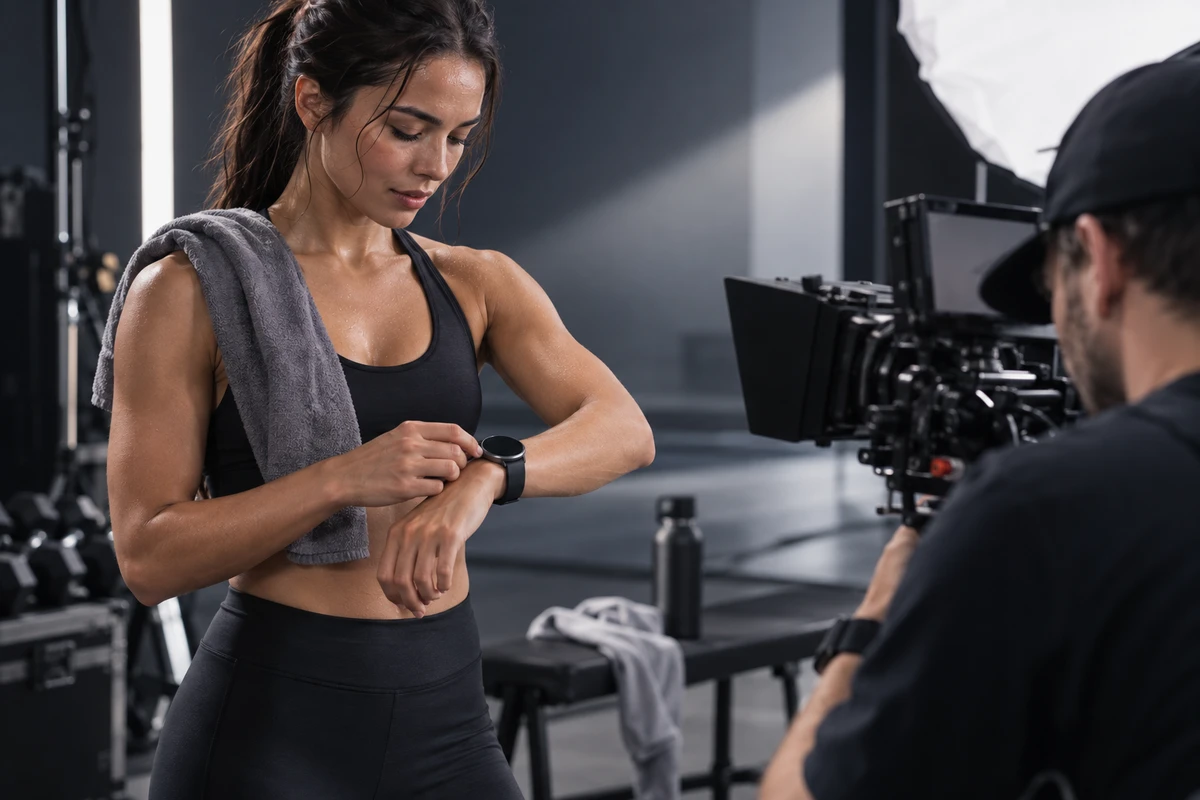
Putting on the product is not a transition shot. For many sensing functions, it is part of the measurement condition. Position, fit, skin contact, movement and wear time can all affect the quality of a signal.
Google Health's official explanation of its readiness score notes that heart-rate tracking accuracy can be affected by physiology, device location, movement and activity. Apple provides a product-specific example in its Apple Watch heart-rate documentation: its optical sensor uses LEDs and light-sensitive photodiodes to detect changes in blood flow, and different sampling behavior is used across activity and sleep contexts.
These examples should not be generalized into one universal sensing model for every wearable. They do, however, point to a production rule: when a feature depends on correct wear, correct wear must be visible in the film.
For a smartwatch, show skin contact, band fit and any adjustment before exercise. For a smart ring, make orientation, finger position and everyday hand movement legible. For AI glasses, do not stop at the front beauty shot; show how the nose pads, temples, line of sight and gestures behave while the wearer moves. If the product promises continuous use, let the same device move naturally across at least two states—commuting, working, exercising or resting—instead of showing only the instant it is put on.
Continuity does not require a day-in-the-life montage. It simply tells the viewer that this is not an electronic object placed on a table. It is something designed to live on the body.
Build the invisible sensing process as a four-beat event
Before storyboarding a core feature, answer four questions.
The first beat is action: what did the person do? They may start a run, look up for directions, go to sleep or finish a training set. The action gives the sensor a reason to be active.
The second beat is condition: in what position, time and environment does the device work? Skin contact, movement, changing light or the passage of time can establish this without immediately displaying numbers.
The third beat is reading: what does the viewer actually see? It may be the production interface, a synchronized phone result, haptic feedback or a clearly identified explanatory animation. It should come from an approved product state, not from an attractive dashboard invented for the shoot.
The fourth beat is choice: what does the user do next? They might reduce training intensity, pause to check a route, change their breathing, or simply put the phone away and continue their day. This is the beat that turns “the device has data” into “the data is useful.”
For a recovery feature, the complete event is not “sensor glows, number appears.” It is “training ends, the product remains correctly worn while a reading is formed, the approved interface presents recovery information, and the user decides to lower the next set's intensity.” Without the choice, the feature is only a specification. Without the condition, sensing looks like magic. If the reading uses concept UI, the film must identify it as illustration rather than recorded output.
This structure also helps plan product video production for AI glasses, smart rings and other wearables: define one real action first, then decide whether the shot needs the product, the interface, the data or the person's response.
Separate data visualization into three layers
At the script review, label every relevant shot as one of three layers.
- Captured fact: the real product, real fit, production interface and actual interaction path. Verify the shipping version, region, account requirements, network conditions and feature settings.
- Explanatory animation: light paths, particles, waveforms or anatomical diagrams that help explain a sensing principle. They support understanding; they must not imply that the device literally sees everything shown.
- Outcome claim: copy or voice-over about health status, risk, training effect or safety. This is not an art-direction decision. It requires product, legal and marketing approval.
For US-facing work, the distinction has direct compliance value. The FTC Health Products Compliance Guidance says health-related claims need appropriate substantiation and that limitations or uncertainty must be communicated in language consumers can notice and understand. The FDA reissued its General Wellness policy for low-risk devices in January 2026. It has also warned that unauthorized smartwatch or smart-ring features claiming to measure blood pressure do not qualify as simple general-wellness functions. These are US examples; every target market requires its own regulatory review.
The safest production response is not a tiny disclaimer at the end. It is a narrower promise in the shot design. If a product shows a trend, film a trend. If the result depends on several nights of data, do not edit it as an instant conclusion after ten seconds of wear. If the interface is still in development, label the visual as concept animation and keep the UI layer replaceable for the production build.
A lifestyle scene must prove why the feature is needed now
Coffee shops, running tracks, offices and bedrooms often become decorative locations in wearable campaigns. A useful lifestyle scene has a stricter job: it explains why the feature appears at this moment.
Navigation on AI glasses needs a situation in which repeatedly looking at a phone would interrupt movement. Overnight information from a smart ring needs a bedtime action, continuous wear and a next-morning review. A training prompt on a smartwatch needs a visible change in effort before the film jumps to a conclusion about understanding the body.
Let each scene perform one main function: trigger, collection, feedback or action. Connect scenes through the same wearer, the same device and the same data state. The result feels like life because the product remains meaningful over time, not because a young person walks through an attractive city.
AIGC can help previsualize data animation, extend environments or explain microscopic processes that are difficult to film. The wear relationship, production interface and important health claims should still come from verifiable material. If a generated shot changes device placement, sensor count or wearing method, that is a product-accuracy problem rather than a stylistic variation.
Six checks before a sensor feature enters the hero film
Before approving the storyboard, ask:
- What action and conditions start the reading?
- Is the correct position, fit or orientation visible?
- Does the reading come from production UI, test output or concept illustration?
- Do the image and voice-over stay within the approved product claim?
- What real, filmable action follows the result?
- If the floating data and sensor glow are removed, is the feature still understandable?
A feature that cannot answer these questions may still deserve content, but it may not belong at the center of the hero film. It can begin as a feature short, an engineering demonstration or a visual prototype until the interface, claim and use conditions are stable.
A wearable campaign is not ultimately selling a green light or a dashboard. It is showing how a product operates between the body, time and choice. If you are planning a smartwatch, AI glasses, smart ring or another AI terminal launch, start with ONCE VISUAL's product and AIGC production capabilities. Bring the feature list, production UI, approved claim scope and target markets to request an AI-terminal product-video plan.