Does every high speed product video need a backup sample? No. The real question is whether the planned shots can change the condition of the product in ways that are difficult or impossible to reverse. One approved production unit may be enough for safe tabletop beauty shots. But when the shot list includes water, dust, smoke, drops, repeated mechanisms, prolonged illumination, charge cycles, or a prototype that depends on a particular account or firmware build, putting the entire shoot on one unit creates a costly single point of failure.
High speed capture magnifies sample problems as well as motion
A high speed setup should begin with the speed of the action and the desired slow-motion duration. Only then should the team choose the frame rate, exposure time, and lighting package. As frame rate rises, the available exposure time often becomes shorter, so more light may be required. Fixtures also need to be tested at the intended frame rate and shutter setting because flicker that is invisible to the eye can appear in playback. ARRI's SkyPanel guidance likewise recommends the appropriate high-speed mode or frequency selection for very high frame rates and extreme shutter angles.
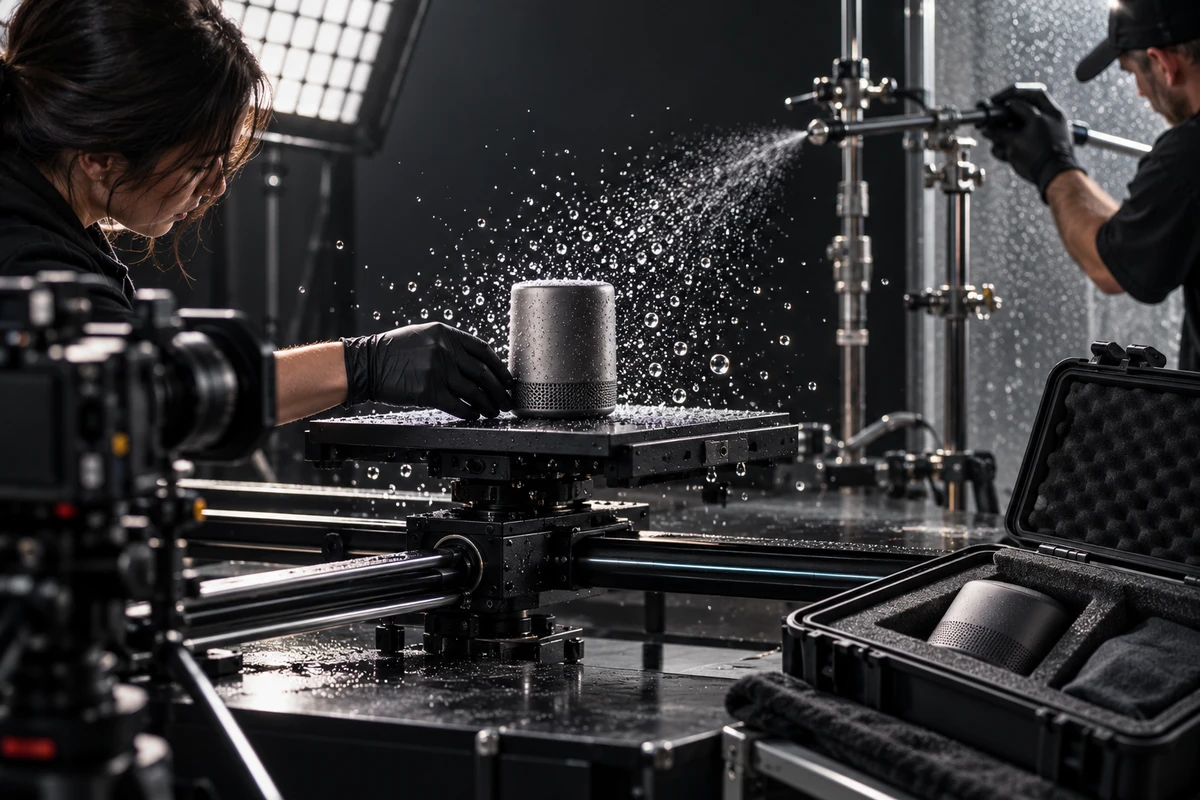
A water splash, powder burst, or fast mechanical action is therefore not simply a matter of saying, “one more take.” Water marks and micro-scratches accumulate, battery temperature changes, mechanisms wear, materials absorb moisture, and reset time can increase after each attempt. High speed playback exposes those differences frame by frame, making continuity problems more visible than they would be at normal speed.
Assign sample roles instead of simply ordering extras
A useful sample plan is organized by purpose:
- Sample A: the cosmetic hero unit. Reserve it for tabletop beauty shots, macro textures, packaging, and final key visuals. Keep its surface free of fingerprints, water marks, and tool damage.
- Sample B: the working action unit. Use it for power-on shots, repeated operation, liquid, dust, heat, or mechanical testing. Its finish may be less perfect, but its hardware, firmware, and action must match the production target.
- Sample C: the consumable or destructive backup. If an effect cannot be reset quickly, or a failed take may damage the unit, provide a separate sample or replaceable components rather than risking the hero unit.
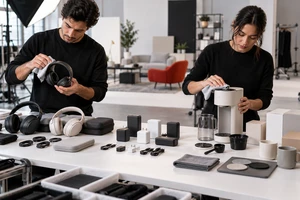
- Accessory backups. Batteries, chargers, storage media, consumables, seals, remotes, regional power adapters, and cleaning tools are all part of the sample system.
If the budget supports only two units, separate the cosmetic hero sample from the working action sample. Even if the action unit is marked during testing, the brand still has a clean and controlled product for the most valuable beauty shots.
Build a sample status sheet before the shoot
A useful backup is not merely another product with the same model name. Units can differ in material batch, color, hardware revision, firmware interface, regional account, and included accessories. The production team should record the following on a one-page status sheet:
- sample ID and assigned role: A, B, or C;
- cosmetic grade, color, material, and visible defects;
- hardware revision, firmware version, app version, and region;
- account, network, activation, and offline requirements;
- battery health, starting charge, charging time, and cooling time;
- included accessories, consumables, and replacement parts;
- approved effects and restrictions on water, disassembly, or heat;
- reset steps, expected reset time, and the responsible owner.
If the unit is still an engineering prototype, list every visible difference from the final production version. Product advertising should be truthful and supported by evidence; the U.S. Federal Trade Commission's business guidance states that advertising claims must be truthful, not misleading, and evidence based. Prototype footage should not imply final product features or appearance without an explicit review of those differences.
The first 30 minutes in the studio protect the entire day
Do not put the product under camera the moment it arrives. Photograph all sides of each unit, verify the serial or internal asset number, and test power, charging, login, accessories, and the critical action. Label each unit A, B, or C in a place that cannot enter frame. Every shot involving water, powder, smoke, disassembly, or repeated operation should record which sample was used.
If a unit develops a scratch, water ingress, color change, thermal throttling, or a different interface state, isolate it and add a note. Do not silently swap units halfway through a matching group of shots. Before any swap, compare the finish, screen content, indicator lights, accessory position, and action speed. Those discrepancies are difficult to repair convincingly in postproduction.
Run the high speed setup dry before committing the product
Before pouring liquid, launching particles, or triggering a fast mechanism, run the shot with the intended lens, light, frame rate, and shutter without consuming or exposing the product. Confirm four things: the action is repeatable, the light level is adequate, the fixtures do not flicker, and the reset time fits the schedule. Then perform a limited effects test to confirm particle size, liquid viscosity, direction, containment, and crew safety.
If multiple products must share the day, use the scheduling principles in our multi-SKU studio production guide. The purpose is not to force every SKU through the same setup, but to group shots by lighting, lens, motion control, and reset requirements while protecting the hero samples.
When can you skip a second fully functional unit?
A second working unit may be unnecessary when the shot is a safe static display, the product is an approved final production sample, the delivery route is reliable, and a replacement can reach the studio quickly. A cosmetic model can also handle macro and tabletop shots while the only working unit is reserved for real operation. The internal brief must still state what the model cannot demonstrate, and it must never be used to imply a function it does not have.
By contrast, a backup should become a preproduction requirement when any one of these conditions applies: the effect is irreversible, reset takes more than an hour, the product has crossed borders and cannot be replaced the same day, the only available unit is still in development, operation depends on a specific account or server, or the shot requires strict repetition across many takes.
Keep the sample-to-shot record in the delivery package
The handoff should include more than masters and captions. Add the shot-to-sample log, known prototype differences, firmware and interface versions, notes on any abnormal takes, and the client's approval of relevant differences. Our corporate video delivery checklist provides a practical structure so editorial, legal, and marketing teams know which footage is ready to use and which shots need additional review.
The expensive part of high speed product production is rarely the second sample. It is the full camera, lighting, effects, crew, and studio package waiting because the only unit cannot continue. ONCE can combine the shot list, sample roles, effects test, and continuity plan in one production brief. Visit ONCE solutions or the ONCE English site to share your product materials. We will help determine which shots genuinely need a backup and where a lighter setup is enough.