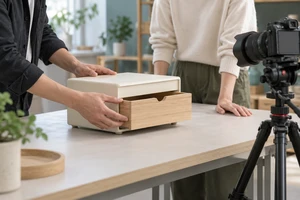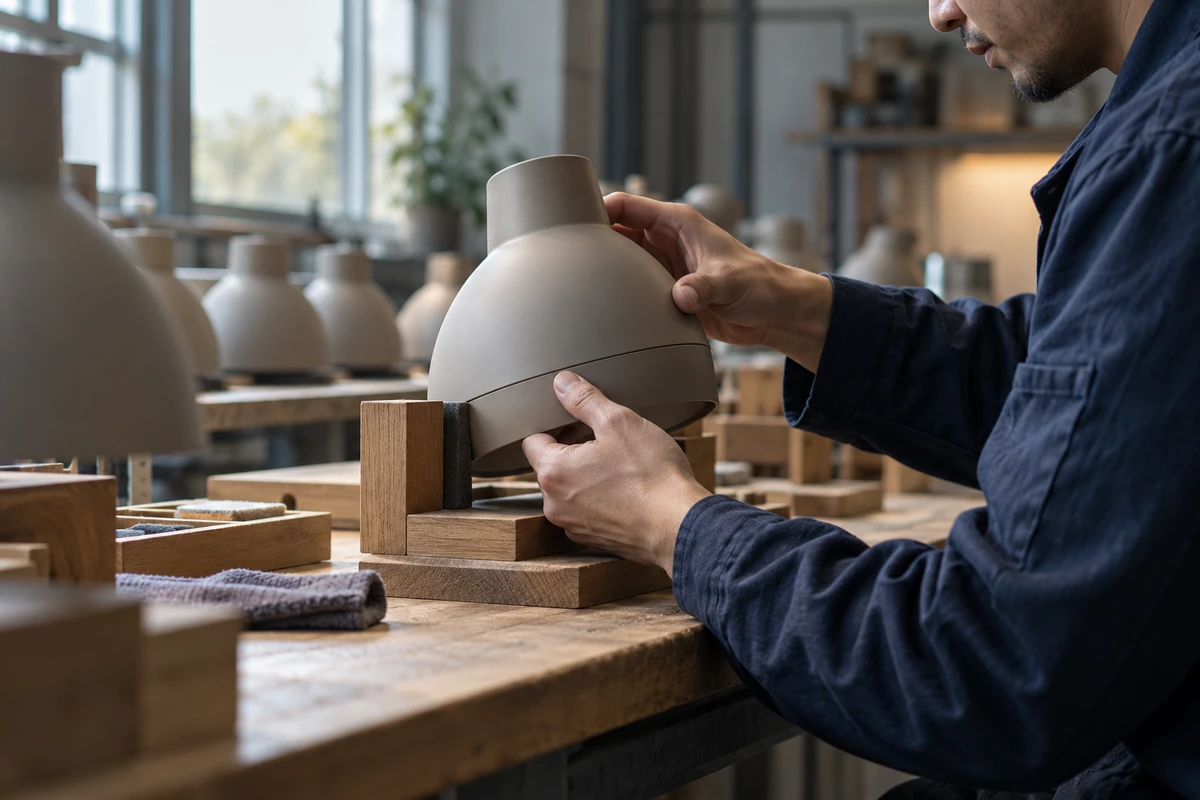
A worker brings two lamp-housing components together, looks at the seam, then adjusts their position. Keep only “pick up, close, put down” and the sequence feels efficient. But the moment of looking has disappeared too. We have seen assembly without necessarily seeing what the person assembling it cares about.
This is a fictional filming scenario, not an ONCE client project or a lamp-manufacturing tutorial. It raises a practical question for industrial brand films: with limited running time, how much of a process should remain? Neither an unbroken record nor constant fast-forward is automatically the answer. A more useful distinction is between time that repeats something we already understand and time that first reveals why the work matters.
Keep the action that explains the decision
Suppose the film is about the attention someone gives to a joint, not how many units the factory produces per hour. A sequence might establish the two components, show the worker examining the seam and repositioning them, then move into the next assembly stage. The pause matters because something changes across it, not simply because it is a pause.
An editor cannot invent that relationship from a serious face and disconnected hand close-ups. The object of attention needs to be visible. The adjusted position needs to differ intelligibly from what came before. The eyeline and the action need to concern the same task. This does not demand a long take, but it does demand a readable connection.
A long shot can equally fail to explain anything. A hand may hide the seam throughout, leaving us merely waiting for the operation to end. Or every detail may receive the same amount of screen time, with none becoming significant. Keep time because it changes understanding, not because slowness supposedly signifies craftsmanship.
For our fictional sample lamp, the first inspection and adjustment could receive a complete action. Later repetitions of picking up and positioning need not be shown in full. The cut removes repetition while retaining judgment. A brand impression then grows from something viewers can actually notice, rather than a voiceover announcing a commitment to excellence.
Repetition, duration and missing stages are different edits
All three treatments shorten a film, but they preserve different information:
| Treatment | What remains understandable | What still needs clarification |
|---|---|---|
| Remove later repetitions of picking up and positioning | How the first action works | Whether later shots show the same kind of task or a different process |
| Speed up a continuous shot | The broad movement and its order | Playback has changed, so it cannot establish actual task duration |
| Jump from a partly finished object to a later stage | The states before and after | Stages have been omitted; one gesture did not necessarily complete the work |
Cutting from a housing being picked up to a packaged product removes more than a few seconds of waiting. It skips a process. A new workstation, a clear stage label or a transitional shot can make the omission understandable. Matching compositions alone should not compress separate operations into a deceptively simple act of closing something.
Time-lapse is a different way of acquiring material. Nikon’s official Top Tips for Capturing Time Lapse Video with a DSLR explains recording individual frames at intervals and playing them as a sequence (no publication date displayed; checked October 20, 2026). That differs from continuously recording every moment and then accelerating it. It can serve an idea that needs to show overall change across a long period. If the important event is a brief inspection and adjustment, interval capture may not record it at all. Decide what must be seen before filming rather than hunting later for a frame that looks attentive.
Music connects feeling, not missing operations
A continuous beat can make different workstations feel like one flowing whole. That may be a legitimate brand expression. It does not establish that every operation happened continuously or took only the time shown. Images and any necessary text must still explain a change of stage.
Sound need not distribute emphasis evenly. A brief pause before the important adjustment, or the light contact of two parts, might help us notice the change more than a heavy beat on every hand movement. This is a creative suggestion to try, not a claim that a sound effect increases trust or conversions. Recording, sound design and the image need to be judged together in the finished sequence.
Retiming changes the viewing experience, not the recorded work
Adobe’s Change clip speed and duration using Time Remapping, updated January 7, 2026, explains how different sections of one clip can play at different speeds. Repeated movement could therefore be compressed while a joint inspection returns to normal playback. The technical option and the creative reason to use it remain separate decisions.
Frequent speed ramps can also redirect attention from the work to the editing. If viewers remember each musical hit but cannot say what the worker was examining, the treatment may not serve the film. First make the shot order intelligible without retiming. Then compare whether compressing one passage actually helps understanding.
Adobe’s Apply Time Interpolation Methods to adjust clip speed, updated the same day, distinguishes methods: Frame Sampling repeats or removes existing frames; Frame Blending combines neighboring frames; Optical Flow analyzes motion to generate intermediate frames. Our inference is that smoother playback does not make those generated frames observations captured at the time. They cannot establish a joint detail that was unclear in the source footage.
The time-interpolation section of Adobe’s Basic video export settings in Premiere, updated August 18, 2026, also warns that Optical Flow can introduce artifacts when frames differ significantly. That section concerns frame-rate conversion; export settings are not the only route to retiming a clip. Examine the actual result around seams, fingers and occlusions rather than assuming a more sophisticated-sounding option has resolved the image. No software comparison test was performed for this article.
Give the film rhythm without making the factory relentless
An industrial brand film can move quickly and still have room to breathe. Ask what the speed belongs to: the arrangement of shots, the visual pattern of repeated actions, or a statement about actual production efficiency. Editing can design the first two. Playback speed cannot establish the third.
If a film does claim throughput, cycle time or the duration of an operation, those claims need their own reliable information and relevant conditions. Accelerated footage is not a timing record. Nor must the brand film become a complete training video. It can retain one meaningful decision and give other stages lighter treatment, helping viewers understand an approach to work without implying they have learned to perform it.
Return to that glance at the seam. What deserves to remain may not be a longer process, but a small relationship: someone notices a state and changes an action because of it. Make that relationship readable, then decide where to move faster. Industrial footage can become understandable work, not merely a background of machines that never stop.
For an industrial or corporate brand film, bring a process you are authorized to discuss and the particular decision you want viewers to understand. Explore the narrative and filming direction through ONCE video production solutions.
Source note: The three Adobe documents and Nikon tutorial were checked on October 20, 2026; known update dates appear above. Embedded tutorials were not watched, and no manufacturing, software or audience tests were conducted. The lamp scenario and original AI-generated cover are fictional, not a client location or a technical operating demonstration. The Chinese edition names the same sources without adding overseas links whose accessibility from mainland China has not been tested.