Photographing transparent products is not a matter of making glass as bright as possible. Viewers need to recognize its shape and understand its transparency. The outline, surface reflections and background seen through the glass perform different jobs.
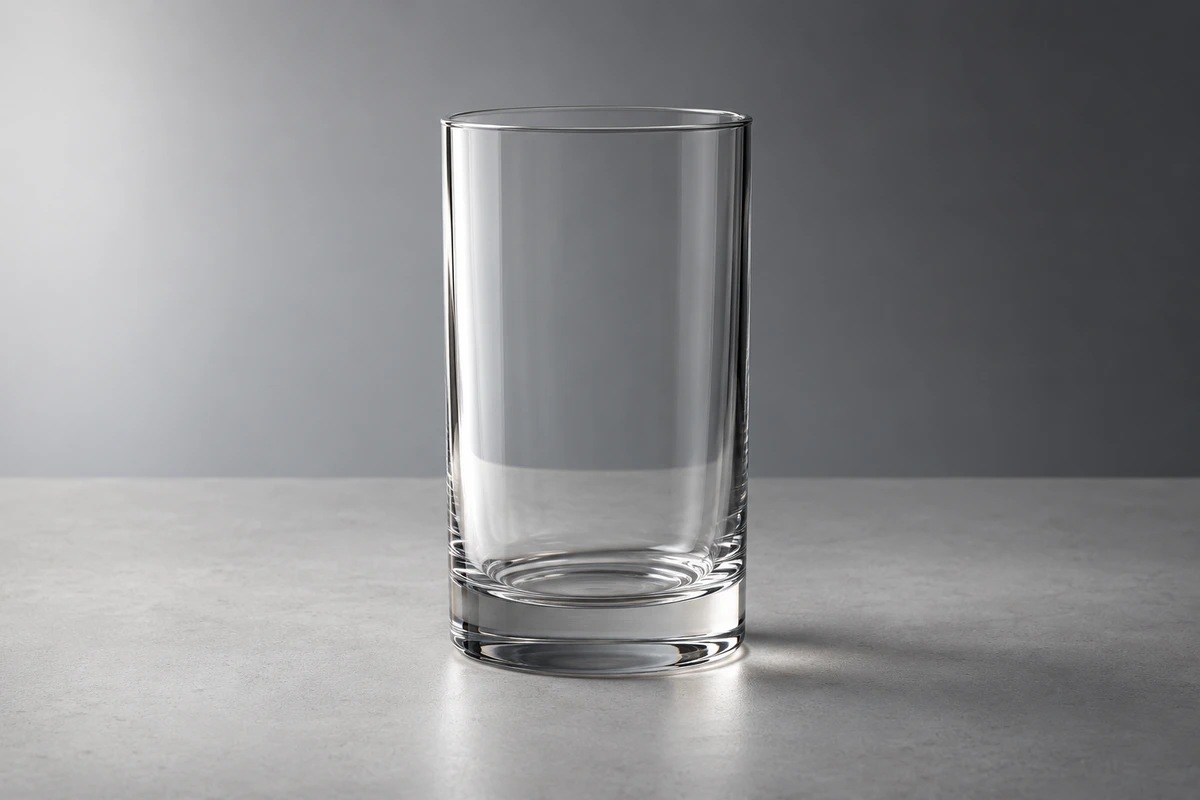
Imagine an original, fictional colourless drinking glass on a pale surface. The image is clean, but its rim is disappearing. Adding a bright area in front creates a broad white patch across the body, making it resemble opaque packaging. The useful adjustment may concern where its surroundings are light and dark rather than overall brightness.
This is a lighting discussion, not ONCE client work or a photographed comparison. The actual sample still determines the shape, colour, finish and use context.
Look beyond the glass to the surrounding contrast
The Corning Museum of Glass's Photographing glass: Lighting techniques for transparent glass objects, published on 25 April 2018, explains that seeing transparent glass is inseparable from seeing through it. Surface changes alter that background view, and light-dark contrast helps reveal detail. Glass transmits, reflects, refracts and distorts light; lighting it only as an opaque object misses part of the task.
Ask not only whether light reaches the glass, but what the camera sees through it. An evenly bright background may offer too little variation for some curves and details. A useful transition behind the glass can help more than additional illumination in front.
For our fictional sample, examine three areas separately: whether the rim and outside contour separate from the background, whether the body retains a surface, and whether objects behind it change plausibly through its walls. Improving one does not automatically improve the others.
Light backgrounds with dark edges, or dark backgrounds with light edges
A pale background can support clear, light product imagery without making every part of the glass equally white. Pixelz's reflective-product photography tutorial, dated 18 January 2022, describes placing black boards beside glass and changing their distance to strengthen its outline. We borrow that specific relationship, not its generalized overexposure advice.
Against a light background, try retaining a bright view through the body while using darker areas outside the frame to help define the sides. The width and position of the dark lines depend on the glass, camera and boards. If the result resembles a drawn border, reconsider whether it has overwhelmed the intended delicacy.
A dark background offers another direction. Westcott's Dark Field Photography Tips and Techniques describes a large light behind the subject with its central area blocked from the camera, allowing light around it to help define the edges. This is a starting point for dark-field lighting, not merely a sheet of black background paper or full frontal illumination.
Choose according to the image's task. A pale field can keep the product connected to a bright environment; a dark one can emphasize its rim and curves. Lettering, frosted areas or opaque components may need their own readable lighting. Attractive bright edges do not automatically explain every product detail.
Shape reflections that help describe the form
Not every bright strip on glass needs to disappear. It can describe a curve, a turn or the presence of a surface. Reflections worth reorganizing are those that serve no purpose, conceal information or reveal a cluttered environment.
If a broad white band covers a pattern on our fictional glass, identify the bright area causing it. Adjust its shape, position or masking before darkening the whole object. Then check both whether the pattern returns and whether the curved form remains readable.
The museum's second article in the series, published on 31 July 2018, describes a beaker whose front and rear engravings interfere. Changing the light-dark relationship behind it improved legibility. The practical reminder is that confusion need not come entirely from surface reflections: information on the far side can overlap what is in front.
When a double layer of pattern is difficult to read, distinguish a white reflection covering it from the rear design interfering through it. Otherwise, the team may keep moving a front light without changing the background that contributes to the confusion.
Retouching should preserve this distinction too. Cleaning dust or irrelevant stray light is different from erasing every surface cue. Accurate product imagery should not turn existing colour, a substantial base, engraving or frosting into another material simply to appear cleaner. Use the sample and approved product information as references rather than an abstract idea of “premium glass.”
Fix a viewing position, then adjust deliberately
A useful test begins with camera, glass and background positions established. Move one light-control element, such as a side black card or the edge of a diffusion surface. Observe where the outline appears or broadens, record the change, then decide what to try next.
Changing the angle, rotating the glass, moving the background and adding light simultaneously may produce a good image without revealing which adjustment helped. Creative work need not become a laboratory exercise; the aim is to make a local decision useful for the next step. This is a proposed test, not an optical or equipment experiment conducted for this article.
Separate viewing tasks when needed. An overall shot establishes the relationship between rim, body and base; a detail shot can explain engraving, seams or actual colour. Not every feature must be brightest in the overall view, but a close-up should not conceal a distorted overall shape.
Review the complete movement after the still frame
When the product rotates or the camera moves, the attractive highlight in the opening frame may not remain in the right place. Review the intended path continuously: does the rim disappear midway, does a reflection sweep over important decoration, and does the changing background still belong to one environment?
Begin with a shorter movement if useful, making the crucial turn or camera passage clear. If protecting one attractive reflection makes the whole movement difficult to understand, coordinate action and lighting again rather than asking post-production to make every frame carry an identical highlight.
The same three observation areas—outline, surface and background through the glass—can guide discussion of compositing or AI concepts. A concept image can propose a direction; it is not a measurement of actual transmission, refraction or product thickness. The original AI-generated cover for this article is not a lighting-test photograph either.
Transparent products need not look as though they have no material. Let necessary edges appear, preserve useful reflections and keep the world seen through the body credible. Clarity and transparency can then be considered together.
For glassware or transparent-packaging content, bring the actual sample, required detail and intended camera movement to ONCE's product video production discussion. Establish what viewers need to see before deciding which light and dark areas belong in the picture.
Source note: The museum, Westcott and Pixelz original photography tutorials were consulted on 20 October 2026. Westcott displays its date as 06/05/2012. We did not watch tutorial films or conduct filming, equipment, product or audience tests. The fictional glass and AI cover are not ONCE client projects.