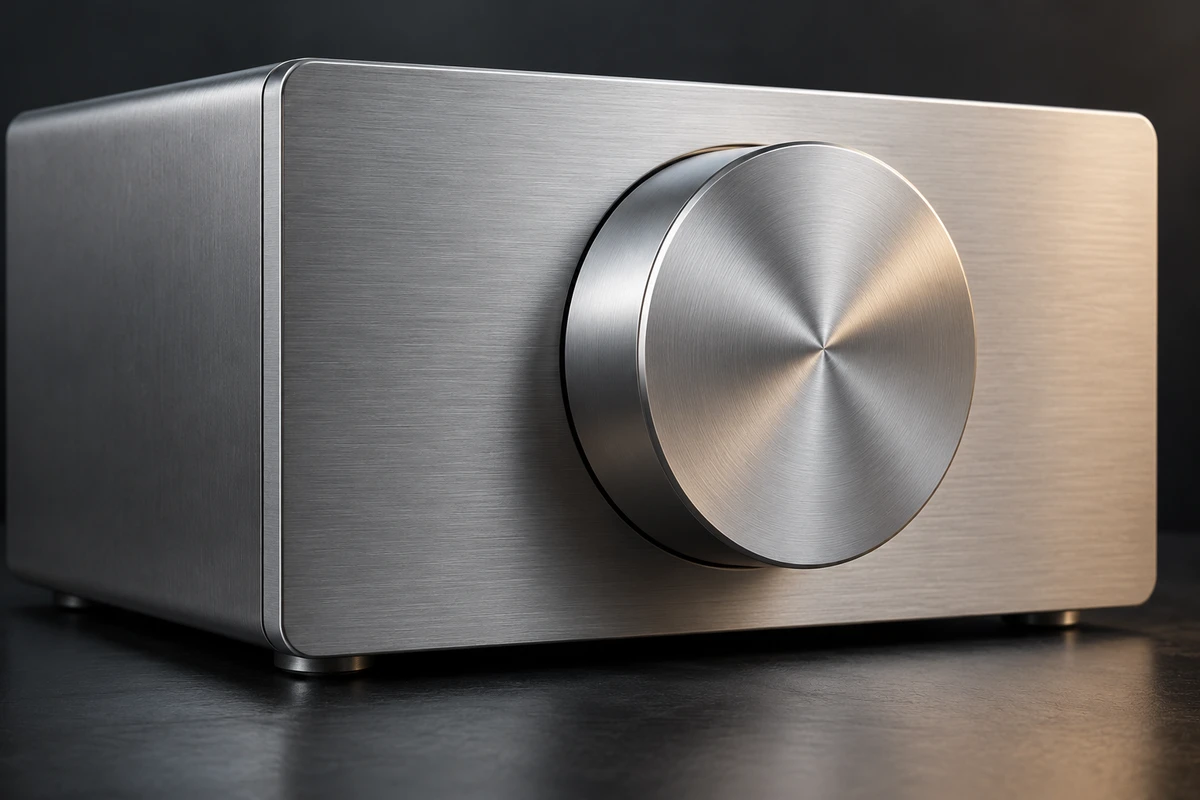
The brushing is clearly visible, so why does the product still resemble gray plastic with lines printed on it? In product rendering, adding finer scratches is not always the answer. Visible marks describe what is on a surface. Its sheen describes how that surface responds to light. If the two disagree, enlarging the detail can make the problem more obvious.
For an advertising team, “make it more metallic” is less useful than identifying the symptom. Are the highlights too uniform? Does the finish continue unchanged across separate components? Does an attractive bright band stay in exactly the same place as the object turns? These are different problems, and they call for different adjustments.
Surface marks cannot stand in for sheen
The official KeyShot Anisotropic material documentation describes separate roughness controls in two directions that change the shape of a highlight. That directional difference offers a useful starting point for understanding brushed metal: the surface does not spread reflected light identically in every direction.
Anisotropy can sound like a switch to turn on. In a creative discussion, start with the appearance instead. Look at a real material reference. Is the bright area relatively uniform, or does it show a pronounced directional character? Then ask whether the fine surface marks are visible. The first question concerns the organization of the reflection; the second concerns visible detail. They are related, but they do different jobs.
Autodesk's official 2024 Arnold for 3ds Max tutorial on brushed metal treats directional reflection and fine bump detail separately. Its example establishes the directional response before adding surface detail. Drawing visible lines therefore does not automatically produce the corresponding reflection. Directional sheen alone may also lack the detail a close-up needs.
If a render already contains plenty of lines but still looks dull, increasing their contrast may simply make the finish look worn. If the sheen is convincing and only an extreme close-up lacks machining detail, texture scale and strength become more relevant. Identify which information is missing before choosing what to change.
Direction belongs to the component, not the whole image
Imagine an unbranded desktop controller with a flat metal enclosure and a round dial set into its front. This is a discussion example, not a client project or a completed rendering test.
The panel might have a straight brushed finish, while the face of the dial might receive a different treatment. But a circular dial does not necessarily have concentric machining marks. One describes geometry; the other describes a surface. Establish the finish from the real product or reliable design information, not from the outline alone.
Why the joint is worth examining
A joint between differently finished parts can be a revealing place to look. Do the texture and sheen change with the component? Or does one continuous texture run from the enclosure across the dial, giving independently treated surfaces the same direction?
This does not mean every component must contrast deliberately. Some finishes genuinely resemble one another, and some differences will barely register in the chosen shot. The aim is a supported representation, not extra marks added to make the material more elaborate. When a brand wants visual unity, composition and lighting can help create it without turning distinct finishes into the same process.
A useful comment identifies a location: “The direction on this side of the panel works, but the dial face appears to inherit the enclosure's response.” That gives a collaborator something specific to address. “The product doesn't look premium” does not, and it risks undoing parts that already work.
One attractive highlight is not a complete material
An advertising still can legitimately favor the most expressive angle. The difficulty begins when a highlight from that angle becomes a permanent mark on the object. The surface turns, but the bright white band remains attached to exactly the same spot, behaving neither like a printed graphic nor like a response to the scene.
In a 3D workflow, temporarily separate material, lighting, and viewpoint. Keep the material unchanged while moving the light. Then keep the lighting and change the view or object orientation. This is a proposed observation method, not an experiment conducted for this article. Nor should every small movement produce a dramatic change. The purpose is to understand whether the appearance comes from the surface responding to light or mainly from painted shading.
If a different viewing condition reveals a problem, do not immediately blame the material. Light shape, surroundings, and camera angle also affect the image. Compare reference and render under comparable conditions, changing one factor at a time. Replacing lighting, texture, and grading together may yield a better picture without explaining why it improved.
This is also why reverse-engineering a material from a single photograph is ambiguous. The image records one surface under particular lighting from a particular viewpoint. It is not a complete material recipe. Real references from more angles can help separate fixed detail from changing sheen. Without them, acknowledge the limits instead of inventing a definite manufacturing explanation.
Express the finish without changing what the product is
A small advertising placement may need stronger contrast to make brushing visible. A readable product mark may require a quieter highlight. These are choices about presentation, not reasons to make every metal surface equally dazzling. People need to understand the product before they can appreciate its finish.
A directional highlight can organize attention; excessively strong marks can make a new product resemble old equipment. A softer area does not automatically lack metallic character. Return to the shot's purpose: is it emphasizing fine machining, solid construction, or a restrained appearance? The same real finish can support different emphases without being described as a different manufacturing process.
The next time a product image has plenty of lines but an unconvincing finish, begin with one component. Identify its visible detail, examine its directional sheen, and then consider both within the lighting and composition of the ad. That is more likely to locate a useful change than continually adding scratches.
Planning product visuals or an advertisement combining live action and CG? Explore ONCE video production solutions to discuss product references and the creative intention of specific shots.
Source note: KeyShot's Anisotropic documentation and Autodesk's 2024 Arnold for 3ds Max tutorial were checked on October 19, 2026. The year 2024 identifies the documentation version, not a rendering test conducted for this article. No software rendering tests were performed. The cover is an AI-generated, unbranded product concept, not a material measurement or proof of physical accuracy.