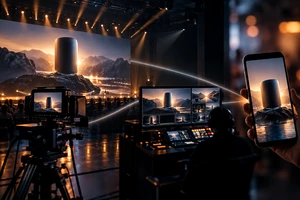
Imagine a product launch is a week away. The brand has approved the edit, but the event team has just supplied an ultrawide screen layout and the media team now needs a vertical version. The immediate question is: which file was approved, and where is it ready to run? If the answer is simply “the final,” several parts of the delivery remain unconfirmed.
When commissioning the film, separate three decisions: the brand approves the content, the event team confirms playback, and the channel owner approves the file for release. One project manager can coordinate all three, but a single edit review cannot replace them. This article explains how to organise acceptance and testing; it does not prescribe one technical specification for every event.
Give every approval a specific object
“The film is fine” leaves too much open to interpretation. A more useful record says: “Product names, claims and shot order approved; stage playback file awaiting on-site testing; English vertical version awaiting subtitle review and channel preview.” Work can move forward while outstanding checks remain visible.
Agree on three types of sign-off in the brief:
- Content approval: the brand or product owner approves functionality claims, copy, product appearance, music direction and narrative. The production team cannot approve product specifications on the product department’s behalf.
- Stage acceptance: the playback operator confirms the canvas, playback software, connection method and audio routing, then tests the file on the agreed equipment.
- Channel acceptance: the person responsible for uploading or advertising checks the language, aspect ratio, captions and landing-page information, and confirms that the file is the approved version.
These are not three rounds of subjective creative feedback. Each review should address its own questions. If an approved film appears at the wrong scale on stage, check the player and canvas mapping before deciding that the creative needs rebuilding.
When stage specifications are incomplete, send a test clip first
“Send us a 4K file” is not enough. Confirm the final pixel canvas, whether content spans several screens, the playback software and equipment, accepted containers and codecs, frame rate, audio connection, and the date of the full playback test. The screen’s physical size alone does not determine the file resolution.
An early test clip can reveal problems before the final export. The following is a hypothetical 30-second arrangement, not an industry standard or a report of an ONCE client test:
- Start with a canvas border, centre markers and fine lines to reveal stretching, cropping or incorrect mapping. These are technical test graphics, removed from the finished film.
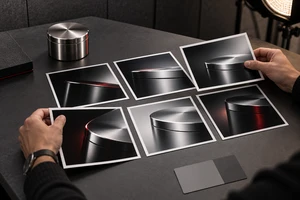
- Use representative product highlights, dark materials and motion shots in the middle. Check shadow detail, unacceptable stuttering and whether the product remains clear on the actual display.
- End with the longest subtitle, necessary small-print information and dialogue, followed by a musical accent and the closing cue. Check readability from the back of the room, audio channels and the stage handoff.
Use representative shots from the final project and the intended delivery encoding settings. Simple colour bars can reveal some signal-chain problems, but cannot demonstrate that a complex film plays smoothly. After the test clip passes, play the final file from beginning to end. Changes to captions, music or duration require the affected sections to be checked again.
If the equipment cannot be available before picture lock, record “content approved; on-site playback unverified.” Arrange an alternative rehearsal and a final test at the venue. An alternative rehearsal can reduce uncertainty, but does not establish that the actual stage setup has passed.
Check social safe zones against the intended placement
A product action visible in the landscape edit may be incomplete in portrait. Successful playback also does not mean buttons will leave captions unobstructed. Review the social file for its intended channel and placement, rather than relying on a generic safe-area rectangle in the editing software.
Checked on 13 October 2026, Google Ads’ About video ad specs recommends 1920 × 1080 landscape, 1080 × 1920 portrait or 1080 × 1080 square video, and provides safe-zone templates. It explains that overlays and action buttons can appear in different positions depending on format, campaign type and screen. These are YouTube advertising references, not delivery specifications for a stage LED wall.
Our recommendation is therefore practical: check the product, message and necessary qualifications using the relevant template, then have the channel owner inspect the uploaded preview. Leaving an arbitrary margin around all text is not sufficient evidence of acceptance. A template for one platform should not be used for another without checking it.
Caption acceptance should include reading, not just proofreading. Play the longest sentence at normal speed on a phone-sized display. If understanding it requires pausing, change the line breaks, remove unnecessary words or allow more reading time before making the text smaller. Review English wrapping and timing separately; approval of the Chinese layout does not establish that the English version is readable. ONCE’s production solutions provide context for planning film and channel deliverables together.
Listen to each sound version, then watch without sound
The stage version must connect with the presenter, lighting cues and playback operation. Before acceptance, record who triggers playback, the exact closing frame, whether the audio tail continues, and when the presenter starts speaking. Black frames and pauses should have agreed purposes so the operator does not have to interpret them during the event.
Check the social mix separately through headphones and a phone speaker. If an essential benefit exists only in the voiceover, watch the film muted and ask someone who was not involved in the edit to describe the product, function and next step. Missing information identifies where copy or the edit needs attention. This checks message completeness; it does not predict conversion performance.
At the time of this review, YouTube’s recommended upload encoding settings include an MP4 container, H.264 video and a 48 kHz audio sample rate, and recommend encoding at the recorded frame rate. These are references for the corresponding online version. Stage files should follow the confirmed player requirements. Two files ending in “.mp4” are not automatically interchangeable.
Agree at quotation stage whether music, voiceover and effects stems, textless footage and subtitle files are included. Preparing and checking them takes work, and delivery depends on licensing and the agreed project handoff. They are not automatic inclusions. If further languages or message changes are planned, commissioning these assets early gives the team more options than trying to separate a flattened final mix.
Record the failure before deciding who changes what
Suppose the closing caption is cropped during a stage test. Useful feedback would say: “Stage playback file, version 03, 00:24–00:27; right side outside the visible display area; venue photo and playback settings attached; canvas mapping to be investigated.” That is easier to act on than “fix the captions,” and helps prevent unnecessary changes to a social file that has already passed.
Record the filename, version, timecode, viewing environment, expected behaviour and observed behaviour for every issue. A technical report can include player settings or a screen photograph. A content report should identify the product fact or approved wording that does not match. Then distinguish:
- A mismatch with the agreed brief: correct the affected file and check whether the same issue appears in other versions.
- A change in venue or channel conditions: establish whether it needs a new export, typography layout, edit or additional footage before agreeing on timing and cost.
- A brand change to approved claims or language: update the copy approval record and identify every affected version, rather than changing just one file.
This is a recommended management approach. Responsibility and charges follow the parties’ actual agreement. In particular, distinguish exporting a format from designing another version: changing resolution, rebuilding portrait framing and shooting an additional product close-up involve different amounts of work.
Accept a usable delivery list, not an ambiguous folder
At handoff, each release file should map to a purpose, language, aspect ratio, duration, version, approver and test result. Keep approved files in a read-only folder and test exports elsewhere. Use clear version numbers instead of names such as “final-final-new.”
With a limited budget, prioritise the essential stage version and one main channel version, with further versions priced as options. A small event using one standard display may not require complex multi-screen support. An ultrawide screen, a timed stage handoff or multilingual advertising, however, deserves corresponding tests in the schedule rather than an assumption made on the eve of release.
ONCE VISUAL can discuss the hero film and reusable assets around a product launch. Version counts, on-site support and project handoff are agreed for the specific engagement. Share the screen information, channels, languages, launch date and indicative budget to request a product launch video plan, with delivery and acceptance defined together.
Sources checked on 13 October 2026: Google Ads, About video ad specs; YouTube Help, YouTube recommended upload encoding settings. Test arrangements, responsibility assignments and feedback formats in this article are production recommendations, not platform mandates. The cover is an AI-generated illustrative scene, not a documented client event.