When the same connected product is launching in the United States, Germany and Japan, the production question sounds simple: if the hardware and operation have not changed, can the brand shoot the physical product once and replace the app recording for each market?
Some shots can be reused, but a team should never begin with the assumption that localisation is only a text swap. A reliable consumer electronics demo separates three things: the physical action that stays constant, the interface that changes with language and region, and the market-specific product version that determines whether the feature still behaves in the same way. If any one of those changes the order or meaning of the operation, the old hardware shot should not be forced onto the new interface.
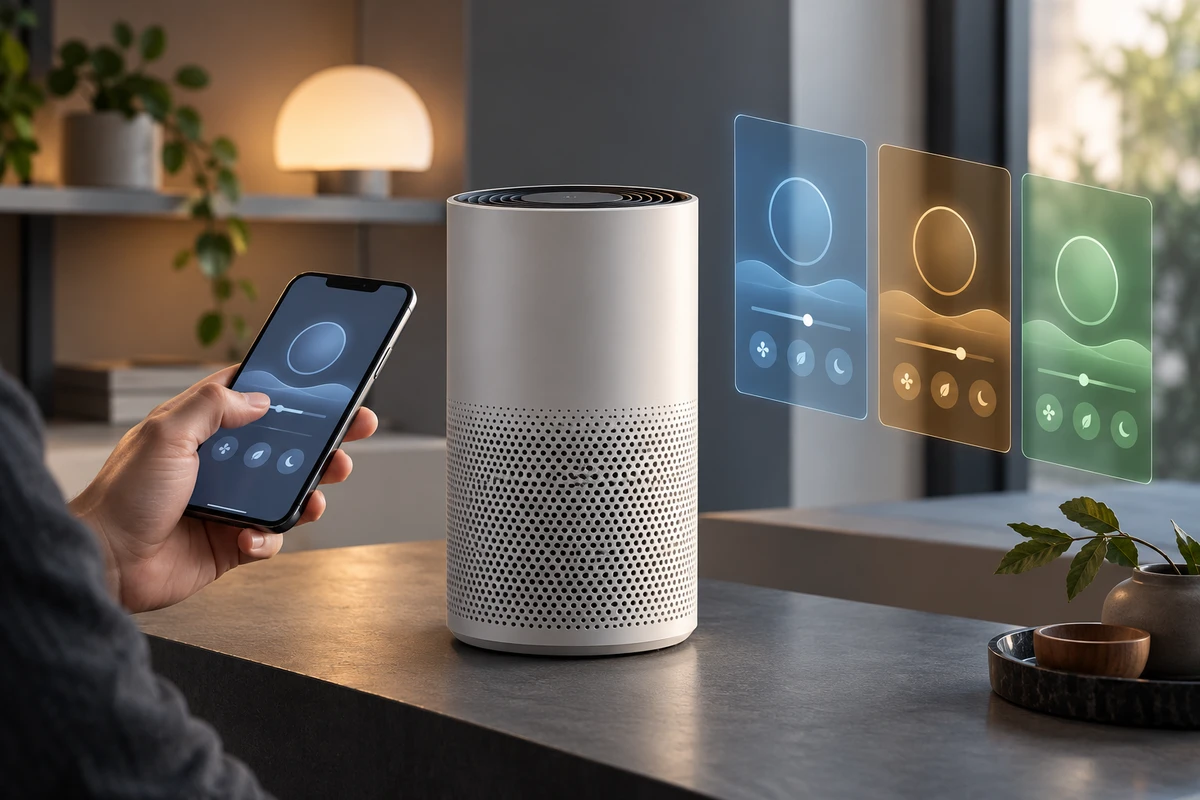
The worked example below uses a hypothetical connected air purifier. It is not an ONCE client project and does not represent the capabilities of any real product. A production should be based on the brand-approved hardware SKU, firmware, app build, system locale and market feature list.
Divide the footage by what changes, not by language
Imagine that the film needs to show a user turning on Night Mode in the mobile app. The purifier lowers its fan speed, dims its indicator and reports the new state in the app.
That one feature contains at least three production layers.
The physical layer: is the action really identical?
Reusable material may include beauty shots, the relationship between the hand and phone, changes at the air outlet, a dimming indicator and lifestyle scenes that do not show market-specific plugs or packaging. Yet the same product family is not automatically the same market SKU. Power hardware, panel labels, voice prompts, accessories and indicator logic all need confirmation before the physical footage is declared universal.
Hand performance is equally important. Buttons may remain in the same place across English, German and Japanese builds, but they may also move because copy wraps, navigation changes or an operating-system permission prompt appears. If the actor visibly taps one location and the new UI places the button elsewhere, a clean screen replacement creates an inaccurate tutorial.
The interface layer: locale changes more than copy
Android's localisation guidance treats text, numbers, currency and graphics as resources that may vary by locale. Apple's localisation documentation likewise recommends running and testing an app in every supported language and region. For video production, a capture list therefore needs more than “English, German and Japanese.” It should record:
- app build and account region;
- phone model, operating system, language and region;
- units, dates and number formats;
- first-run Bluetooth, notification and network permissions;
- button positions, line breaks, error states and completion copy;
- which screens belong to the app and which belong to the operating system.
Both Android and Xcode offer pseudolocalisation tools that expose text expansion, truncation, hard-coded copy and right-to-left layout problems before final translation. Those test screens are not final footage. They are a useful pre-production warning that a hand path designed for an English button may not survive longer copy or a mirrored interface.
The market layer: reuse follows the result, not the artwork
Night Mode can be translated, but its result cannot be assumed. Firmware, account permissions, cloud services, defaults and required disclosures may differ by market. Fahrenheit in a US interface and Celsius in Germany or Japan may be a surface change. A feature that is unavailable in one region, or a result screen that adds an essential warning, changes the duration and responsibility of the shot.
The first reuse question is therefore “Does the result remain the same?” Only then should the team ask whether the composition remains the same. If behaviour, waiting time, permissions or limitations differ, treat that market as a separate functional path even when only a few words appear to have changed.
Build one physical master that every language can reference
Do not ask an actor to perform an unnaturally slow tap on a blank phone just to make replacement easy. Begin with a continuous reference take that holds the phone, hand, purifier and visible result in one frame, from a known starting state through a real completed operation. It may never enter the final edit, but it gives the screen capture, close-ups and compositing work a shared timeline.
Then split the coverage into four groups:
- Interface-free physical shots: standby state, vents, indicators and the person-product relationship, with no readable phone copy.
- Trigger relationship shots: the finger landing and device feedback, reviewed for each language to confirm that the tap position remains valid.
- Market-specific screen recordings: the same operation from the same starting state, using the approved build, account, language and region.
- Result-confirmation shots: the app result and observable device change together. If the frame cannot hold both, the delivery record should identify which asset proves which fact.
Every camera and screen-capture file should begin with the market code, build, product state and take number. Preserve an event that both recordings can identify at the real trigger point: the finger press, a genuine confirmation sound or a device light. Do not align two clips because their animations seem to finish at roughly the same moment. And do not join an English tap to a Japanese success screen while presenting them as one continuous operation.
For a more detailed record of starting state, device feedback and reset conditions, use the state-chain shot card as the base and add locale, build and source fields. The purpose here is not to repeat synchronisation guidance. It is to decide which synchronised relationships remain valid across localised releases.
What changes across three market versions?
The Night Mode example can be converted into production decisions before the edit begins.
US English: operating-system permissions may appear first
If the first operation triggers Bluetooth, local-network or notification permission, the prompt belongs to a specific OS version rather than the app design file. The brand needs to decide whether the campaign film begins after setup and shows routine use, while a separate tutorial preserves the full authorisation path. Those are two different communication jobs and should not share one shortened process.
Screen-capture method also needs approval from the app team. Android's MediaProjection documentation explains that capture requires user consent and that current Android versions can share a single app window. Apple's ReplayKit supports recording an app's screen and audio, with technical limitations that must be checked for the specific content. A mockup is not automatically equivalent to an operating-system capture.
German: text length can move the camera and the finger
A longer button label, a two-line status message or redistributed whitespace may make a phone close-up feel crowded. The purifier response may remain reusable, but the screen needs a fresh recording and the finger must be checked against the new control. If the trigger moves, reshoot the hand rather than treating a misplaced fingertip as an acceptable compositing error.
Japanese: shorter copy does not guarantee the same timing
Font, line height, punctuation, units, input method and system copy can all change reading rhythm. Native-language review should assess not only the translation but also whether the final edit holds the screen long enough to read and whether voiceover describes the state that is actually visible. Shorter copy may justify a shorter hold, or denser information may require longer. The English timing is not a universal template.
If a later version includes Arabic or Hebrew, the interface may change to a right-to-left relationship. Navigation, progress direction and hand movement should then be tested again. Simply flipping the original hand shot can also reverse product marks, body movement and environmental direction.
When is a new screen recording enough?
A screen-only replacement is usually defensible when all of the following are true: the hardware SKU and physical response are unchanged; the functional sequence and waiting relationship are the same; localisation does not move the tap target; no OS prompt appears in frame; the result copy adds no new condition; and the brand has approved the compositing method.
Plan for a physical reshoot when any of these changes:
- button position, navigation direction or number of steps;
- firmware, account capability or regional cloud service;
- voice output, indicator behaviour, units or accessories;
- a market-specific safety message, subscription condition or feature limit;
- animation, waiting, error handling or completion criteria in a new build;
- an actor's gaze or hand performance depends visibly on the screen content.
Post-production can improve legibility, but it must not rewrite product behaviour. The US FTC advertising substantiation policy expects a reasonable basis for objective express and implied claims before dissemination. TikTok's advertising policy, updated in April 2026, similarly prohibits visuals or interactive elements that create a misleading product impression. This does not require every commercial to become a tutorial. It does mean that three different operations should not be assembled into one frictionless success if viewers would reasonably read it as the product's real behaviour.
A localisation shot matrix the team can fill in
Product, localisation, marketing and post-production owners can complete one row for every core feature. The goal is not to shoot every scene three times. It is to isolate the parts that genuinely change.
| Field | What to confirm |
|---|---|
| Feature and result | What this version proves and whether completion is identical across markets |
| Market and locale | Country or region, language, system region, units and date format |
| Product version | Hardware SKU, sample ID, firmware, accessories and panel language |
| App environment | App build, account region, phone, OS and permission state |
| Starting state | Product, account, network, language and feature settings before the take |
| Trigger | Tap target, hand path, voice command or hardware control that may change |
| Interface source | In-camera screen, OS capture, approved reconstruction or explanatory animation |
| Device response | Light, sound, fan speed or mechanism, and its order relative to the interface |
| Sync reference | Take number, trigger event, screen-capture filename and camera filename |
| Mandatory reshoot | Hand action, OS prompt, market hardware, result or limitation |
| Approval | Owners for product truth, localisation, market copy and final composite |
In review, do not begin by asking whether all three versions look identical. First verify that their starting states and results are equivalent. Then compare the operation sequence. Finally check copy, units, permissions and hold time. A version that only works by advancing its sound cue, misplacing the finger or borrowing a success page from another build is not an approved localisation.
The most valuable shared asset is not every shot. It is the layer that the team has proven does not change by market. Separating hardware, interface and market truth protects the efficiency of one studio shoot without turning language replacement into behaviour replacement.
If you are preparing one connected product for several markets, send the hardware SKUs, target regions, app builds, language list, feature paths and delivery formats through ONCE's product video service. We can build the shot matrix first, then decide what to capture once, what to record per locale and what genuinely needs a reshoot.