Imagine the first review of a 40-second launch film for a pair of AI glasses. A wearer steps into an unfamiliar street. Directions, translation and a capture prompt appear in front of their eyes. A moment later, they have asked for help, recorded the scene and shared the result. The pace is elegant and the imagery feels convincingly futuristic. Then the product manager asks one question: “Is this what the wearer really sees, or is it what we added to explain the story?”
This is a hypothetical review, not an ONCE client case. It illustrates one of the most important choices in AI glasses product video production. The risk is not simply making the product look too polished. It is cutting four different image sources as though they were one authentic point of view: a cinema camera approximating the wearer’s gaze, media captured by the device, feedback the wearer can actually see or hear, and a post-produced interface created for the audience.
The answer is not to make every layer look like a system recording. It is to make the source and responsibility of each layer clear: who is looking, where the image came from, what the device did, and what has been added only to aid understanding.
POV is not one shot type but four information sources
Before a storyboard shot is approved, label the source of every subjective view. A shot with no source label should not enter the feature-demonstration section.
- External wearability view: a camera observes the person putting on the glasses, adjusting them, using touch or voice controls and interacting with others. It proves a physical action and social context.
- Proxy wearer POV: a head-, chest- or eye-line-adjacent camera approximates what the person sees. It helps the audience follow space and action, but it is not the glasses’ own camera output.
- Native device output: photos, video or audio exported from the approved sample. This layer shows what the product can actually record.
- Interface and feedback representation: visible display content, audio responses or AI output rebuilt so the audience can understand it. It must be identified internally as a recording, a faithful reconstruction or a concept illustration, rather than passing a composite off as native media.
All four can appear in one film, and more than one can be combined in a single shot. They still require different approval tests. External views are judged for natural behaviour; proxy POV for spatial clarity; native media for authentic format and timing; interface representations for fidelity to the approved build.
That makes the problem more specific than the broader division of design, function, performance and lifestyle footage in our guide to four shot responsibilities in a 3C product film. With AI glasses, the film must also establish whose image the viewer is seeing.
Film the wearing experience before the intelligence
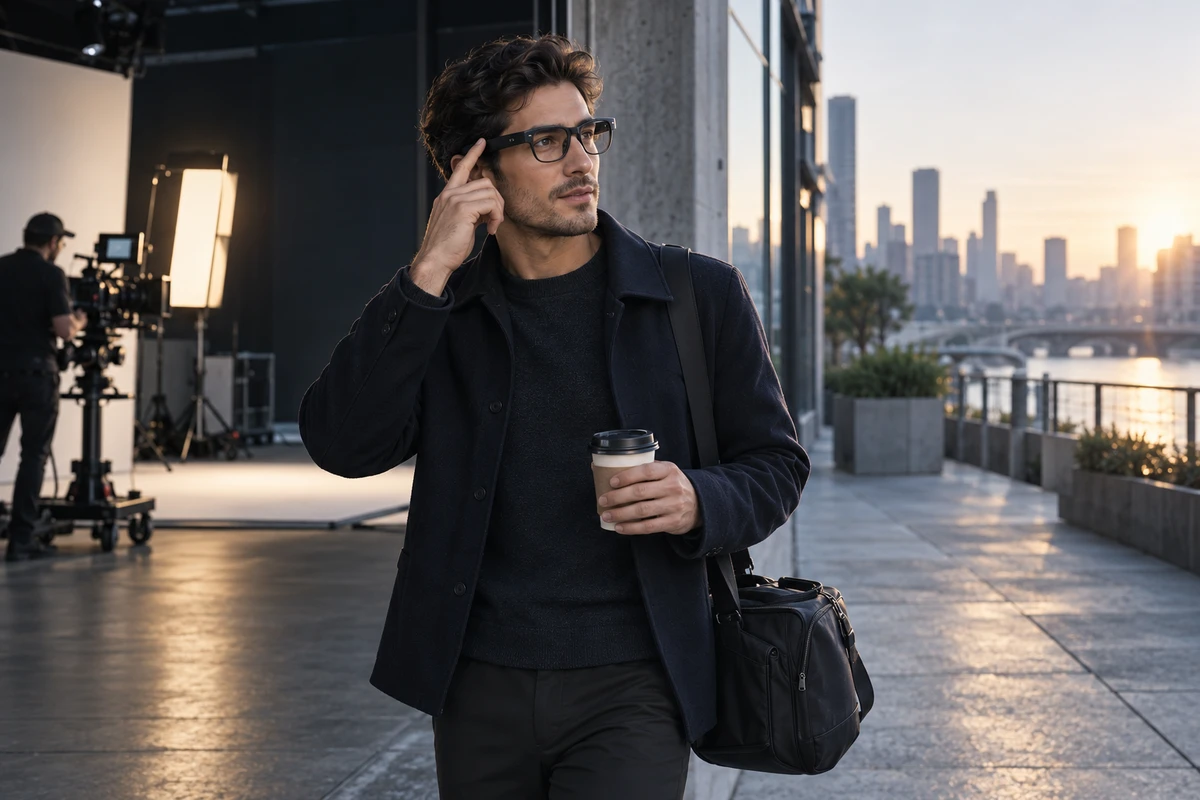
Glasses are not a desktop device. How the temples unfold, where the nose pads sit, whether the frame obscures the wearer’s expression, and whether they instinctively steady the glasses while speaking or touching the temple all affect whether the product feels like an everyday object or a prop placed on an actor.
A wearability shot should answer three questions
First, how are the glasses put on? Begin with a complete action: remove, unfold, wear and make a small adjustment. Starting with the talent already wearing the product hides scale and the physical threshold of use.
Second, how is an interaction triggered? Do not isolate a finger tap from its purpose. Preserve the need before the gesture and the feedback after it, so the action reads as operation rather than performance decoration.
Third, what can another person perceive? Camera-equipped glasses can have visible capture signals and raise legitimate questions for bystanders. Meta’s July 7, 2026 explanation of its own AI glasses says a front-facing white capture LED signals when shareable photos or video are being recorded, and that blocking or damaging the light disables the camera on the relevant products. This is a product-specific example, not a standard for every pair of AI glasses. Its production lesson is broader: an indicator, system sound or bystander response may be part of the product truth. Removing it for a cleaner frame can change the meaning of the demonstration.
If the frame size, sample version or interaction method is not locked, the wearability sequence should remain a styling and blocking test. Return to the approved sample for the final film instead of hiding a change through close crops.
Proxy POV explains space; native output proves capture
A proxy first-person camera can be steadier, sharper and easier to compose. It is excellent for showing where the wearer is going, what they look at and how their hands move. It cannot automatically represent the glasses camera’s actual position, field of view, stabilisation, exposure response or audio.
A sequence such as “see a sign, ask a question, receive an answer” should therefore preserve at least two sources. Use a proxy POV to organise the story, and record the approved sample in the same environment to obtain native output. The edit can use the first source for pace and the second for product proof, provided the presentation makes their identities clear.
Three practical rules keep the distinction intact:
- Archive native media before applying grading, sharpening, stabilisation or generative extension. Record the sample, firmware, capture mode and export path.
- If proxy POV appears in a feature sequence, treat it as a scene representation rather than allowing cinema-camera quality to imply device output.
- If the native image contains head movement, automatic exposure changes or a short pause, decide whether that behaviour belongs to the actual experience. Editing can improve viewing comfort, but the smoother edit should not be turned into a performance claim.
This is a useful division for a launch team. A hero film may prefer the emotional clarity of proxy POV, while a product page or sales demonstration may need a greater proportion of native output. Neither is inherently superior; they perform different evidential jobs.
A credible interaction preserves five stages
AI glasses often distribute an interaction across the glasses, a paired phone, a network and a remote service. Google’s May 2025 preview of Android XR glasses described a direction that combines camera, microphones and speakers, works with a phone and can include an optional in-lens display. It is a useful reminder that “AI glasses” does not describe one fixed hardware stack. Every film must return to the production specification, target market, software build and account state of the product being advertised.
A comprehensible interaction has five stages:
- Context: why the wearer needs help now—for example, both hands are occupied with luggage.
- Trigger: the approved wake phrase, temple control, button or gesture.
- Processing: enough of the real sound, light or interface state to show that the request is underway.
- Feedback: an audio response, in-lens display or companion-phone result.
- Action: the wearer turns, replies or captures something because of that feedback.
The most common distortion is not inventing a whole feature. It is deleting the middle. The wearer finishes speaking and the answer appears instantly; pairing, permissions and network conditions vanish; the animated interface becomes larger and more complete than the real one. The film may never say “zero latency,” yet its visual impression suggests exactly that.
For advertising in the United States, the FTC’s current advertising overview says advertising claims must be truthful, non-deceptive and evidence-based, and those principles also apply to online advertising for computers, software, apps and other products. In production terms, response time can be compressed only if the edit does not change the audience’s understanding of the function. Dependencies can be stated economically, but they should not be removed until the glasses appear to work independently of a required phone, network or permission.
Rebuilding a hypothetical 40-second launch sequence
The following is a method example, not an existing brand film or an ONCE project. Assume that the approved product can be voice-activated, capture a photo and provide walking directions through an in-lens display. No other feature enters the formal demonstration.
0–7 seconds: establish a pair of glasses
The wearer takes the product from its case outside a café, unfolds it, puts it on and makes one small adjustment. A side close-up retains the temple thickness and nose-pad position. Ambient sound continues. The product first becomes an everyday object rather than beginning as an interface effect.
7–15 seconds: show the trigger externally
With coffee and luggage in both hands, the wearer asks for directions. A front three-quarter camera sees the eye line, speech and temple feedback together. There is no rush to switch to POV, because the physical trigger and wearing state carry the information.
15–24 seconds: separate proxy view from native output
A proxy POV establishes the street and destination. The edit then uses a short export from the approved sample, retaining its real format and exposure response. If the image is not native output, it is treated as a scene representation rather than replacing the product evidence.
24–33 seconds: show only approved interface information
The walking prompt is reconstructed using the approved size, position, colour and order. The timing from trigger to feedback remains recognisable. The film does not add a three-dimensional map that the product lacks, and the talent does not turn before the system returns a direction.
33–40 seconds: return to the bystander view
The wearer asks the glasses to take a photo. An external view shows the product’s real capture indication, followed by the approved native image. The final moment returns to the street. The idea is not that technology replaces the wearer’s vision, but that the product removes one act of reaching for a phone during a specific task.
If the product has no display, remove the visible-interface passage. Use authentic audio feedback and the wearer’s resulting action instead. Subtracting an unsupported capability is more persuasive than filling the frame with a concept UI.
Make a dual-source feature test before the shoot
The most valuable pre-production test is not a complete style film. It is a 20–30 second dual-source clip. An external camera records the wearer, product and bystander context while the approved sample records its own image and sound. Align the two tracks in time, then add only the minimum interface reconstruction needed for understanding.
The test has six jobs:
- check whether the frame fits the talent and the wearing action feels natural;
- confirm that voice, touch, button or gesture interactions can be repeated;
- reveal the difference between proxy POV and native capture;
- show whether indicator lights, system sounds and feedback are readable on camera;
- identify where real waiting time may be compressed without changing meaning;
- verify that the interface composite follows the approved build rather than redesigning the product for a futuristic look.
Only after that test passes should the director expand lighting, performance and location coverage. If it fails, the team can identify whether the sample, blocking, ambient sound, connection conditions or composite method needs to change—rather than sending every unresolved issue into post-production.
Review each layer instead of asking whether it feels futuristic
Product, brand and production teams can use this compact approval card:
- Is the shot an external view, a proxy POV, native device output or an interface representation?
- For native media, have the sample, firmware, mode and export file been recorded?
- For a represented interface, have the content, layout, order and target build been approved?
- Are context, trigger, processing, feedback and action complete, or has the edit created an impossible instant response?
- Has the frame hidden a required phone, network, account, permission or regional limitation?
- Do capture indications, system sounds and bystander cues match the actual product?
- Has AIGC, CGI or post-production changed the frame, indicator, field of view or functional result?
- Without narration, can viewers still distinguish what the wearer sees from what the device records?
If any question cannot be answered, keep the shot as a concept illustration or visual test until the relevant product fact is confirmed.
If generative tools are used for environmental extension or interface visualisation, the ad team should also check current platform disclosure controls. Google announced in 2026 that its advertising products were adding a “How this ad was made” view and controls for declaring externally generated or edited assets; it also reiterated that misleading ads remain prohibited whether or not AI was used. That disclosure process does not make an inaccurate product demonstration acceptable.
Use the studio for controlled actions and real locations for real relationships
An AI glasses film does not need to be entirely location-based. Product rotations, lens reflections, temple controls, capture indicators and close views of the wearer benefit from stable light and repeatable action. These tests and shots can be planned around U-STUDIO’s white cyclorama and interior sets. Street navigation, public interaction and environmental audio are better tested under authorised real-world conditions when they are part of the claim; a set should not impersonate every outdoor experience.
A complete cross-border product video production plan also does not need to force every layer into one hero film. The hero film can establish the reason to use the product, native-output clips can explain specific functions, and vertical assets can focus on one interaction at a time. The shoot can share samples, talent and locations while each deliverable retains its own approval standard.
If you are preparing an AI glasses or smart-wearable launch, share the production status, target markets, approved features, interaction recordings, sample quantity, channels, launch date and budget range with ONCE. We can begin with a dual-source feature test, clarify the four image layers and build a production-ready AI device video plan.