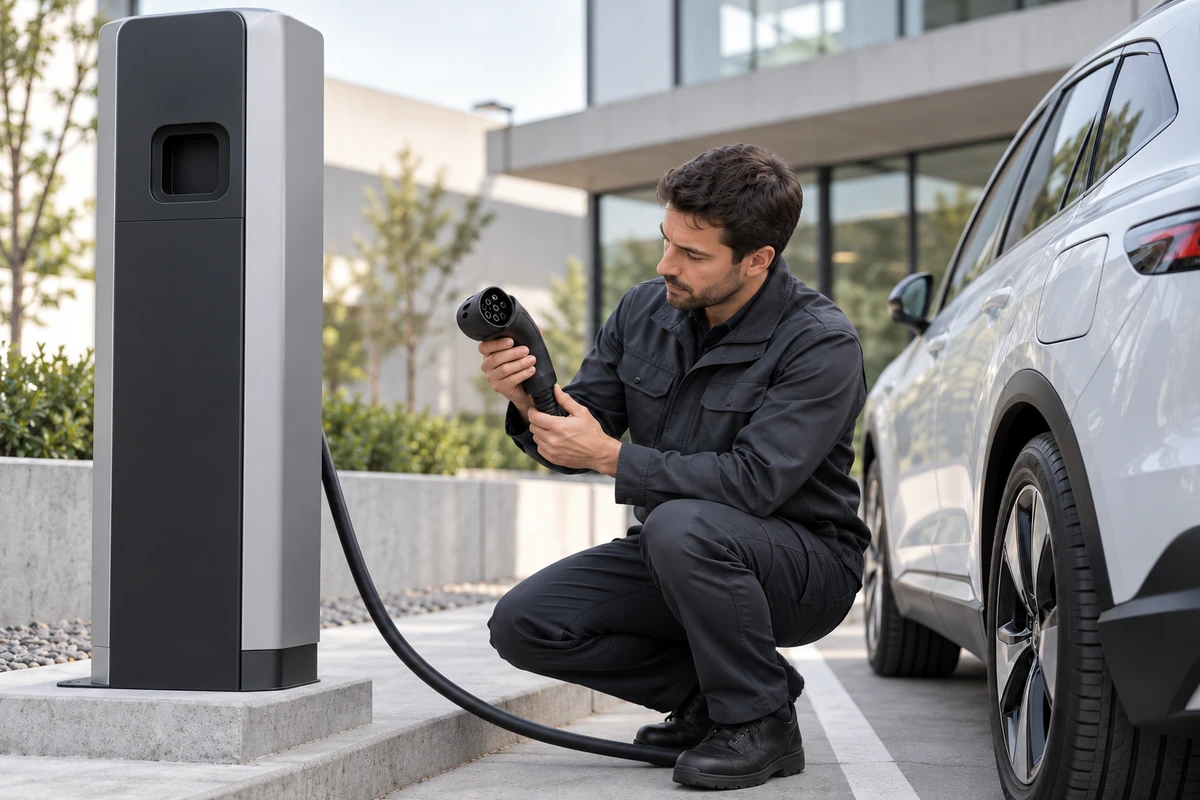
The easiest EV charger shot is a car arriving, a connector being plugged in, and a light ring turning on. The most important buyer questions often remain off camera: how the unit is installed and commissioned, how the vehicle is connected and authorized, how the charging session changes state, and how an operator sees and manages that session in the back office.
These are not four unrelated features. They form one operating chain. A useful EV charger product video connects hardware, vehicle, user, and management platform without pretending that a marketing film replaces installation training, certification, or technical documentation.
Separate the audience before writing the shot list
Installers need to understand site conditions, mounting, incoming power, communications, and commissioning. Charge point operators care about station status, alerts, tariffs, remote actions, and session records. Drivers need to understand authorization, connection, charging, and stopping. Procurement and channel teams need enough of the whole chain to judge whether the system is coherent.
One master film can explain the relationships, but it should not become a universal tutorial. GM Energy explicitly limits its installation videos to qualified installers and states that they do not replace official training, certification, or product documentation. That is a useful content rule: let the marketing film explain how the system works together, while model-specific procedures remain in approved manuals and training.
Layer one: show installation as a set of satisfied conditions
The installation sequence does not need to teach electrical work. It should establish why the unit can operate in this location. Capture three groups of evidence: the site and supply conditions before installation; the key mounting, cable, and communications relationships; and the commissioning state after power-up.
Judge the sequence by continuity, not by the number of tools on screen. A wide shot establishes a wall or pedestal application. Medium shots clarify cable routing and service clearance. Close-ups identify the approved model, connector, and indicators. A genuine commissioning step then moves the story from physically installed to visible in the system.
Any energized work should be performed by appropriately qualified personnel under approved conditions. An actor pretending to terminate cables may look tidy, but it creates an unsafe and inaccurate demonstration.
If the product family includes several enclosures, power levels, or installation SKUs, create a SKU matrix before production. Mark which beauty shots can be shared, which connectors and labels require separate coverage, and which internal paths are better explained with reviewed 3D animation.
Layer two: capture the full connection and charging state change
A connector and a green light do not prove the complete charging journey. A verifiable sequence includes the initial idle state, vehicle connection, identity or permission check, session start, visible status or power change, normal stop, and return to an available state. If the product supports RFID, app-based authorization, QR code access, or Plug and Charge, show only the methods supported by this exact model, configuration, and target market.
The Open Charge Alliance describes OCPP as communication between charging stations and central systems. Its current materials distinguish OCPP 2.0.1 and OCPP 2.1 capabilities, and they do not make every ISO 15118, smart charging, or Plug and Charge function automatic merely because a product mentions OCPP. CharIN also explains that Plug and Charge depends on certificate-based authentication and authorization under ISO 15118. The practical production lesson is simple: request the protocol version, enabled configuration, and test conditions from the product team before turning a feature into a scene. OCA protocol overview and CharIN Plug and Charge provide the official context.
Keep three visual layers during the charging sequence: the spatial relationship between vehicle and charger, the user action, and a readable change on the charger or vehicle. If current, voltage, power, or estimated time appears on screen, capture it from an approved test session and record the date, firmware, vehicle or load, and setup. Editing may improve timing; it should not turn illustrative numbers into measured performance.
Layer three: make the back office answer the field action
Many charger videos cut from live action to an isolated screen recording. A cursor moves across a map, device list, and report, but none of it connects to what happened outside.
Give every software view a field trigger. A session starts, then the corresponding session appears in the platform. A controlled offline or fault condition produces the approved status. An operator performs a remote action, then the unit provides the expected response. After the session ends, show how its order, energy, or alert record can be found.
The product or engineering team should provide a test account and approved dataset. Remove customer names, precise locations, accounts, orders, and real station identifiers before recording rather than relying on last-minute blur. If the interface is still in development, label and approve it as a prototype. Do not edit a design mockup as though it were a released feature.
Assign the right job to live action, screen capture, 3D, and AI
Live action is strongest for connectors, cables, user actions, indicators, and real installation relationships. Screen capture is strongest for device status, sessions, permissions, and alerts. Reviewed 3D can explain internal construction, electrical paths that cannot be filmed safely, or transitions between installation configurations. Generative imagery is better reserved for non-evidentiary environment extensions, mood, or previsualization.
Whenever a shot claims that this product actually works in a specific way, the primary reference should be a real unit, an approved interface, or an engineering-reviewed model. AI can help establish a depot, workplace, or home-garage setting, but it should not invent connector geometry, cable count, menus, mounting methods, or certification marks.
Approve the film with a feature-to-shot matrix
Before production, give every core capability six fields: the exact claim, applicable SKU and market, supporting document or test, field action to capture, interface or data required, and final approver. During review, ask whether the action has a beginning and a result, whether every shot belongs to the same model, whether displayed values come from an approved session, and whether prototypes or simulations are clearly distinguished from released capability.
This method is more useful than approving for a vague sense of technology. It also creates a practical deliverable system: a master film explains the operating chain; installer and user cuts serve specific roles; clean masters support localization; and standalone field, UI, and 3D assets can be reused for sales, exhibitions, and training.
The film can clarify the product relationship. It cannot replace test reports, certifications, installation manuals, or site engineering approval. GM Energy's official charger resources are a good example of keeping video, manuals, specifications, and support materials in distinct roles.
If you are planning launch and sales content for an EV charger, energy storage system, or automotive electronics product, share the model, target market, installation conditions, and approved platform-demo scope with ONCE VISUAL to request a product video plan for the new-energy and automotive market.