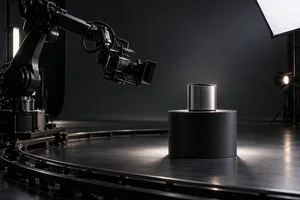
Can a cross-border ecommerce team capture models, lifestyle sets, a white cyclorama, product stills and multi-platform video in one shooting day? Sometimes. The useful test is not the number of deliverable files. It is the number of lighting, set, product and talent states that must change.
Thirty files may come from three stable capture states. Eight files may still require two days if they involve reflective materials, two hair and makeup looks, three sets and unrelated action logic. Before a producer promises a one-day schedule, every deliverable should be translated from a file request into a shooting state.
Turn the deliverable list into a state map
A platform list is normally organised by destination: an Amazon main image, Shopify product media, a vertical social edit, a horizontal website film and paid-social cutdowns. That structure helps a marketing team manage files, but it is a poor shooting order.
Rebuild the list around four variables:
- Lighting state: clean white, material-shaping light or a lifestyle mood.
- Set state: white cyc, technology set or home interior, including every major prop move.
- Product state: sealed or opened packaging, powered screens, liquids in use and fingerprint-free surfaces.
- Talent state: hair, makeup, wardrobe, hand details and complete action continuity.
This exposes what file counts hide. A front view, side view, detail and short turntable clip can all belong to one white-cyc state. A single lifestyle image may cost more time if it requires a new set, a new lighting design and a changed talent look.
U-STUDIO in Shenzhen is an 800 m2 multi-set production base with a 64 m2 white cyclorama and in-house equipment support. Keeping these resources together can reduce supplier handovers and physical moves, but it does not remove the time needed for relighting, product resets or talent changes.
A workable one-day schedule usually has three large blocks
1. Establish the product truth first
While talent is in hair and makeup, use a controlled white or tabletop setup to capture the front, side, label, ports, material details and essential functional actions. These are the assets on which product pages and marketplace compliance depend most heavily.
Shopify's official product media guidance treats images, video and 3D models as product media. The practical implication is not that every platform wants the same file. Each channel asks the asset to do a different job. A clean hero, a material close-up and a functional action may share product preparation, but retouching should not invent labels, structures or colours that were never captured accurately.
For electronics and reflective products, separate the light effects, ports, interface feedback and material control into their own state. This also gives the crew a clearer acceptance standard than a generic request for more detail shots.
2. Concentrate talent into continuous actions
Once talent is ready, do not bounce repeatedly between the white cyc, home set and technology set. Choose one or two priority environments and capture the same product action as a wide frame, a medium frame, a hand detail, a still hold and a short motion shot before changing the state.
Whether photo and video can share a lighting setup depends on the visual requirement. Continuous light can keep direction and mood consistent for both crews. Profoto's published ecommerce workflow guidance also describes combined photo and video production in one studio bay as a way to reduce equipment swaps, setup changes and visual inconsistency. But a high-speed still, a carefully sculpted reflection or a complex moving video light may justify separate flash and continuous-light states.
Four forms of coverage make a talent block reusable:
- one uninterrupted product-use action;
- subject placement and negative space that work for the planned horizontal and vertical frames;
- clean plates without text or graphics;
- a deliberate hold before and after the action for editing handles.
Multi-platform production is not a horizontal master cropped three ways. The team should decide on set which actions can share coverage and which vertical hooks need their own performance and framing.
3. Use the final block for precision and pickups
The last block should not introduce another ambitious set. Use it to catch the problems that otherwise appear after wrap: a crooked logo, a screen mismatch, a crew reflection, the wrong packaging version, a broken action or a hand position that will not cut.
On-set acceptance should go beyond asking whether a shot exists. Review stills at full tethered resolution and play video back. Check focus, colour, labels, action starts and ends, and the planned horizontal and vertical compositions against shot IDs before the set is struck.
High file counts are manageable; fragmented states are not
Mark every deliverable with its required lighting, set, product and talent state. If two or more variables change between adjacent shots, treat that move as a proper reset, not a quick pickup.
If the list can be reduced to three or four master states, a one-day plan may be realistic. If every SKU needs different props, light effects, talent looks and environments, split the work into a product day and a talent day even when the file count looks modest. There is no honest universal shots-per-hour number: reset time, grooming, lighting precision and safety testing vary far more than the file count.
Do not force these projects into one day
Reassess the schedule when it includes several models or hair and makeup looks, dialogue with sync sound, food or liquids that cannot be reset quickly, jewellery or transparent products with difficult reflections, motion-control or rigging, location moves, many SKU and packaging variants, or remote approval after every setup.
AI should not be used to erase this boundary. It can extend selected backgrounds or versions from an approved product master, but labels, materials, construction and functional proof should remain grounded in the real item and reviewed by the brand. The ability to generate more images does not remove the need to capture product truth.
What to approve before call time
The useful production document is not a long file list. It is a state map that shows which shots share lighting, which actions serve both stills and motion, when talent is needed, which aspect ratios can share coverage, which need independent capture and who signs off each shot ID on set. If channel, sample and delivery scope are still being aligned, use this cross-border ecommerce photography procurement checklist before converting the list into on-set states.
If you are planning a Shenzhen shoot that combines models, lifestyle sets, white-cyc product work and multi-platform video, send ONCE the SKU count, materials, talent actions, target channels, aspect-ratio needs and preferred date. We will count the required states and resets first, then advise whether one day is realistic and arrange a studio visit or availability check.