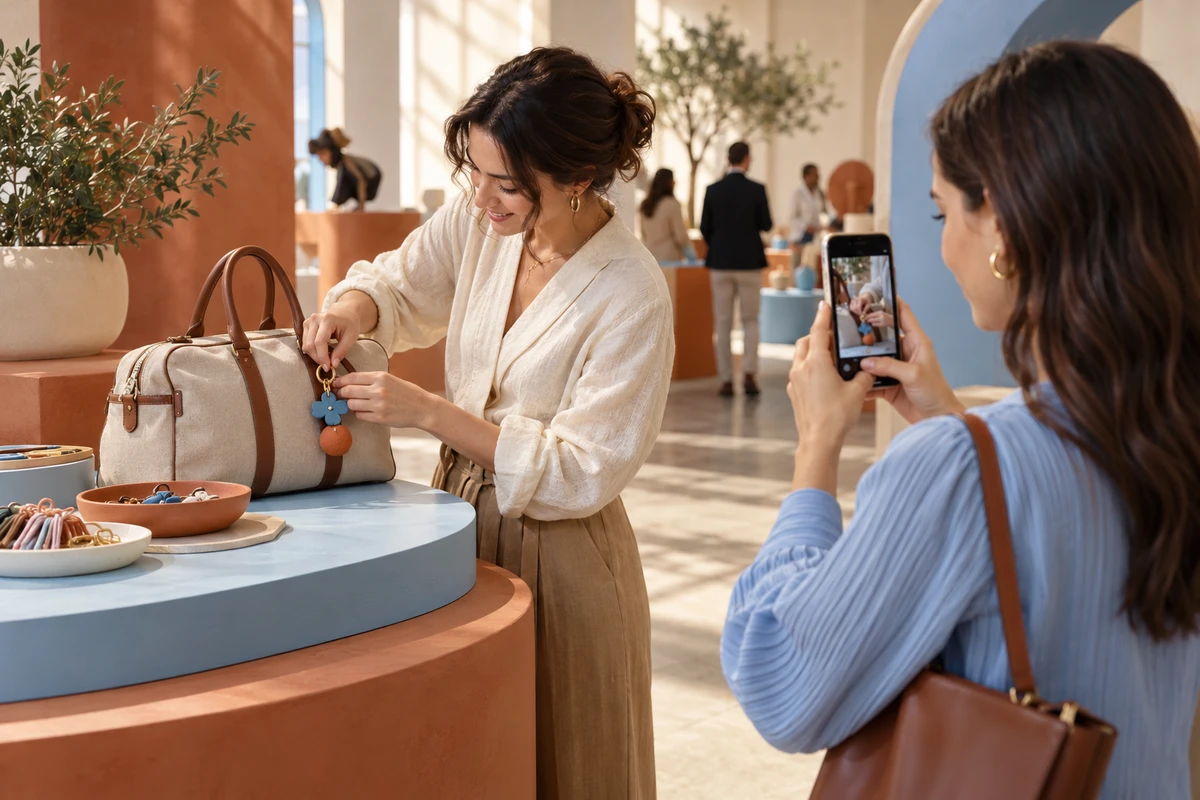
Your event render shows a beautiful product counter. A visiting creator arrives, tries the product and asks a colleague to film. Can that colleague actually find a usable position without stepping into the queue?
For overseas marketing teams developing activations with Chinese product and production partners, this is a practical briefing question. A visually impressive installation and a workable phone-camera view are different deliverables. Decide which product actions guests should be able to capture before approving the build—and specify professional filming separately.
A design detail worth borrowing, not a performance promise
In its House of Fresh retrospective, published on 3 September 2026, Unilever describes planning the lighting for smartphone photography and filming. We reviewed the official account on 16 October 2026.
That is evidence of a reported design choice, not evidence that lighting caused the activation’s commercial results or that every event should follow the format. The useful implication is narrower: phone capture can be considered while a space is being designed, rather than treated solely as a visitor’s responsibility on the day.
Diagnose the gap between the render and the recording
Begin with one product action worth showing. Avoid making every decorative feature into a supposed content opportunity.
Then examine the actual recording situation. Does the participant have a free hand? Can a companion step back? Will the person demonstrating the product obscure it? Does a close-up explain the action without depending on a large logo elsewhere in the room?
These are ONCE’s proposed planning questions, not findings from a completed client activation. They help identify whether the problem lies in the camera position, the interaction itself or the product’s role in the frame. Buying more event coverage does not automatically resolve those design choices.
ONCE’s Phone-Camera Map
The Phone-Camera Map is an original planning method proposed for this article. Add three real phone-held views to the spatial plan, each tied to a named action. Record who holds the camera, where they stand, what must be visible and which physical conditions the build must preserve.
| View | Check with an ordinary phone | Design decision it informs |
|---|---|---|
| Participant selfie | Can one hand manage the interaction while the frame remains understandable? | Product support and whether assistance is needed |
| Companion capture | Can two people occupy usable positions without blocking circulation? | Side clearance, backing-up room and queue layout |
| Product-action detail | Do hands hide the important step or reflective surfaces lose detail? | Working direction, counter height and light direction |
Do not prescribe a universal distance or brightness. The product, location, accessibility needs and safety requirements determine the acceptable layout. A filming position must not take over an emergency route. If the activity involves spoken explanation, check intelligibility under the expected sound conditions as well as the picture.
Rehearse the smallest useful change
Consider a fictional travel-accessory activation where visitors attach charms to a plain bag. This is an illustrative scenario, not an ONCE case study or a reported test. Because the activity occupies both hands, a selfie-led brief may be asking for an unnatural combination of tasks.
Use an authorized mock-up to try the companion’s view. Is the fastening action facing the phone? Does the participant obscure the bag? Is there room for the camera holder outside the queue? If the problem is orientation, rotating the working surface may be the first change to assess. If there is no usable standing position, revisit the layout before adding another filming crew.
Keep the before-and-after views and the specific issue they address. They are more useful build instructions than calling an area “content-friendly.” A rehearsal checks a physical proposition; it does not predict whether guests will post.
Separate spontaneous capture from commissioned production
Not every creator task belongs in a roaming phone workflow. Amplify’s EAFC HQ INSIDE LOOK case page lists streaming stations alongside interviews and gameplay activities. The page is undated; we reviewed it on 16 October 2026. It offers a useful contrast in workspace design, without requiring adoption of the agency’s performance claims.
A guest making an optional short clip needs a usable view. A scheduled livestream or interview requires a defined work position and appropriate sound, power and connectivity arrangements. A brand film or a complete, accurate product demonstration needs its own commissioned crew, shot requirements and acceptance criteria. A good walk-up filming corner is not automatically a reliable interview set.
For the separately commissioned film, ONCE’s video production solutions provide a starting point for a scope discussion. Do not turn the guest experience into an unspoken obligation to supply that film.
What to approve before the build
Ask the spatial and production teams to agree on four items: a plan with camera standing positions; sample frames showing the person, product and action; physical and lighting conditions the build must retain; and a list of tasks requiring a dedicated workstation or professional production. Mark the product version and event layout so the map is not reused after material changes without another check.
Keep four decisions distinct: the experience is filmable; the visitor chooses to record or publish; the brand has permission to reuse the material; and the content achieves a useful outcome. Approval of the first does not establish the other three.
ONCE’s longer-term business inference is that documented spatial decisions could extend a production company’s contribution beyond a one-off event record. Whether they become reusable project knowledge depends on scope, retention and actual adoption—not an assumed margin uplift.
Return to the companion beside the counter. Before signing off the installation, ask the team to show where that person stands and the frame they can obtain. That is where the event rendering becomes a content-production decision.