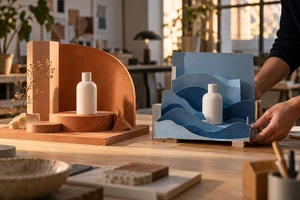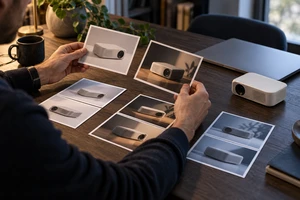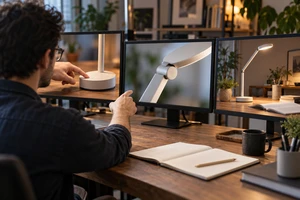
In AI product compositing, the problem is often not a shortage of attractive backgrounds. The chosen background may ask us to view the product from a different position. A product photographed from above can still look pasted into a low-angle scene, even with clean edges and a consistent color treatment.
There is no universal number of backgrounds one photograph can support. A more useful question is whether those settings allow the product to retain its original camera view. Replacing the environment and creating a genuinely new viewpoint are different jobs.
Imagine a fictional, original earbud charging case with a flat base and a curved lid. The available photograph looks down at an angle, showing much of the top and part of the front. This is a production thought experiment, not an ONCE client project or a tested result.
A beautiful background cannot choose the product angle
Place that photograph in three settings: a stone surface seen from above, an eye-level desk, and a raised platform seen from below. The product image stays unchanged, but each setting asks for a different view. The first may accommodate the visible lid; the others raise a question: why can we still see so much of the top from this height?
Making the product smaller changes its size within the frame. It does not turn the photographed top into a view of the back. Rotating the entire layer is not the same as moving a camera around to the rear quarter. Keep that distinction when assessing existing images; it is not a rule that every advertisement must be realistic.
Use credible surface edges in the background to assess the viewing direction, then compare the product's top, front and side. If a generated setting contains contradictory lines, surfaces and distant space, it is a poor reference for precise perspective matching. Revise it or choose a clearer setting.
Collage, graphic layouts and surreal placement offer another creative option: the inconsistency can be intentional. But if the image asks viewers to believe the product is physically sitting there, a conflicting viewpoint should not be excused as style while the advertisement continues to borrow the credibility of a photograph.
Reshaping a plane is not revealing a new surface
Adobe's Define planes to adjust perspective, updated February 23, 2026, describes drawing quads along architectural or flat surfaces, with their edges parallel to existing straight lines. Its companion, Manipulate the planes to adjust perspective, explains adjusting defined planes by dragging quad corners in Warp mode.
The useful principle is to identify the plane before manipulating it, not to treat a rounded charging case as an endlessly stretchable sheet. A small adjustment to one plane differs from flattening the lid, lengthening a port or redirecting a seam. Those changes may redesign the product rather than simply place it.
If the proposed viewpoint should reveal a hinge, rear port or underside that the photograph never captured, that information is absent from the source. A generative tool can propose a plausible appearance, but plausibility is not product documentation. For a formal product image, capture the required angle or use a checked 3D asset. If exploring a generated new view, compare its details with real product references; the generated image cannot validate itself.
This does not mean every new background requires another shoot. Compatible camera positions can still support different environments, set dressing and narrative moods. The constraint is missing product information in the new view, not a fixed quota of creative settings.
Establish placement before unifying the mood
Adobe's Match color between two images, also updated February 23, 2026, describes controls for luminance, color intensity and color cast. Those adjustments address a different task from deciding which product surfaces should be visible.
For the fictional case, first identify where the base meets the surface. Then discuss local contact, the broader cast shadow and environmental reflections, rather than hiding the base with a blurred dark patch. A shadow cannot supply a missing rear surface; matching warm or cool tones cannot explain the wrong viewing height. These are compositing considerations, not universal shadow settings or acceptance tolerances.
Be specific about what moves
A still product photograph can contribute to a moving advertisement, but specify what changes. A cropped push-in within the same image generally continues to show the information already captured. If the desired detail exceeds the source resolution, use a more suitable original asset; enlargement is not newly captured detail.
A camera moving around to the rear of the case makes a different demand. Previously hidden areas come into view, and the proportions of visible top and side change. Sliding the product layer sideways does not automatically supply that information. A background that visibly orbits a product which never changes its front-facing view can also make the layers appear spatially disconnected.
A motion brief might therefore say, “retain this product view while slowly pushing into the frame,” or, “move from the front to the rear quarter to reveal the hinge.” The first can begin with an assessment of 2D assets. The second calls for corresponding filmed material, checked 3D work, or a generated approach verified against real references. “Premium orbit” alone leaves those different tasks for post-production to guess.
Use a rough composite to choose the next step
Keep the case photograph's original proportions and visible surfaces, then try a small selection of backgrounds with different viewing positions. Before detailed retouching or atmospheric effects, adjust placement and overall size. Ask whether the lid, side and base contact can all make sense together. This is a proposed project-discussion method; no such test was conducted for this article.
If only the background's viewing height conflicts, change the setting or composition. If the idea genuinely needs the rear structure, photograph that angle without rebuilding every useful asset. If it requires a continuous move around the product, include the newly revealed surfaces in the production task. Identifying a particular surface or change in occlusion gives a more actionable direction than “make it more realistic.”
Once placement works, refine lighting, materials, edges and sound rhythm, then review at the intended viewing size. Put a successful still back into the complete movement; the best-looking frame cannot establish that the whole sequence works.
Imagination can change the world around a product without stretching the product into something else. Bring the original images, intended settings and specific camera movement to ONCE's live-action and AIGC production team. Discuss which environments can retain the existing view and which new angle is worth capturing.
Source note: The Adobe documents above were consulted on October 20, 2026; all three display a February 23, 2026 update date. No software, compositing, model or audience test was performed, and no efficiency or campaign outcome is promised. The case and original AI cover are fictional creative illustrations, not evidence of a real product's construction. The Chinese version retains source titles and dates without overseas links that have not been tested from mainland China.