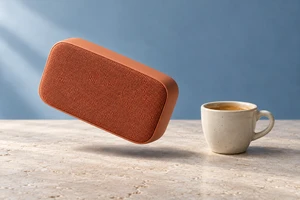
A photographed product can look pasted into an AI-generated background even when both images are beautifully made. Often, they describe different spaces. The product is photographed almost straight on, while the tabletop is viewed from above. The housing has soft studio lighting, but a hard shaft of sunlight cuts across the room. Each part works alone; together, they lack a shared camera position.
Once the product photograph is fixed, generated environments are more useful as designed settings than as a library of interchangeable scenery. Start with the product: which surfaces can we see, how does its base meet a surface, and what is reflected in its finish? There is still plenty of room for imagination, but it needs to work around those relationships.
The product photograph has already made some decisions
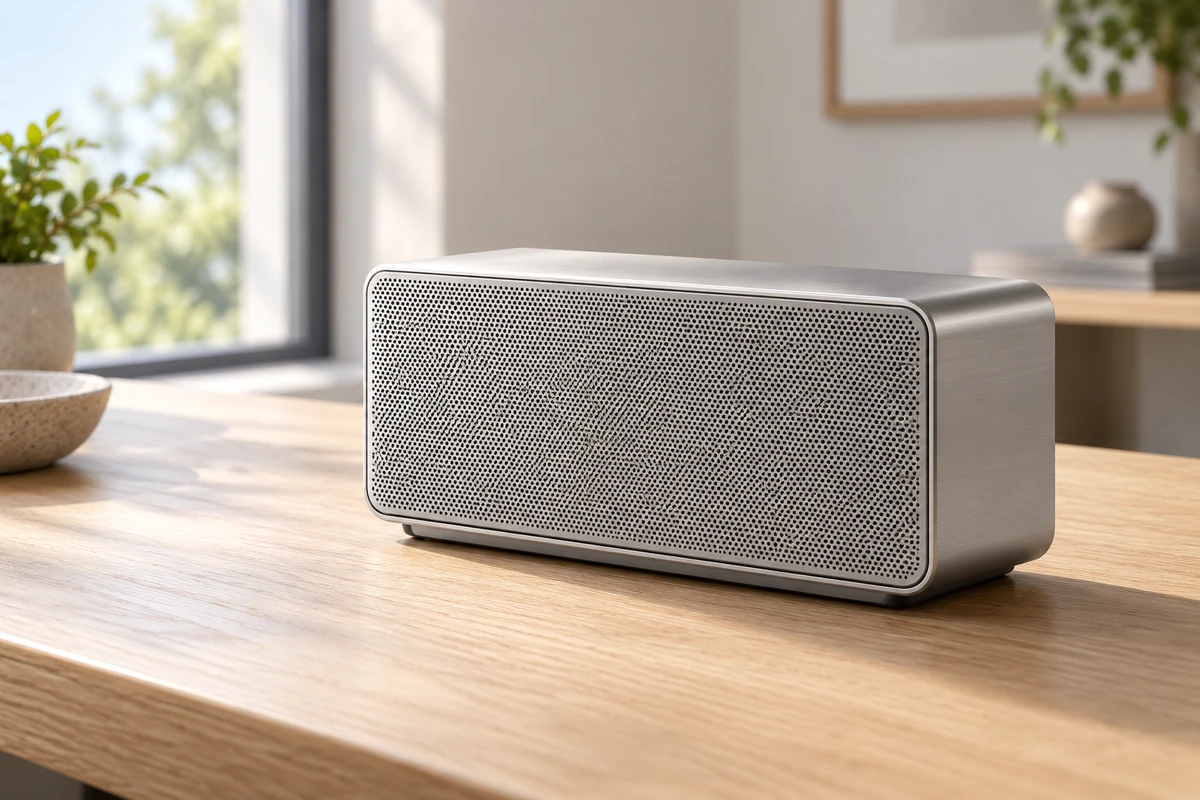
Consider a hypothetical metal desktop speaker. This is not an ONCE client project or a performance claim about a real product. Assume the existing photograph is taken slightly from above, showing the top and right side, with a broad, soft highlight across the top.
That image already suggests a usable viewpoint. It could fit a desktop seen from a similarly elevated position. If the generated scene looks almost horizontally across the table, however, the amount of top surface visible on the speaker may suggest a different camera position. Scaling the speaker down changes its size in the frame, not the surfaces already visible in the photograph.
Adobe’s What makes amazing creative compositing, published on June 11, 2026, treats viewpoint, scale, lighting and composition as connected considerations and recommends combining material with compatible viewpoints. This is a principle for choosing assets, not a promise that any background can be repaired to fit.
For this speaker, sketch the tabletop orientation and the product’s position before developing the room’s atmosphere. “Warm, modern and refined” describes a mood. “Camera slightly above the table, space to the product’s right, soft side light” begins to describe a setting it can occupy. Words still cannot replace visual comparison: choose a generated image for its relationship with the product, not just its standalone beauty.
If a favorite environment conflicts with the photograph, heavily distorting the product is not the only option. Choose another product angle, reshoot it, or discard that background. When the shape is part of the selling point, altering its proportions to accommodate the setting is an expensive creative compromise.
A wooden desk and a mirrored plinth tell different stories
Choosing a surface is more than choosing an art-direction color. A wooden desk can place the speaker in a work or reading context. A mirrored plinth suggests display, exhibition or a technological aesthetic. They imply different situations and demand different compositing decisions.
On wood, make the base belong to the surface
Suppose the setting uses a pale, low-reflectance wooden desk. The darkening near the speaker’s footprint should relate to the parts actually touching the desk, rather than becoming one uniformly soft oval beneath the whole housing. If the base has feet, those are the contact points. If there is a gap beneath the housing, filling it with black simply to make the object feel grounded can misdescribe its construction.
Foreground objects can also clarify space. A pen near the speaker should read as being in front of it or behind it through the overlap. The aim is not to pile on props to simulate realism; it is to make the positions of a few objects intelligible. The base, desk and foreground objects should acknowledge one another, rather than merely sharing a frame.
On a mirrored surface, the reflection becomes part of the product image
A reflective display surface makes the image beneath the product part of how its shape is presented. Flipping the original photograph and lowering its opacity can be useful for a layout sketch. It should not automatically be accepted as the final reflection; in this hypothetical setup, it needs to be judged against the tabletop viewpoint and the speaker’s base.
The housing deserves attention, too. If the metal side retains an obvious studio highlight but the new background is a dark, enclosed space, that highlight asks a question: where does it come from? The environment could be designed with an appropriate bright surface, or a more compatible product photograph could be used. Not every highlight must disappear, but it should make sense for the intended material and setting.
This is a creative choice. If the message is about everyday use at home, there is little reason to add a mirrored plinth purely for a “premium” look and then spend the composite hiding the contradictions it creates. If sculptural form really is the focus, the reflection deserves deliberate design rather than appearing by chance in a generated background.
A more unified image is not necessarily an unchanged product
Adobe’s Harmonize documentation, updated on May 20, 2026, says the feature adjusts a subject’s color, lighting, shadows and tone to fit its background. Notice the direction of that operation: the subject is being adjusted. “Better integrated” should not be read as “all product details preserved.”
For a product ad, separate two questions: how should the environment work around the speaker, and which parts of the speaker may change? Its silhouette, openings, buttons and branding carry its identity. Changes to environmental color or highlights can also affect how viewers understand the finish. Comparing the composite with the original product reference is more useful than asking only whether the new picture looks attractive.
In Add realistic details to a composite using Generative Fill, published on December 17, 2025, Adobe’s tutorial text and transcript describe generating contact shadows and floor reflections locally. They explicitly explain that the selected area is replaced by the generation. This is not simply adding a shadow over an untouched photograph.
For our hypothetical speaker, a sensible starting point is to keep the product and environment on separate layers, make a small intervention around the desk contact, and inspect whether the generation has crossed into product edges intended to remain intact. Layer separation is not automatic protection: selections, masks and output still need inspection. If a workable local selection must include the base, judge whether that base has been redrawn rather than overlooking it because the overall image feels smoother.
These official materials concern still-image tools and compositing methods. They do not establish that a product video’s structure, lighting or detail will remain stable across every frame. The discussion here is about creative decisions, not a hands-on endorsement of a particular tool.
Let the setting be imaginative and the intention legible
Credibility does not always require everyday realism. A speaker floating among abstract blocks of color can openly express music, rhythm or space. It need not pretend to rest on an invisible desk. The problem is a supposedly domestic-use image that leaves the product hovering, or an unusual scale that misleads viewers about its actual dimensions. Stylization should be an understandable creative choice, not an unresolved compositing problem.
When a still image develops into an advertising shot, movement needs fresh consideration. A fixed-angle speaker photograph combined with a background that visibly orbits does not provide a view of the product’s rear side. Options include a locked camera compatible with the asset, additional photography, or verified 3D product assets. Translating one photograph around a scene is not a substitute for arbitrary camera movement.
A strong live-action and AI composite is not about making every corner look spectacularly generated. The setting should help the product communicate: a wooden desk suggests use, a plinth emphasizes form, and abstract space carries a concept. The more specifically you decide where imagination operates and where product facts remain intact, the more coherent the expression can become.
If you are exploring this hybrid approach for a product ad, bring your existing product photographs and intended use context to ONCE’s video production solutions. We can discuss how the setting and photography should work together.
Sources checked on October 15, 2026. Adobe references are official page text or transcripts. The speaker is a hypothetical creative example; the cover is an AI-generated concept image.